ThermistorTrigger
ThermistorTrigger buffers two thermistor signals and compares them against hardware-adjusted thresholds. Its digital outputs are intended to go low on overtemperature and drive an independent shutoff or a controller halt input. It is neither a PT100 converter nor a passive thermistor adapter.
Revision and use boundary
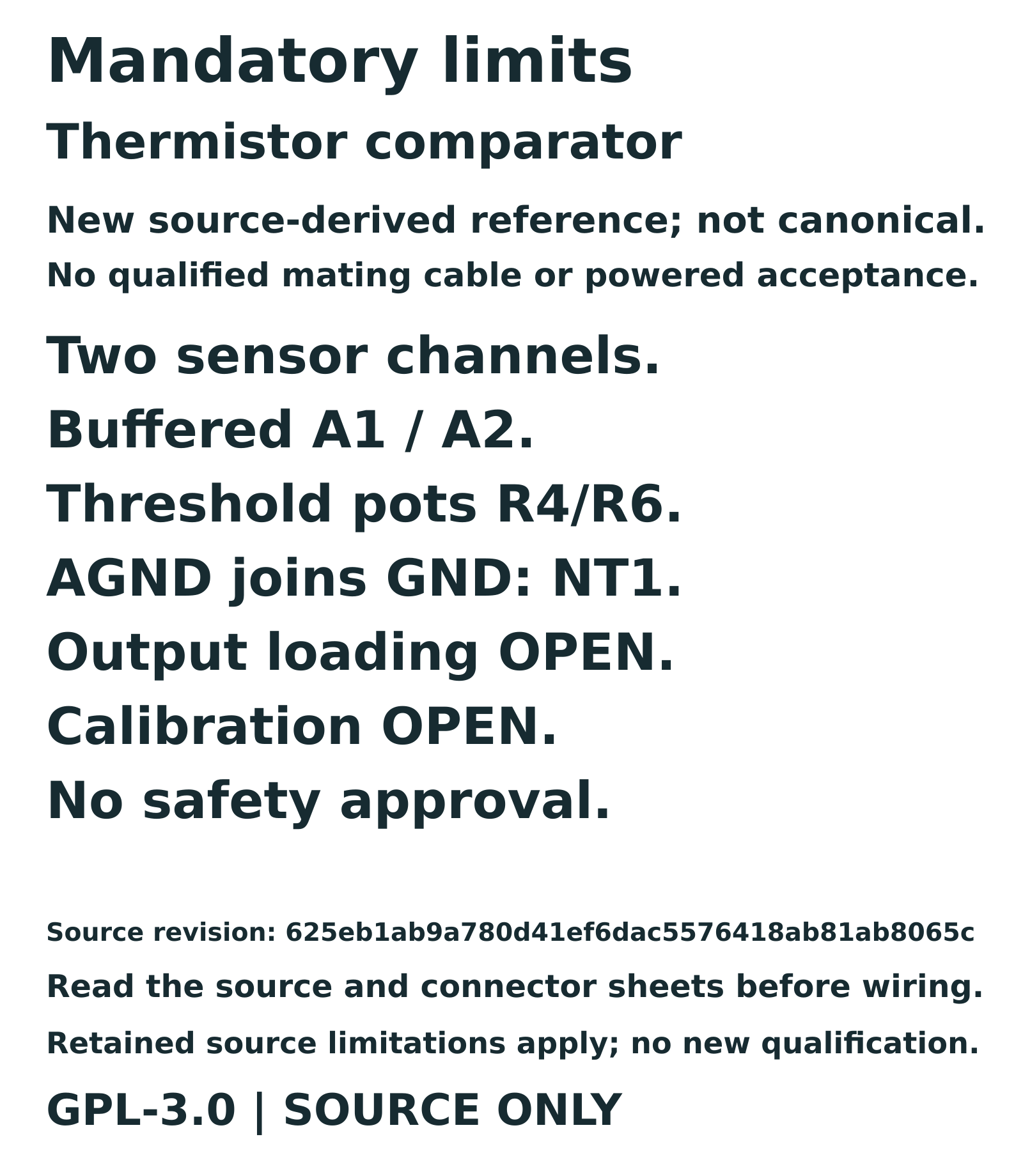
This guide follows ThermistorComparator.kicad_pcb at the exact linked source revision. It is a separate related hardware design, not a verified Prime-compatible adapter. The source description uses failsafe terminology where applicable; no safety certification, single-fault coverage or physical acceptance has been established.
Operation, power and connectors
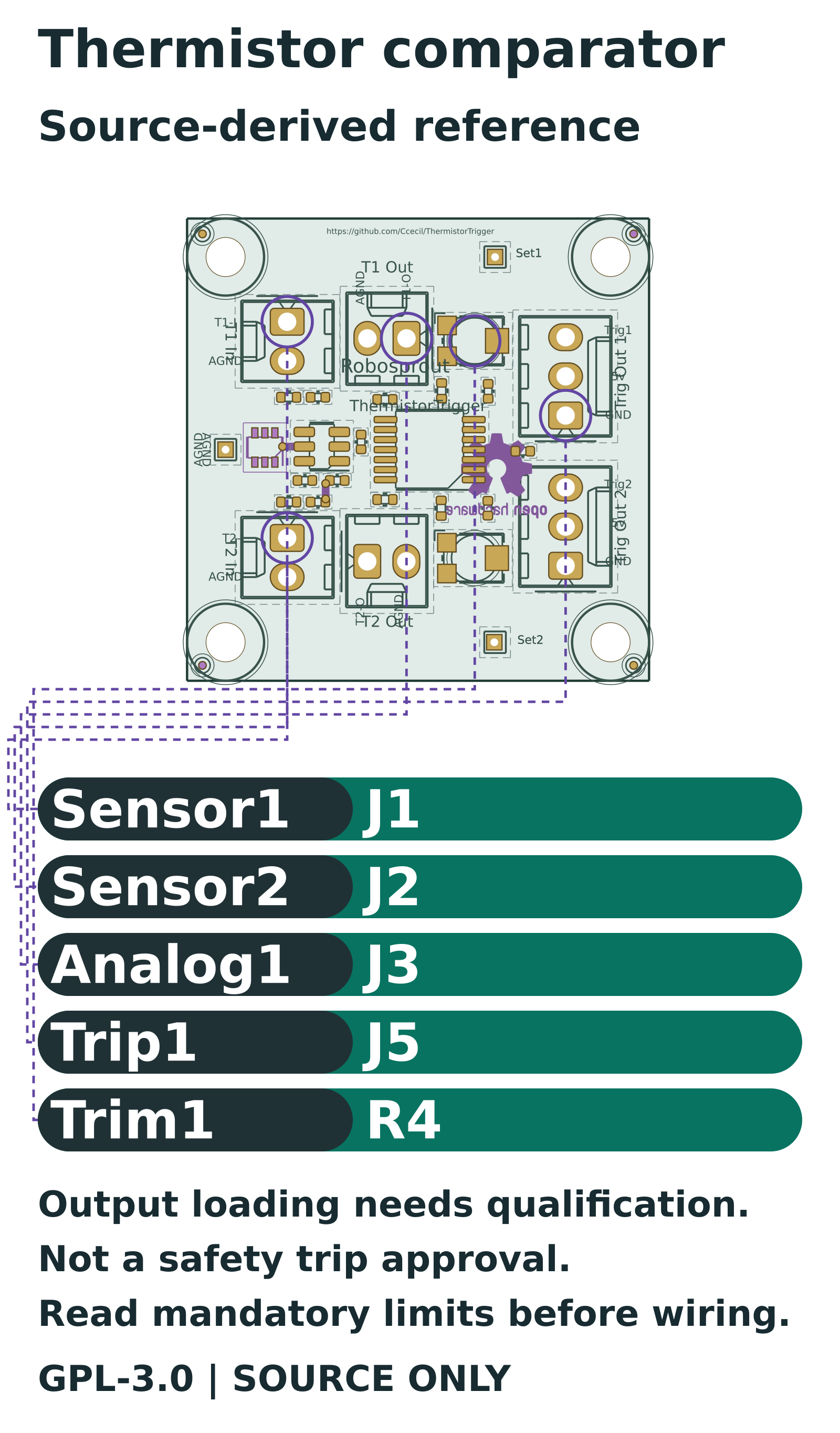
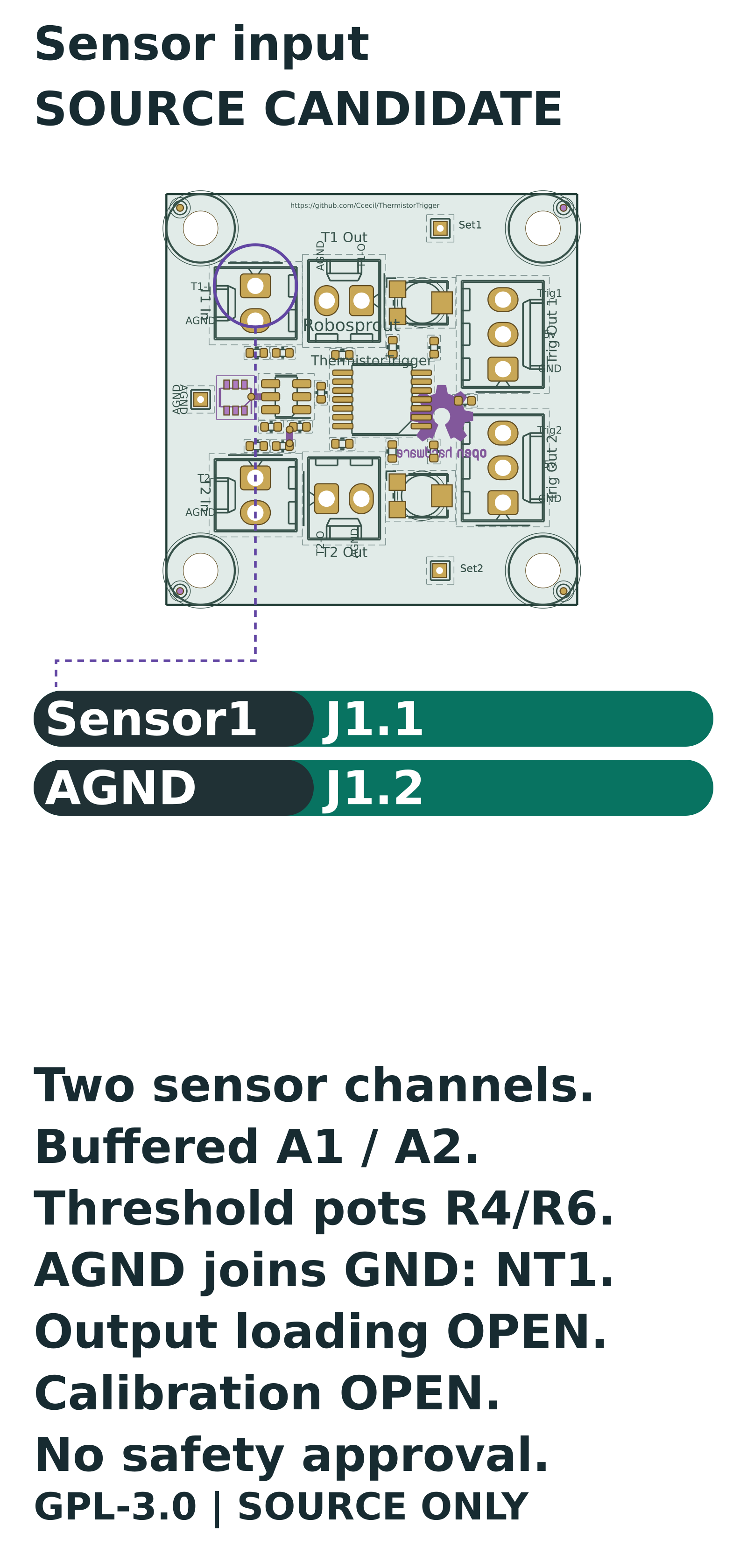
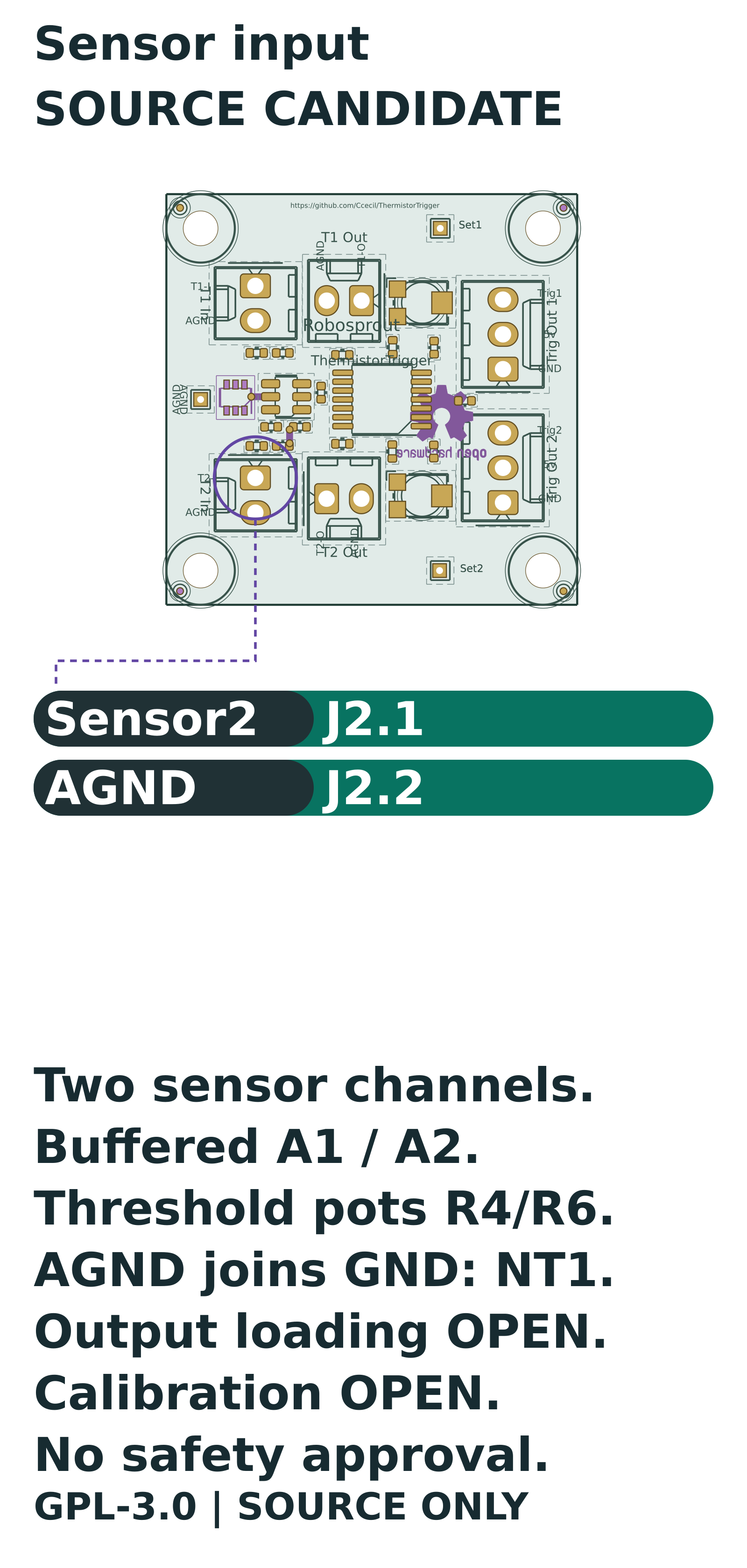
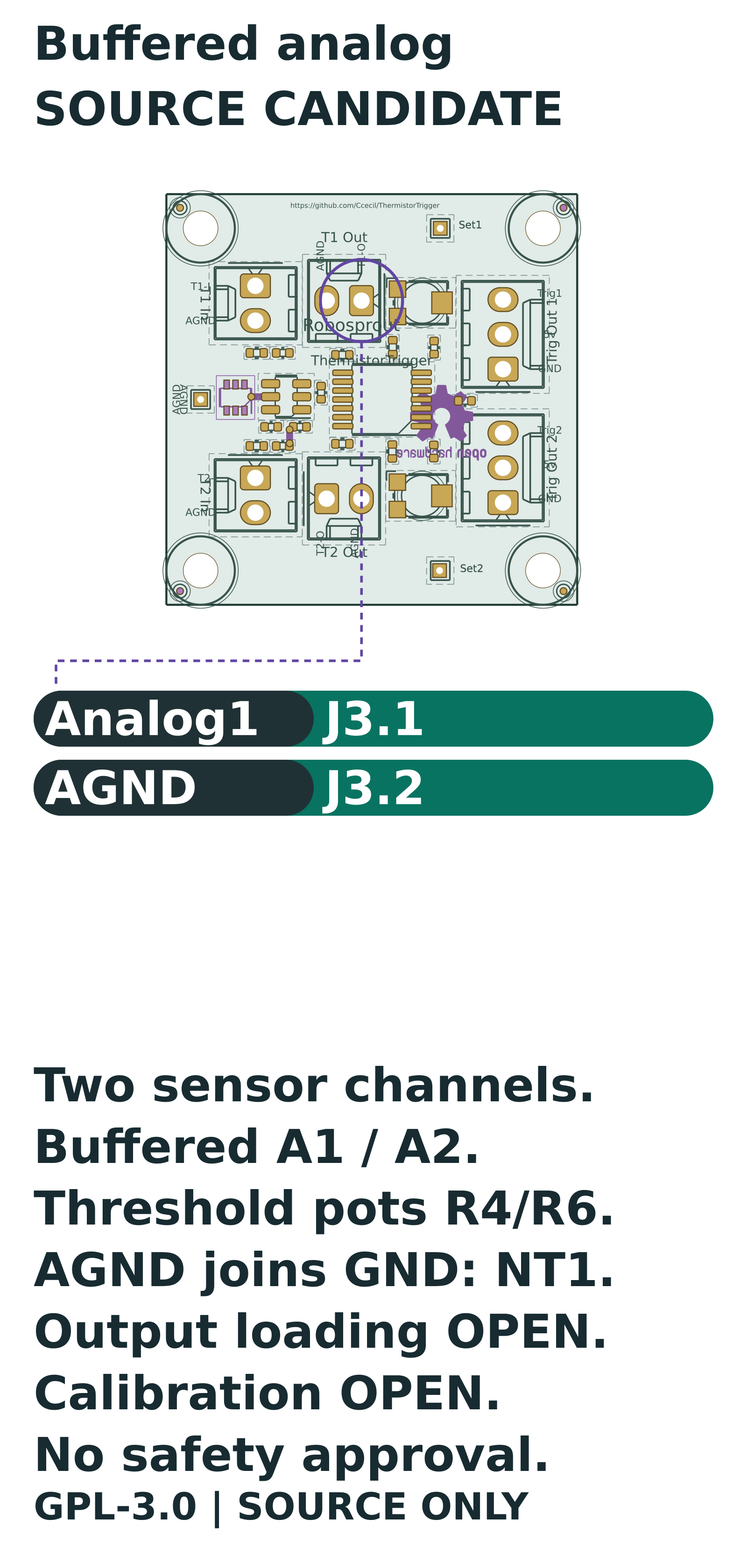
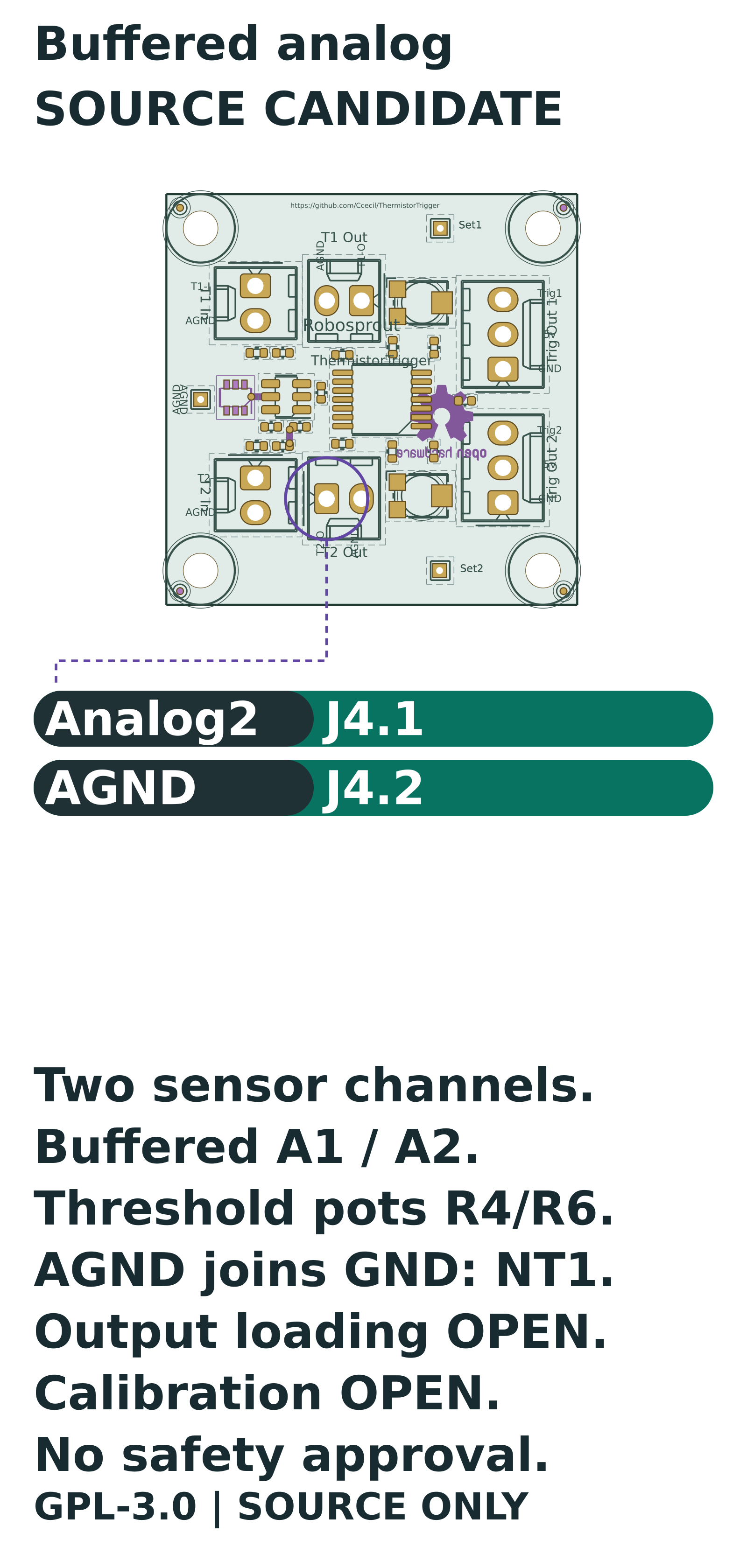
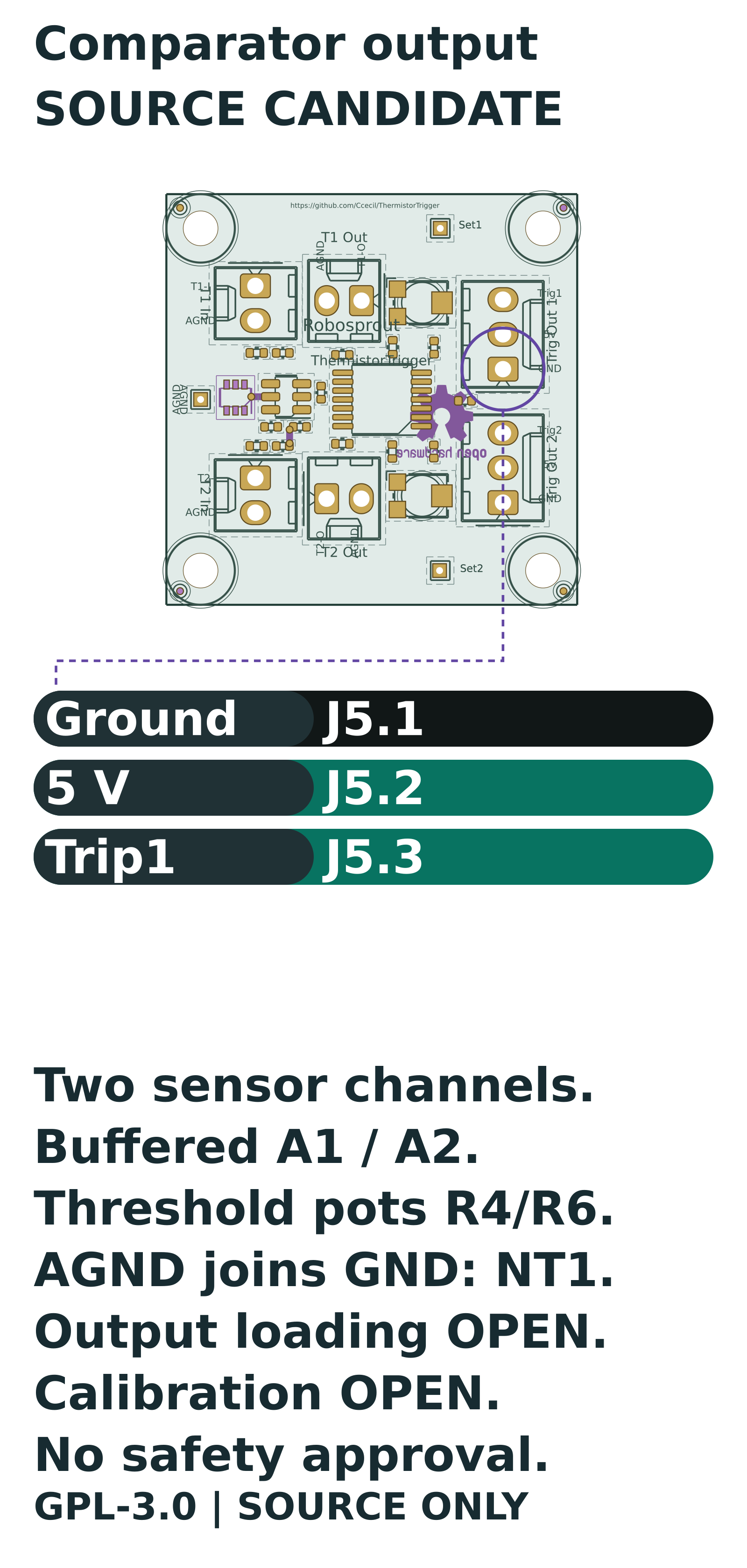
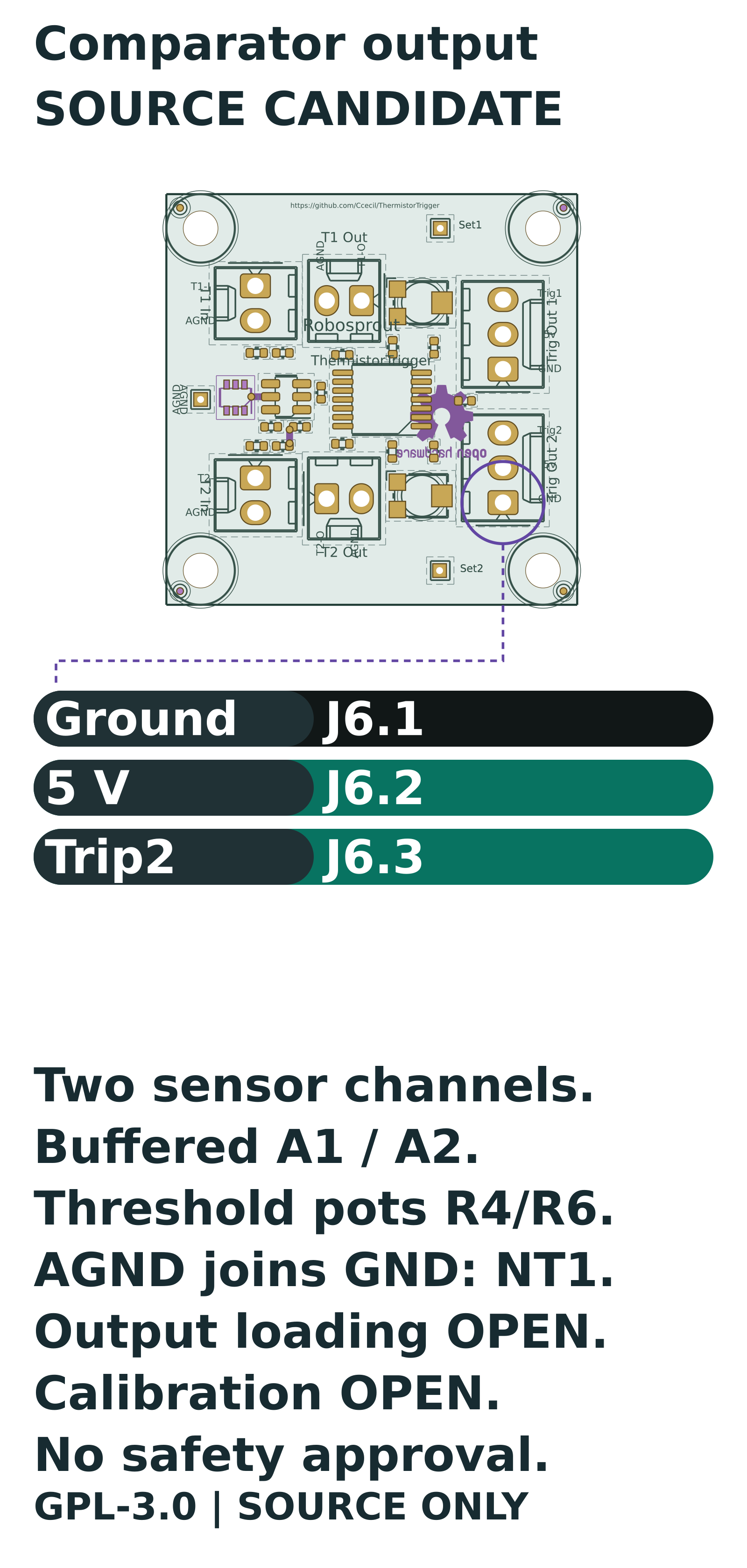
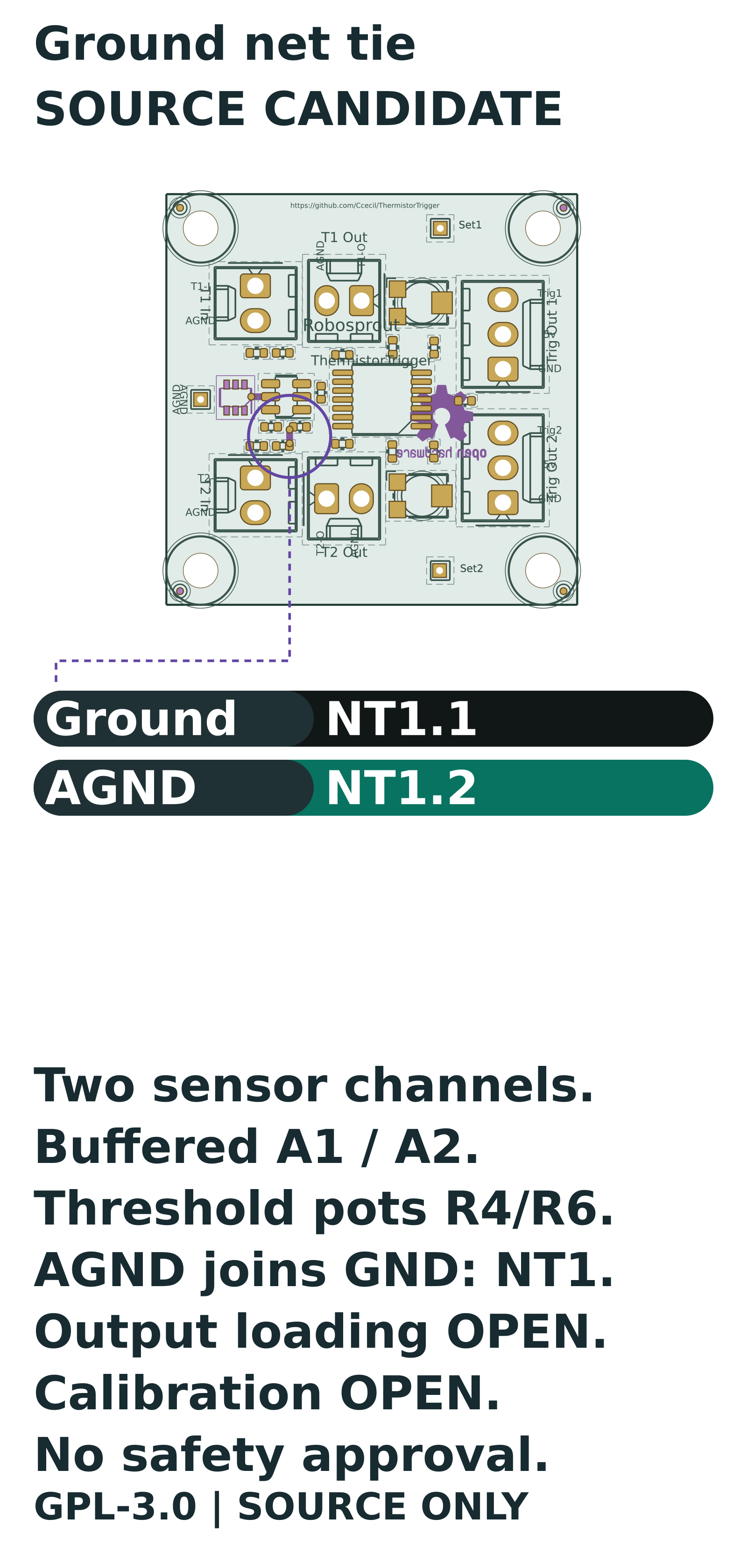
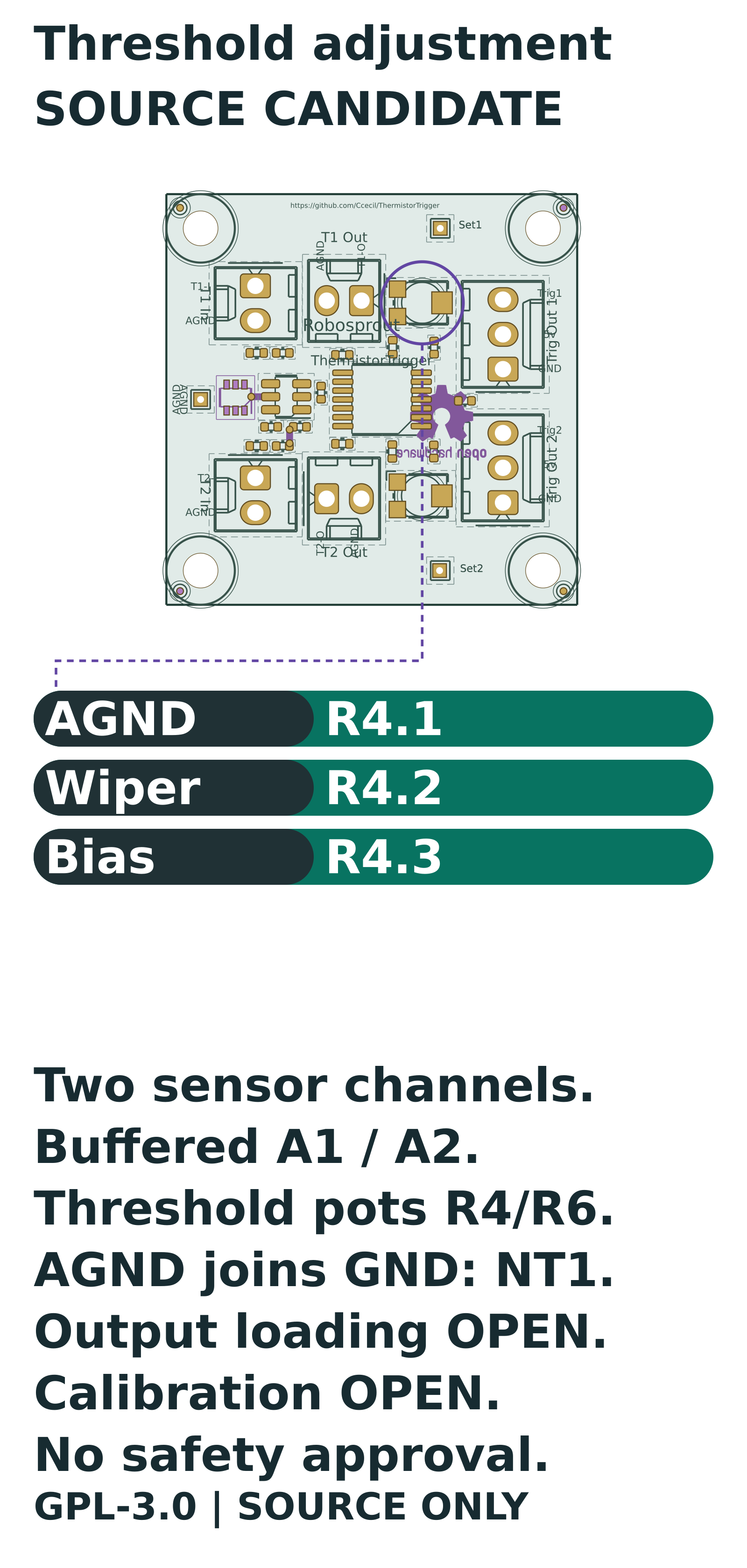
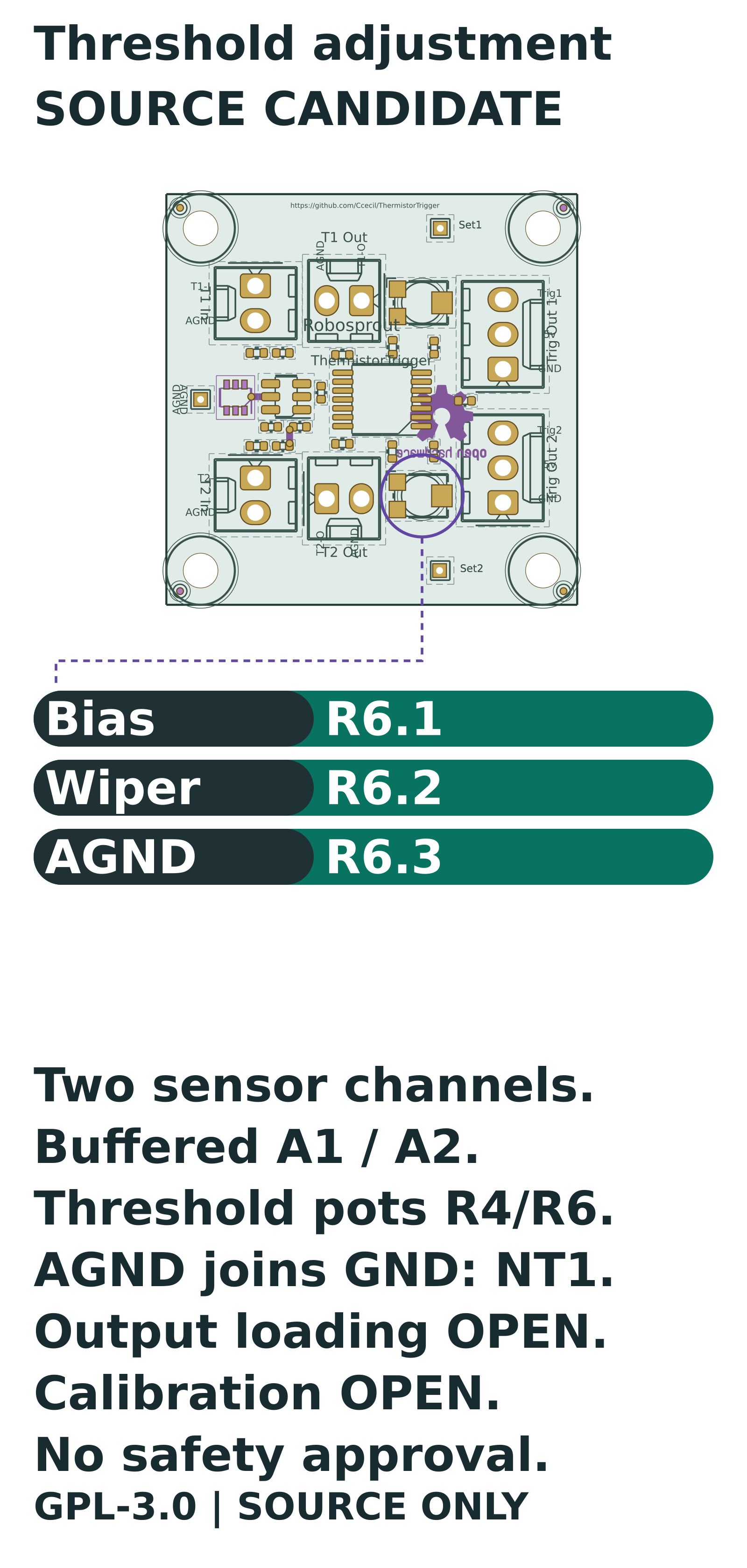
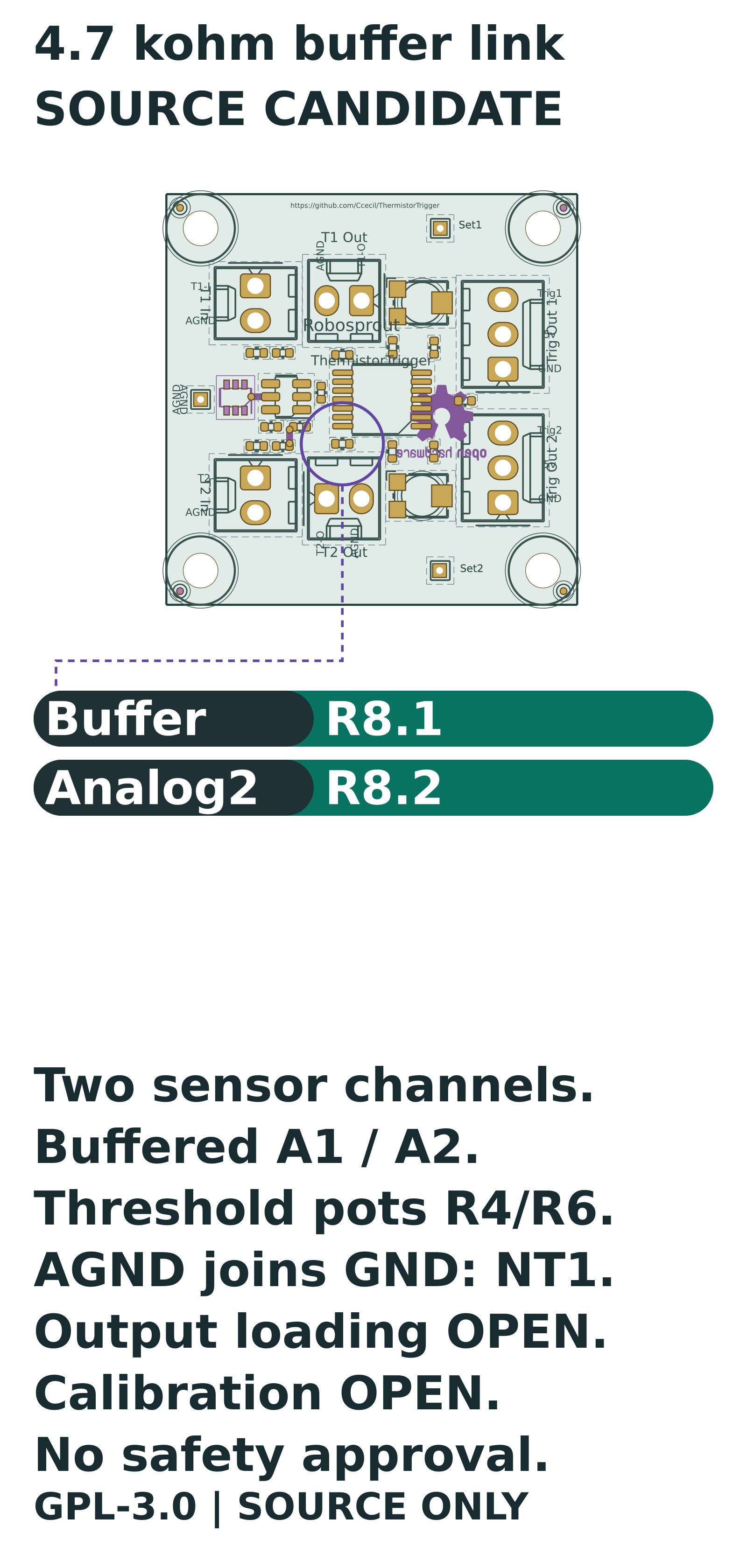
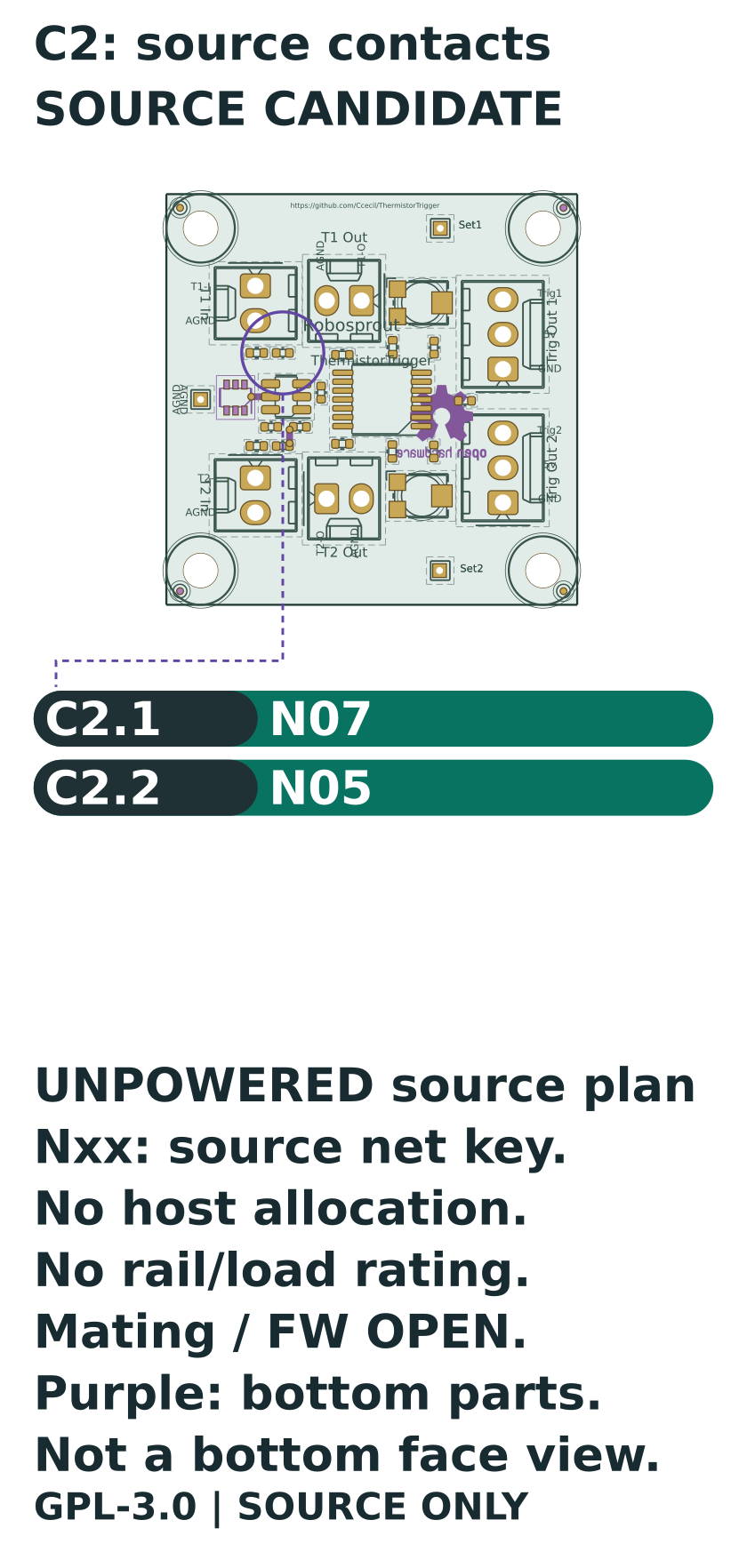
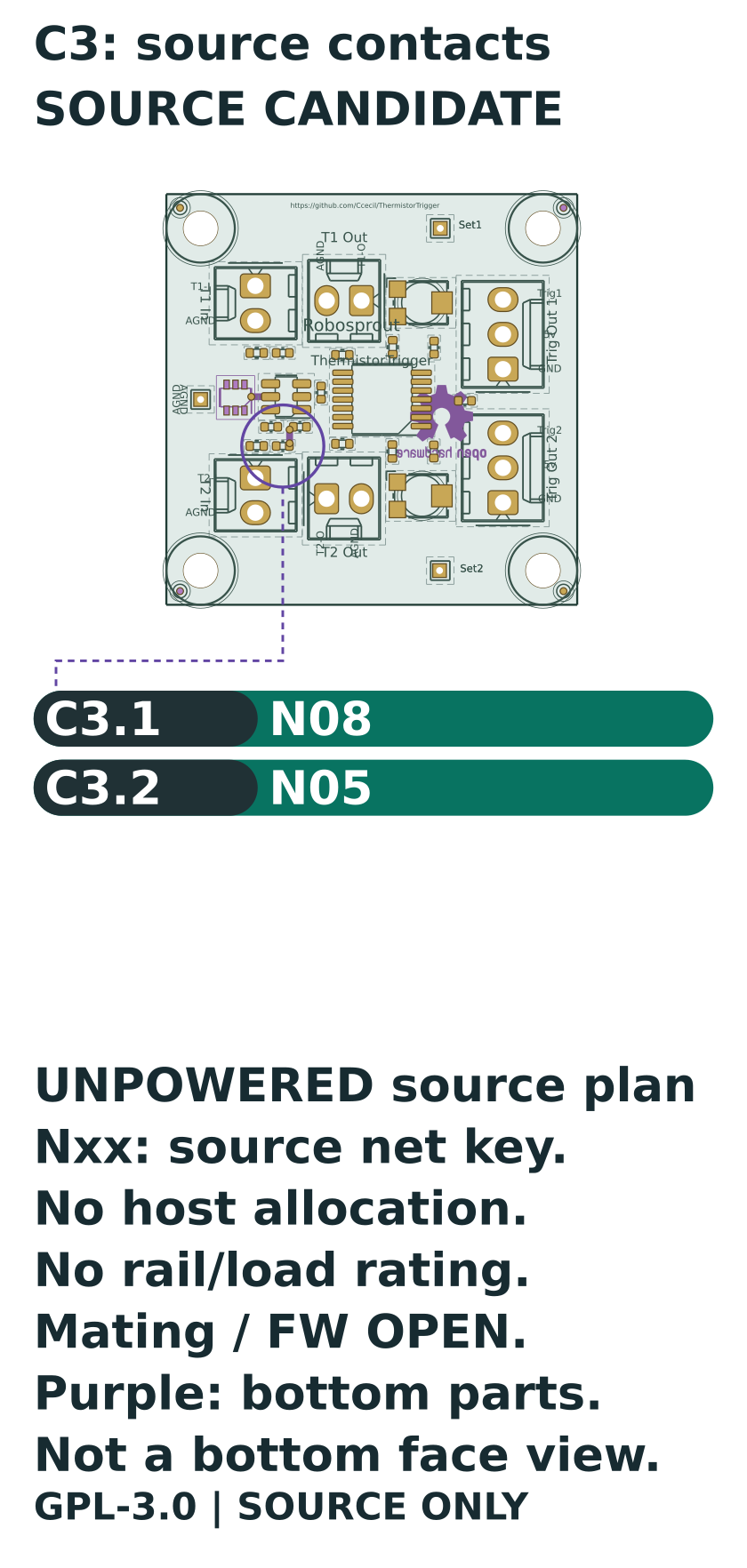
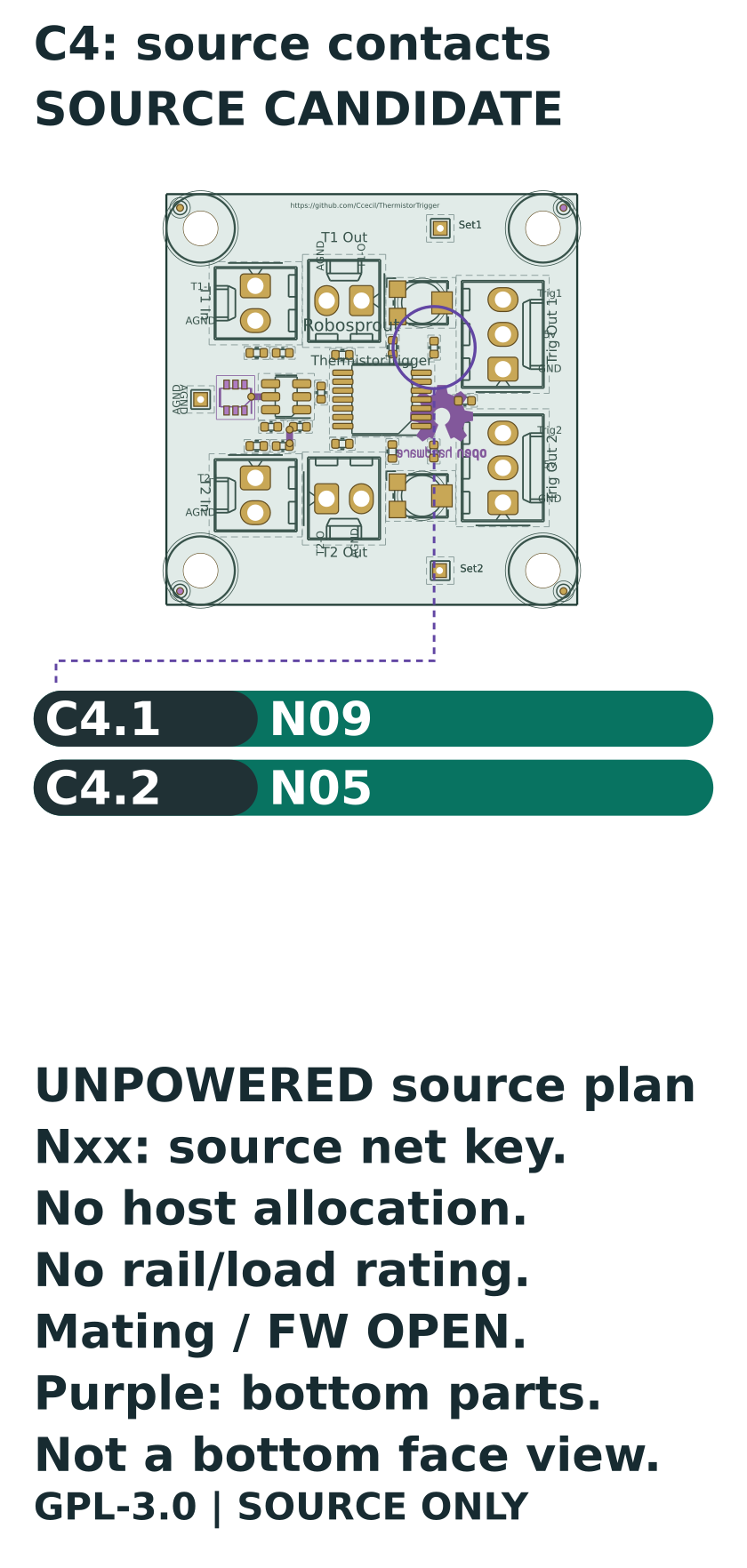
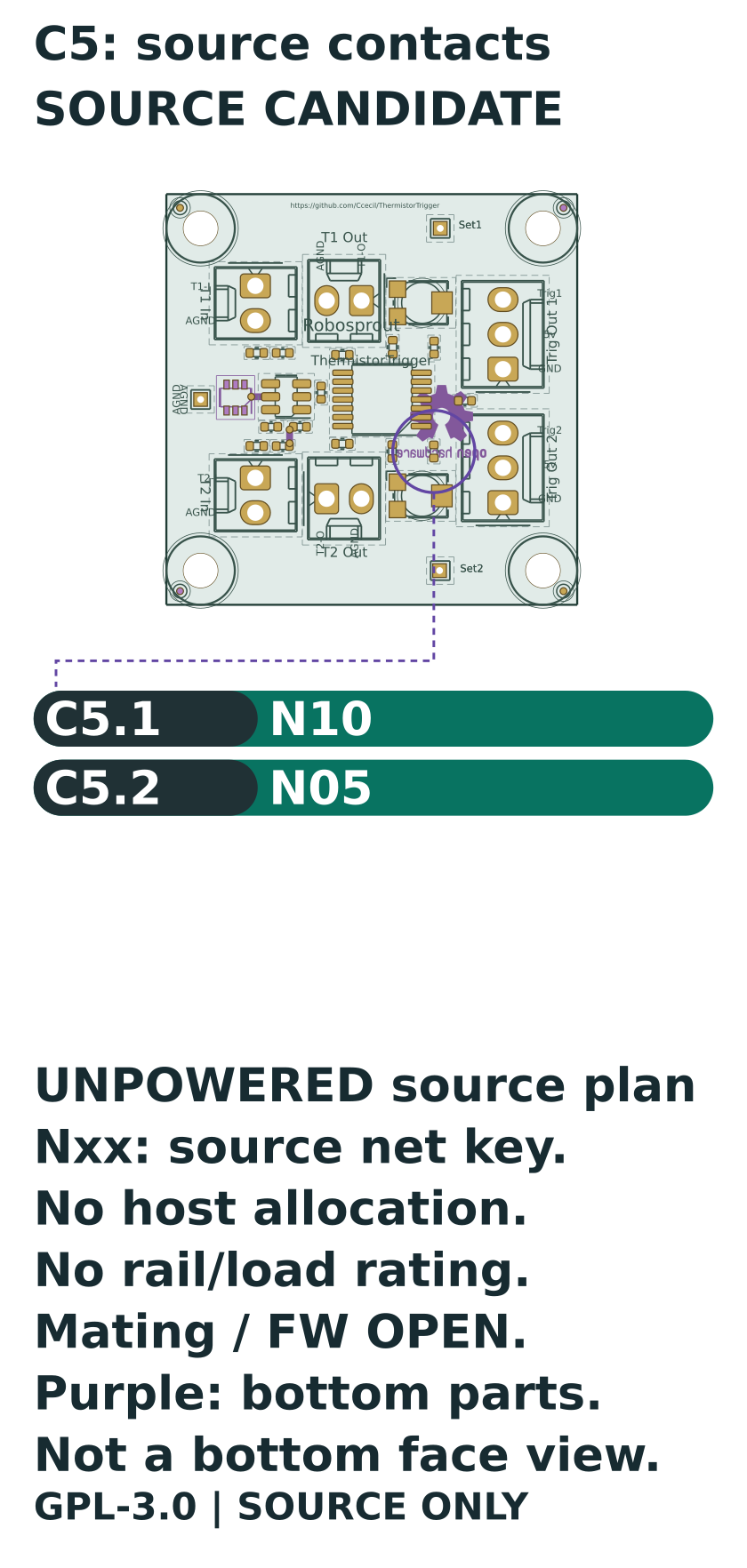
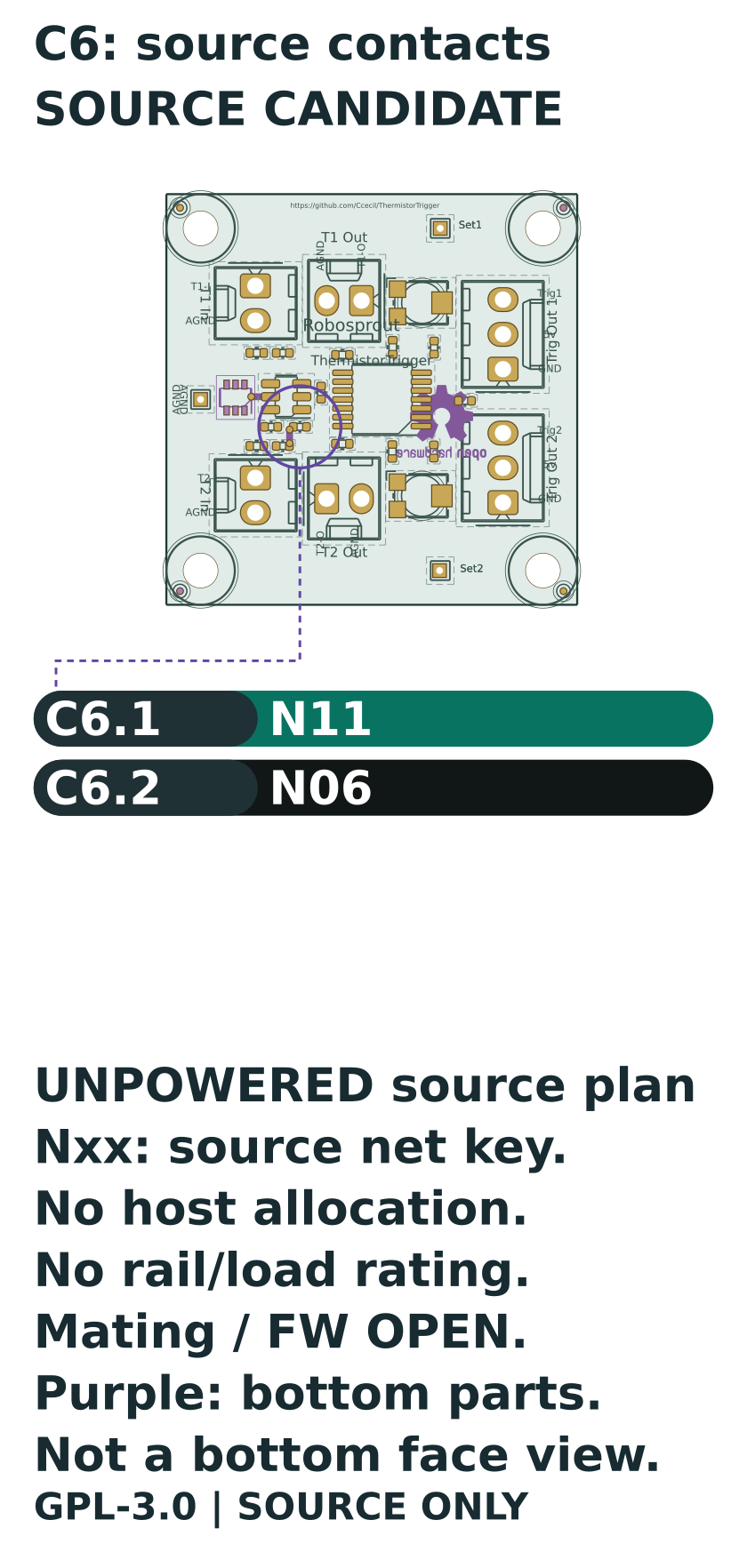
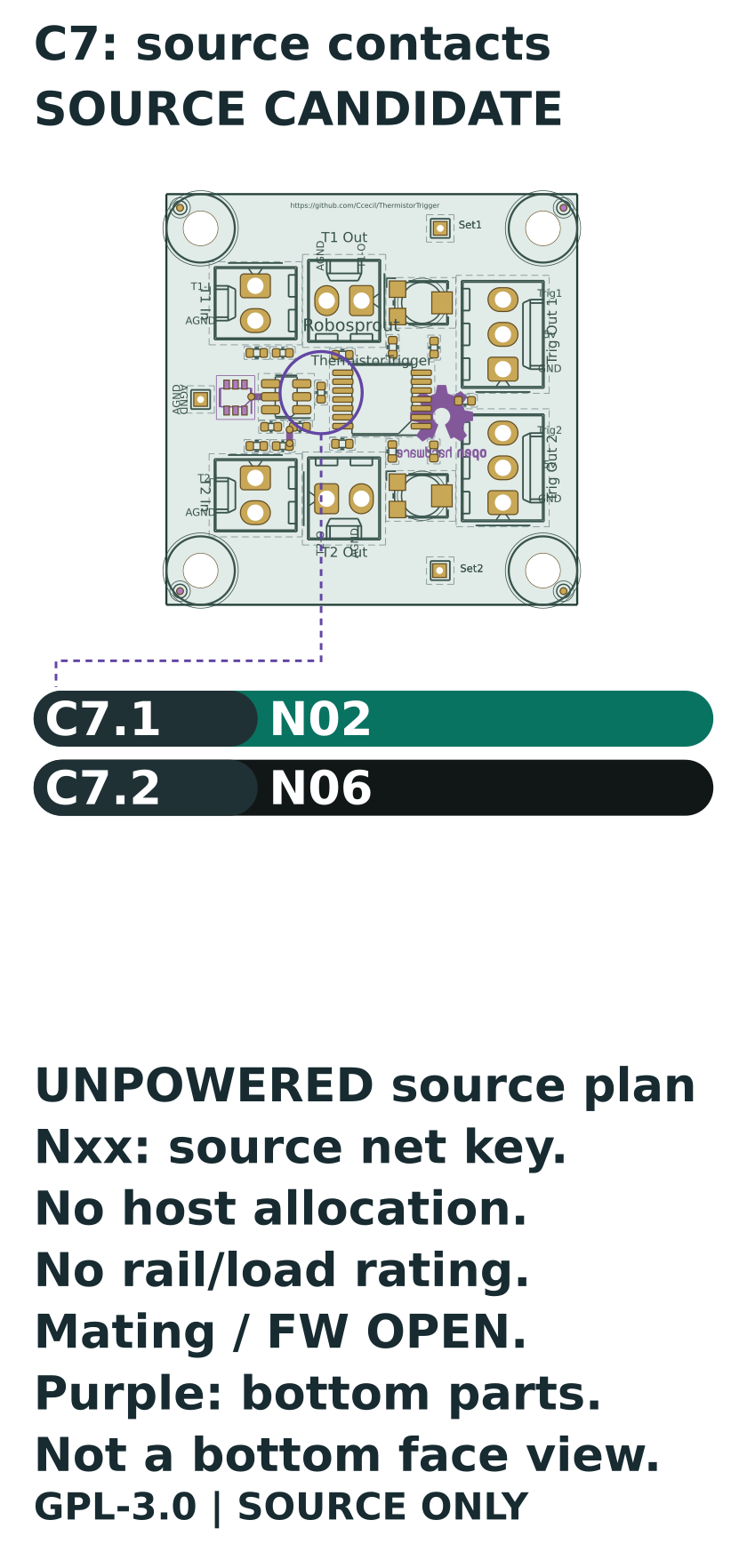
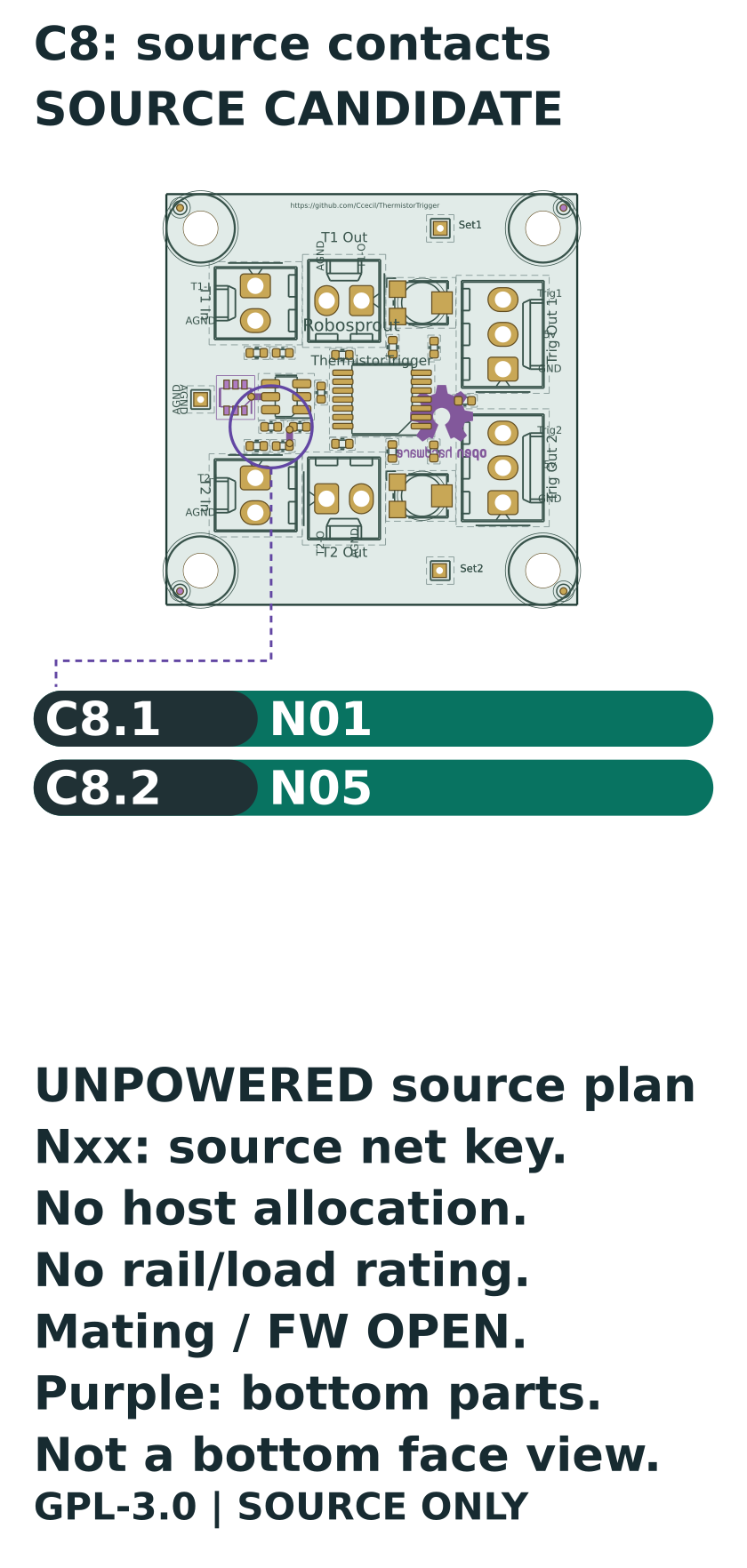
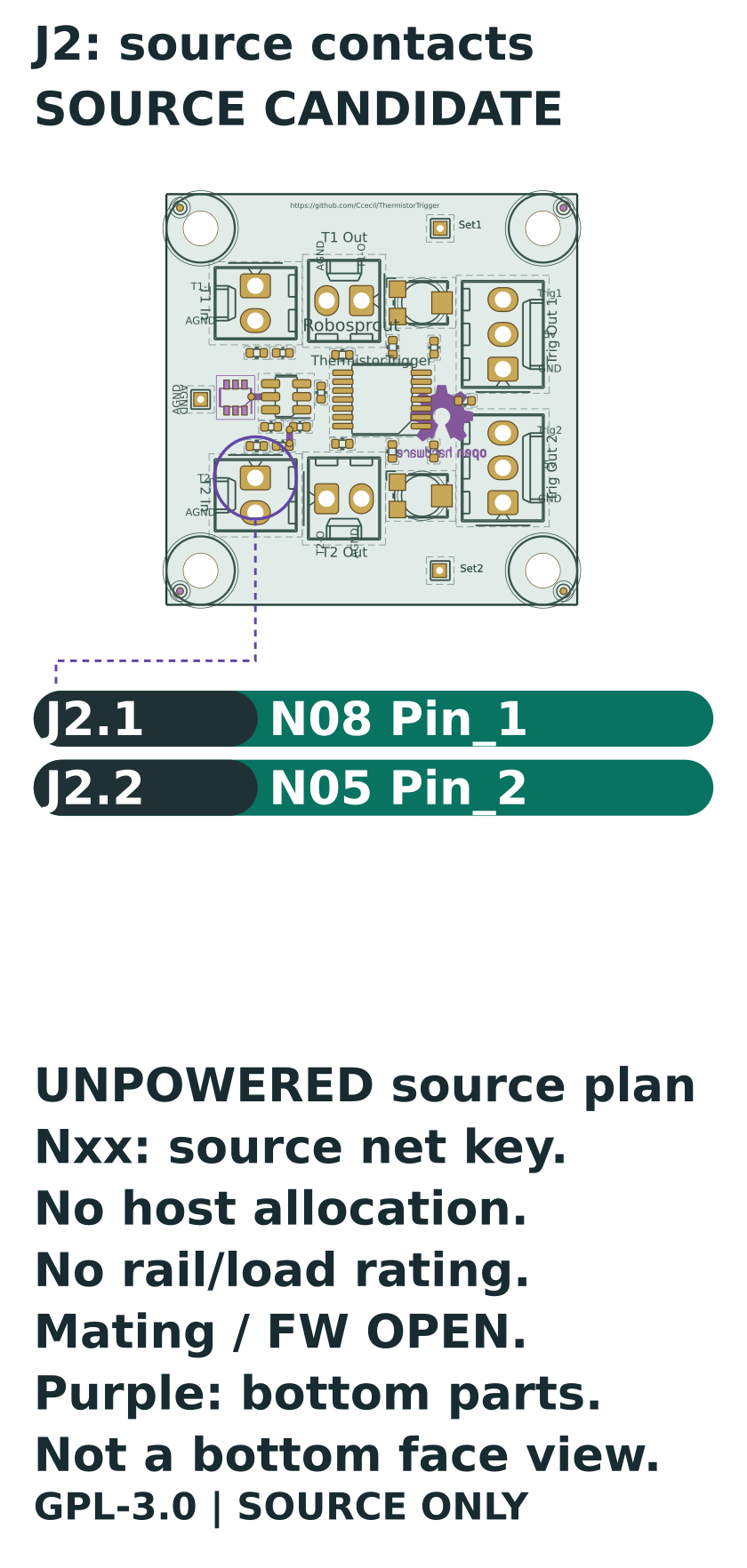
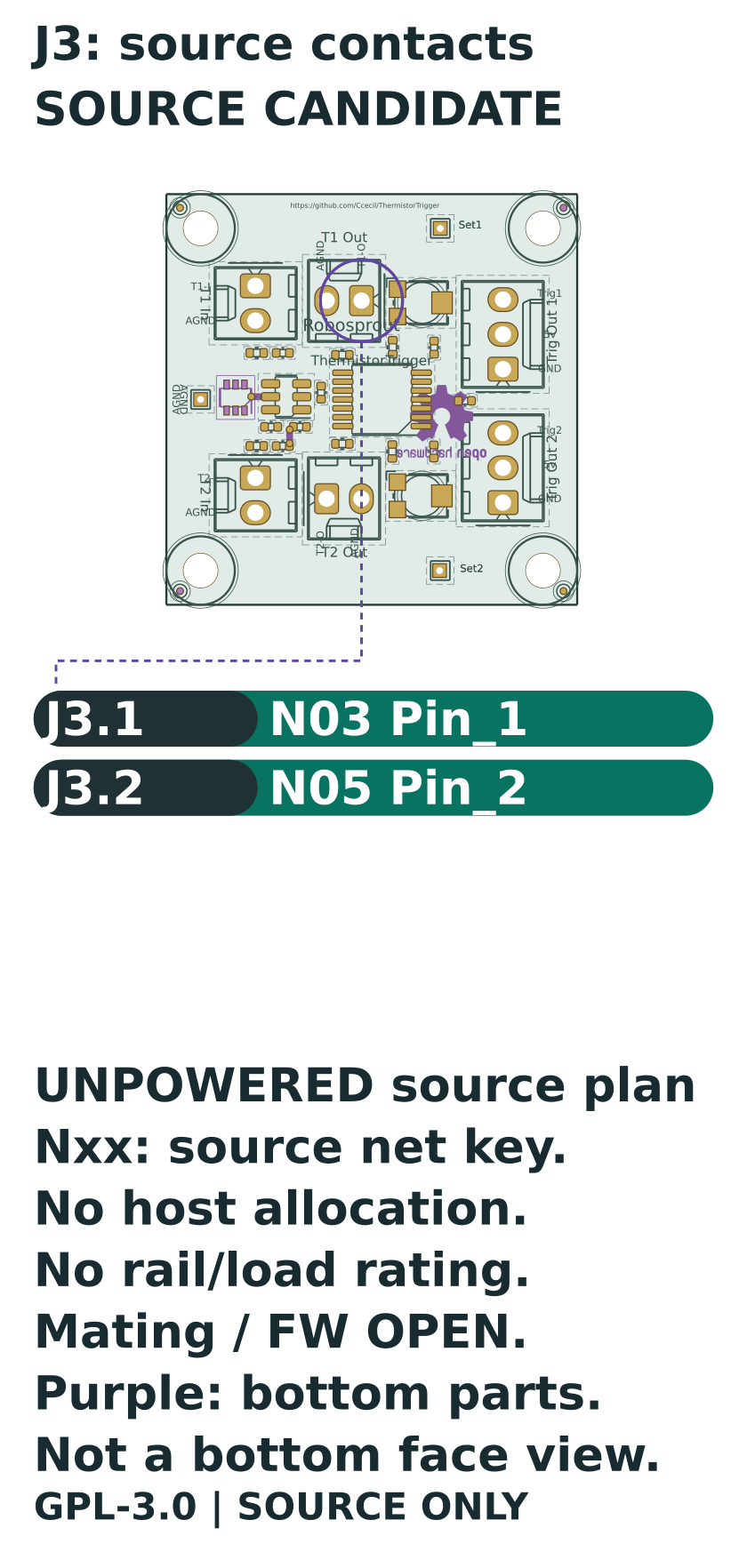
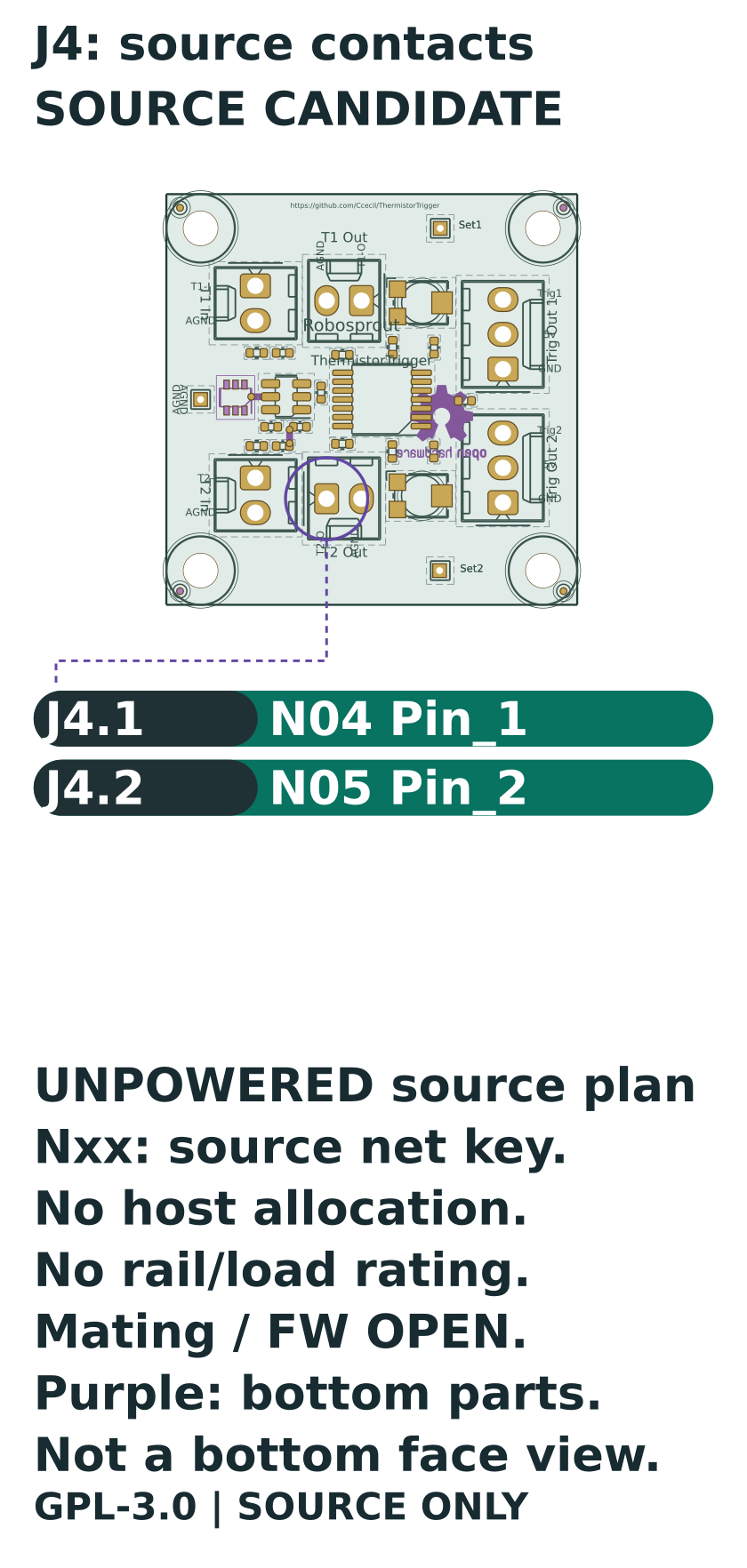
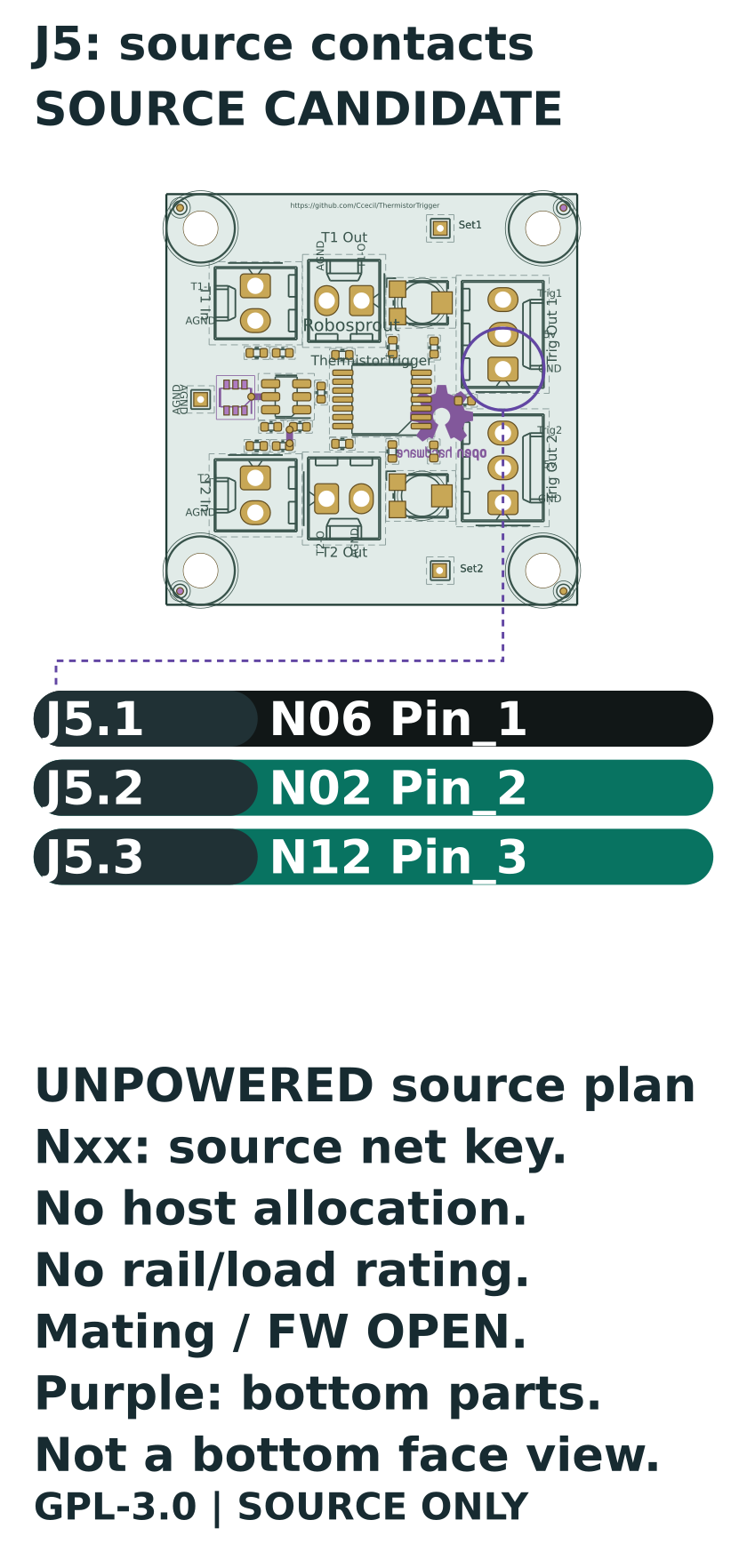
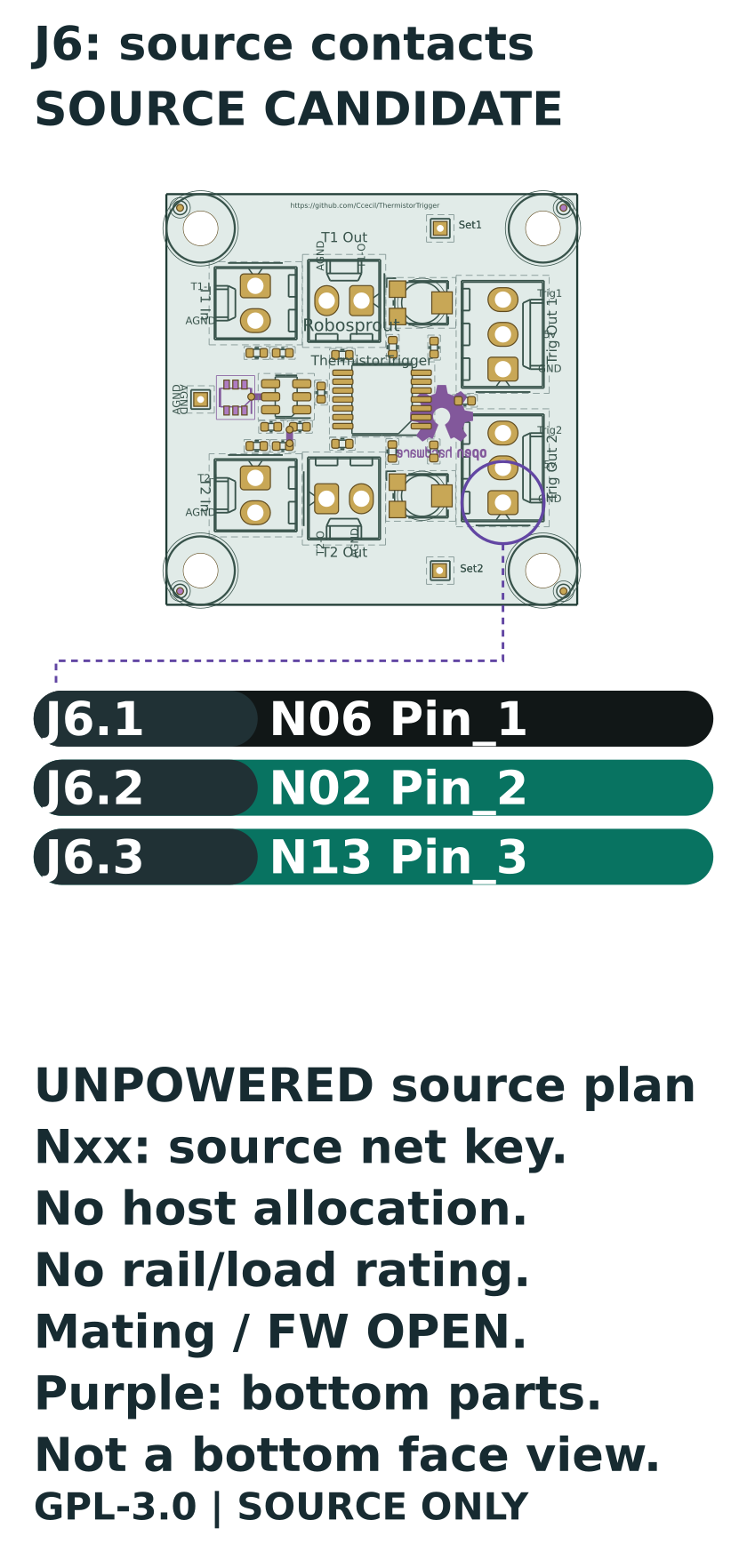
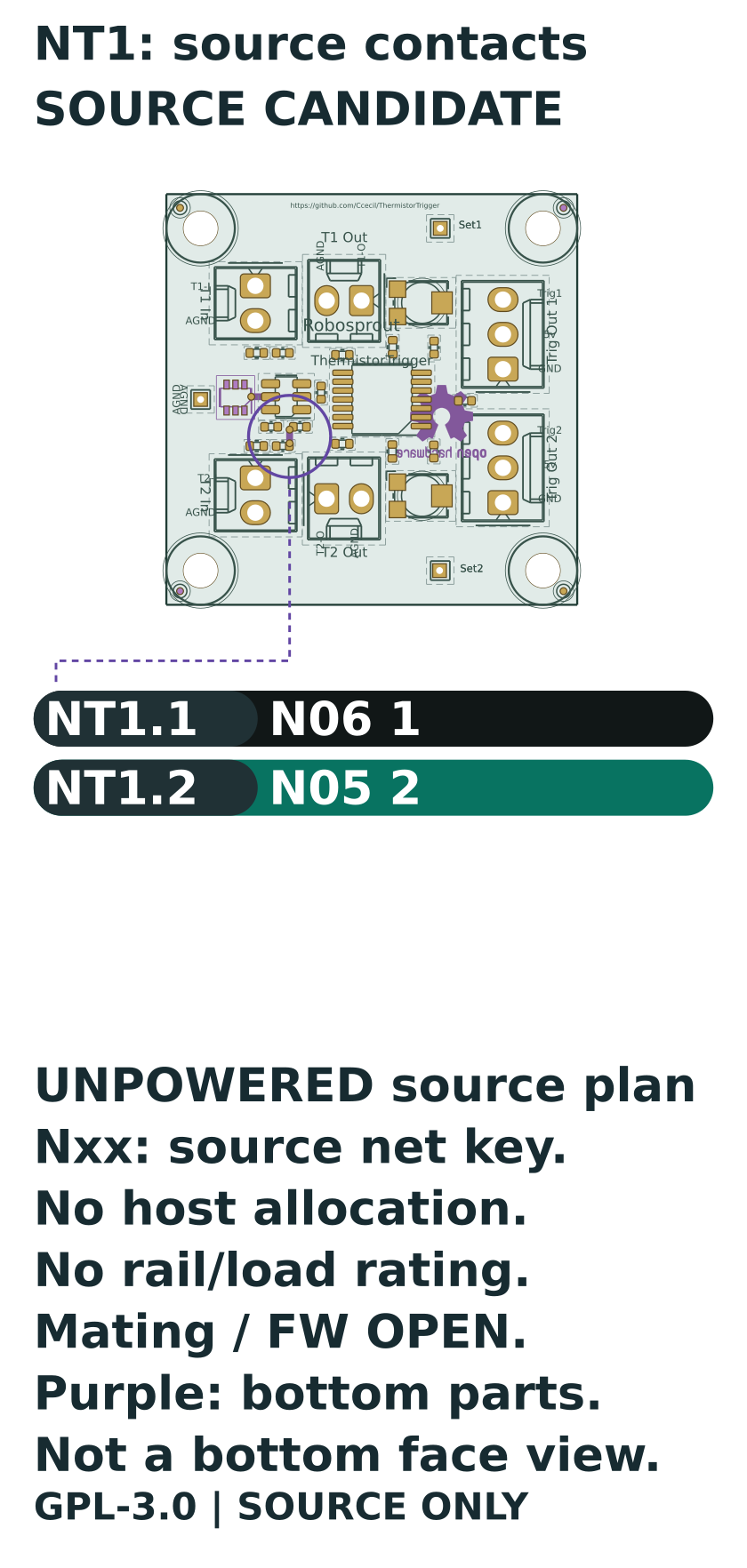
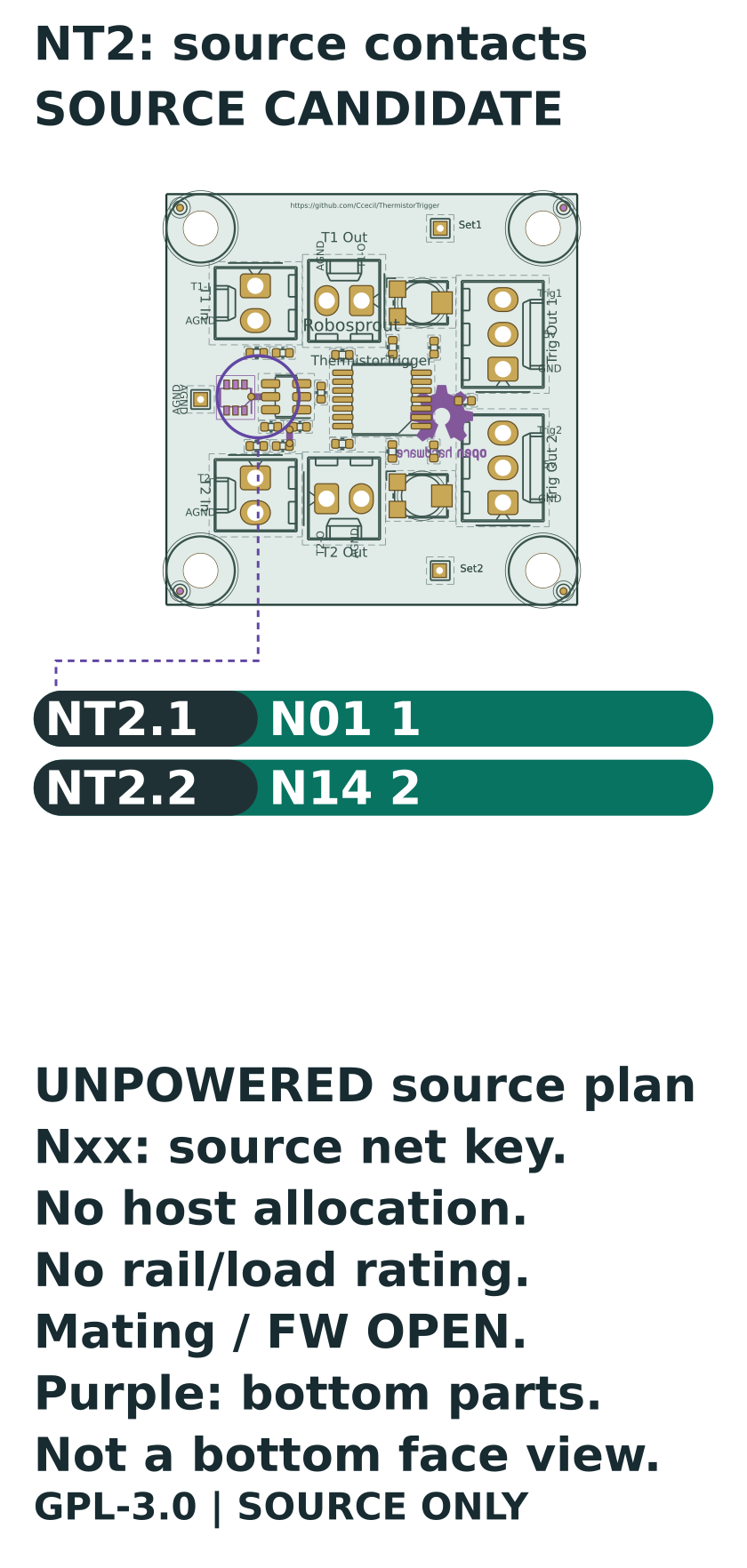
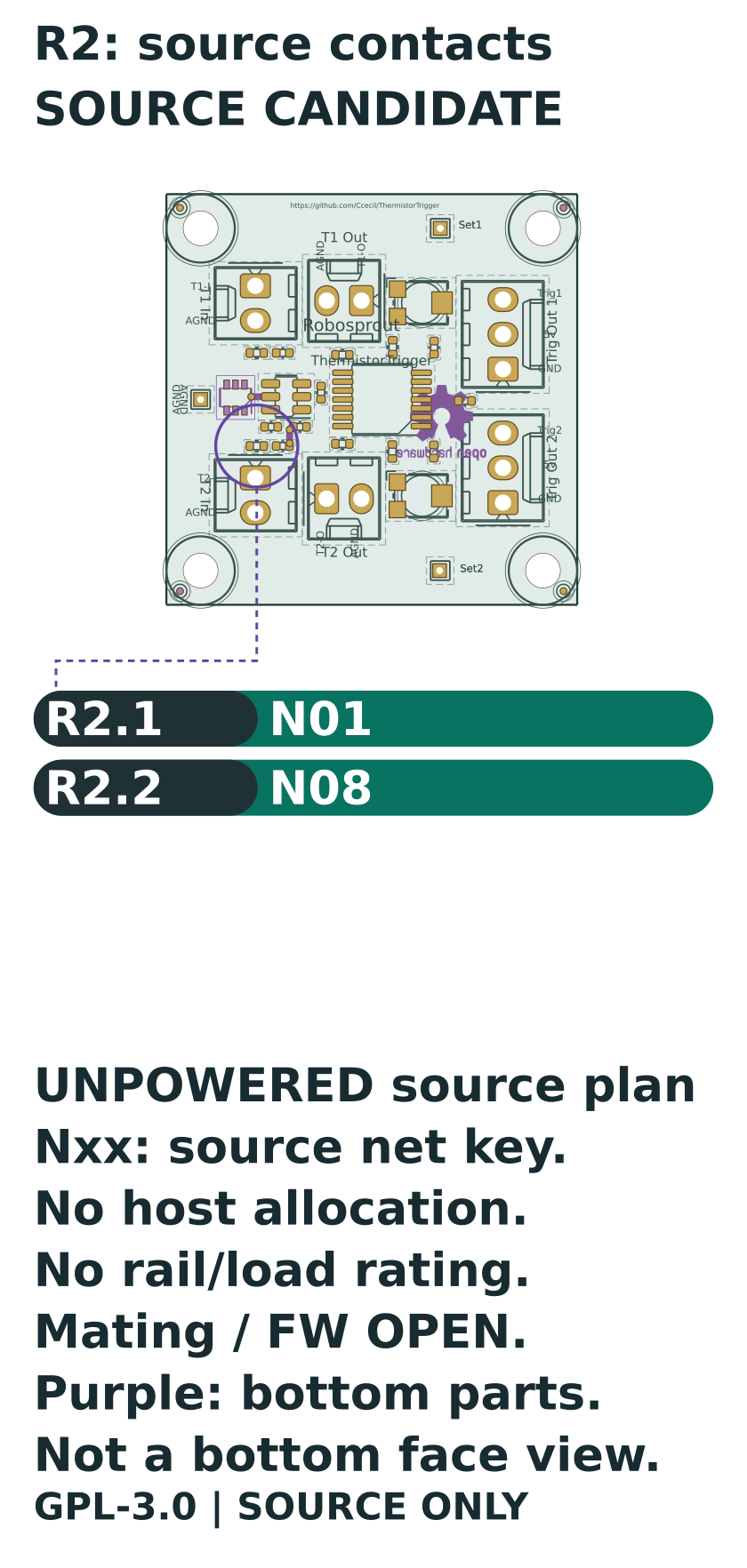
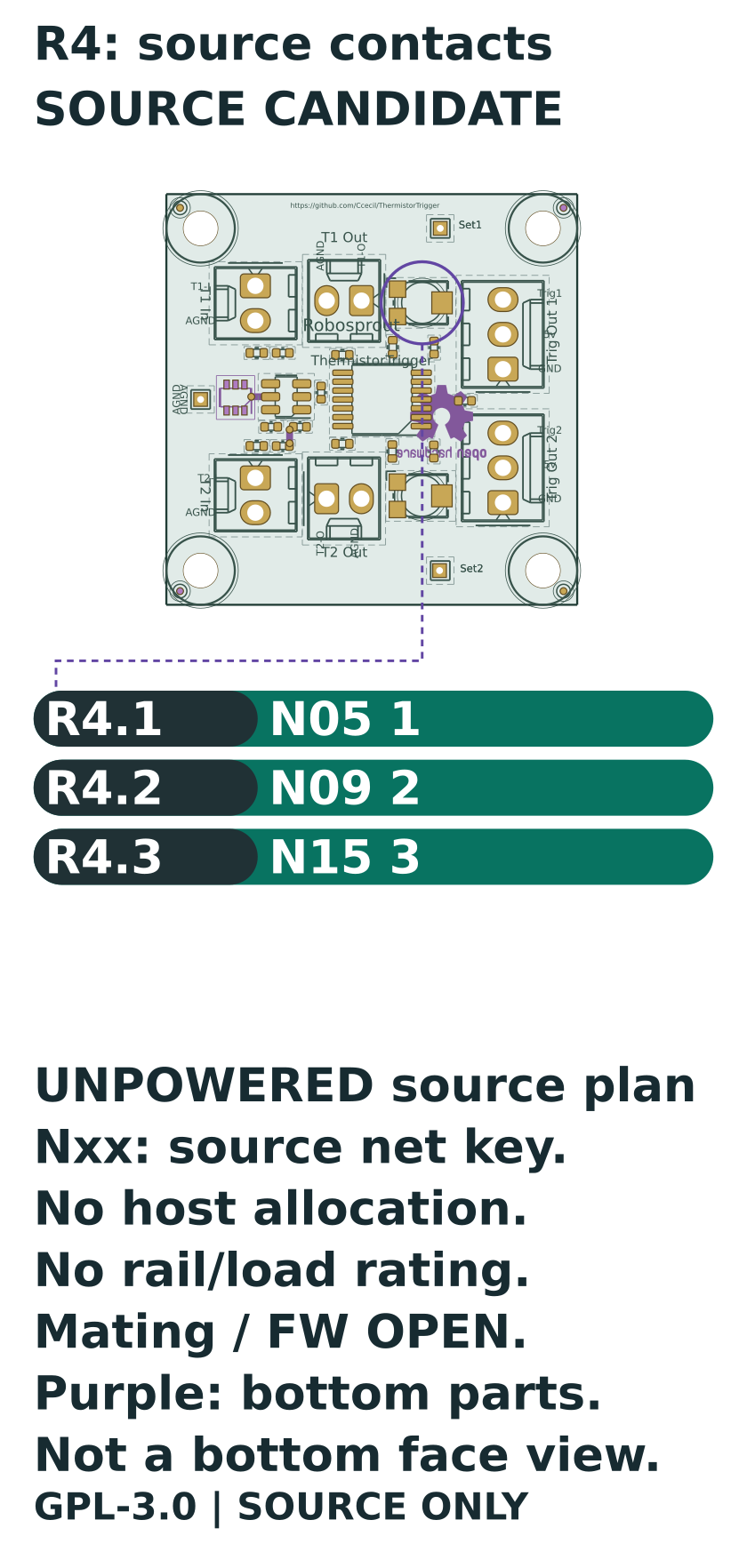
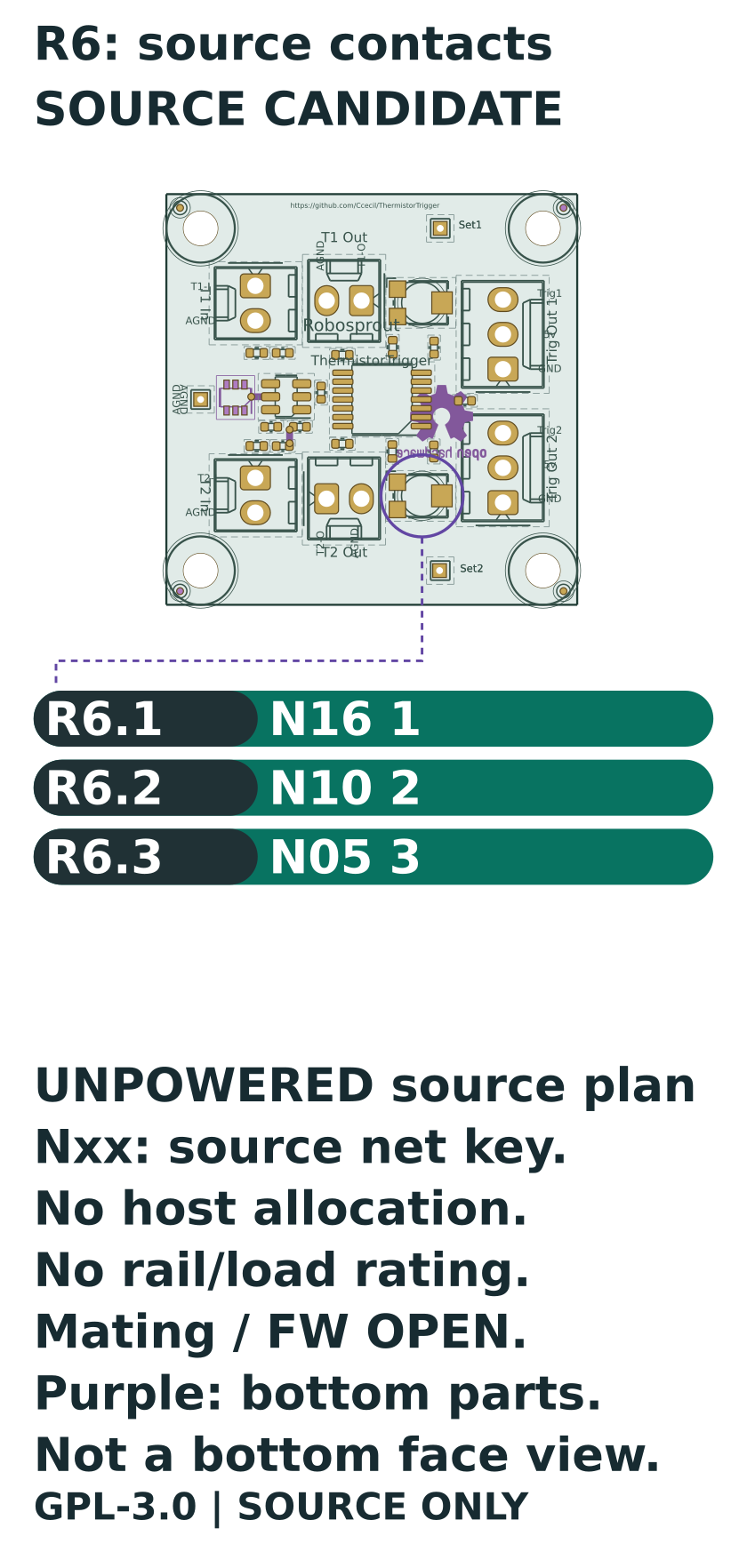
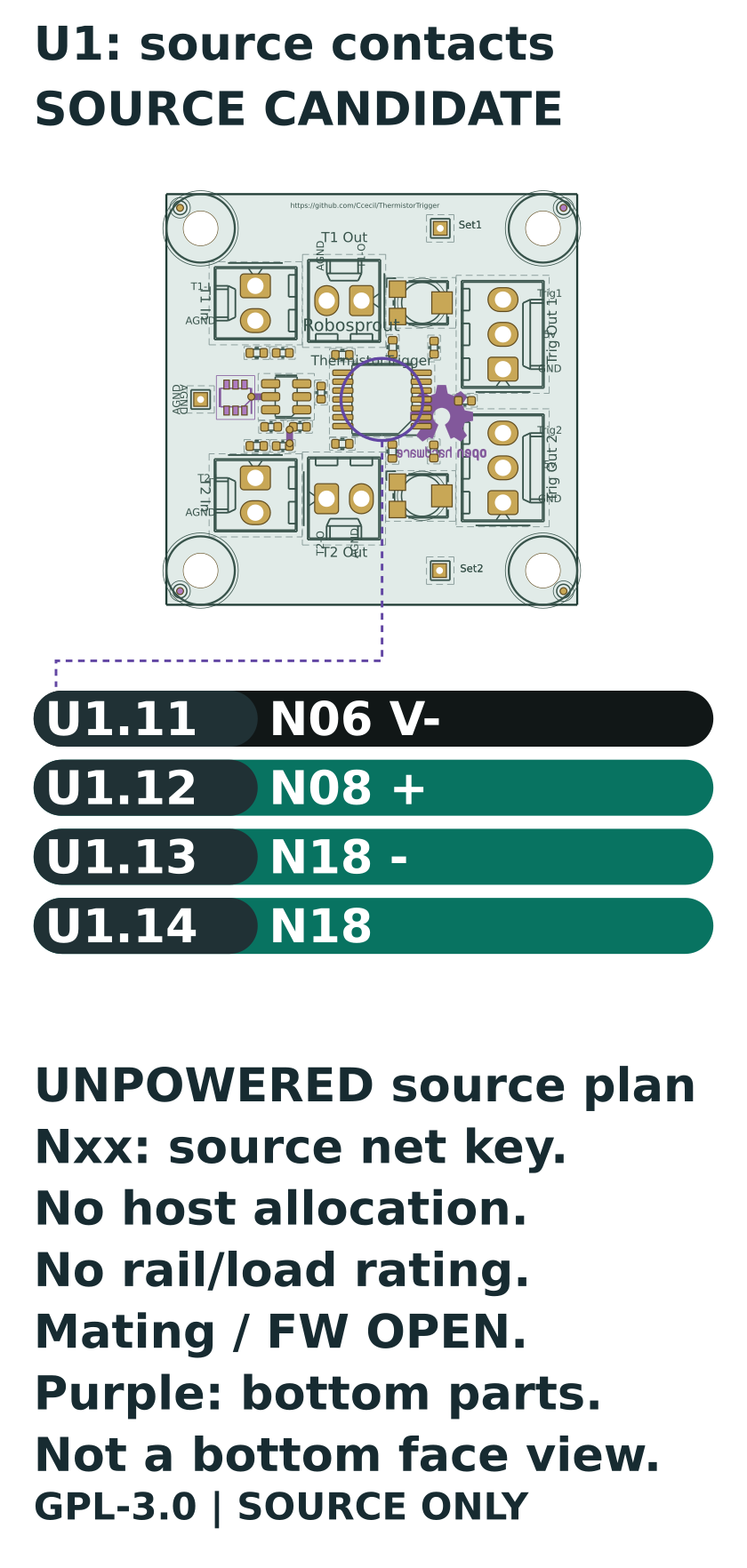
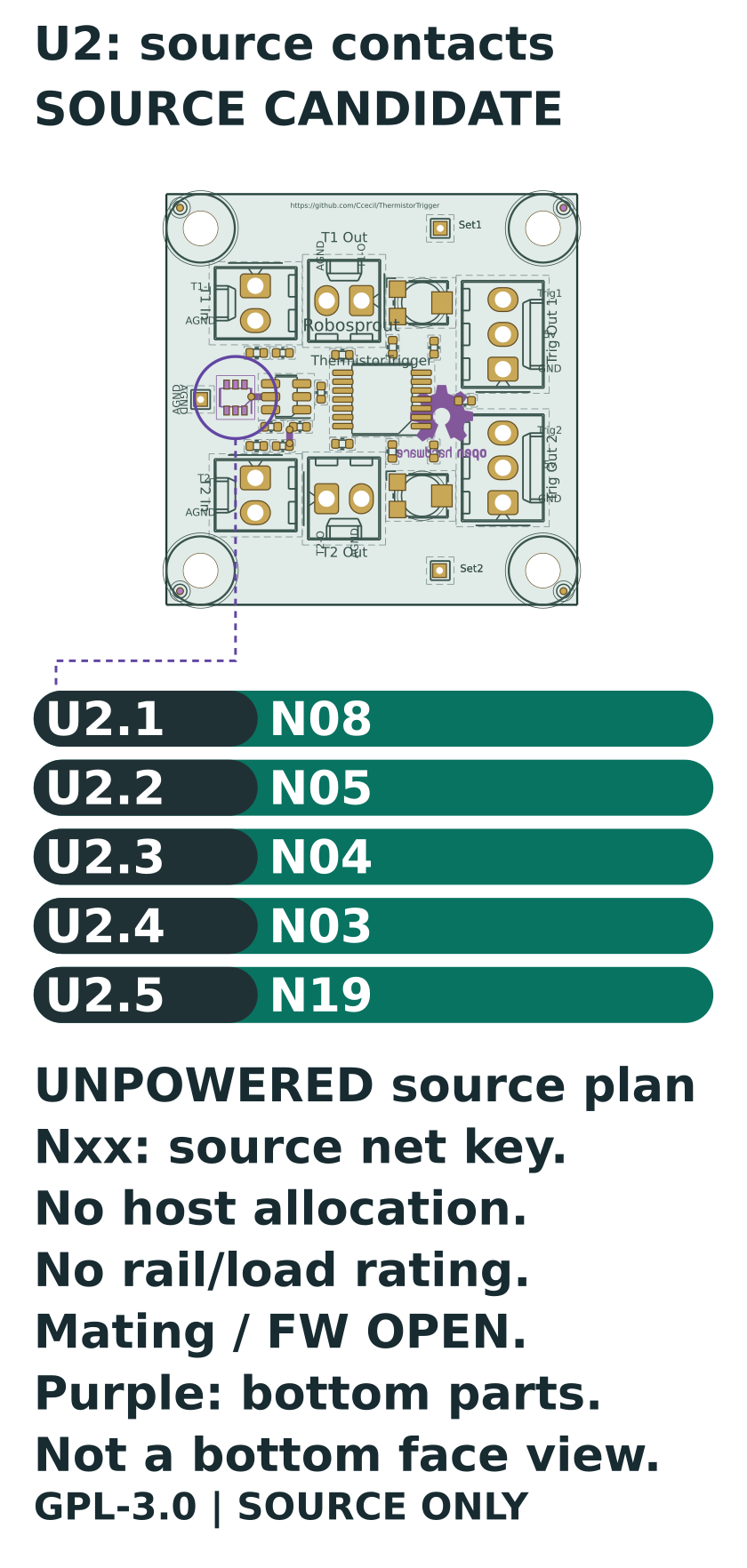
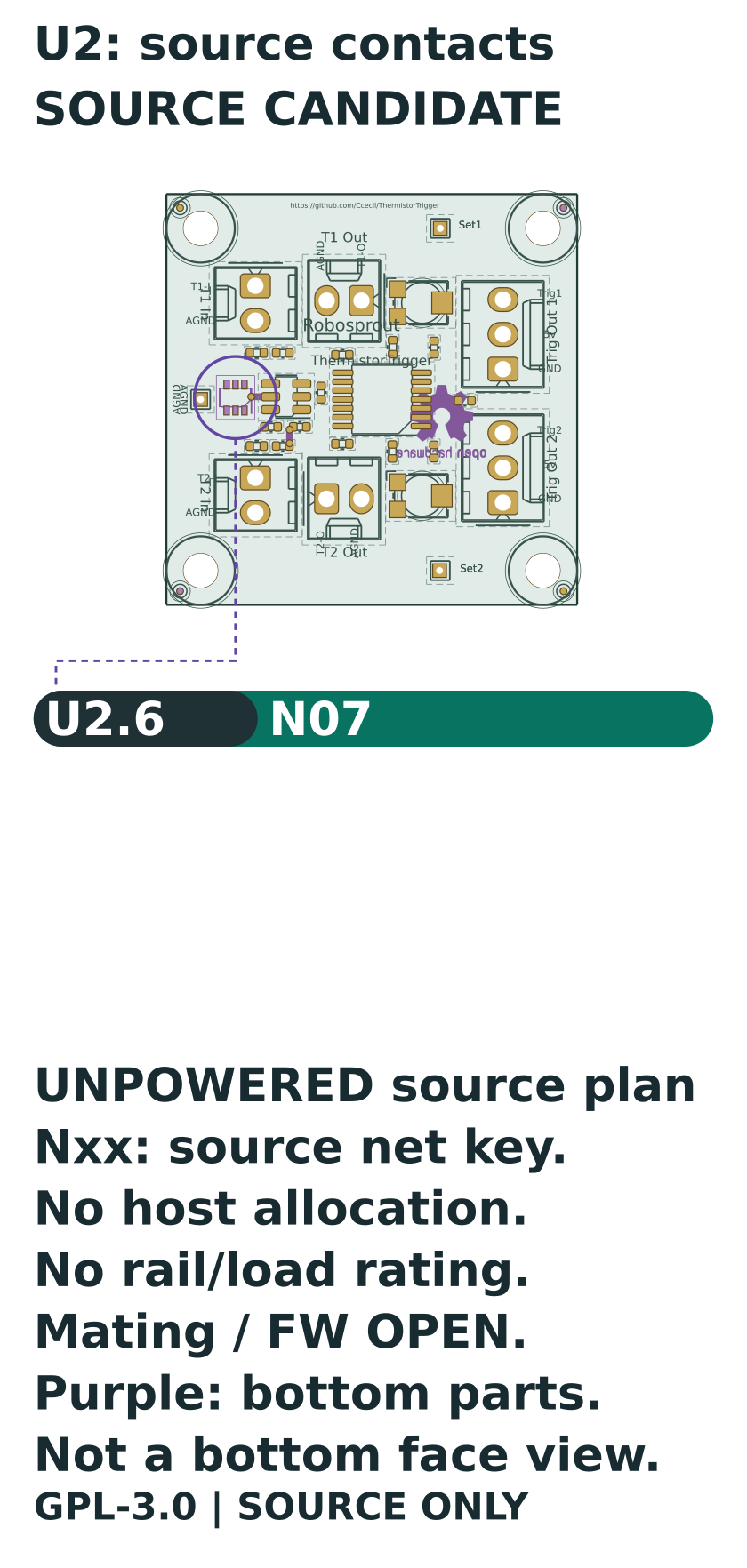
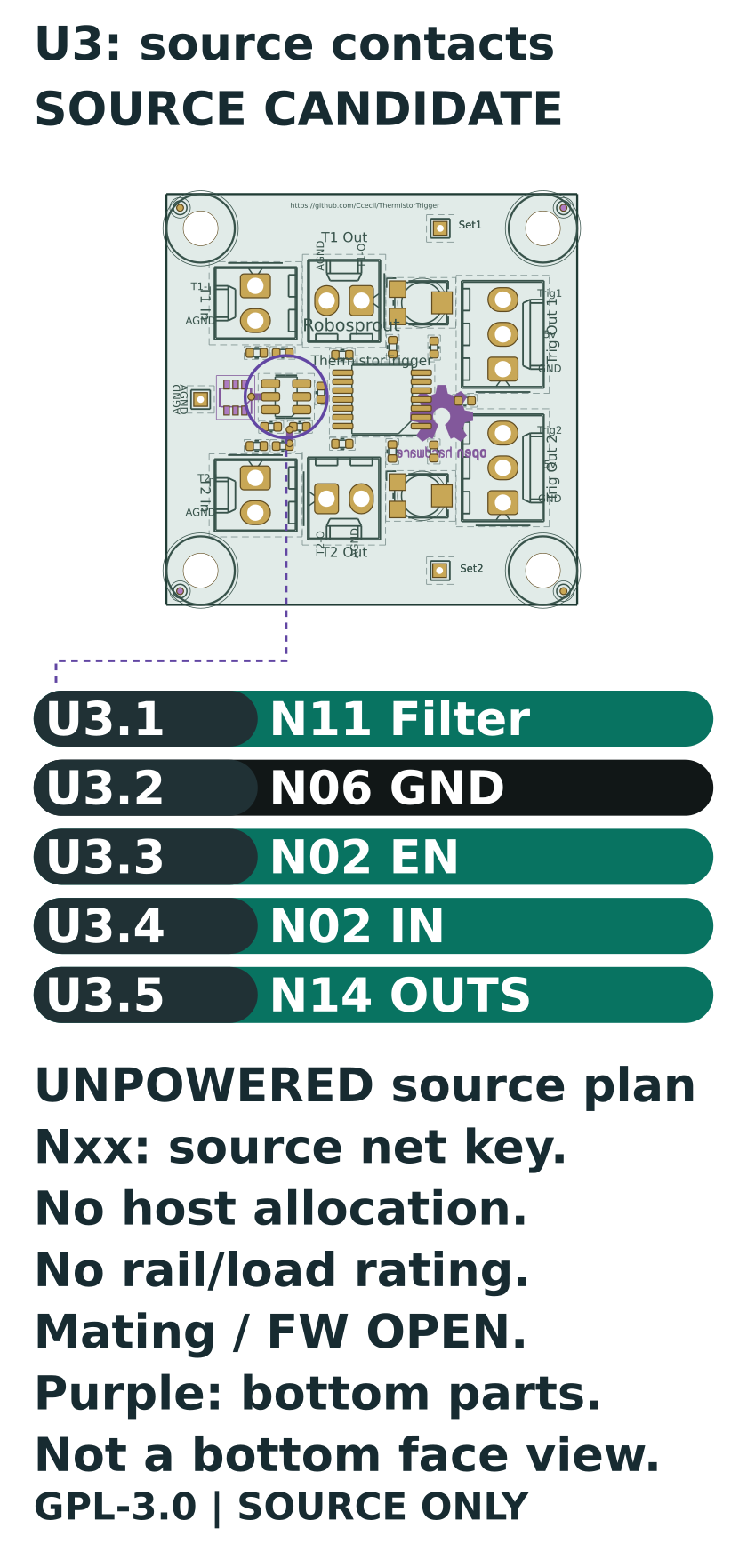
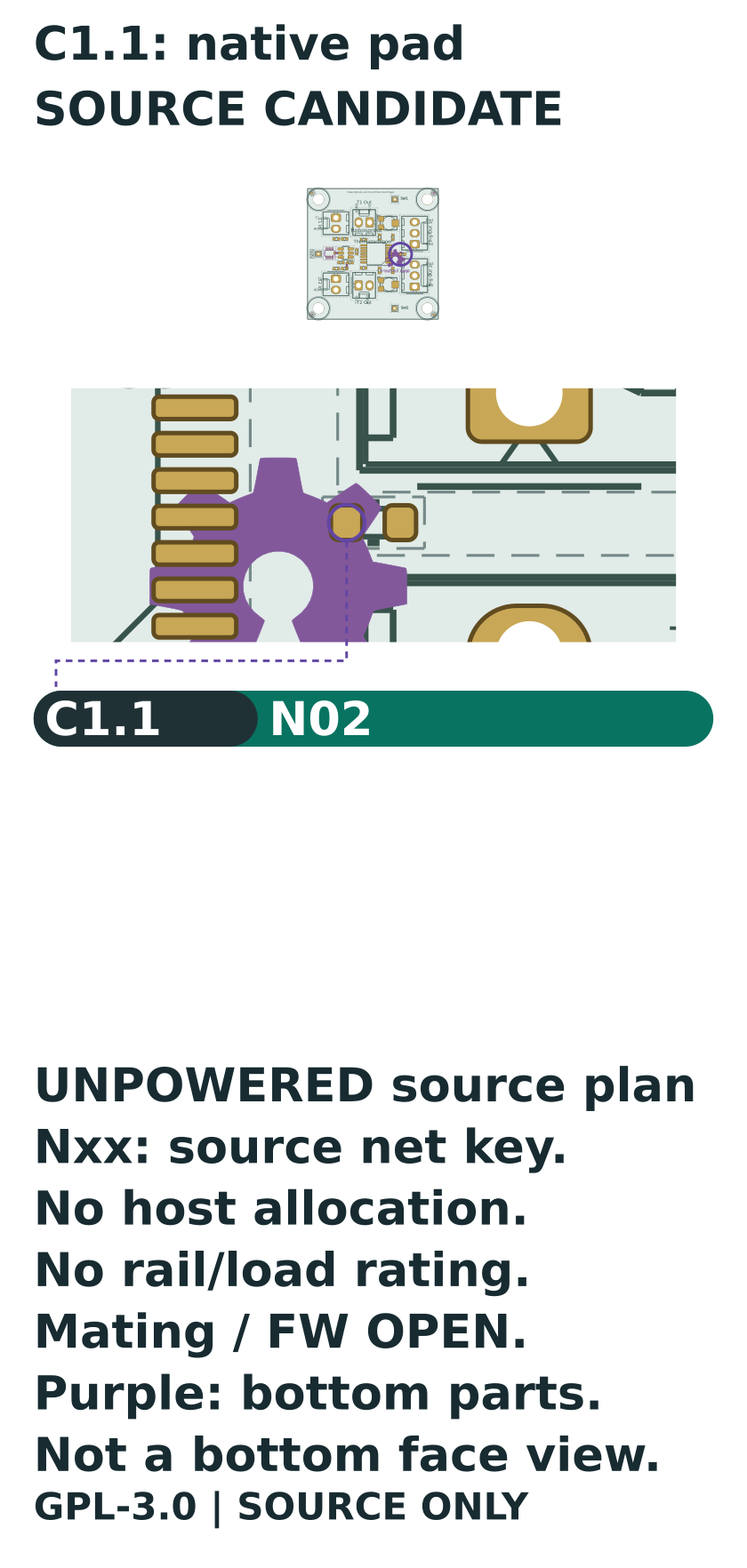
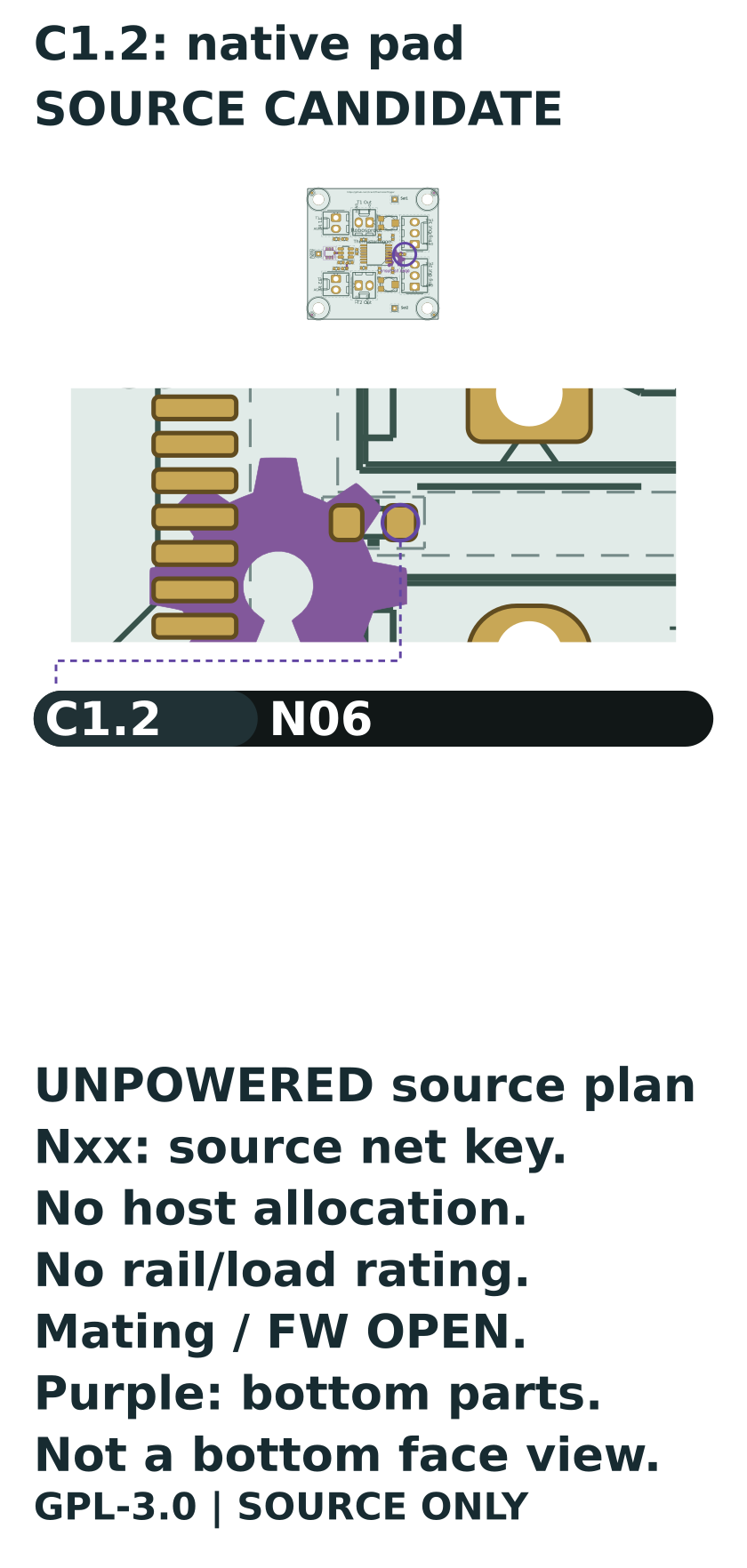
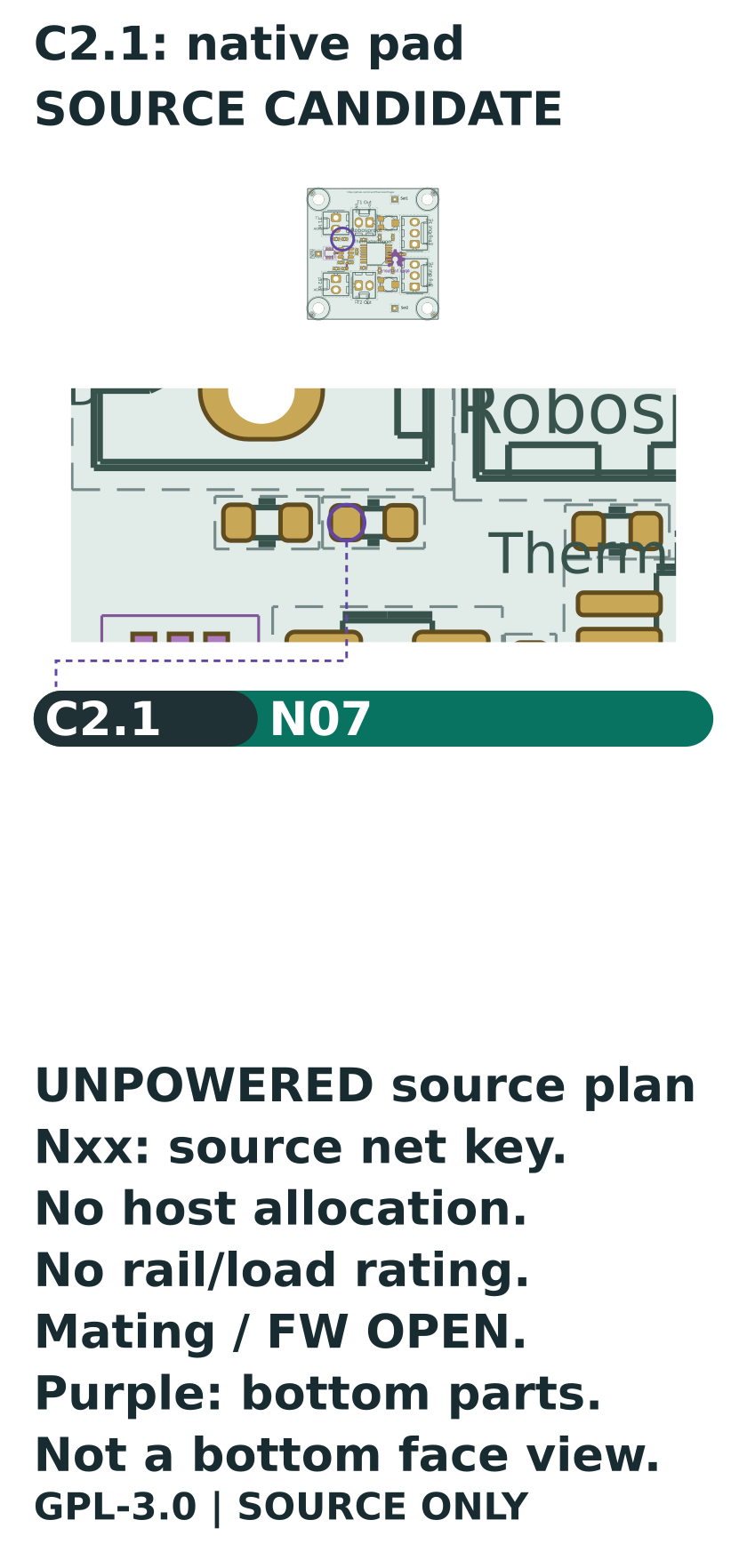
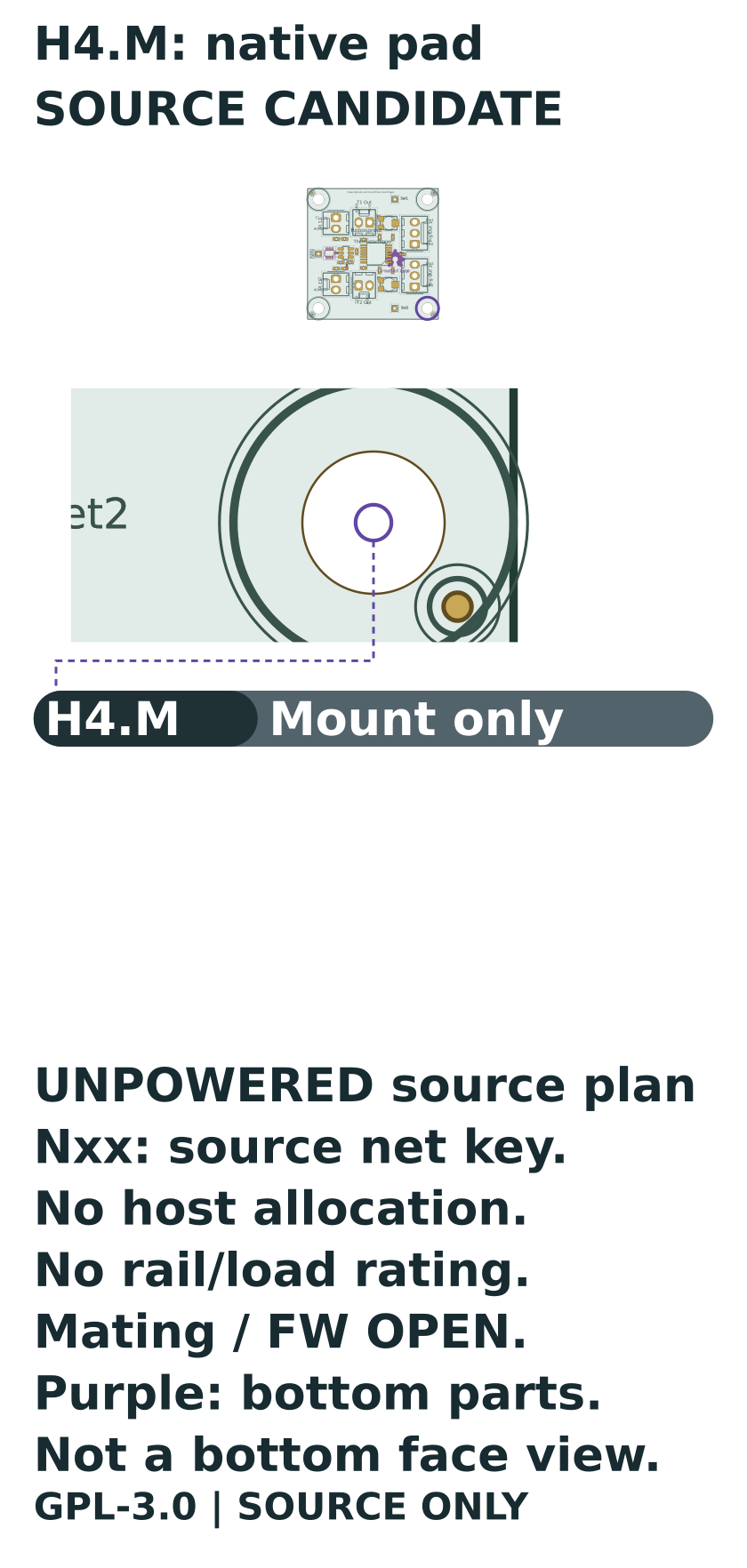
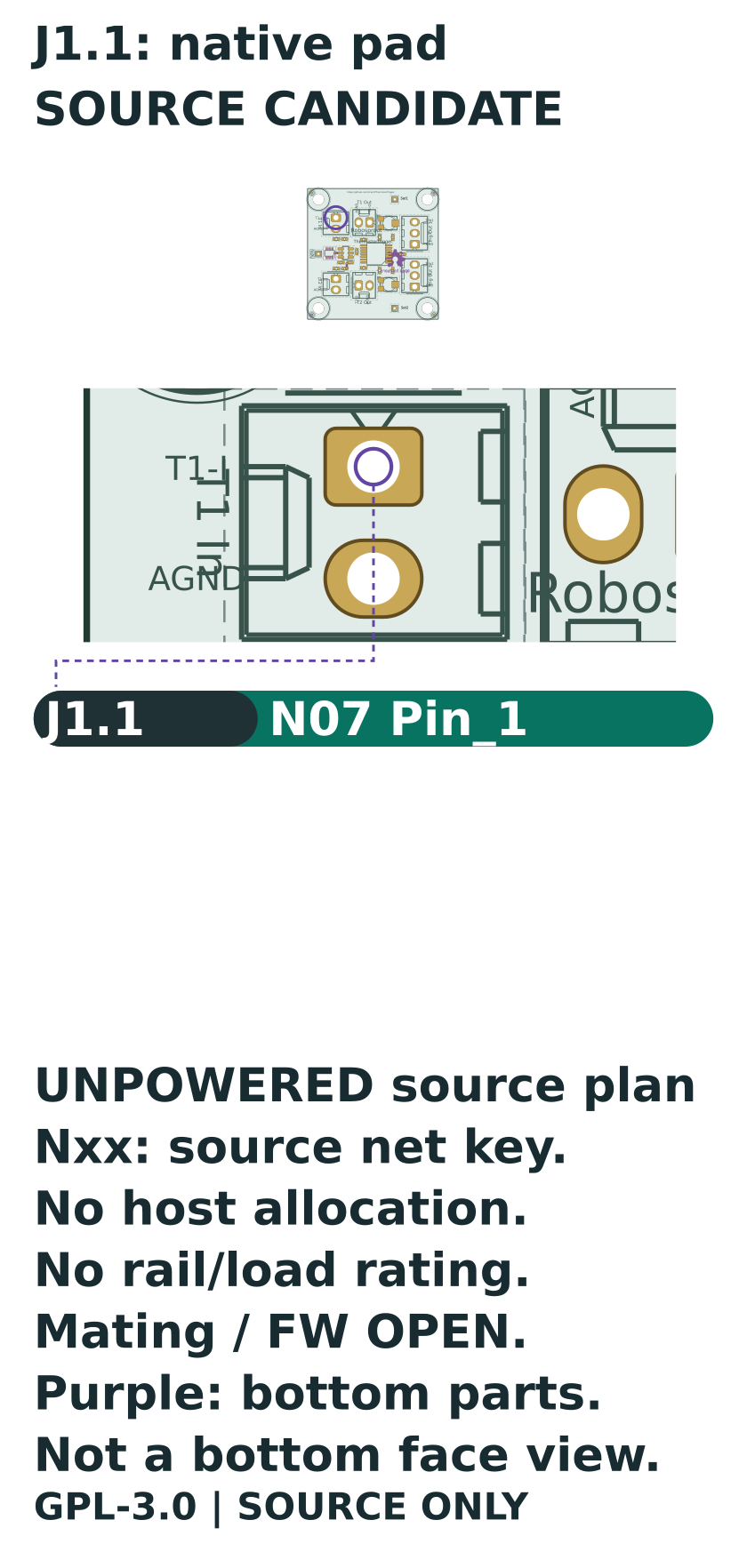
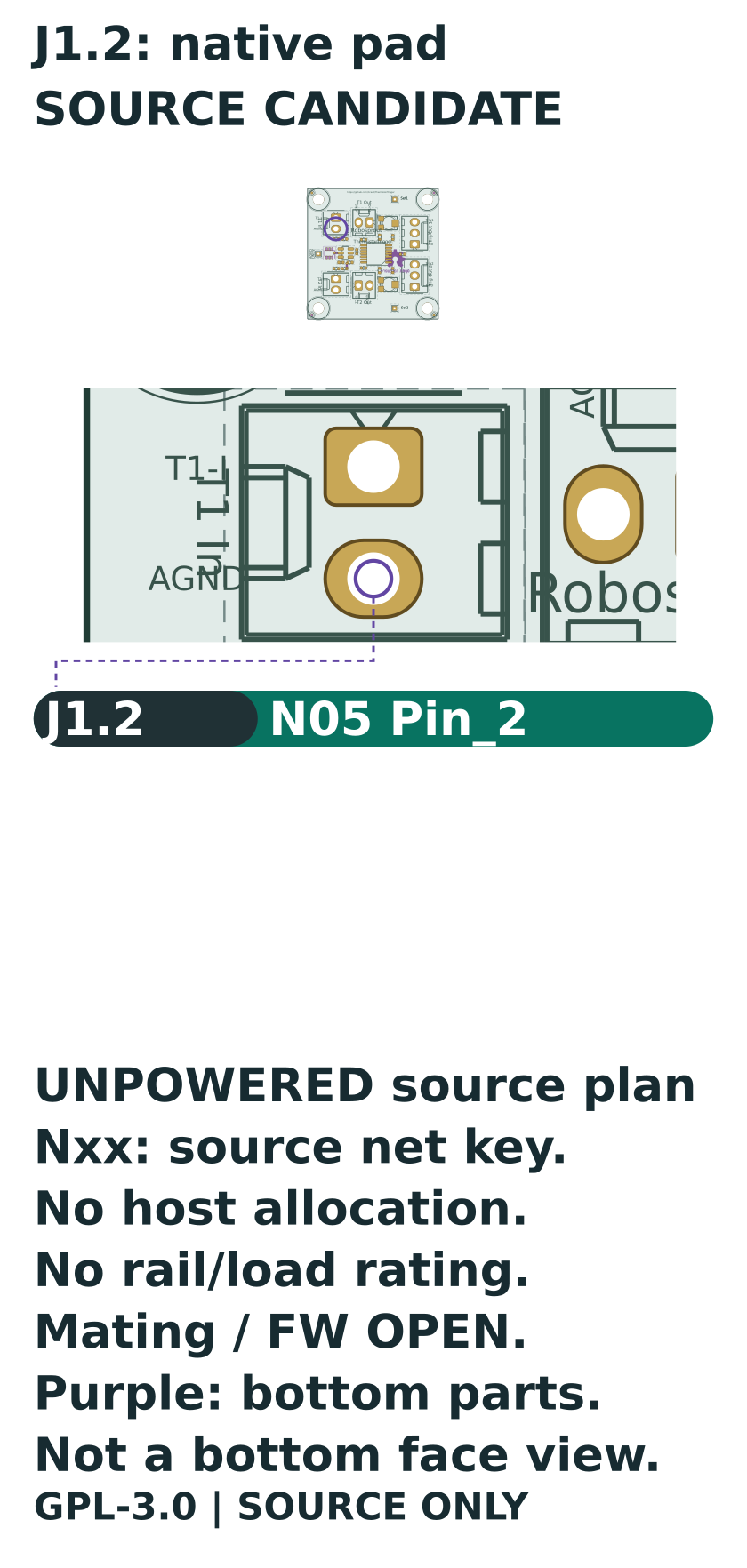
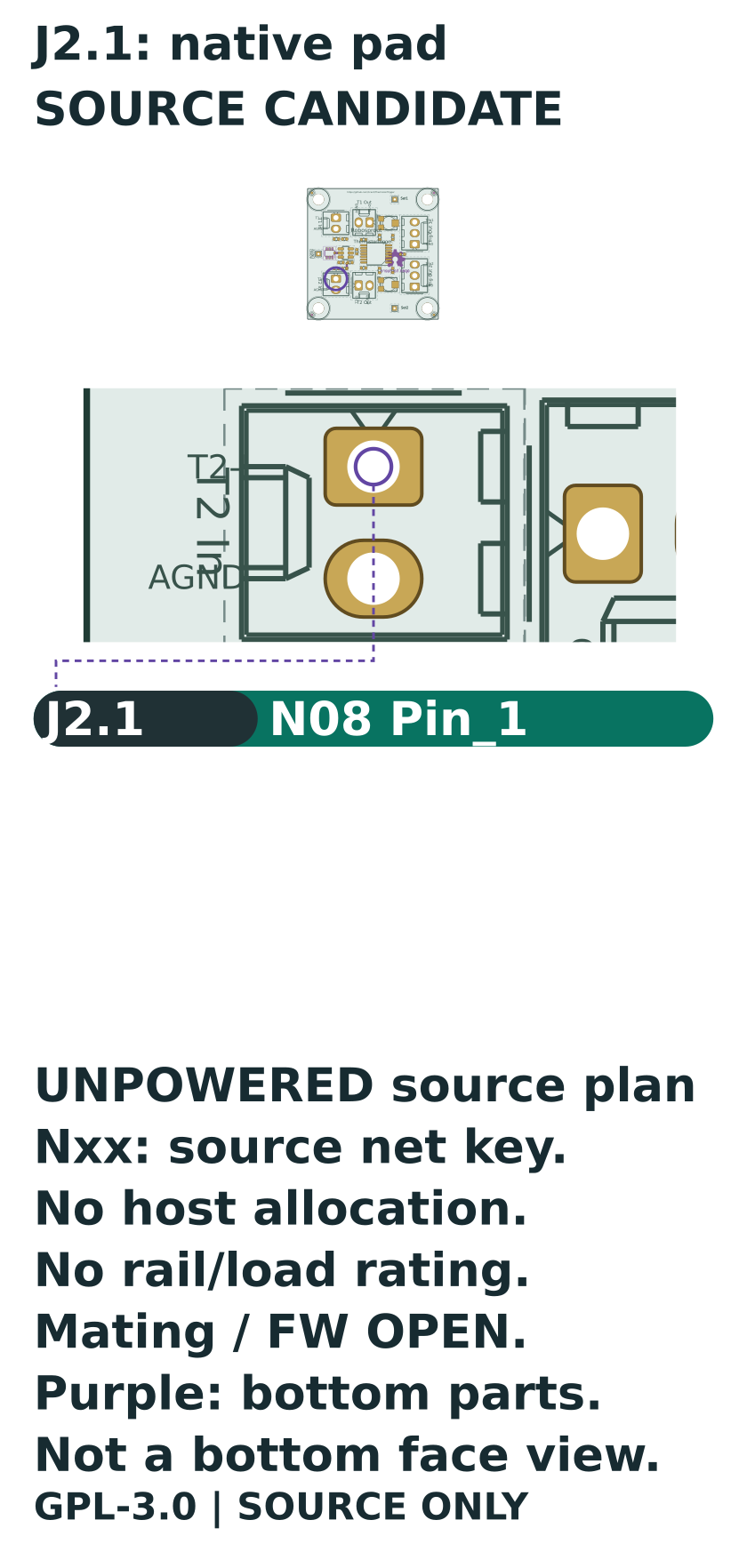
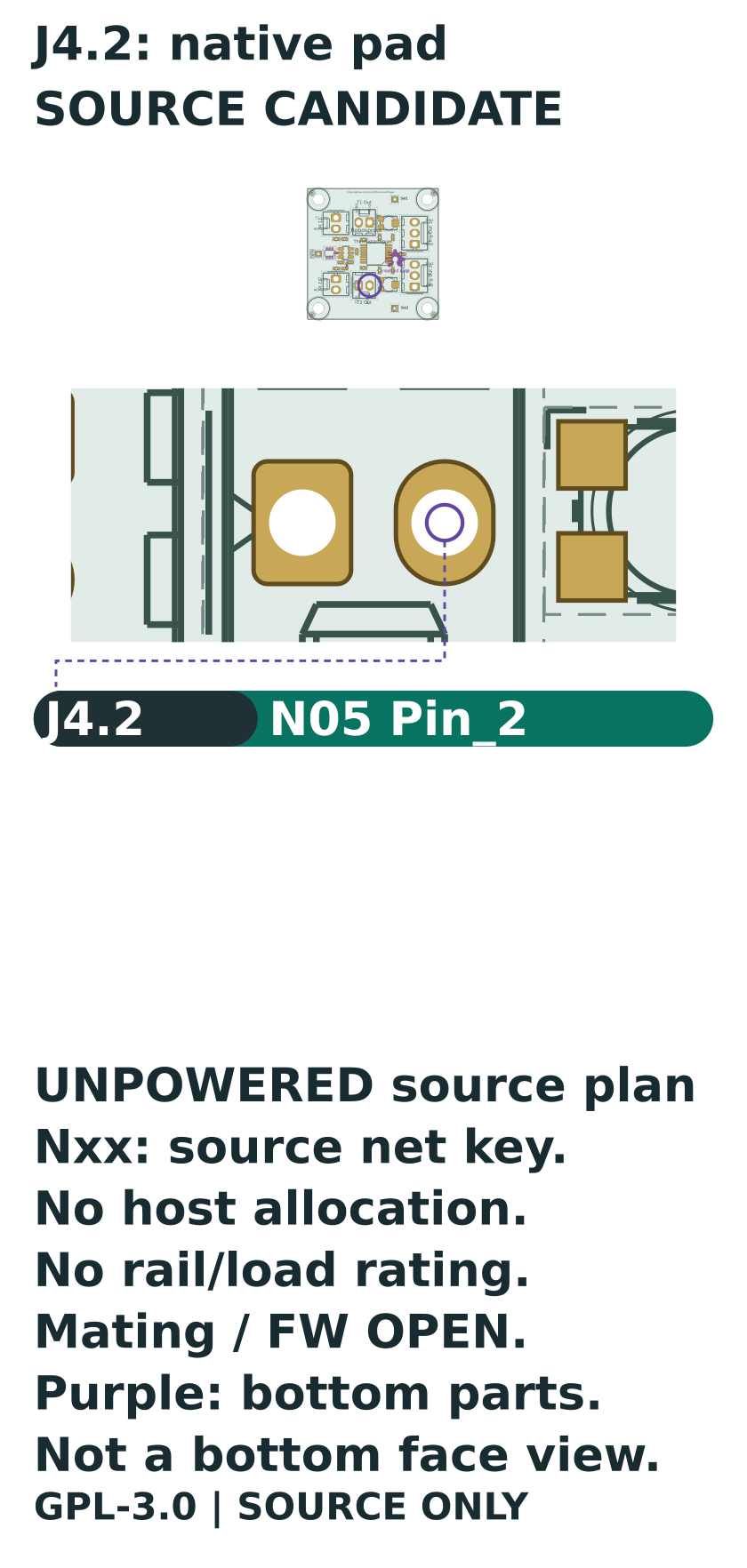
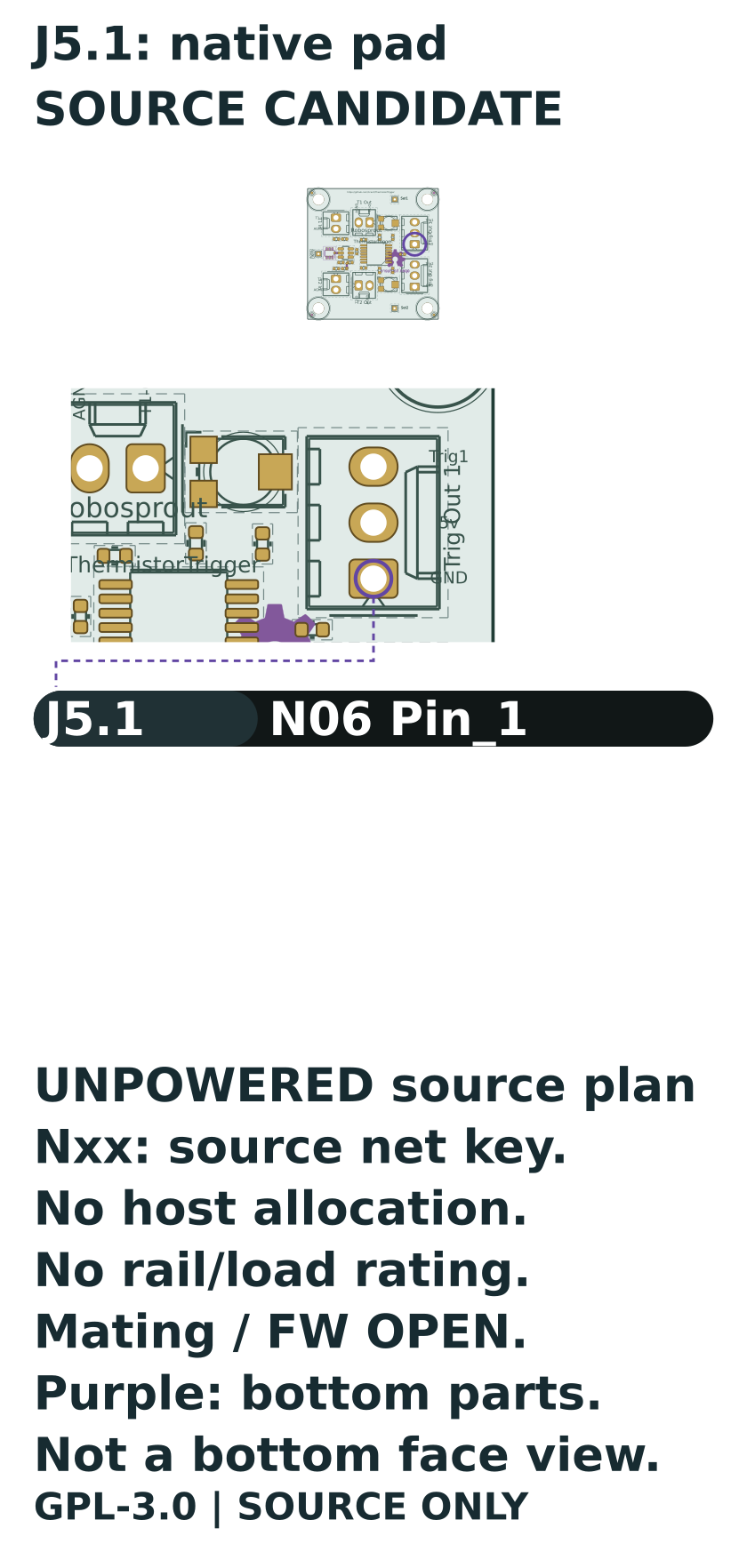
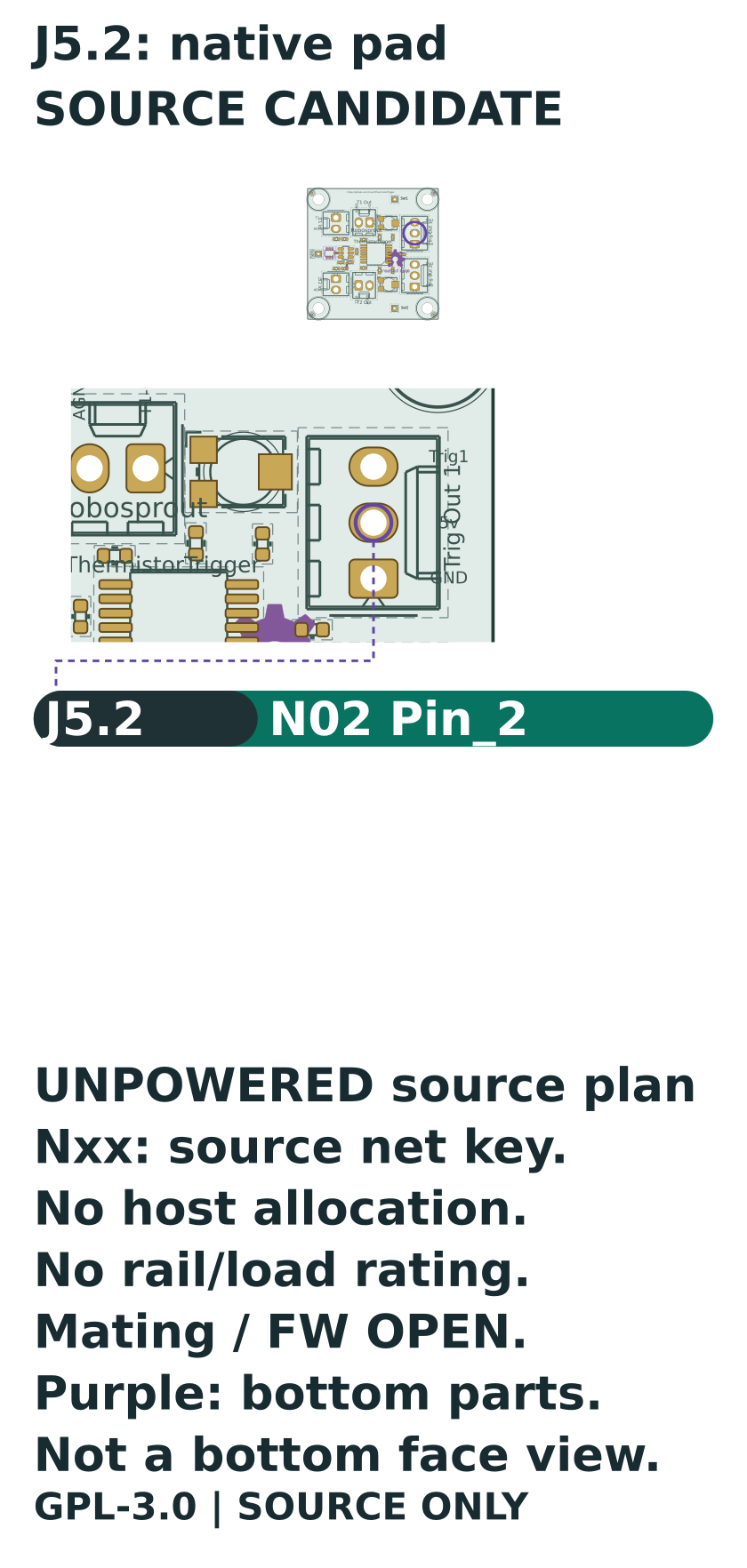
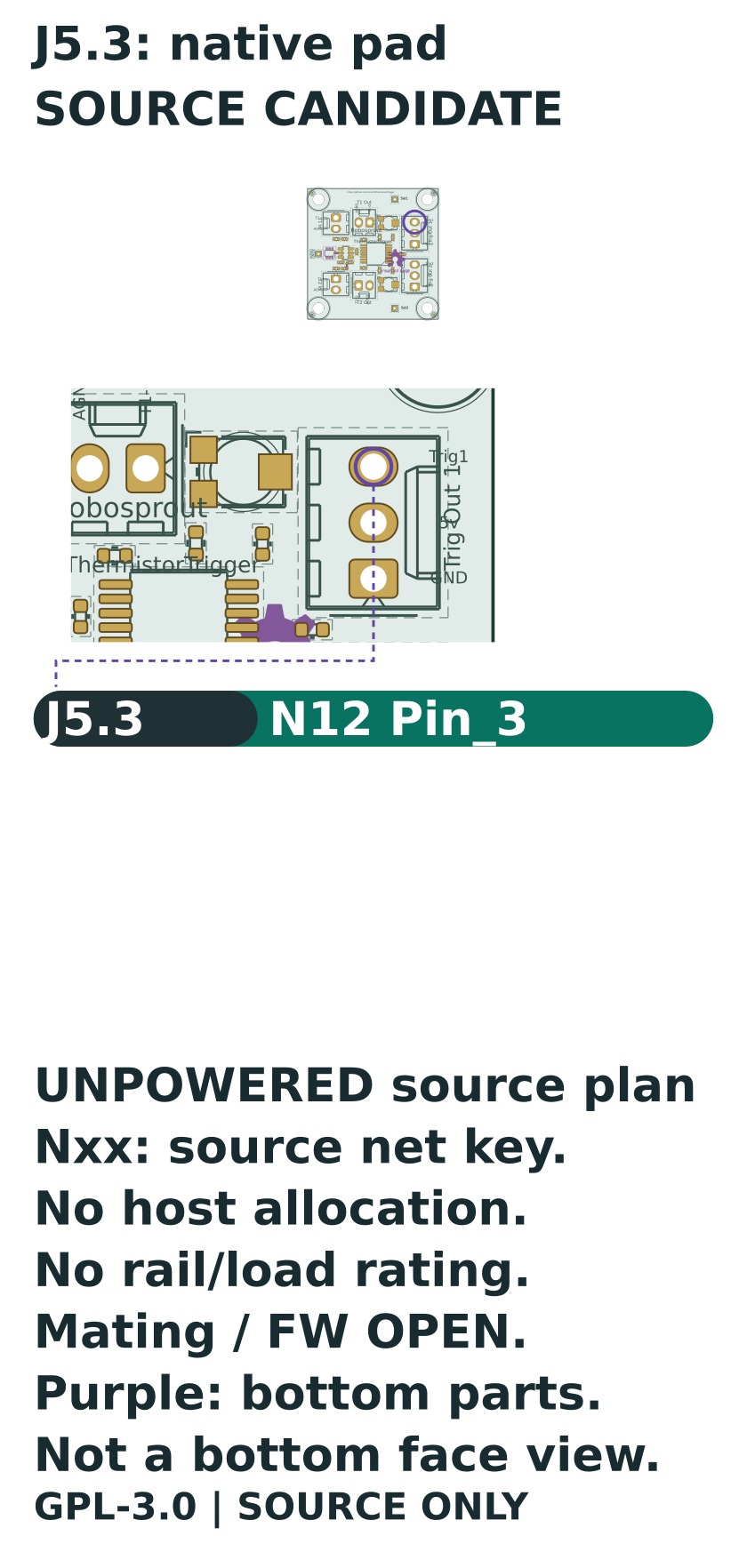
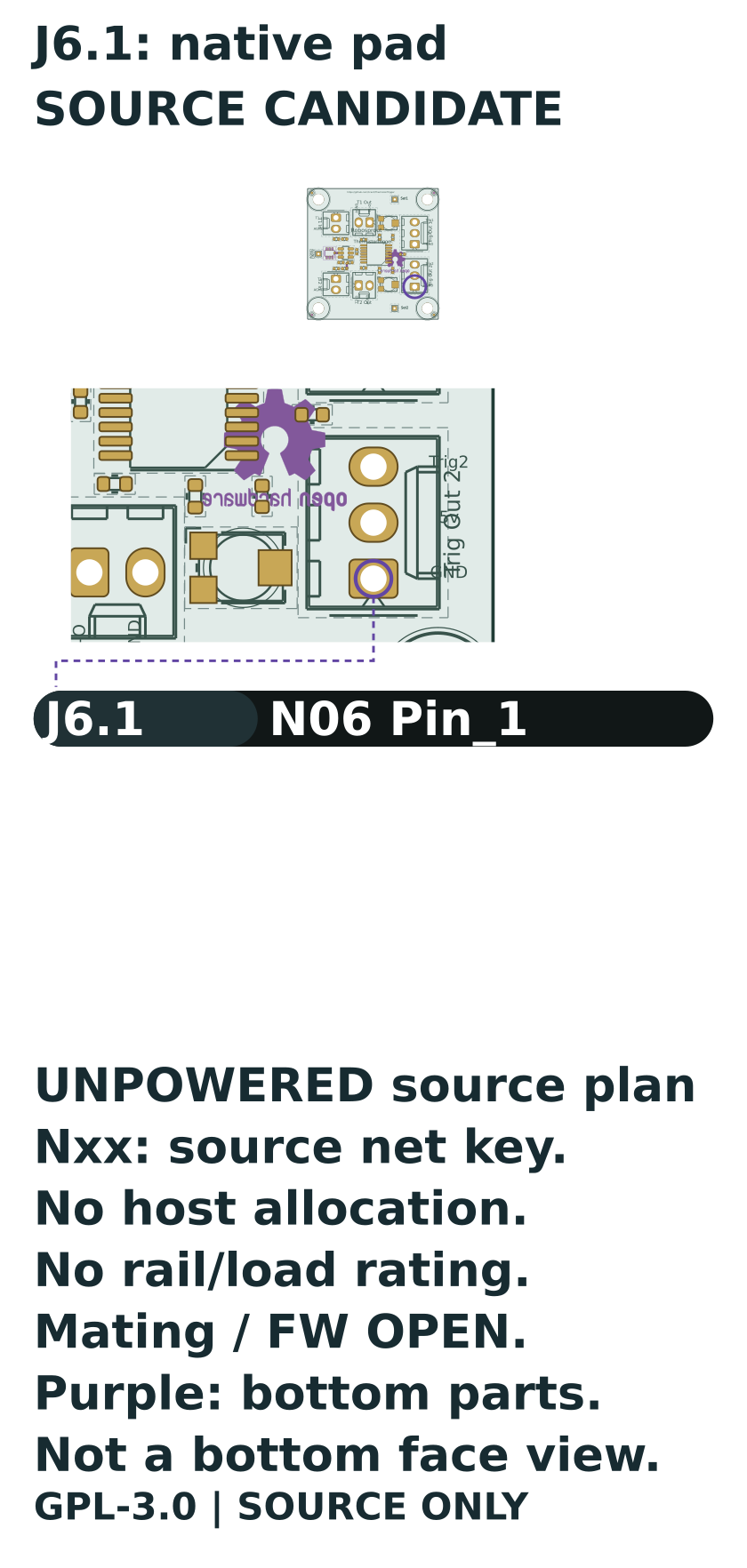
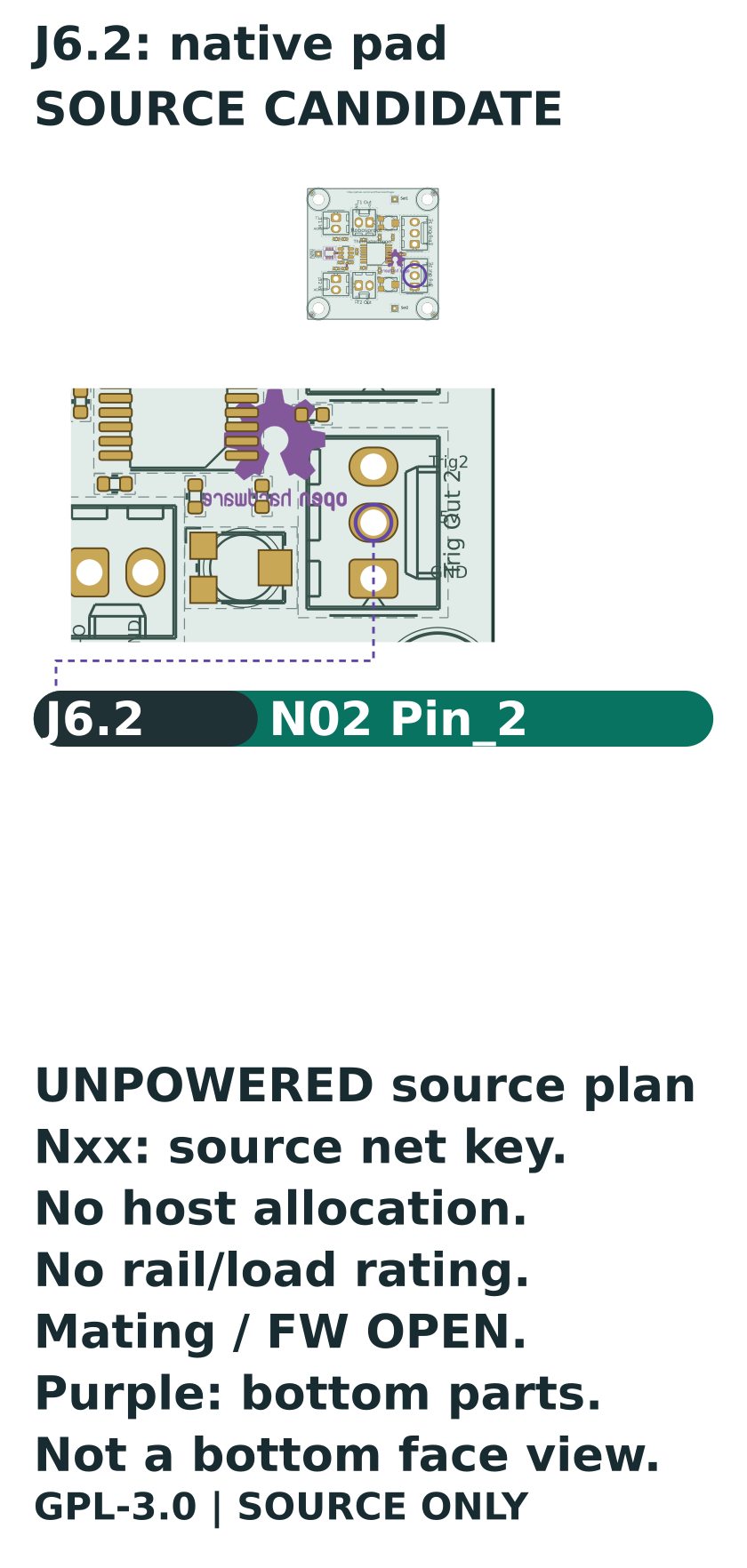
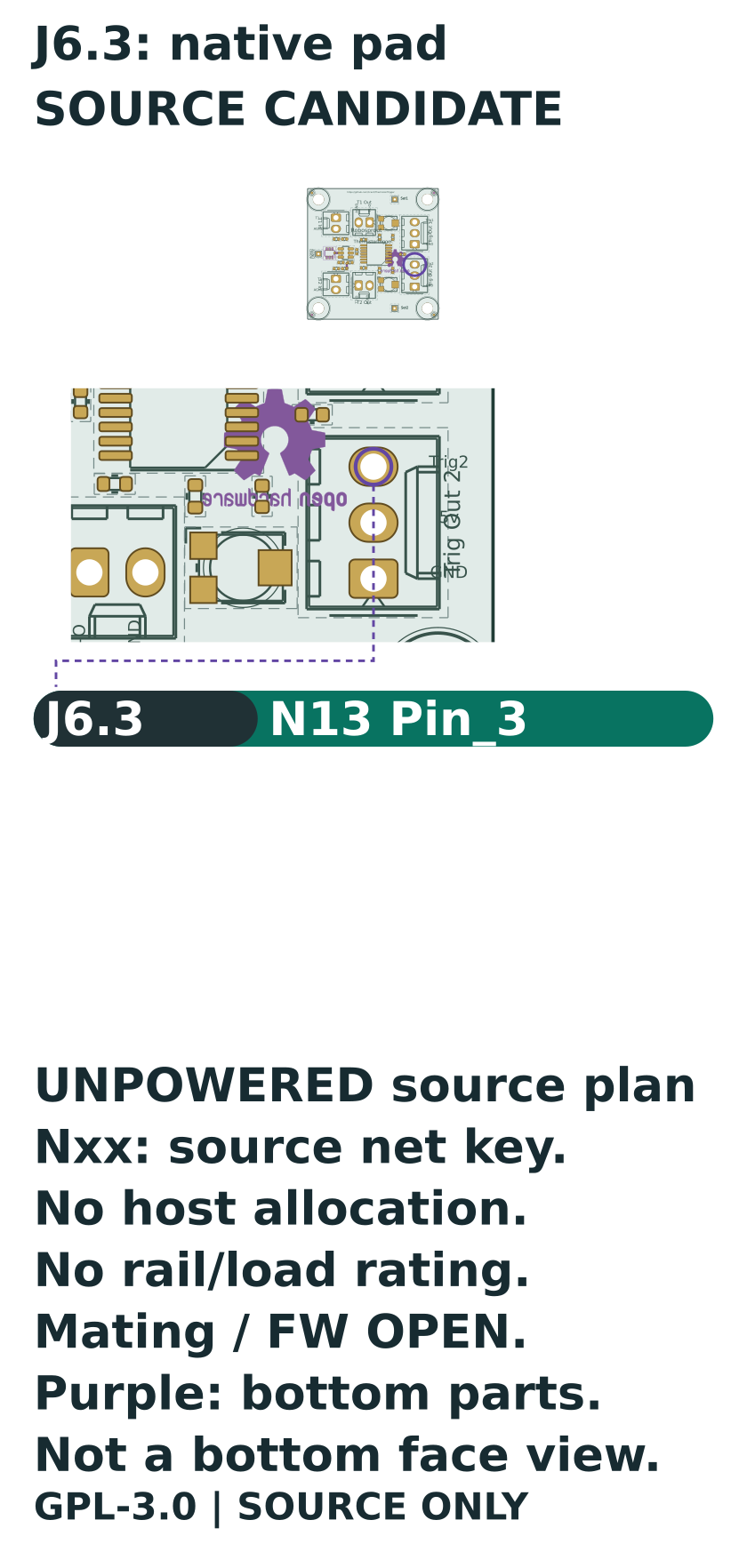
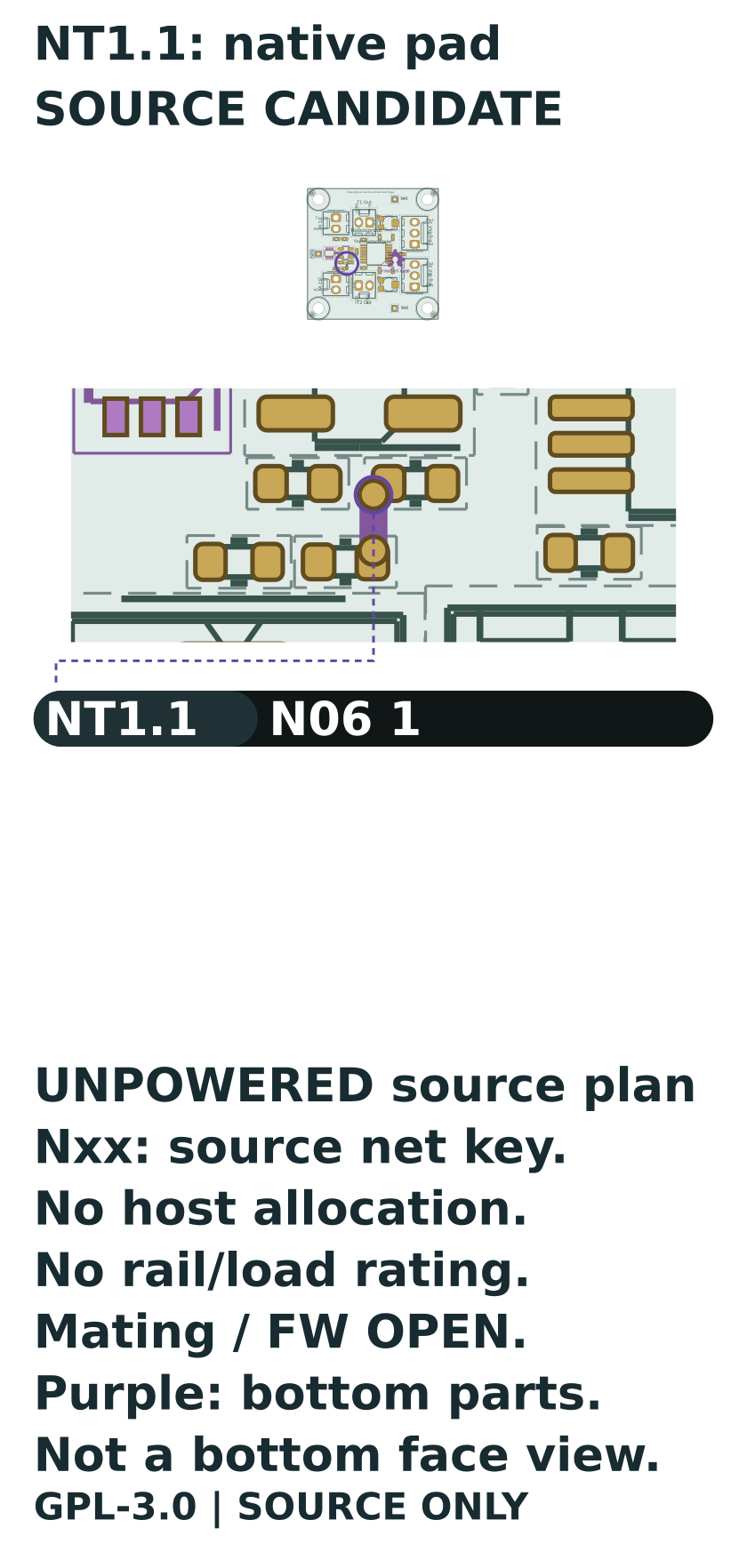
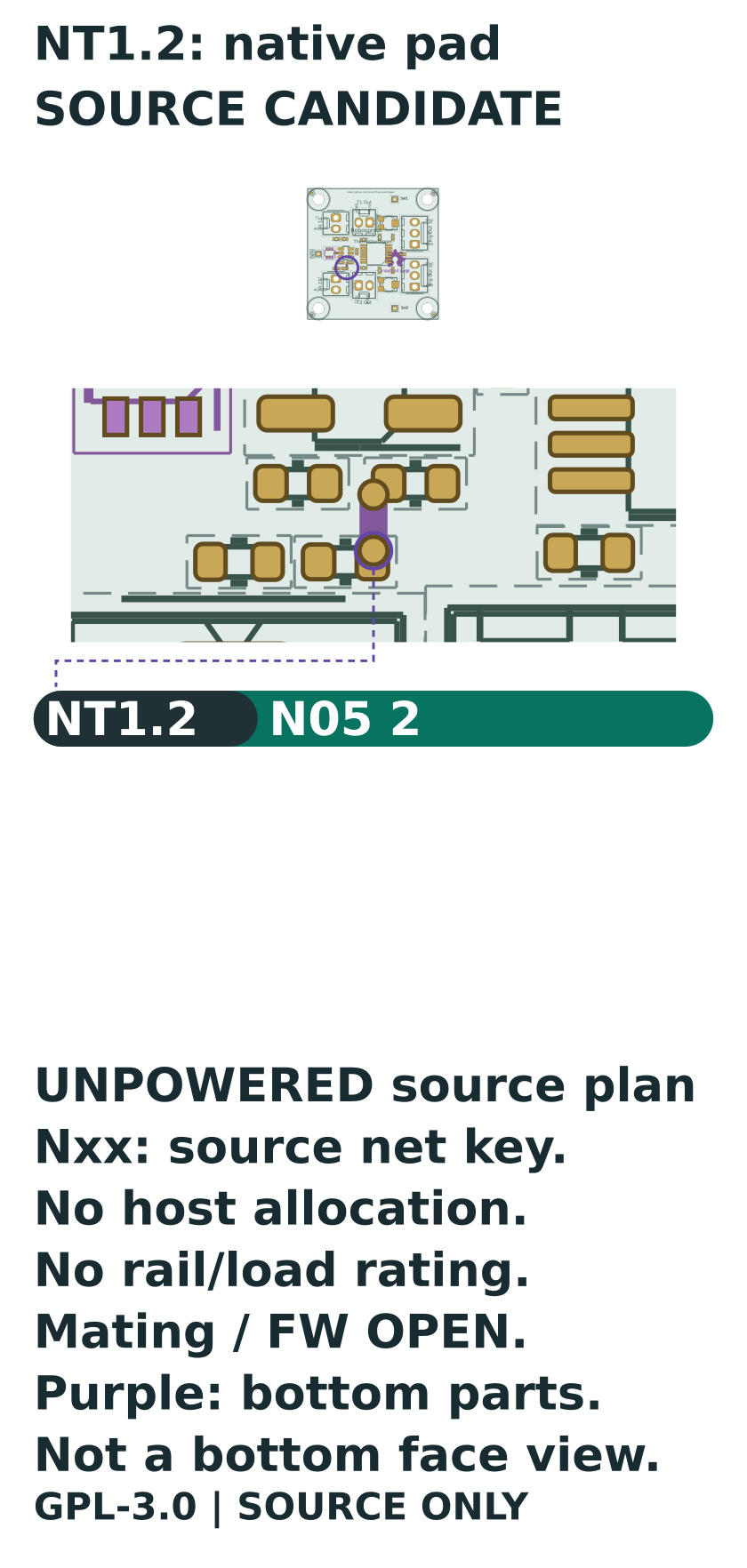
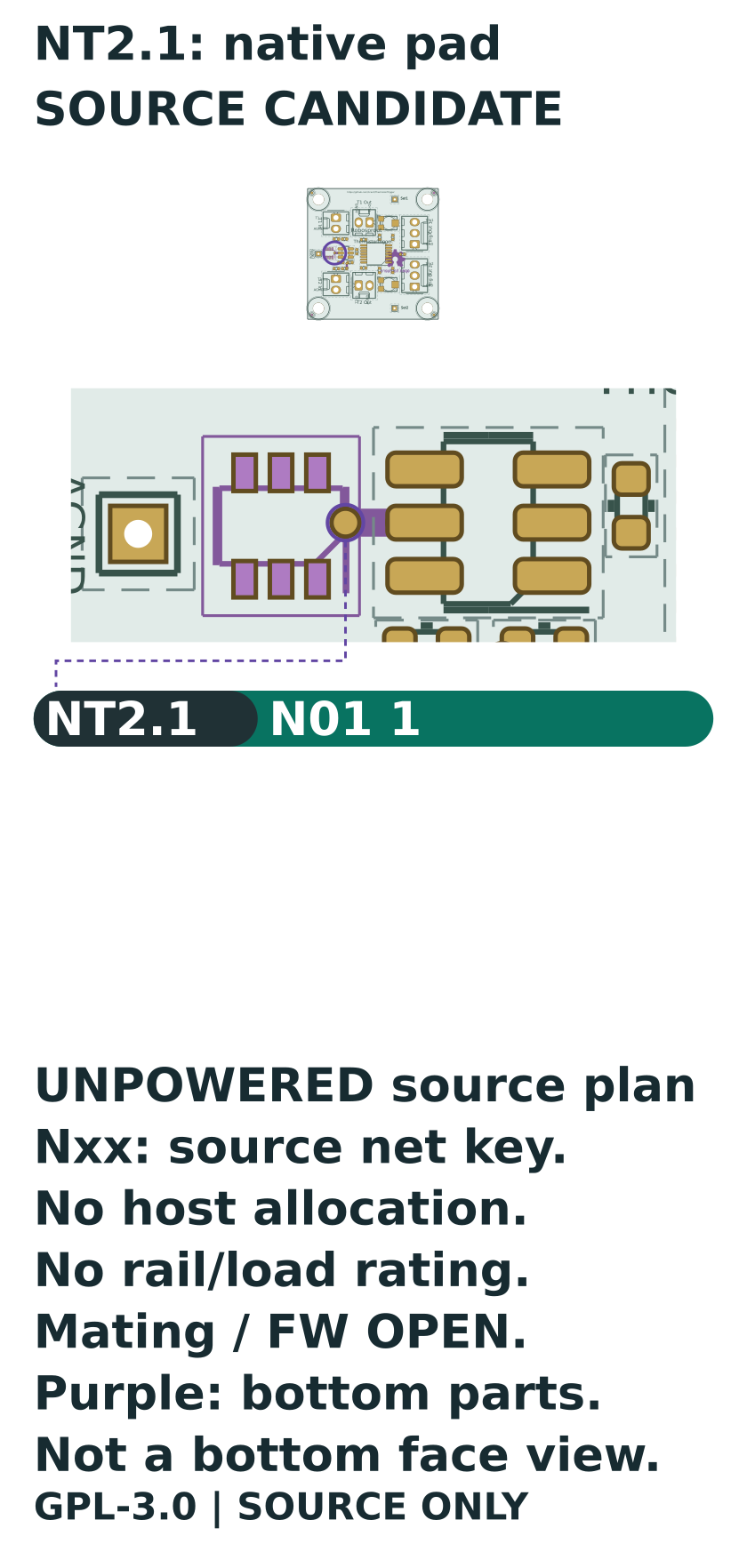
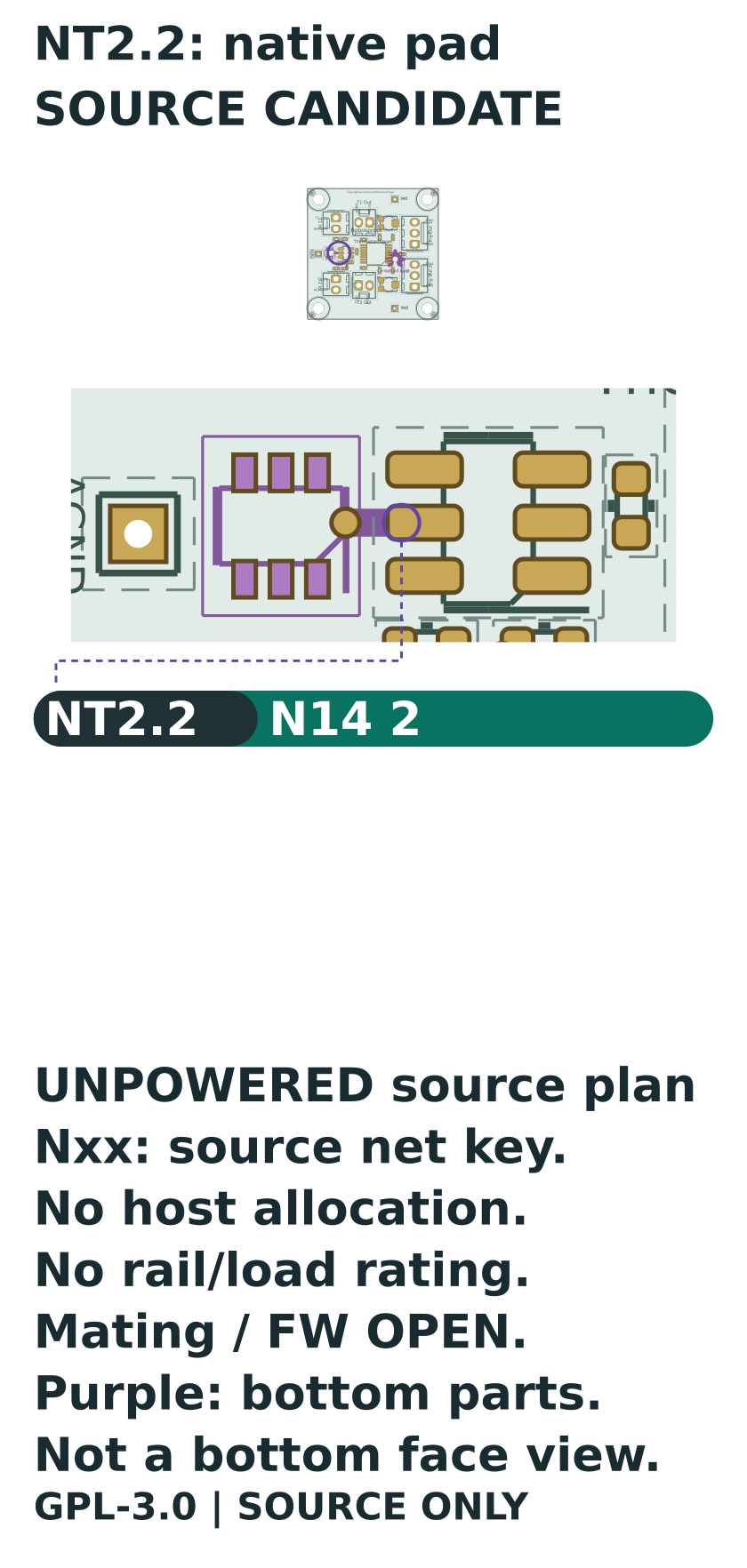
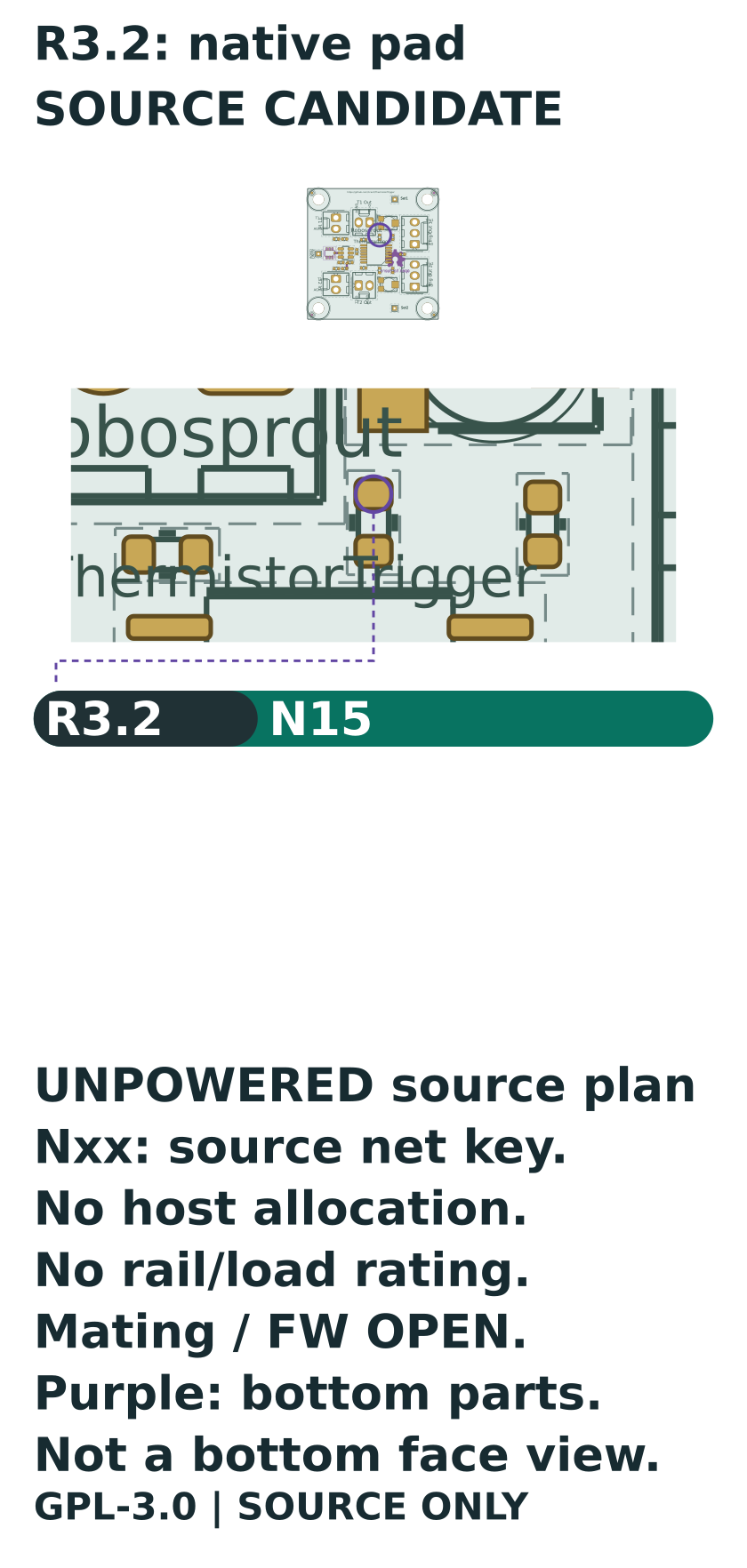
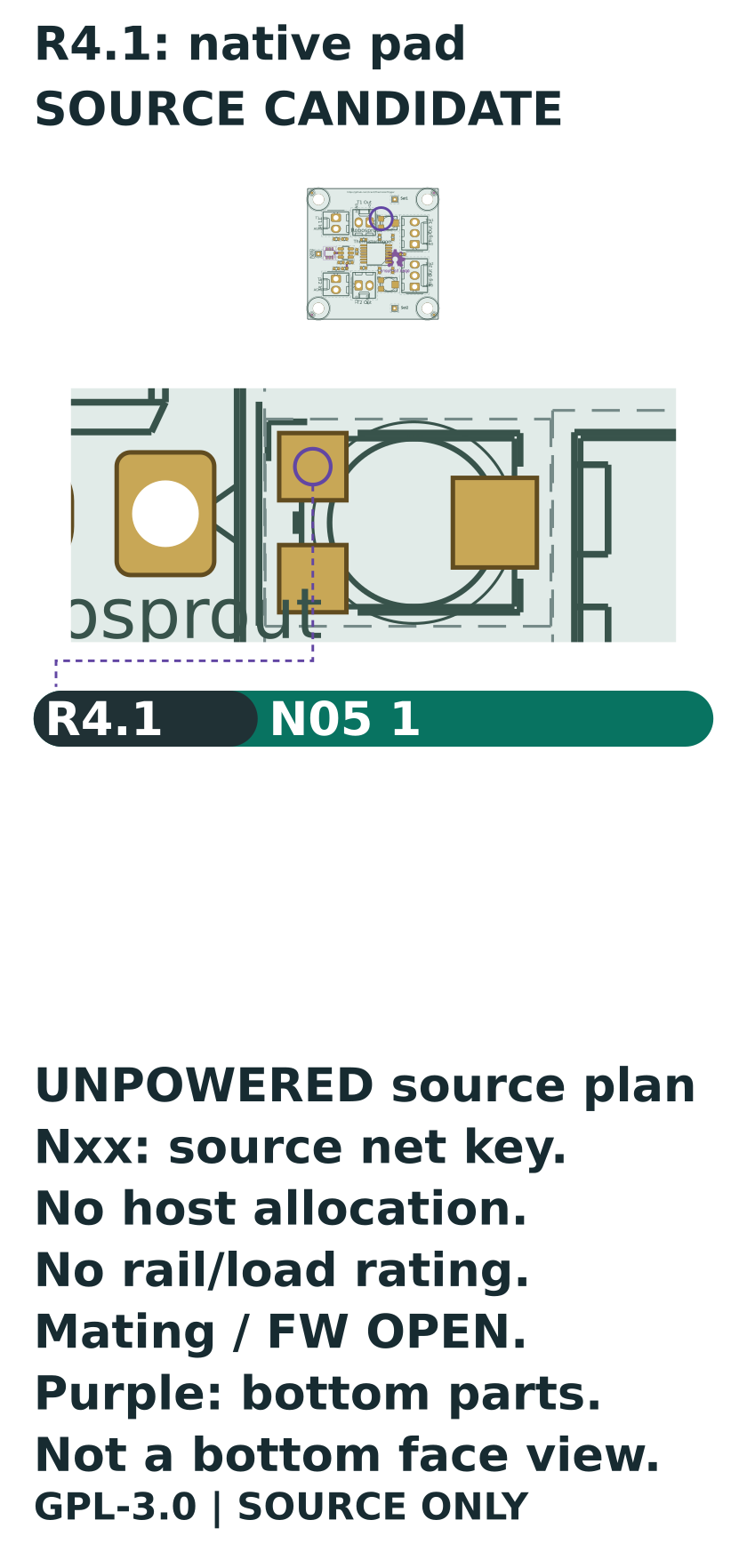
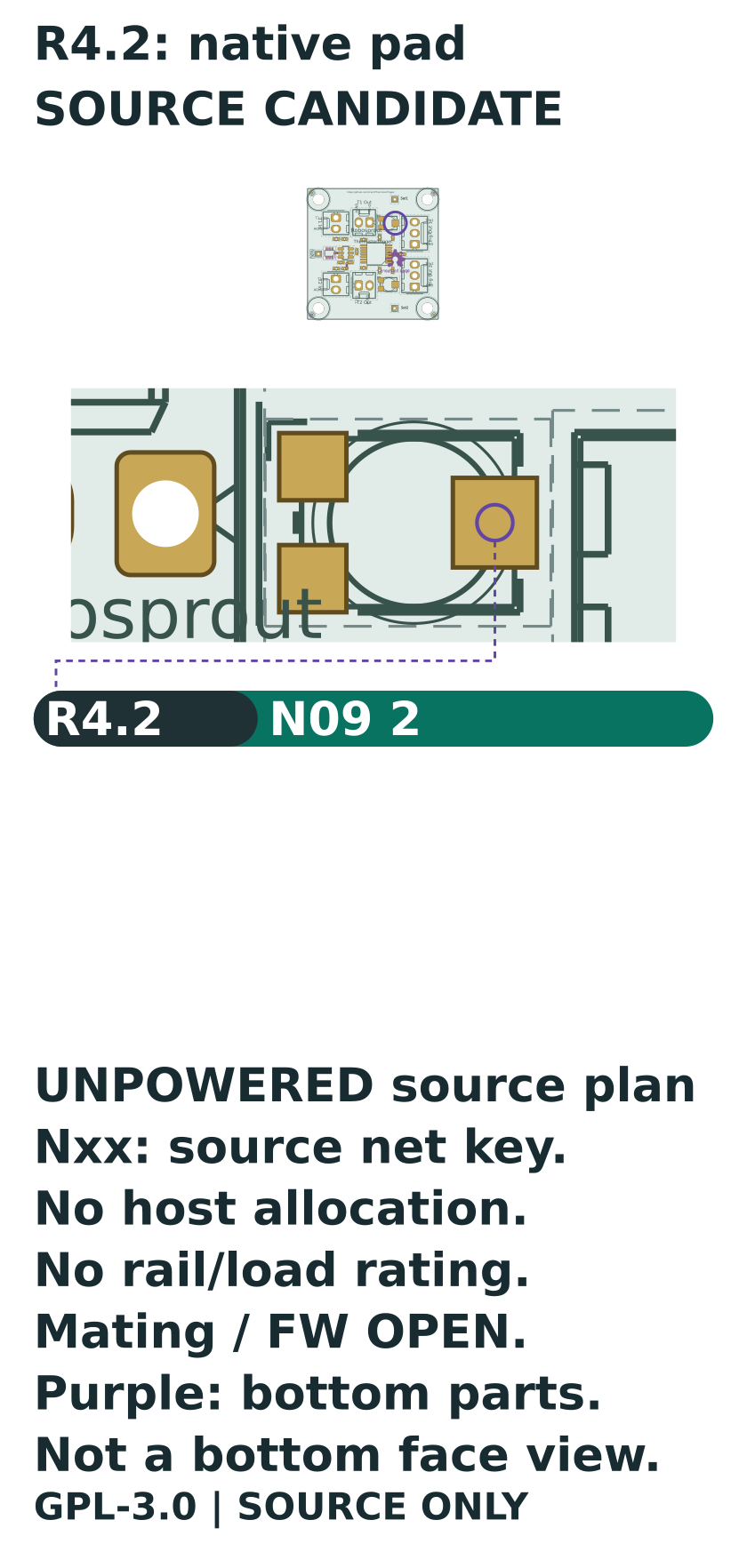
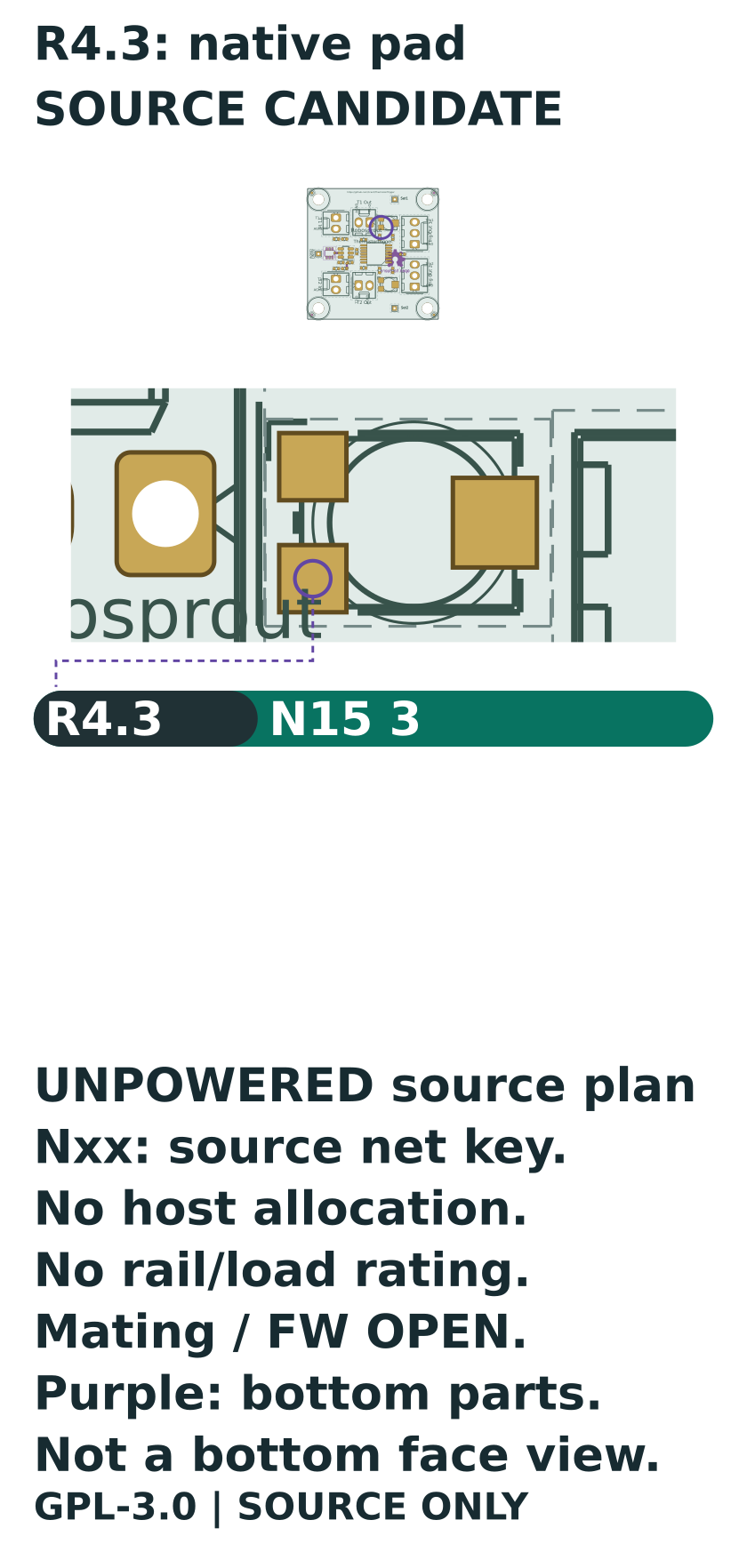
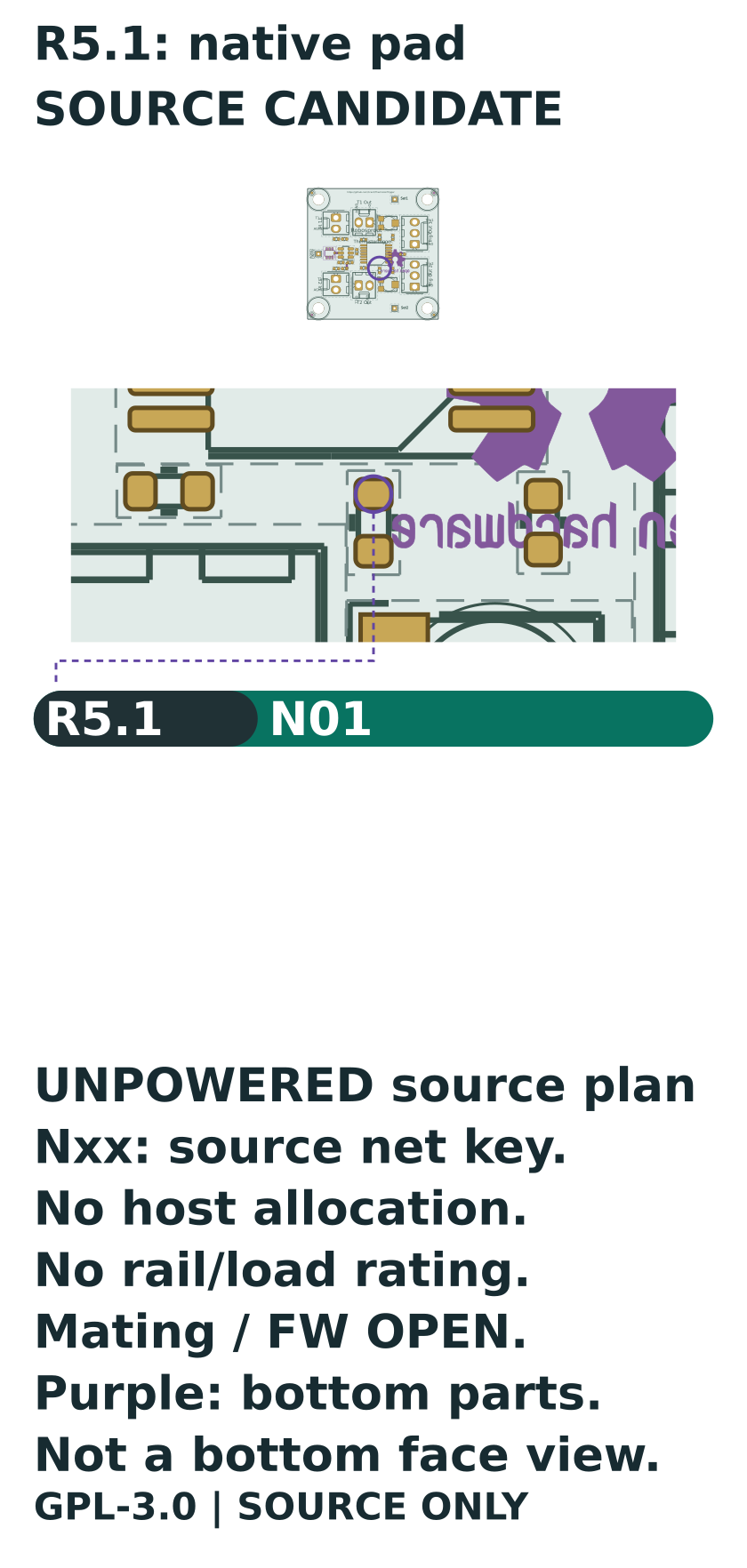
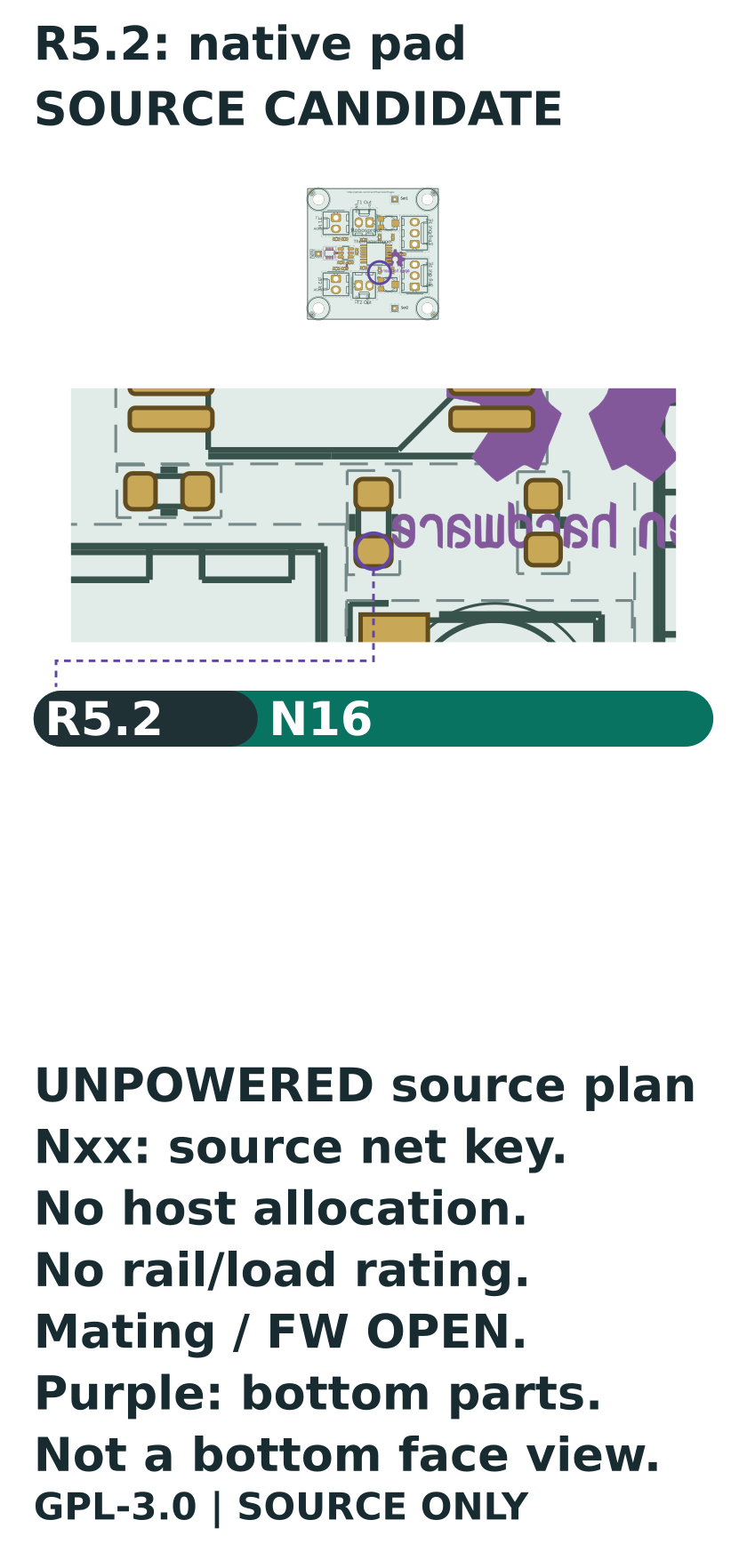
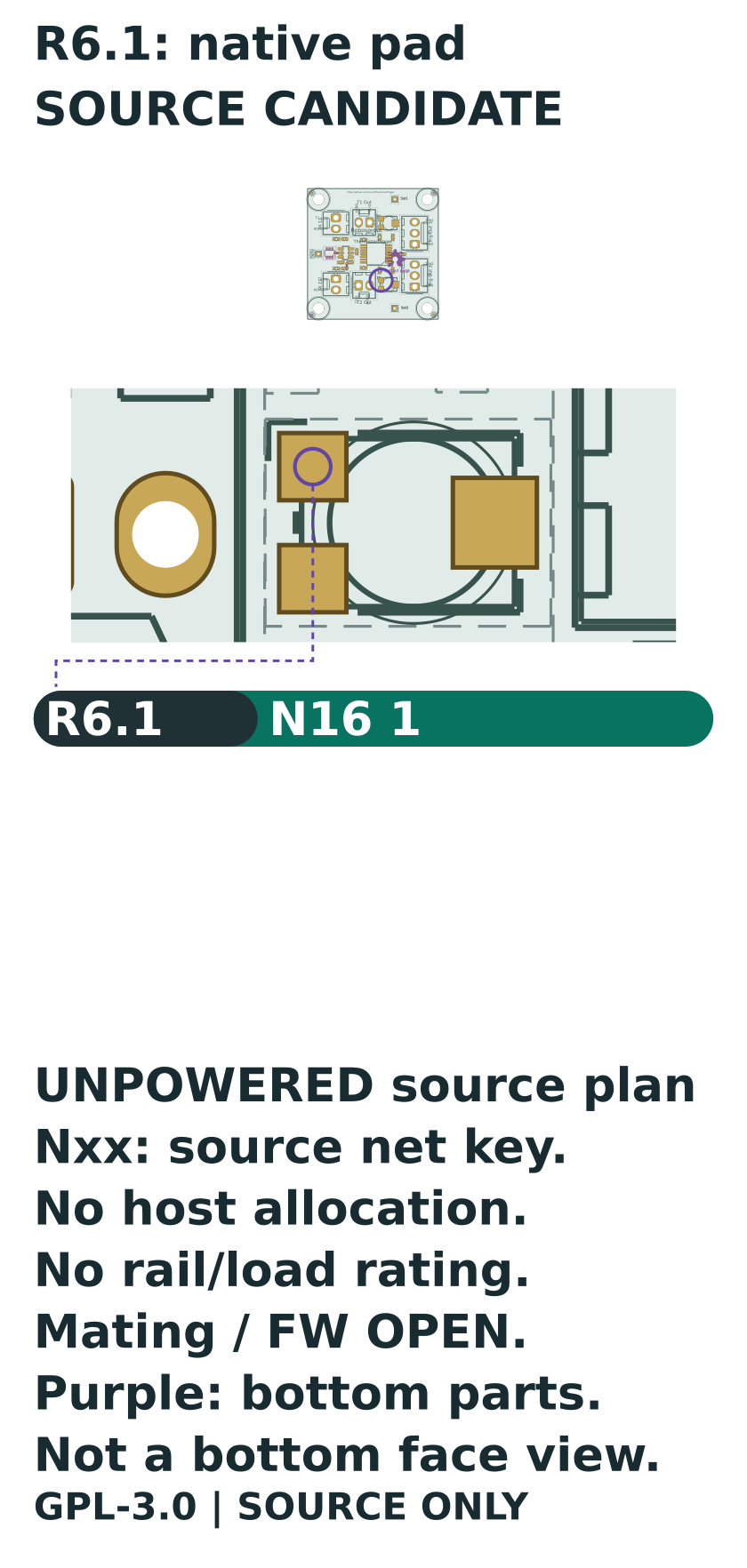
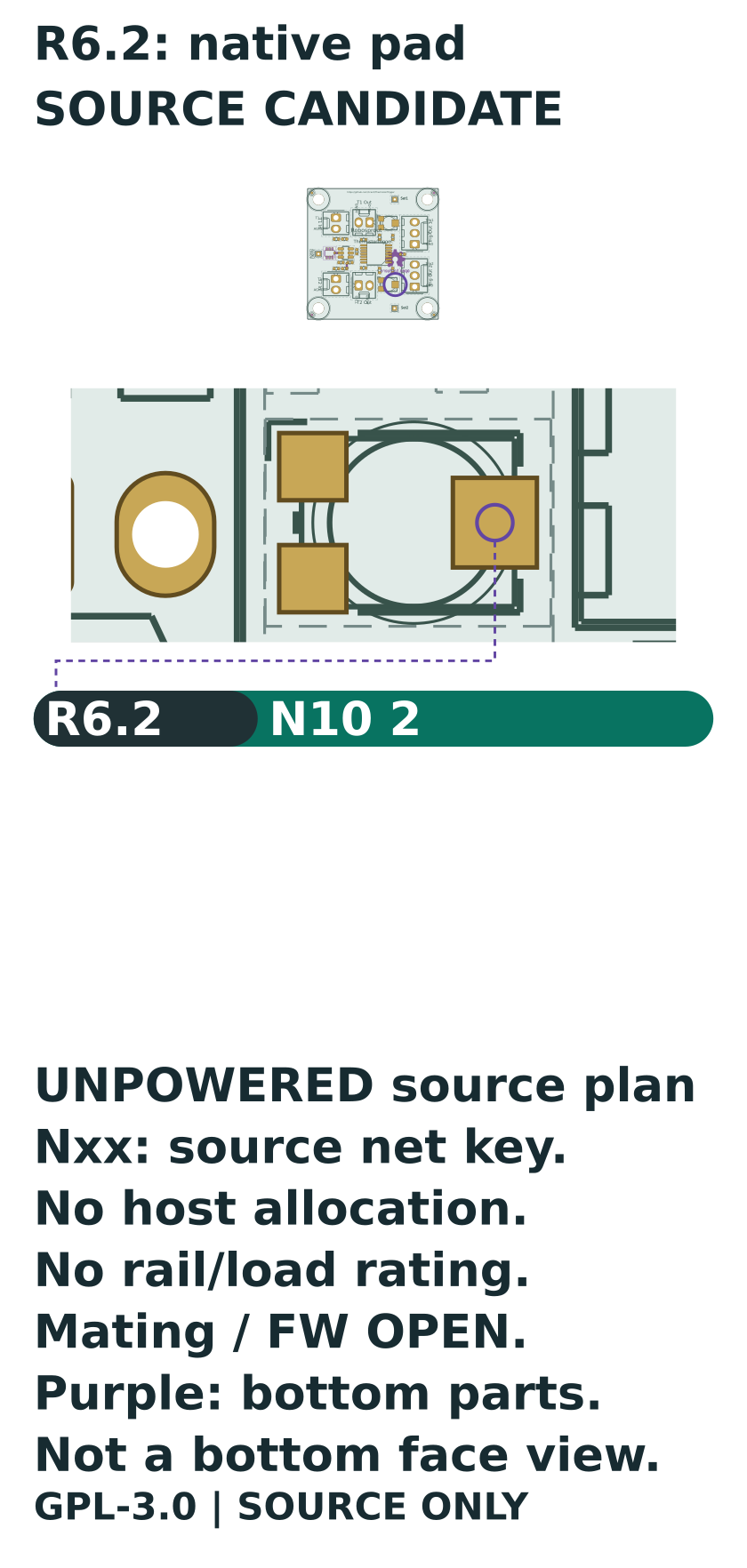
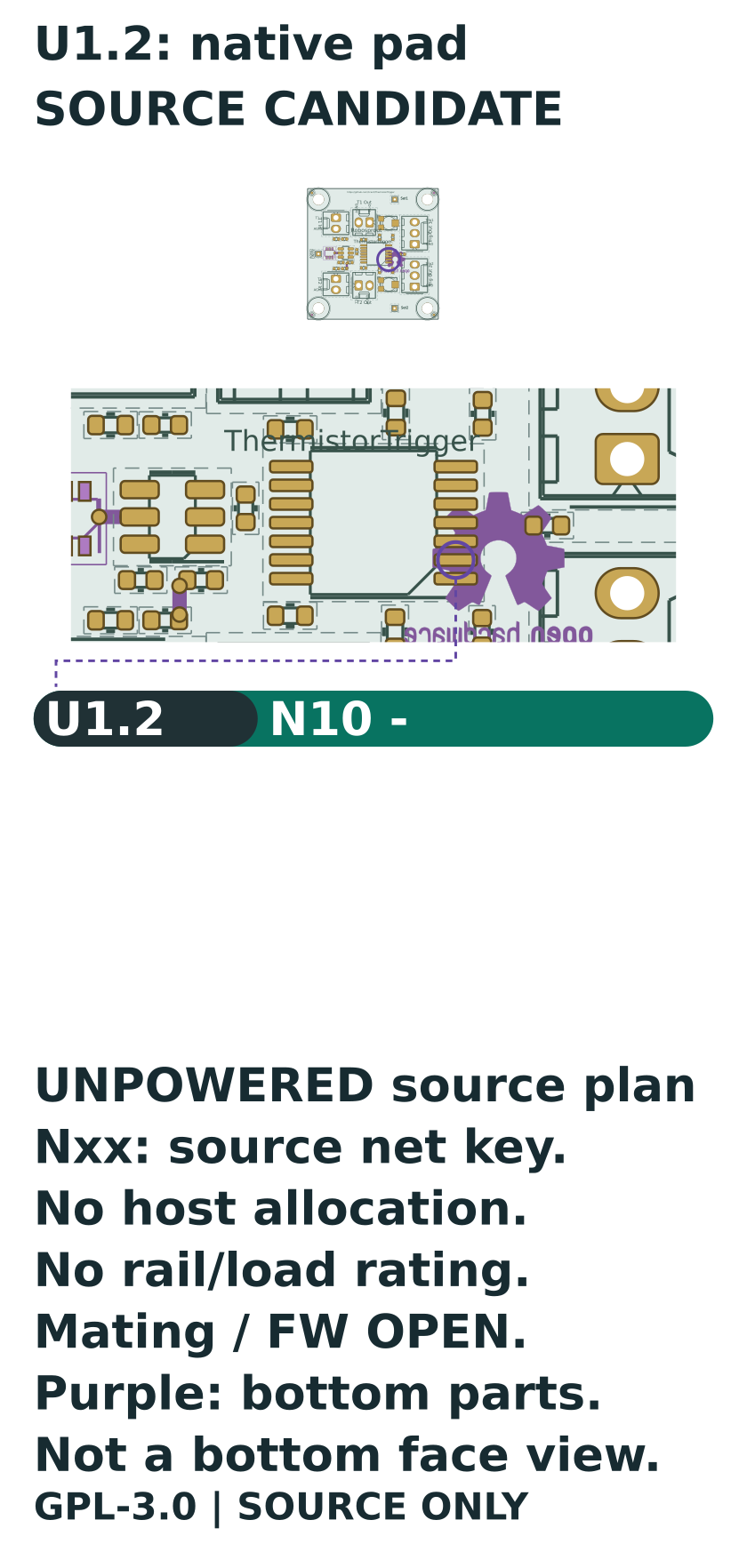
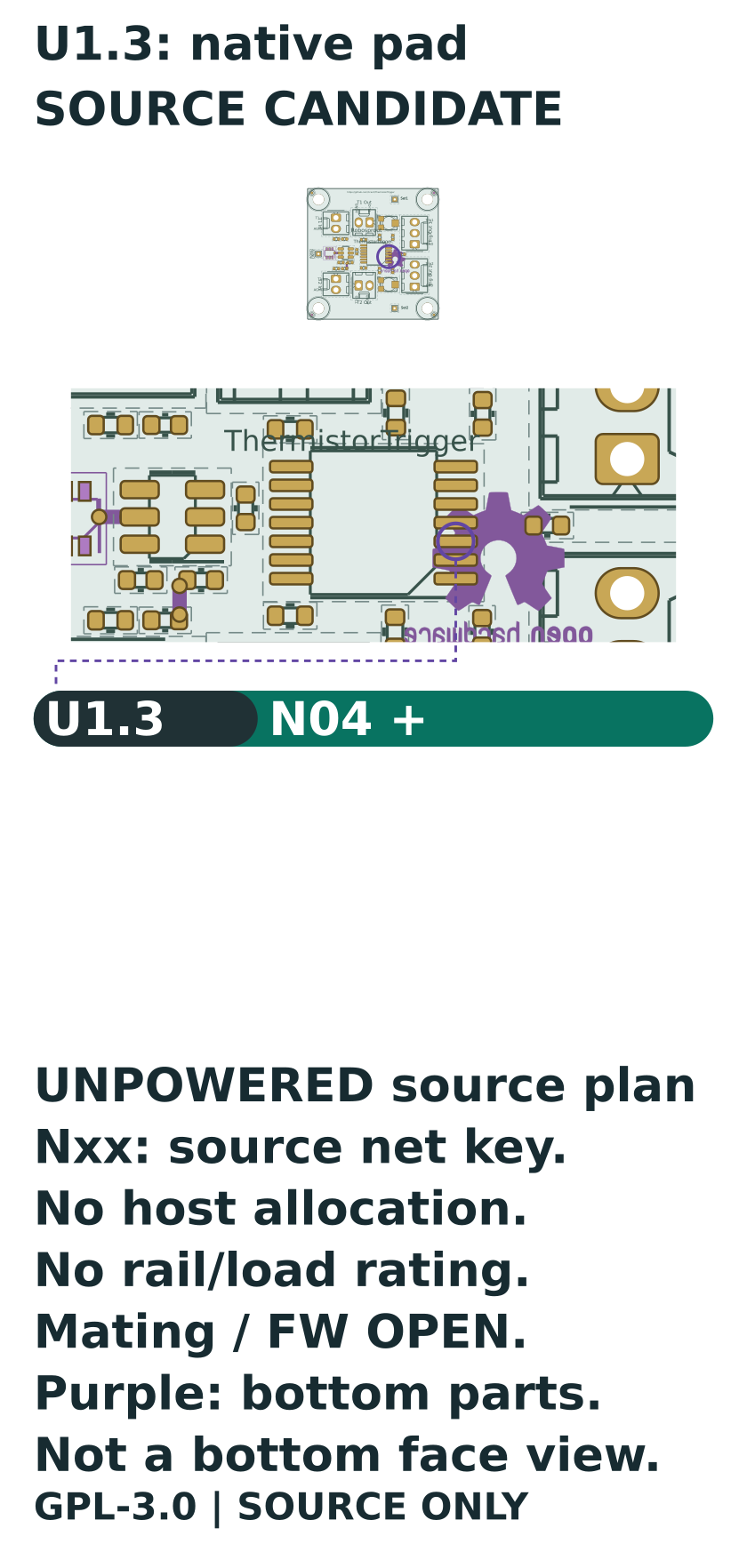
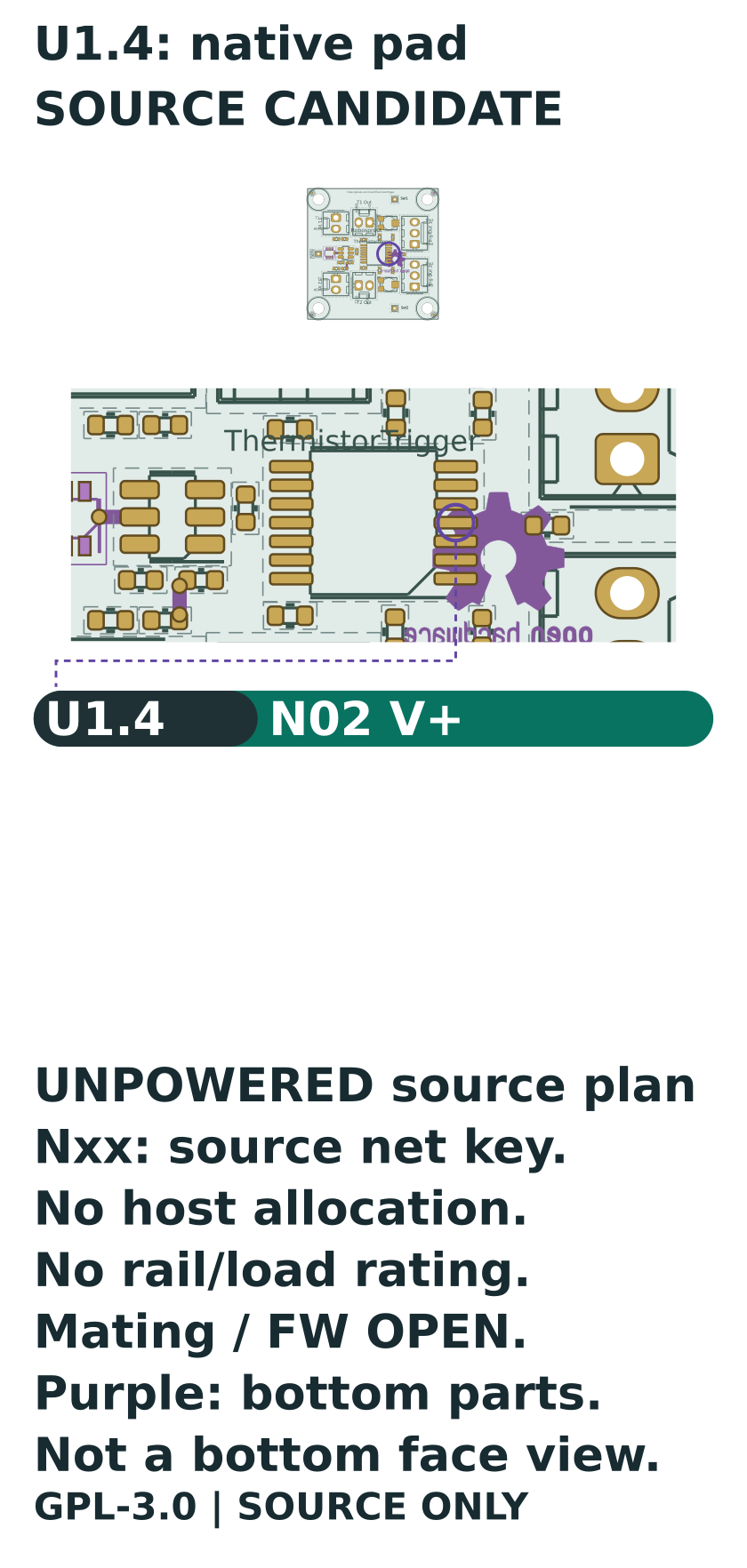
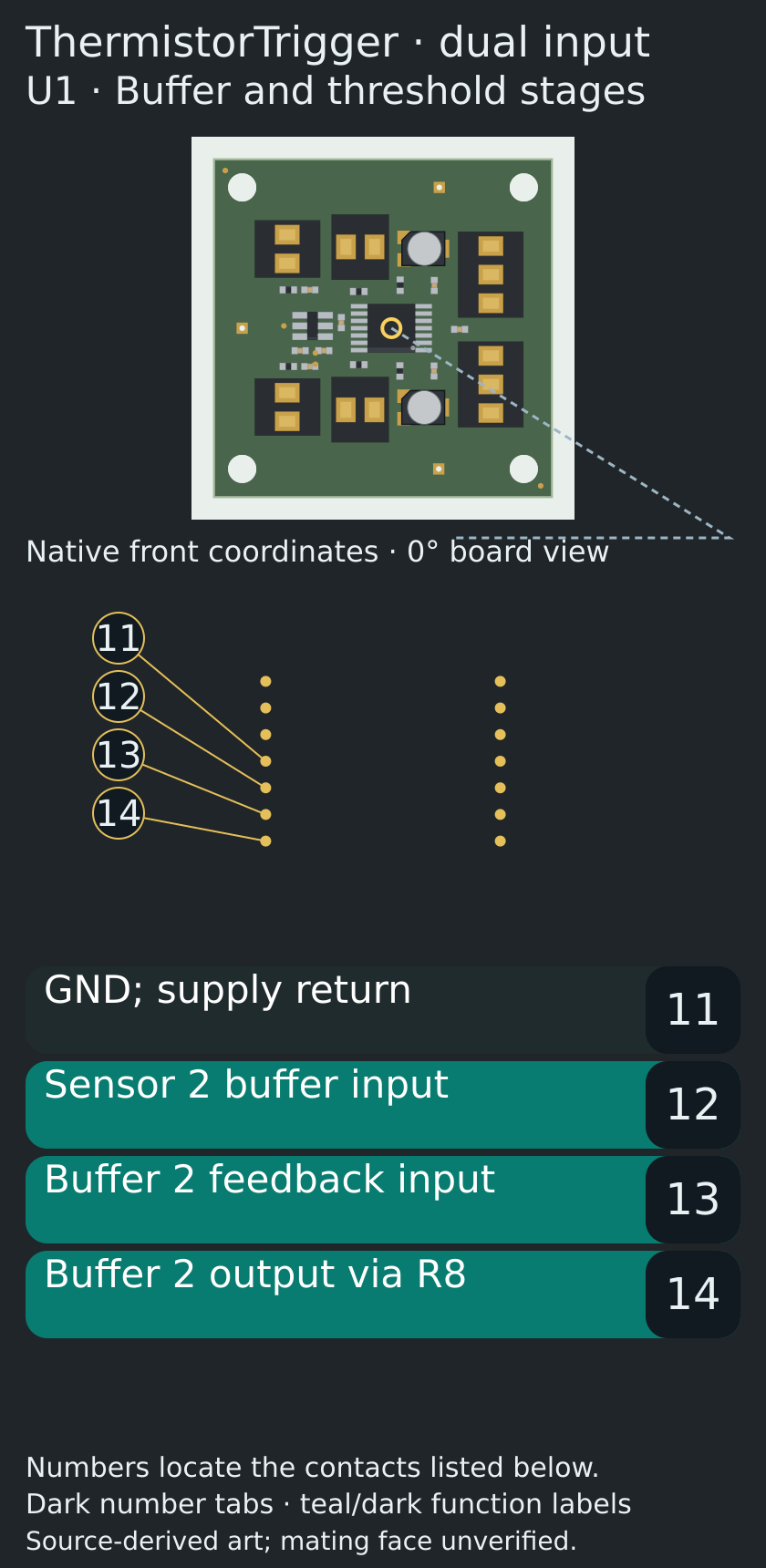
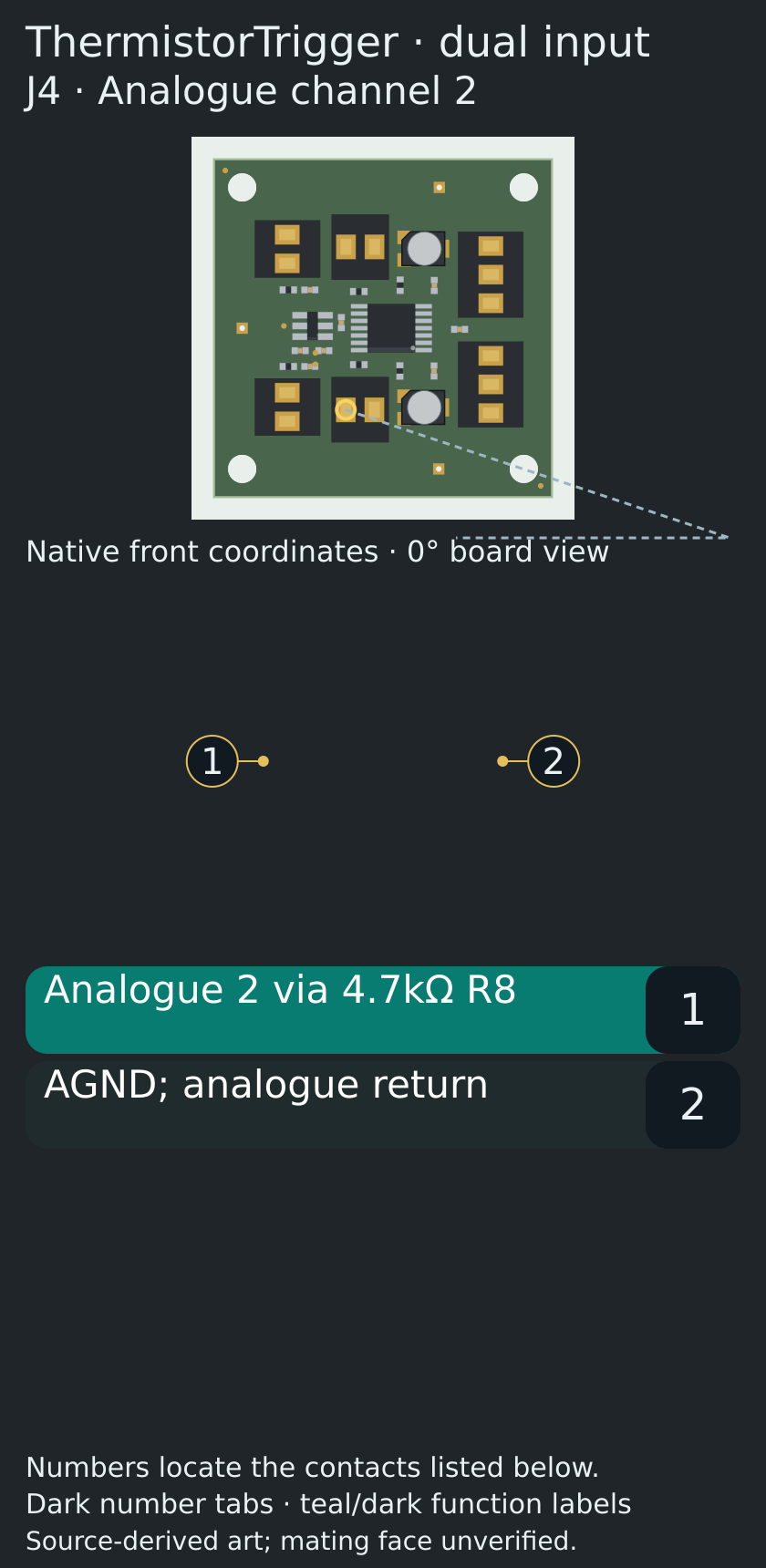
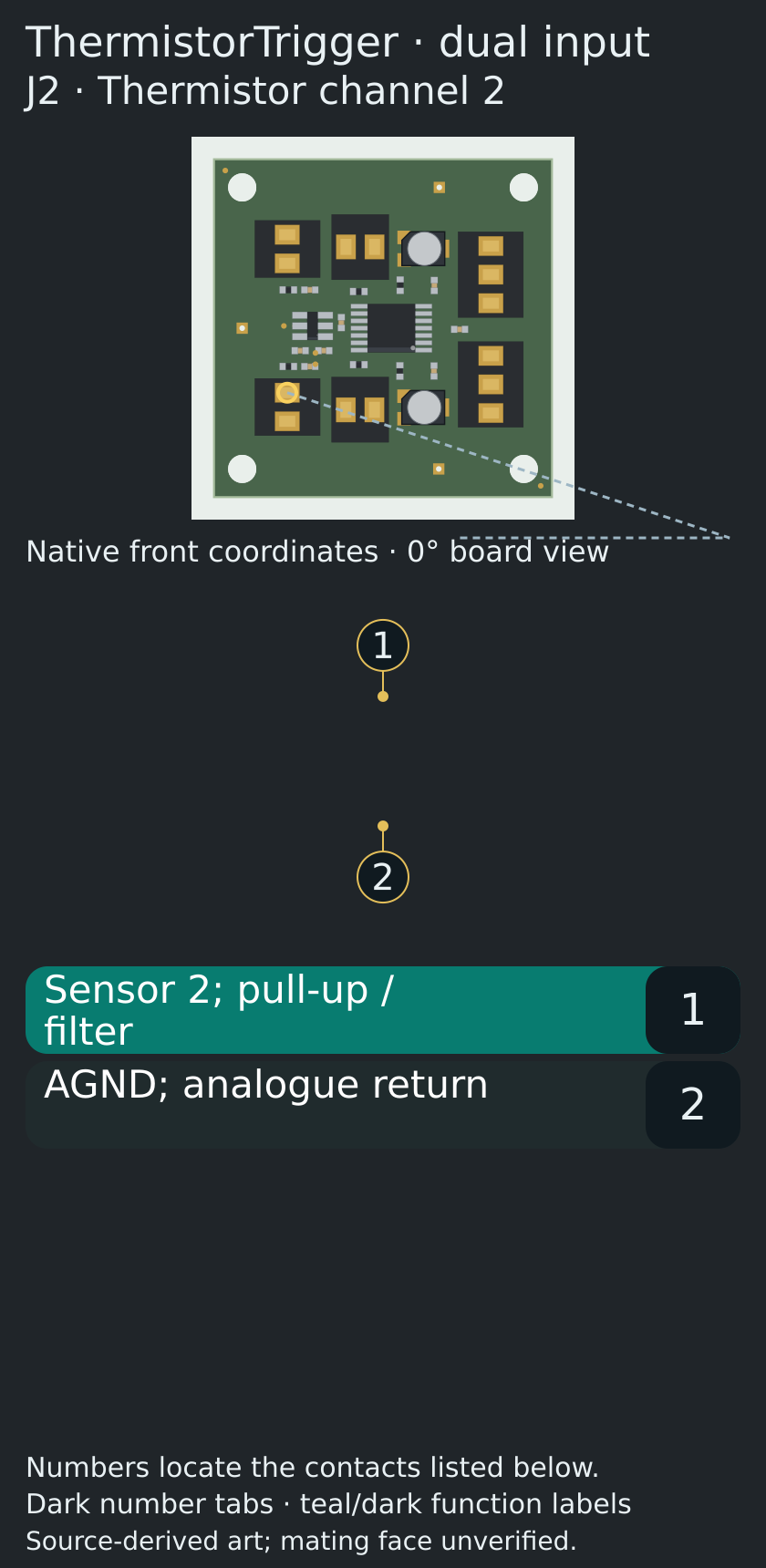
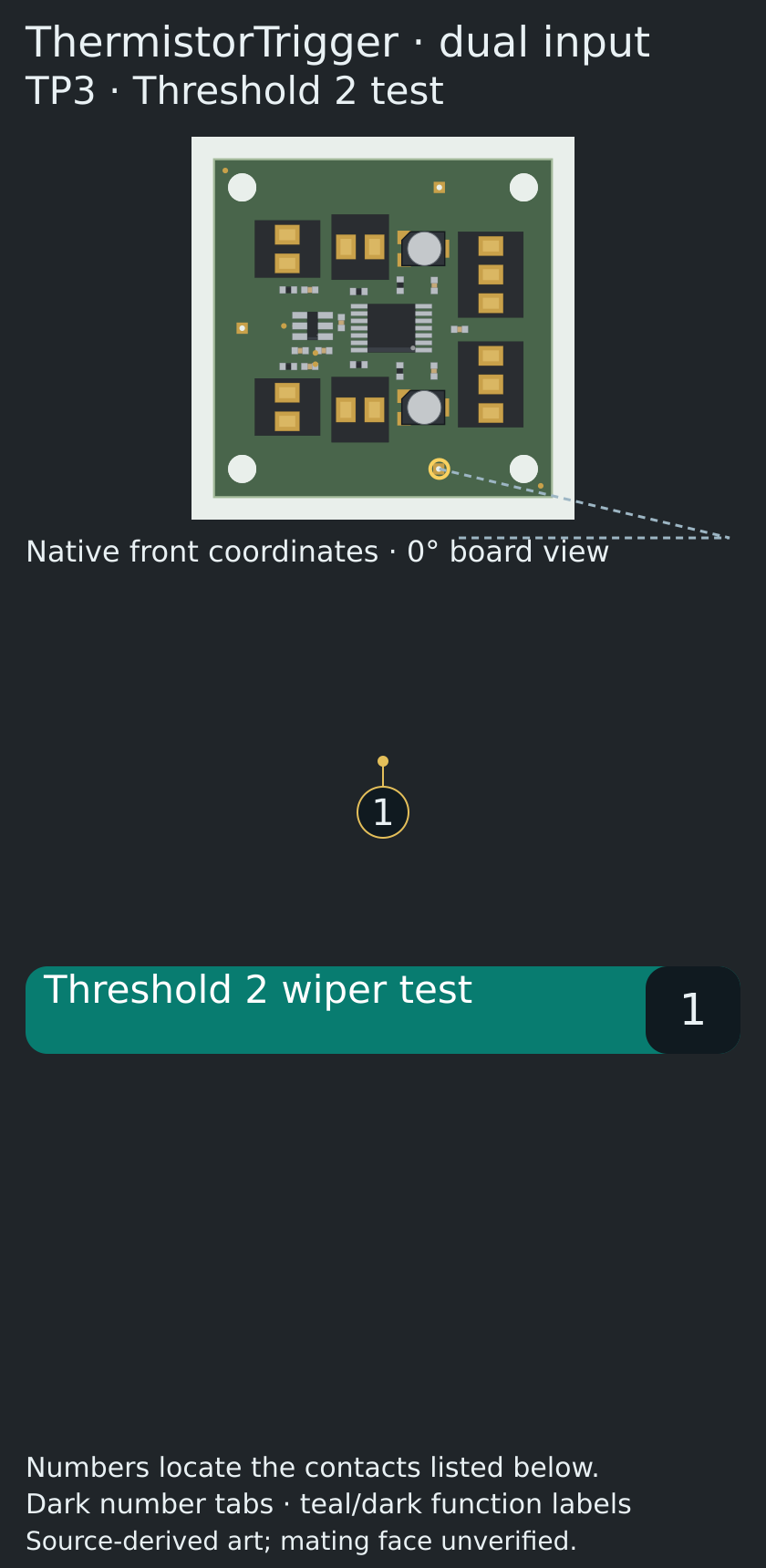
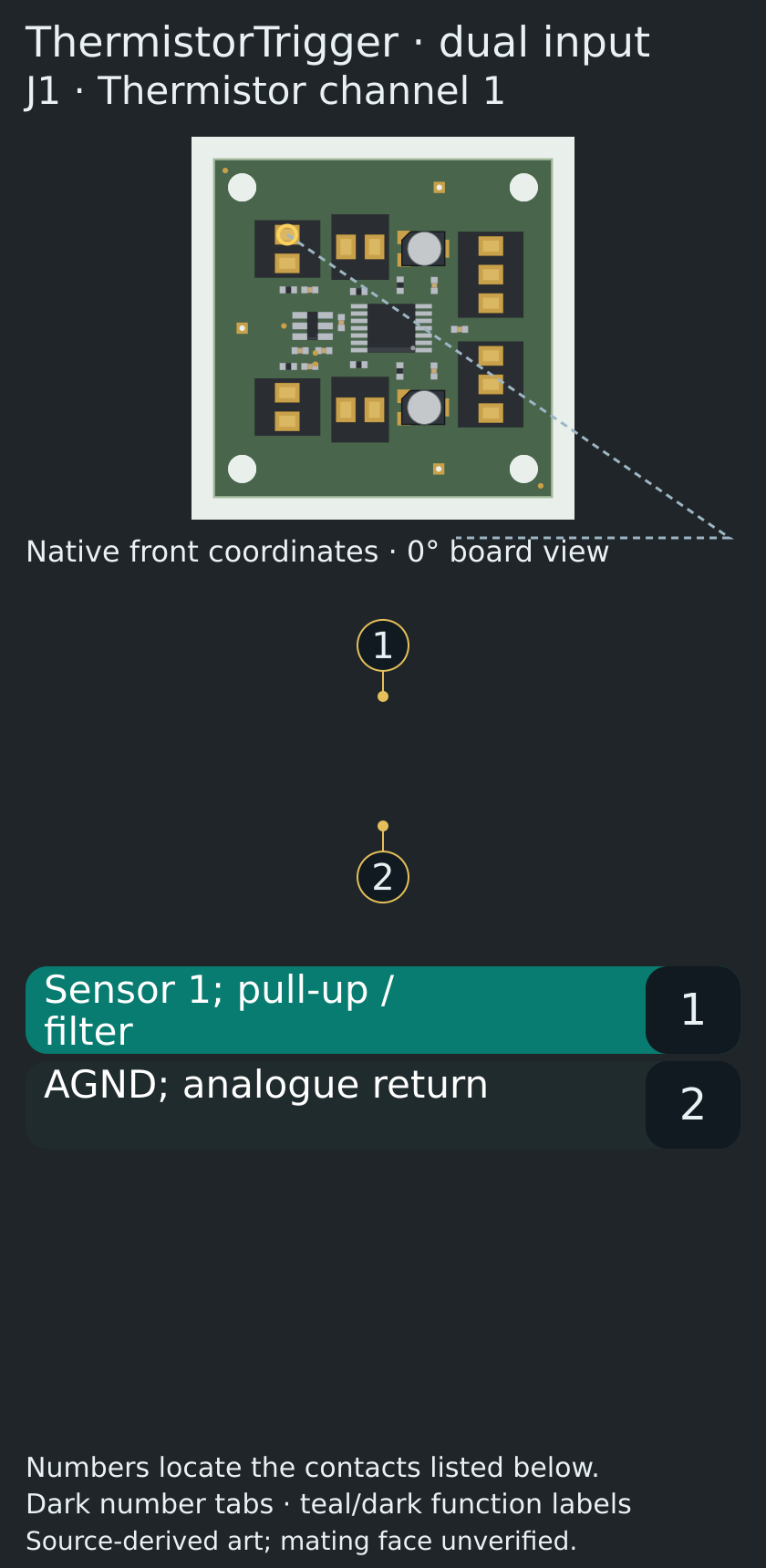
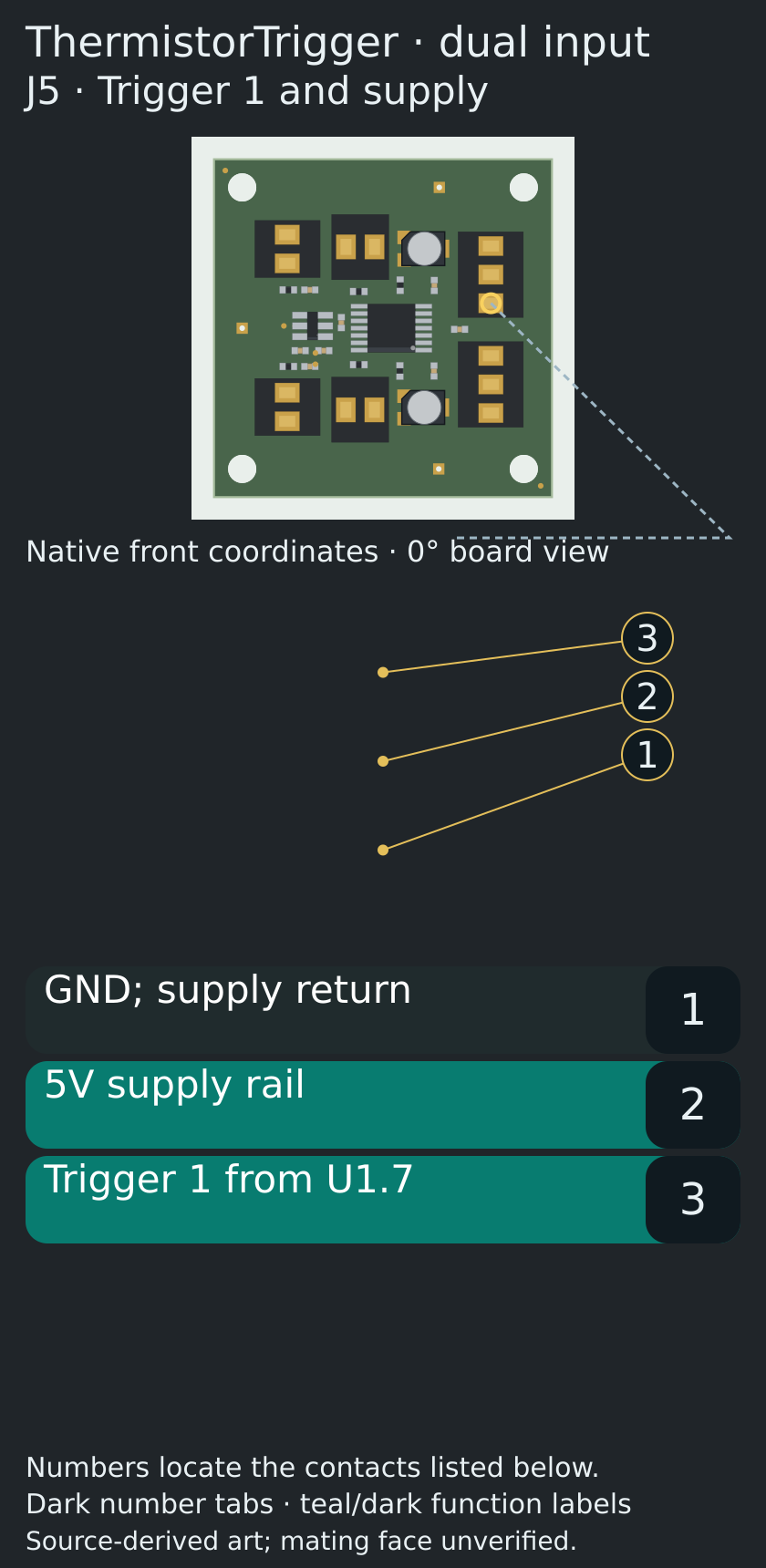
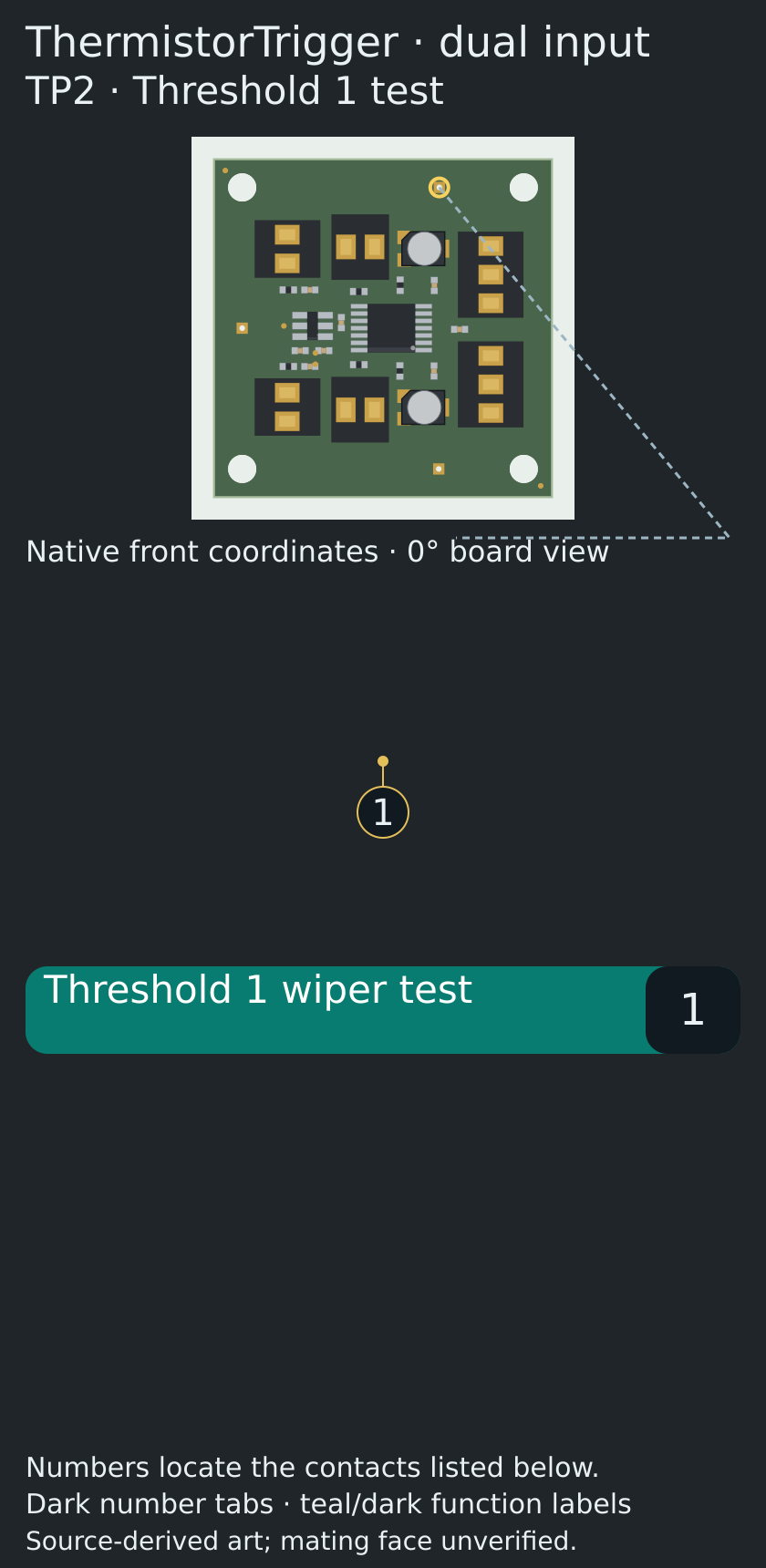
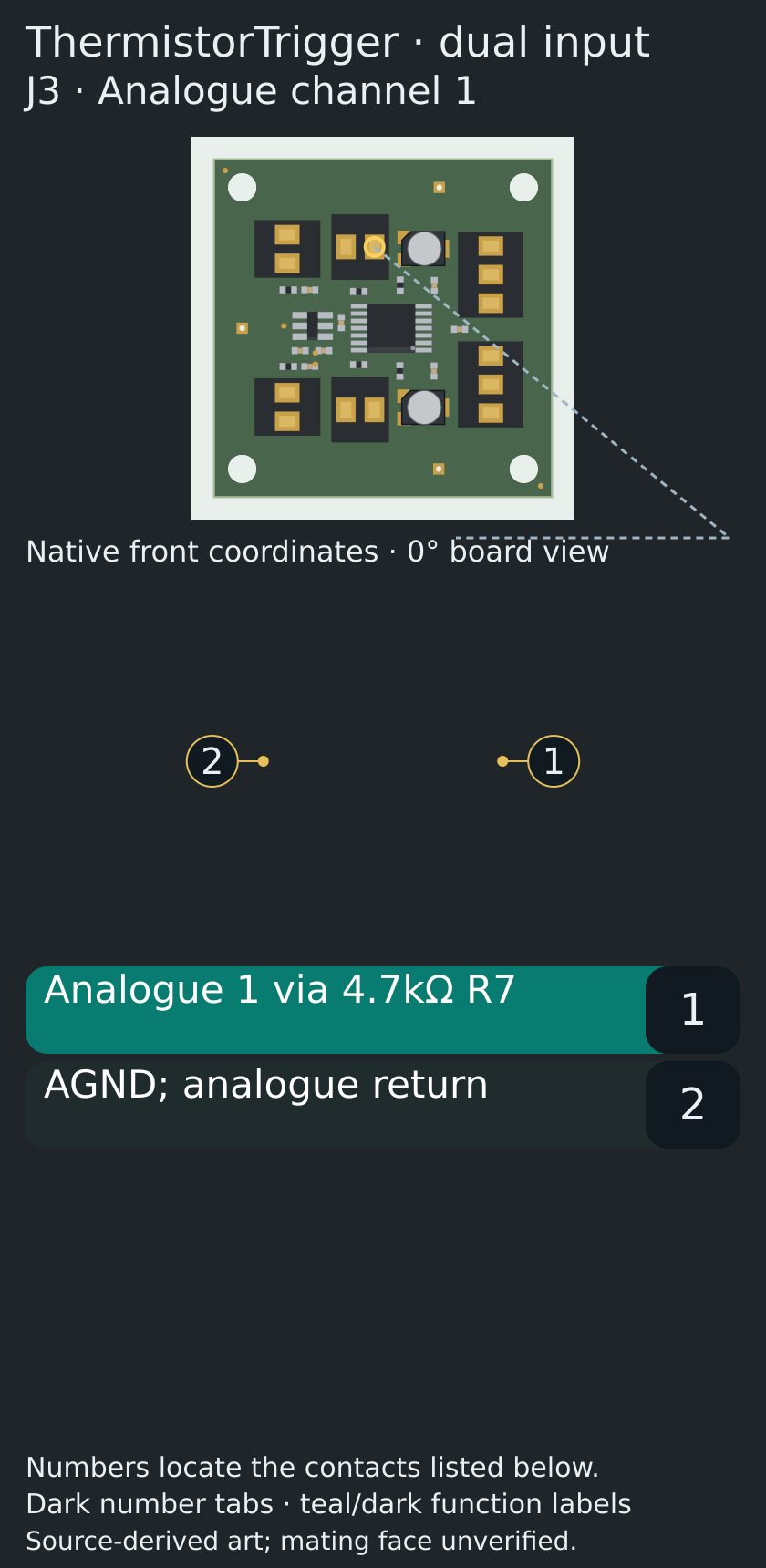
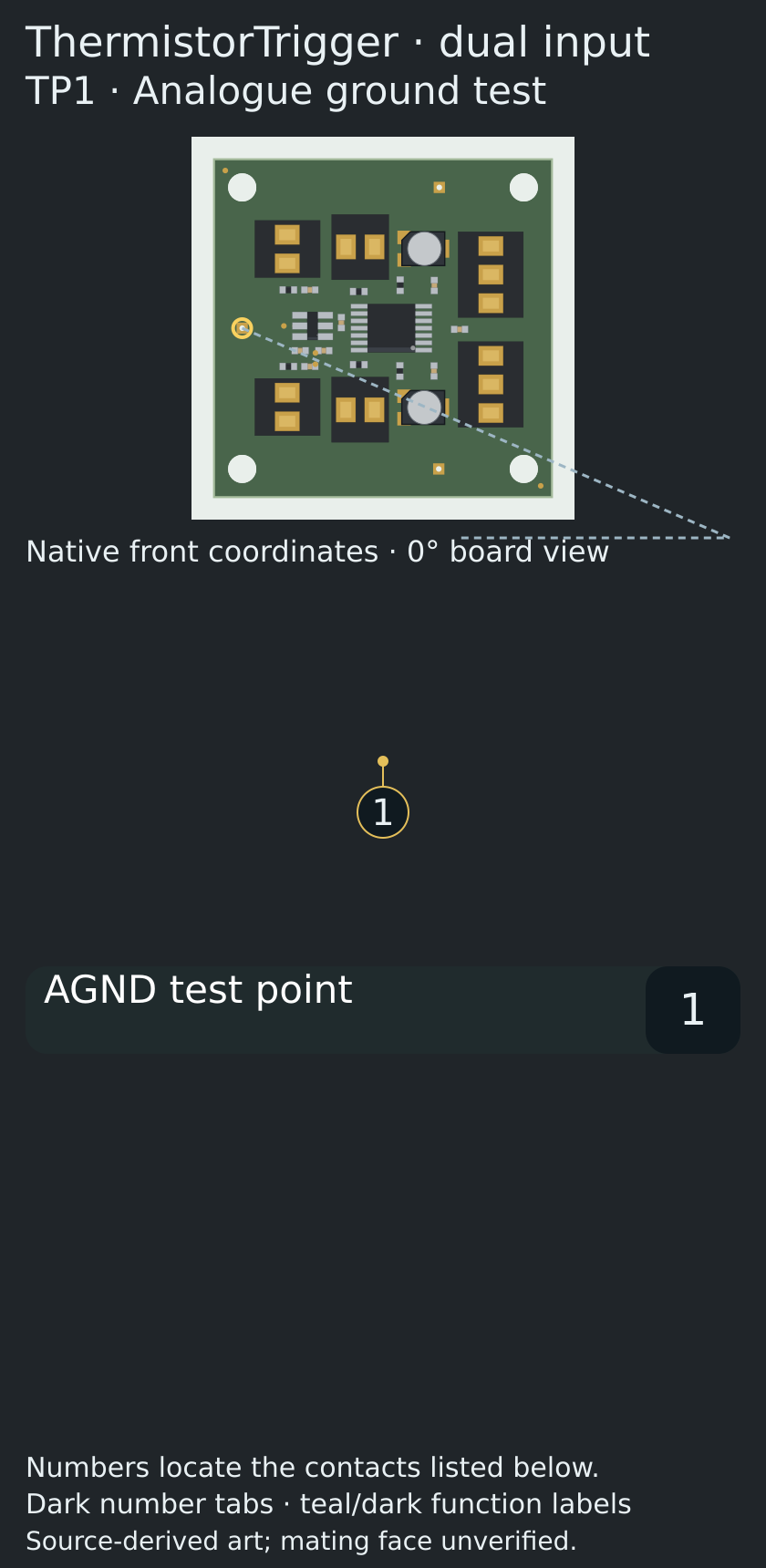
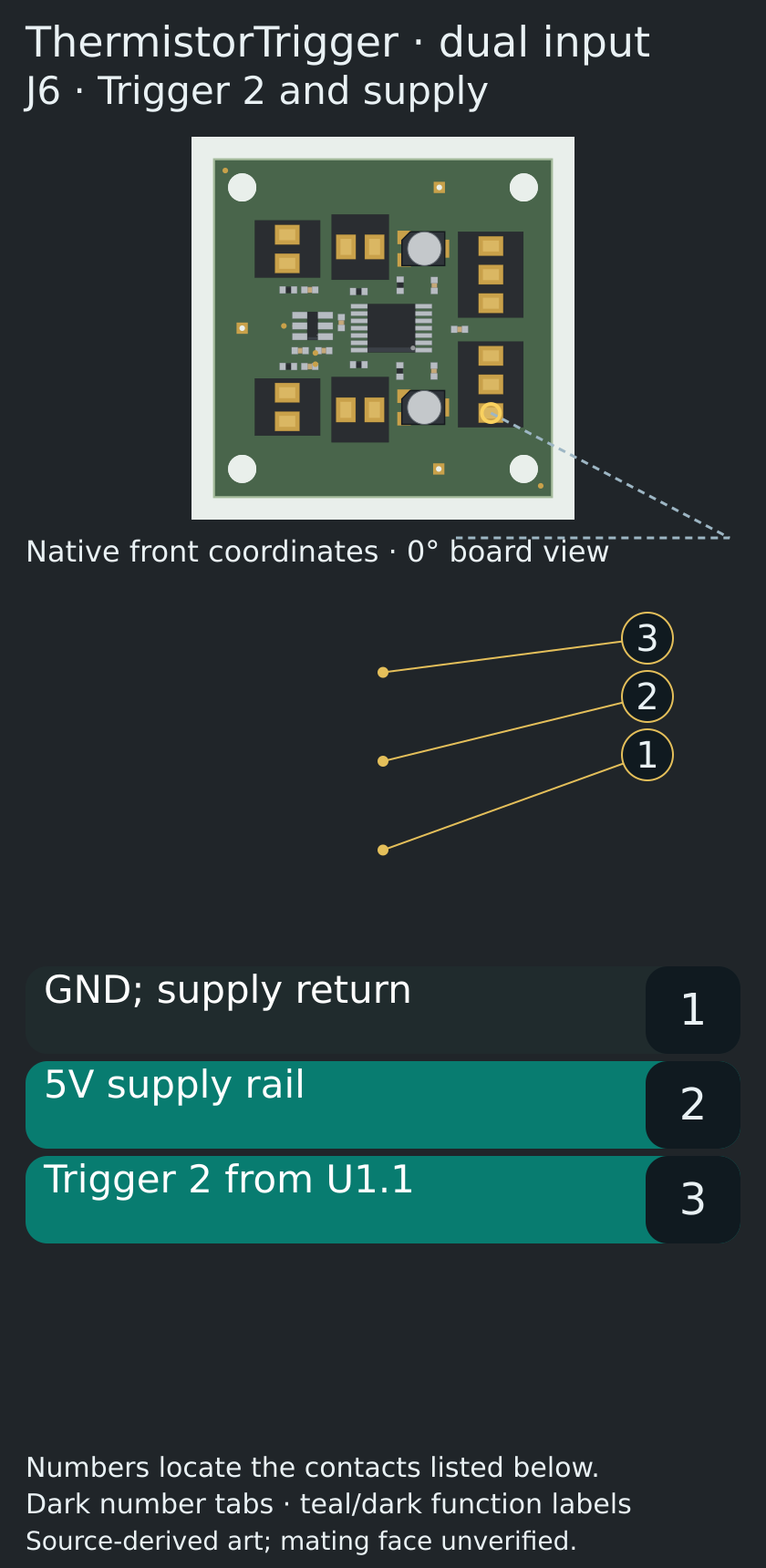
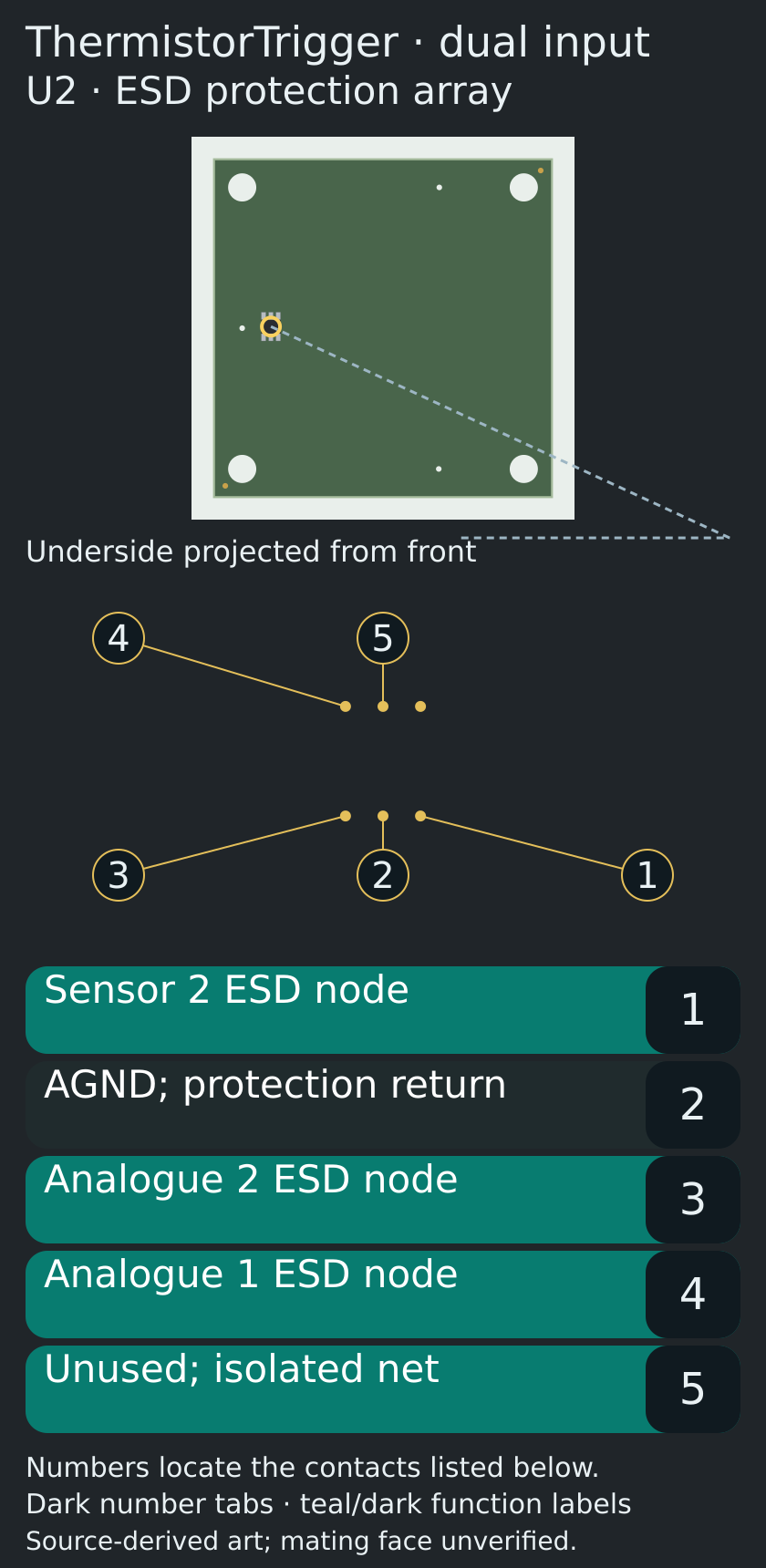
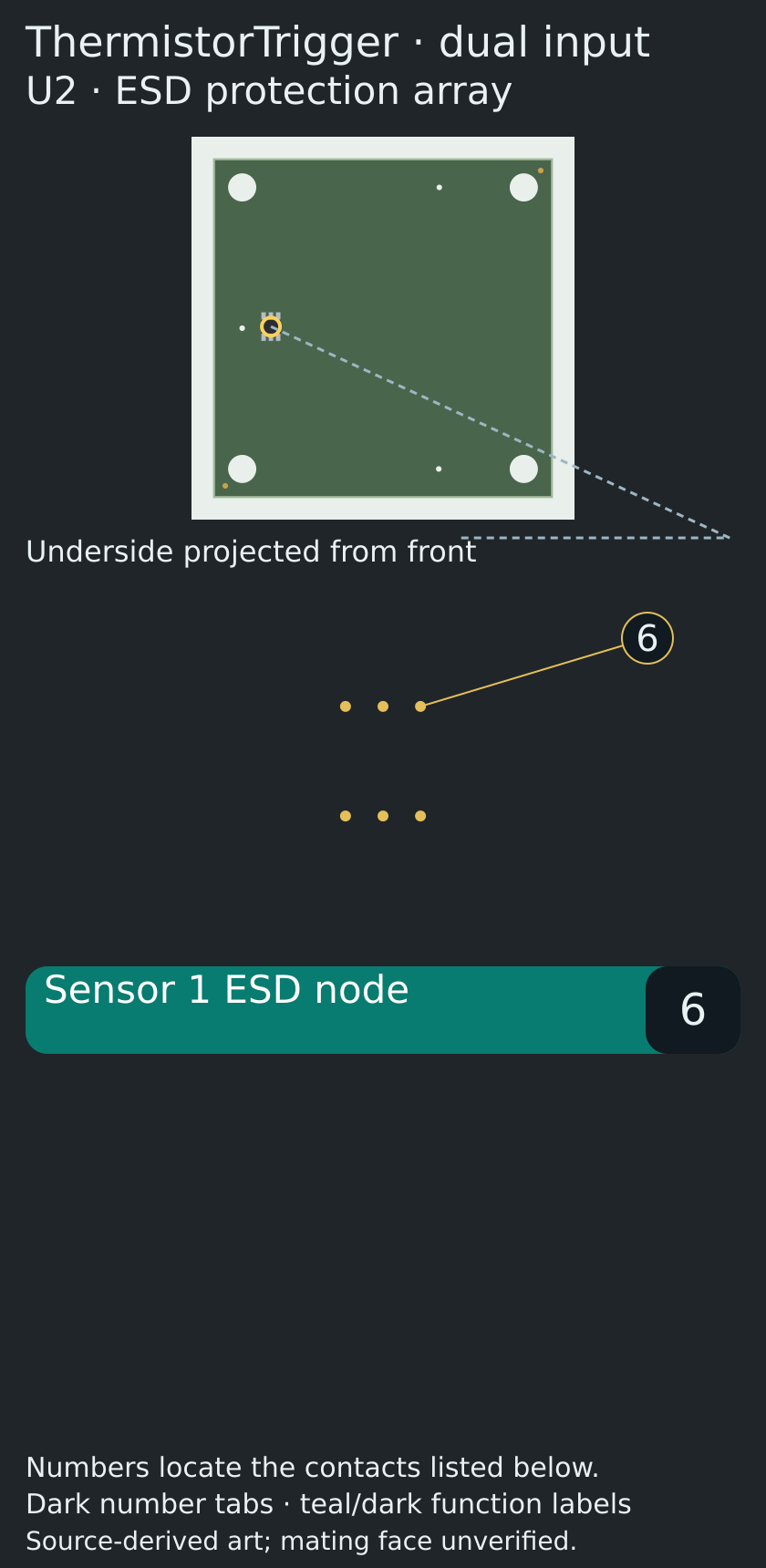
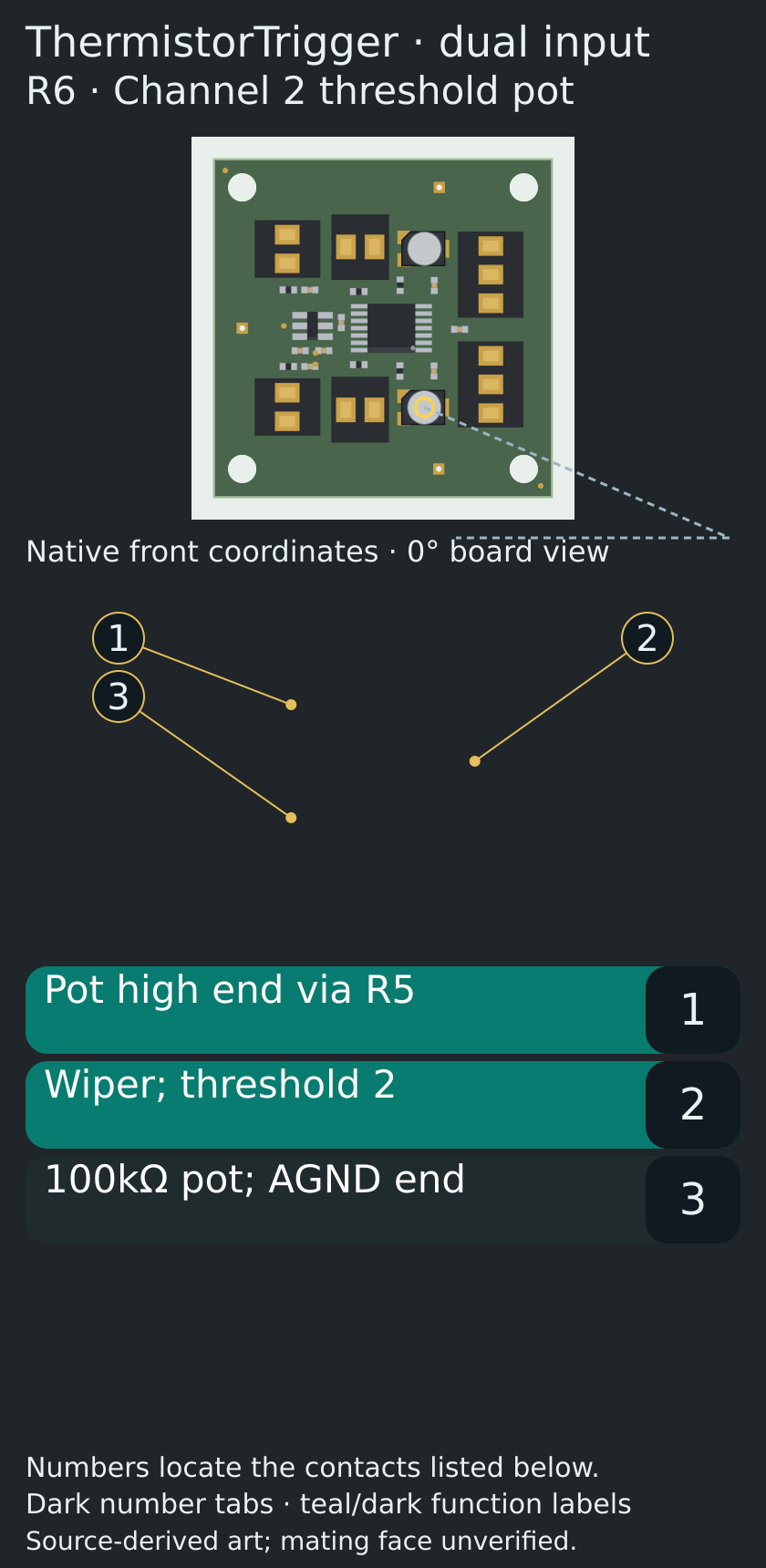
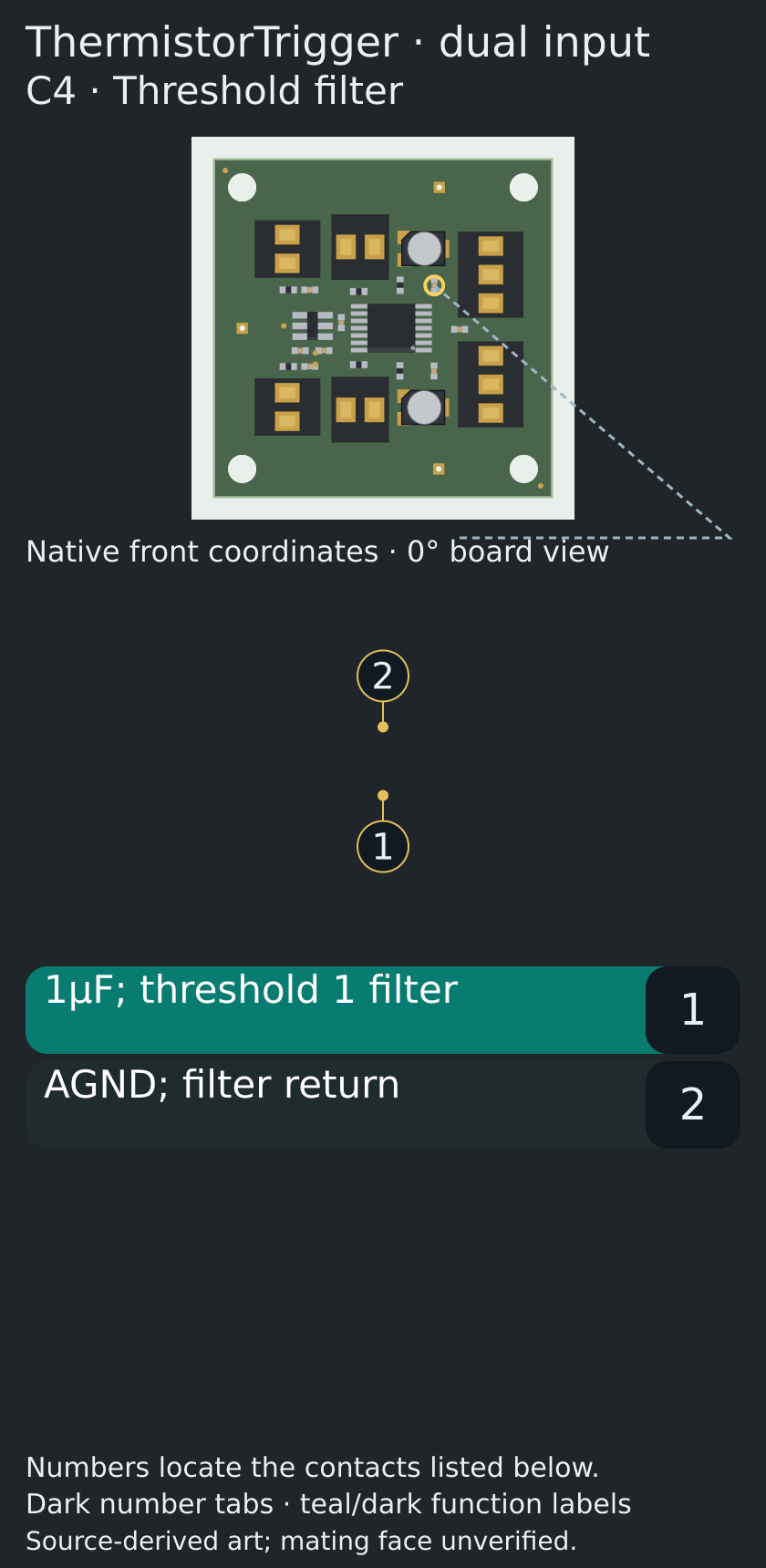
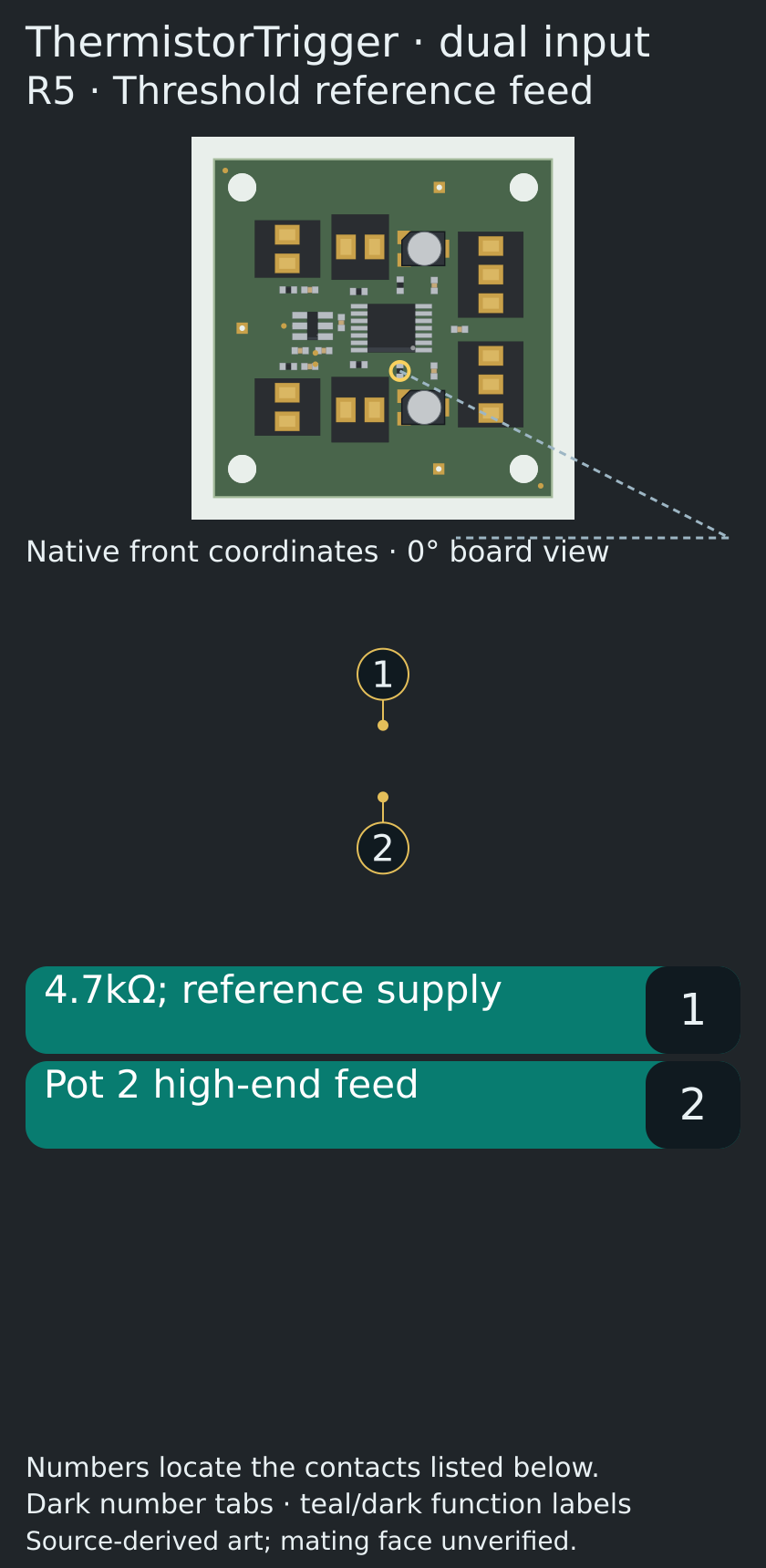
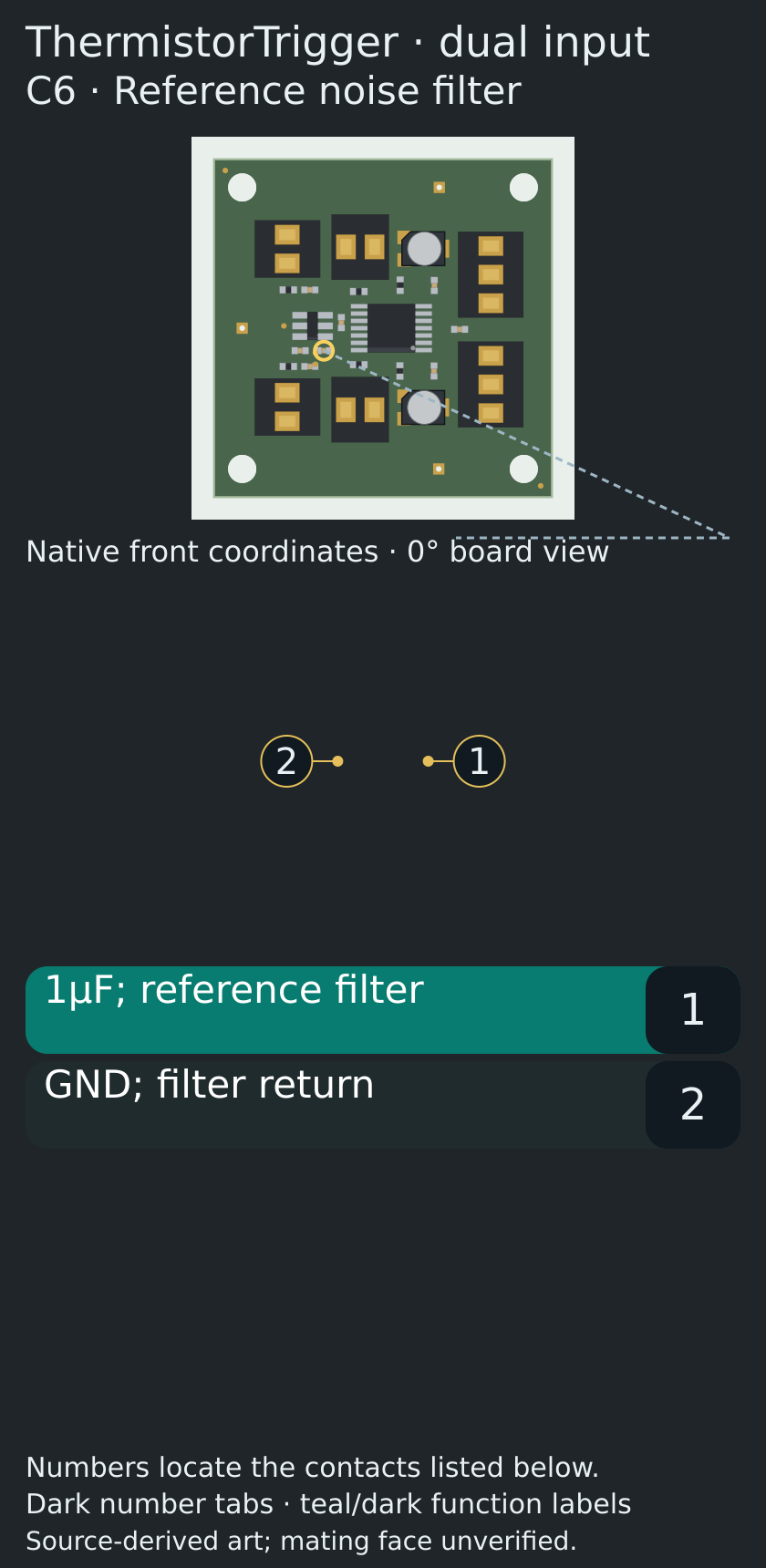
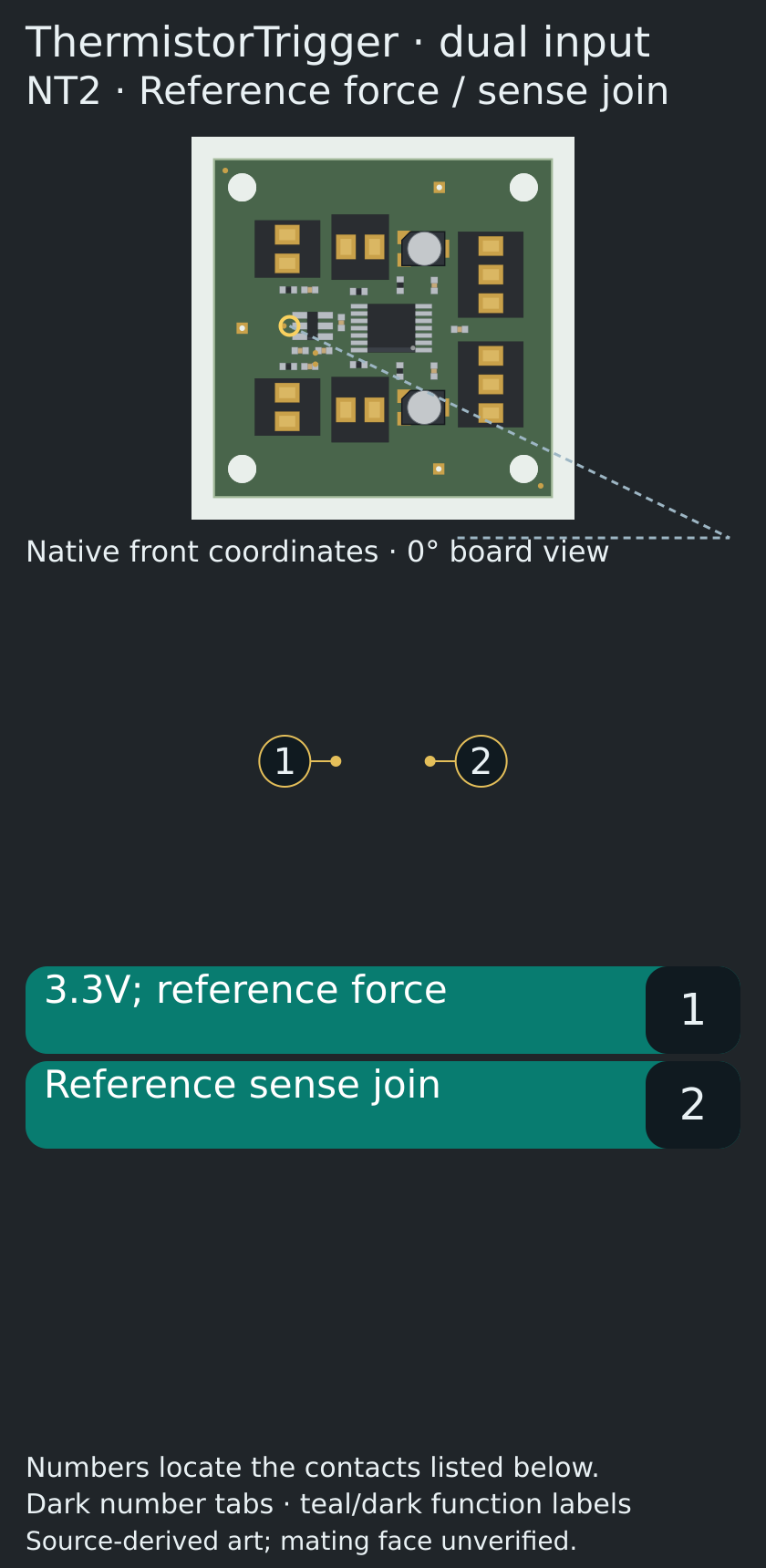
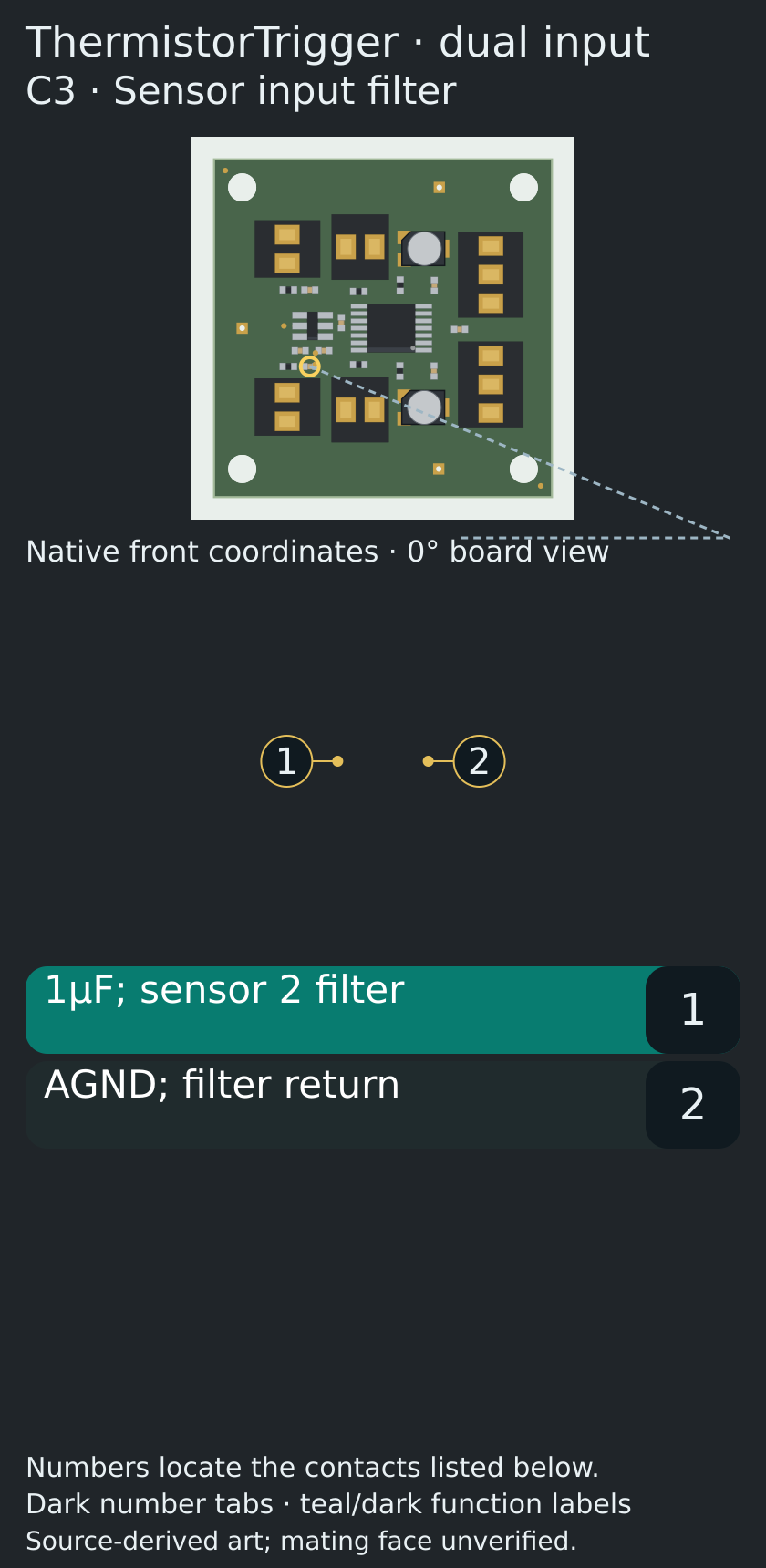
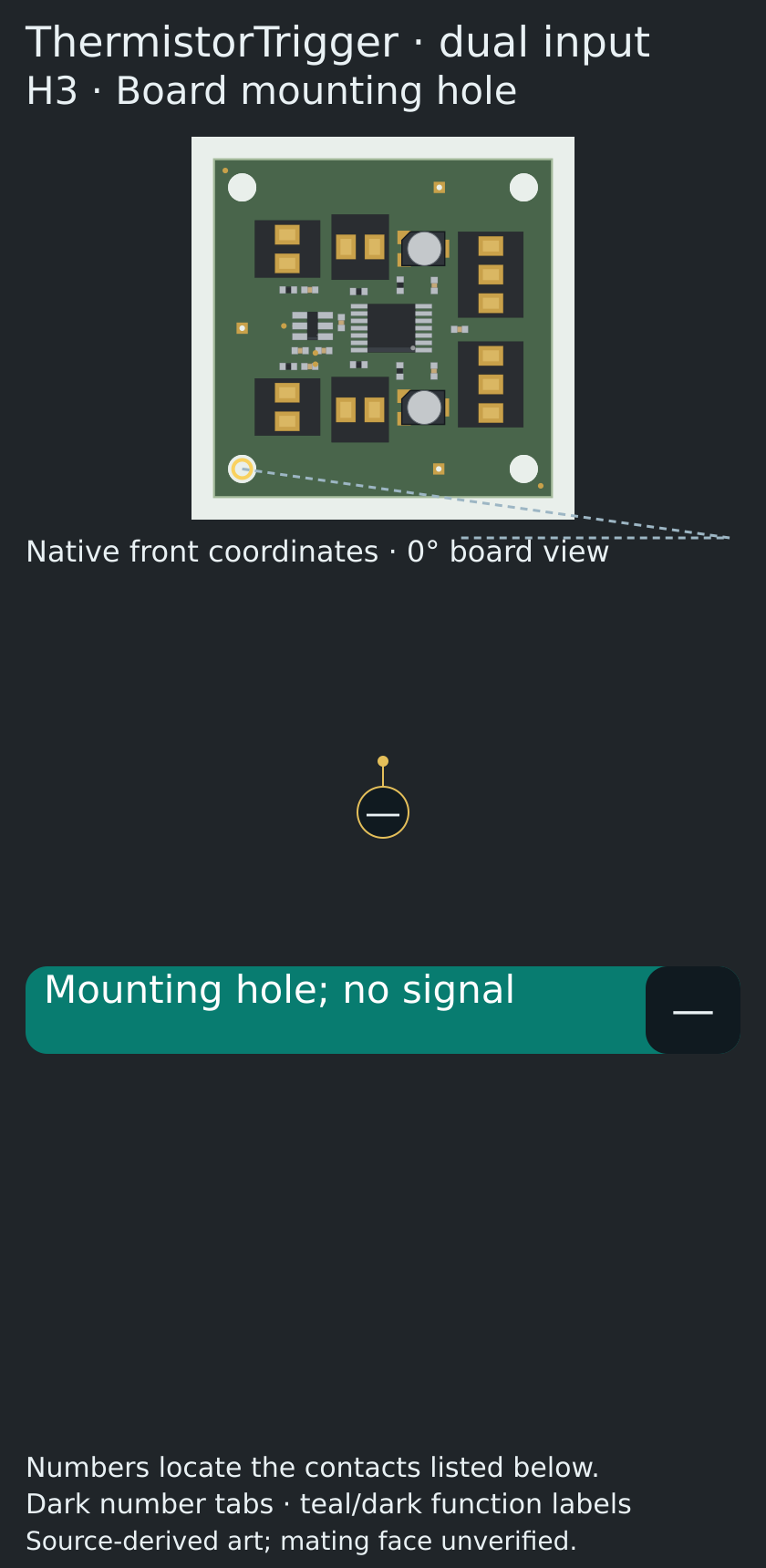
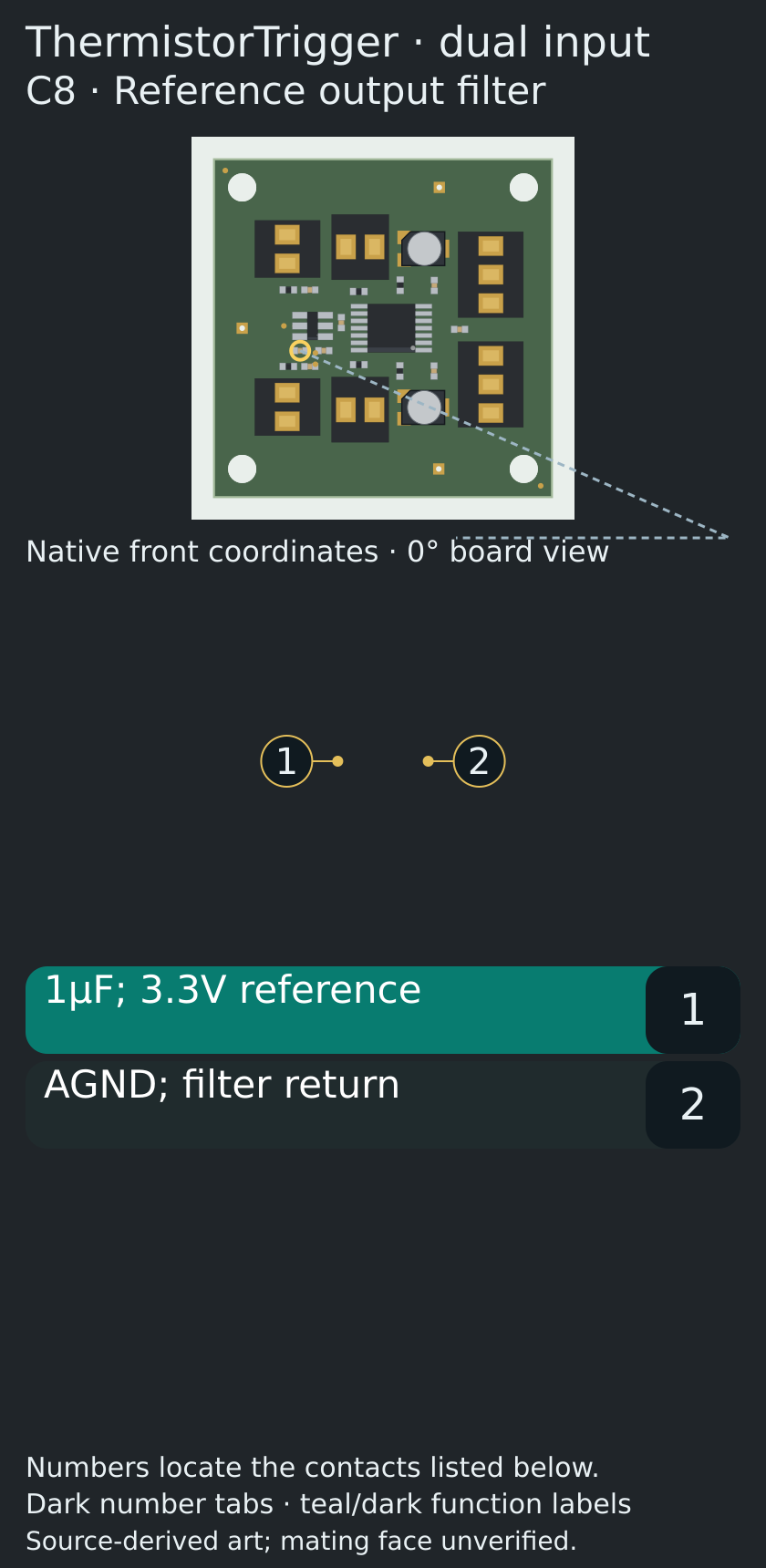
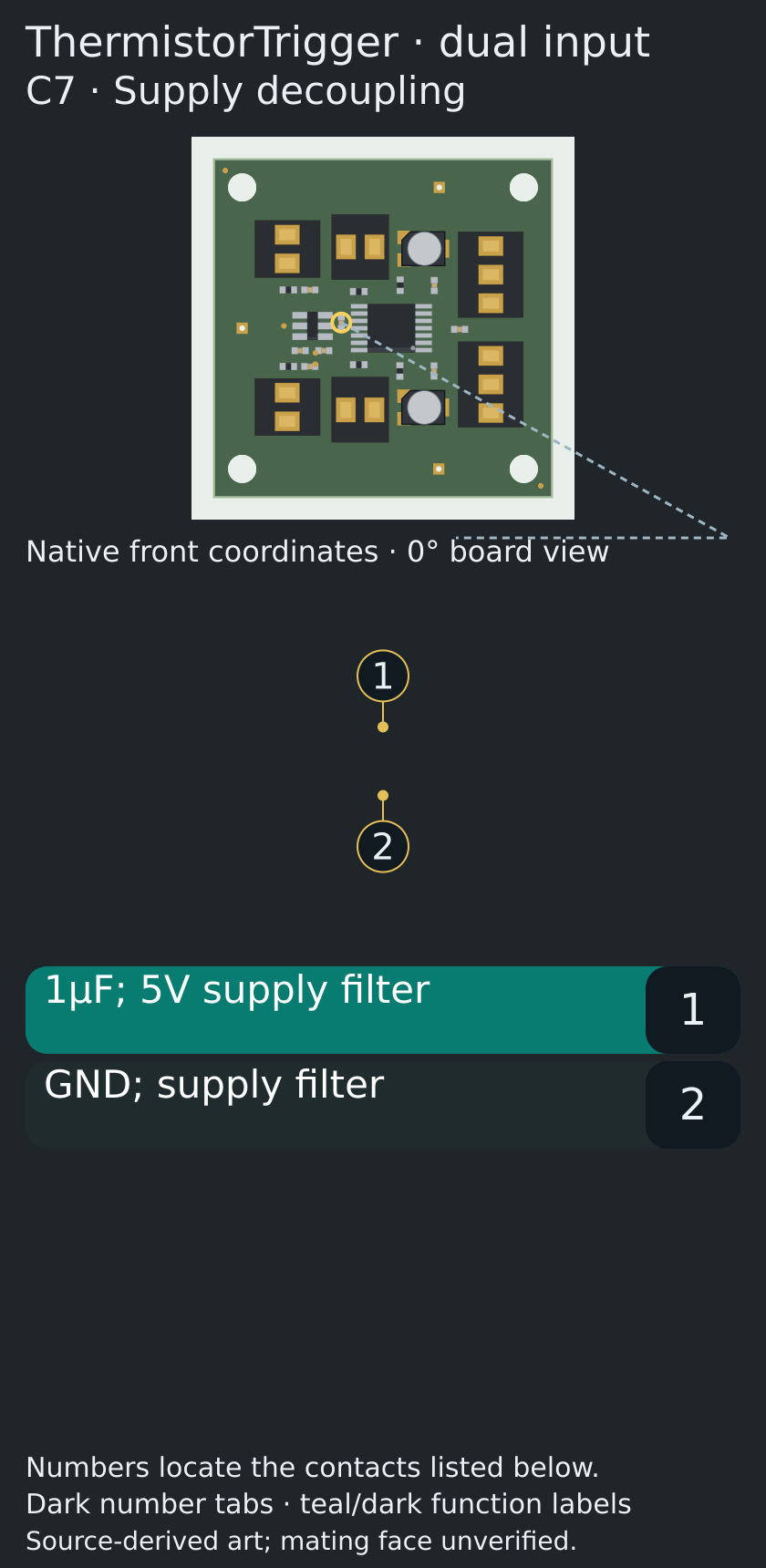
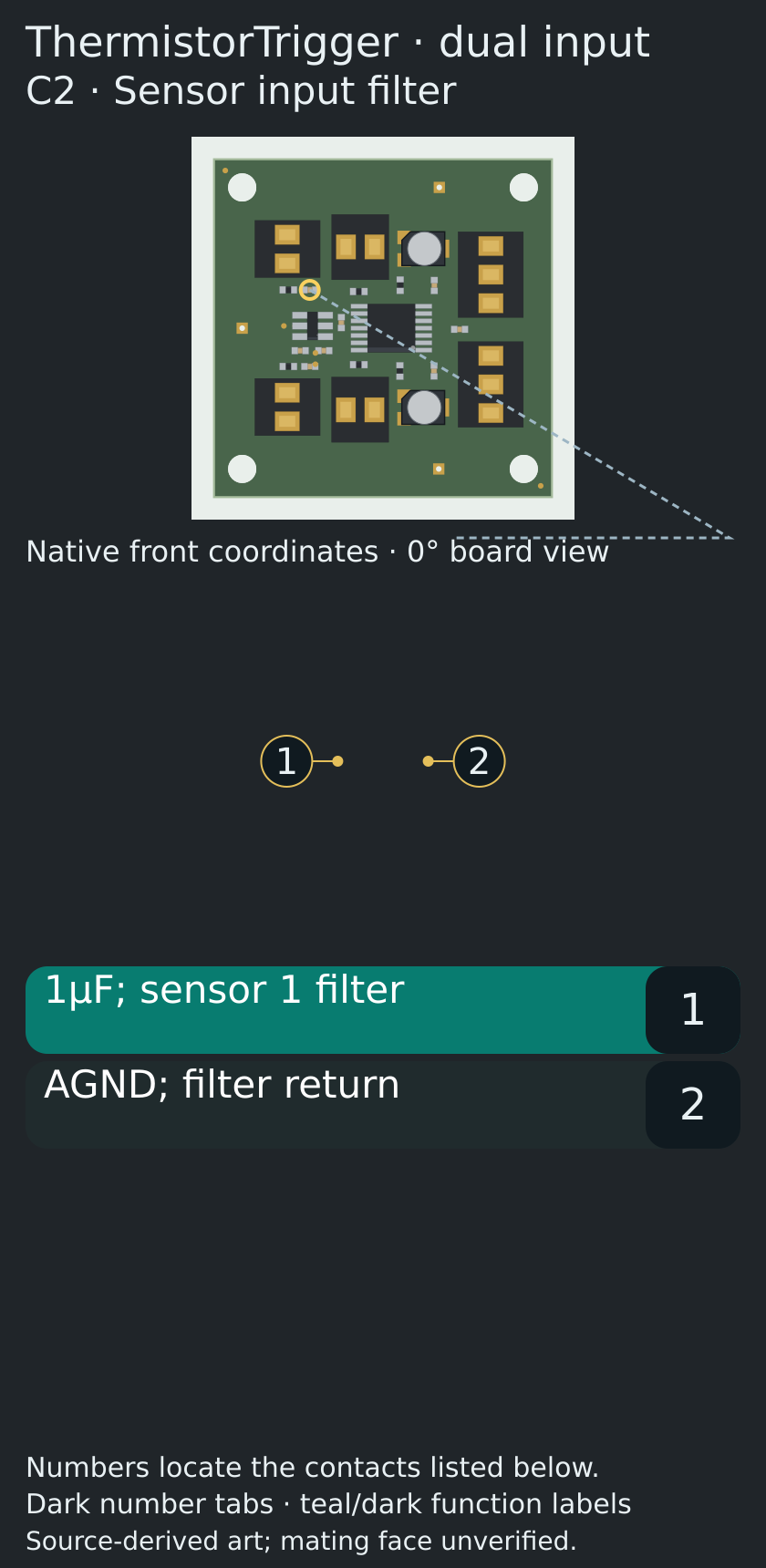
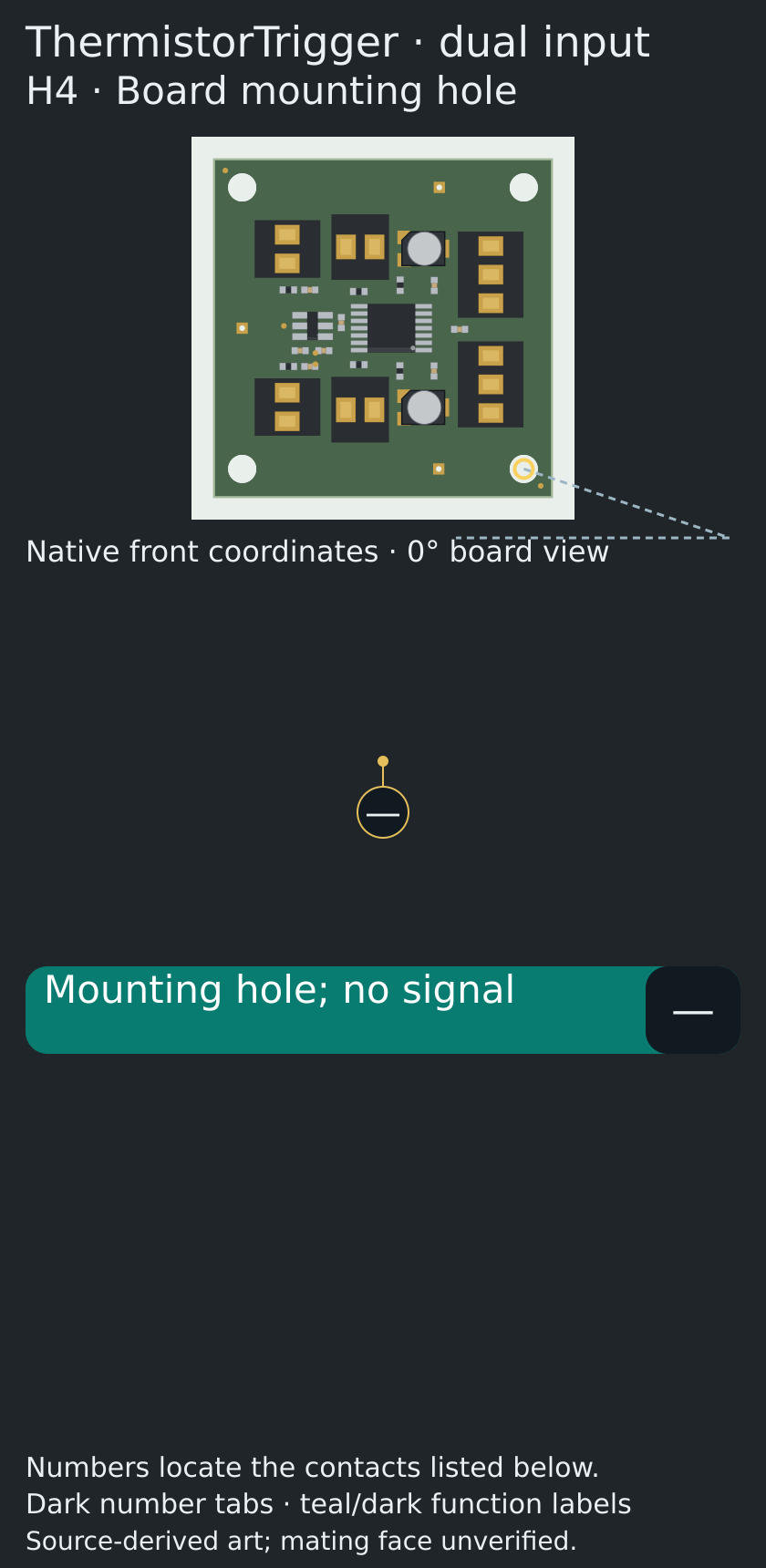
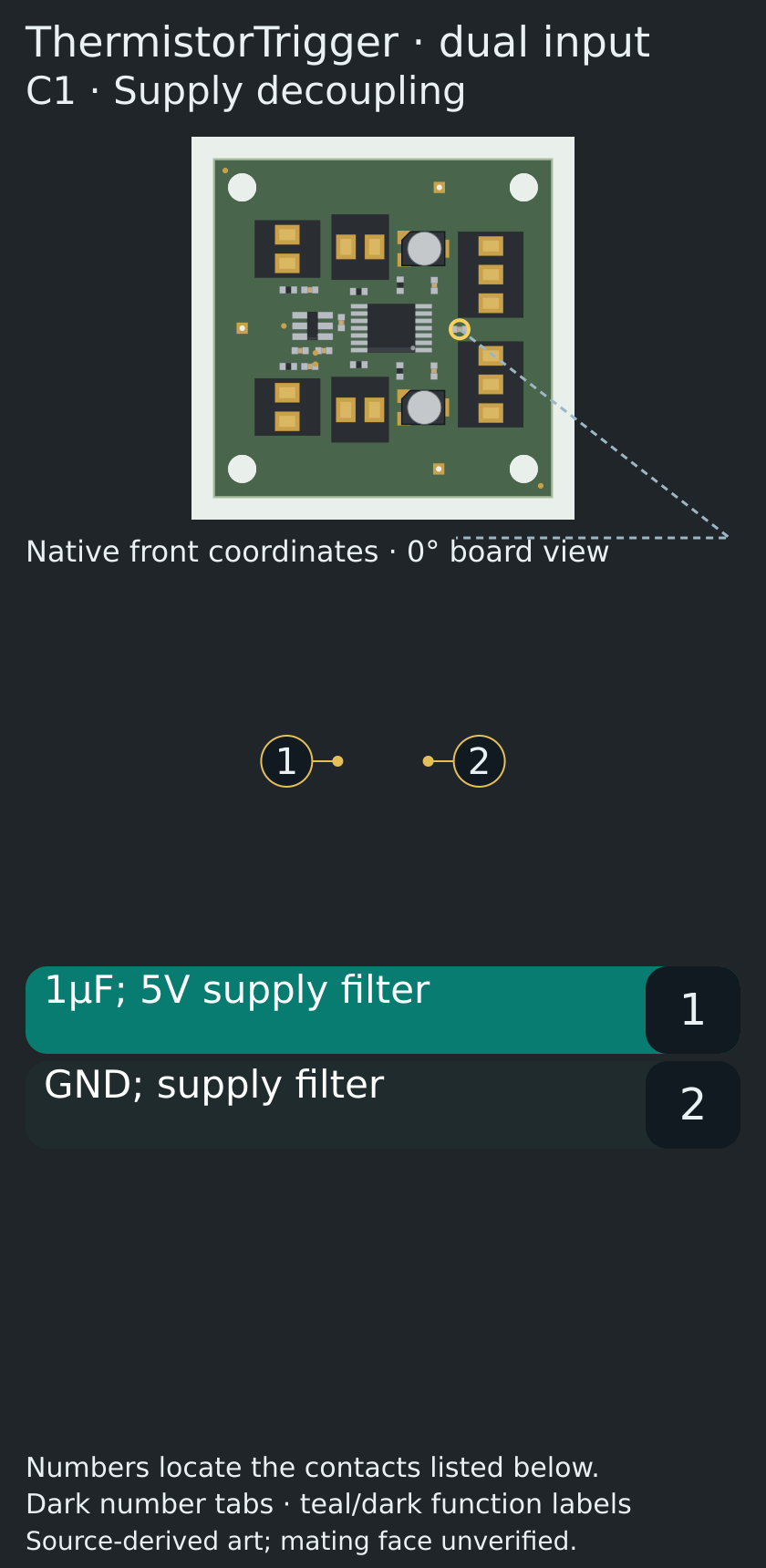
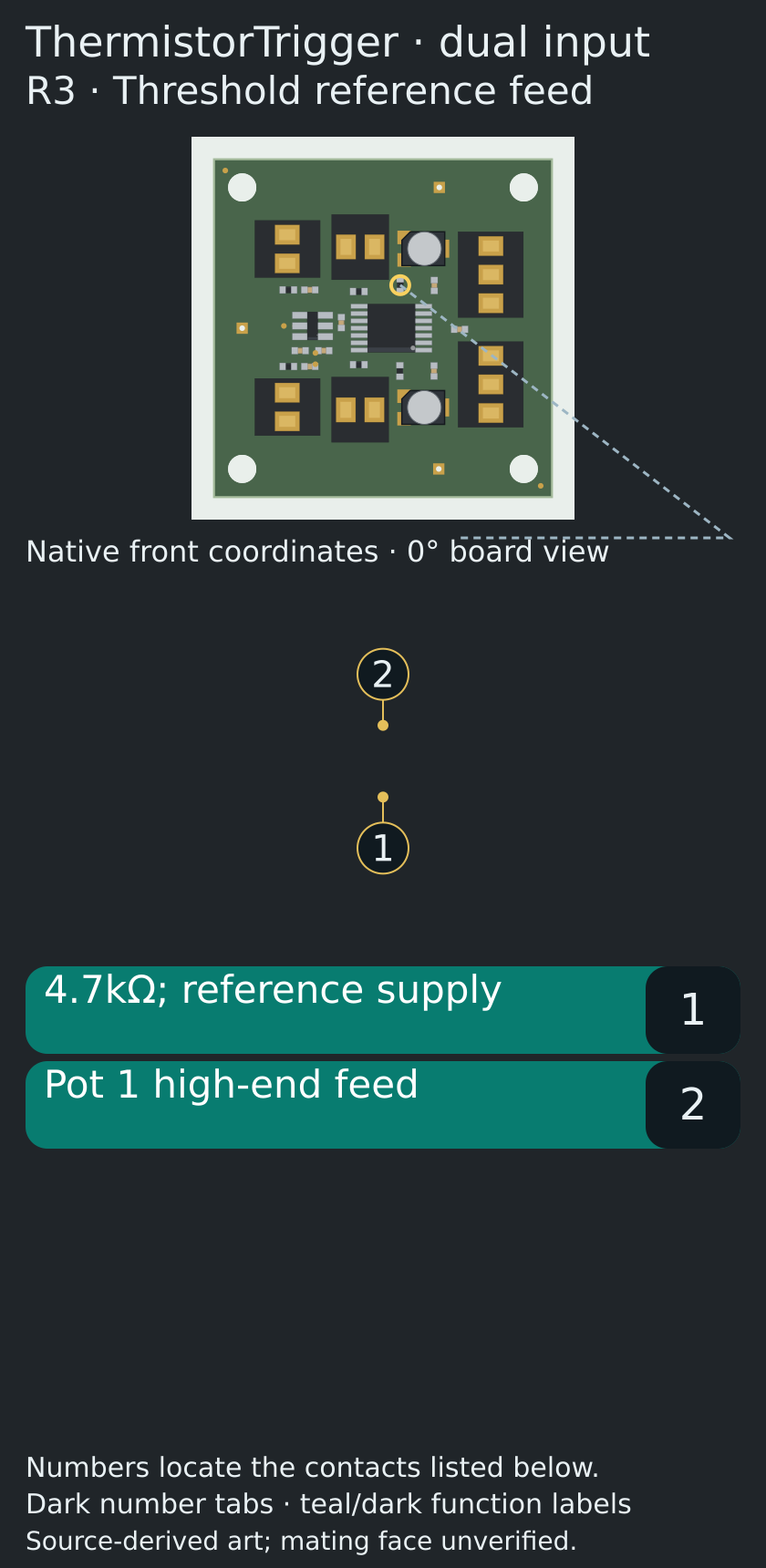
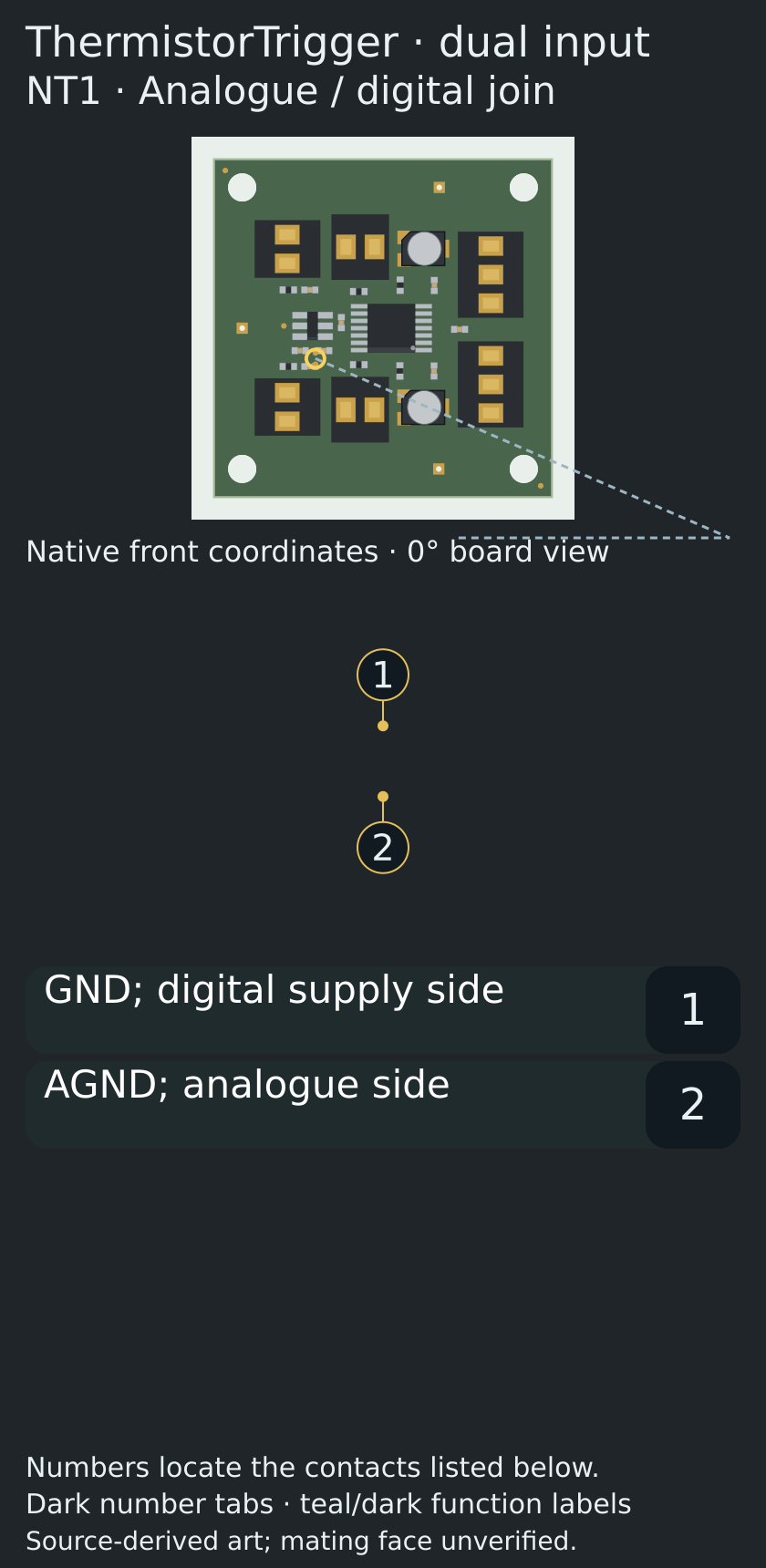
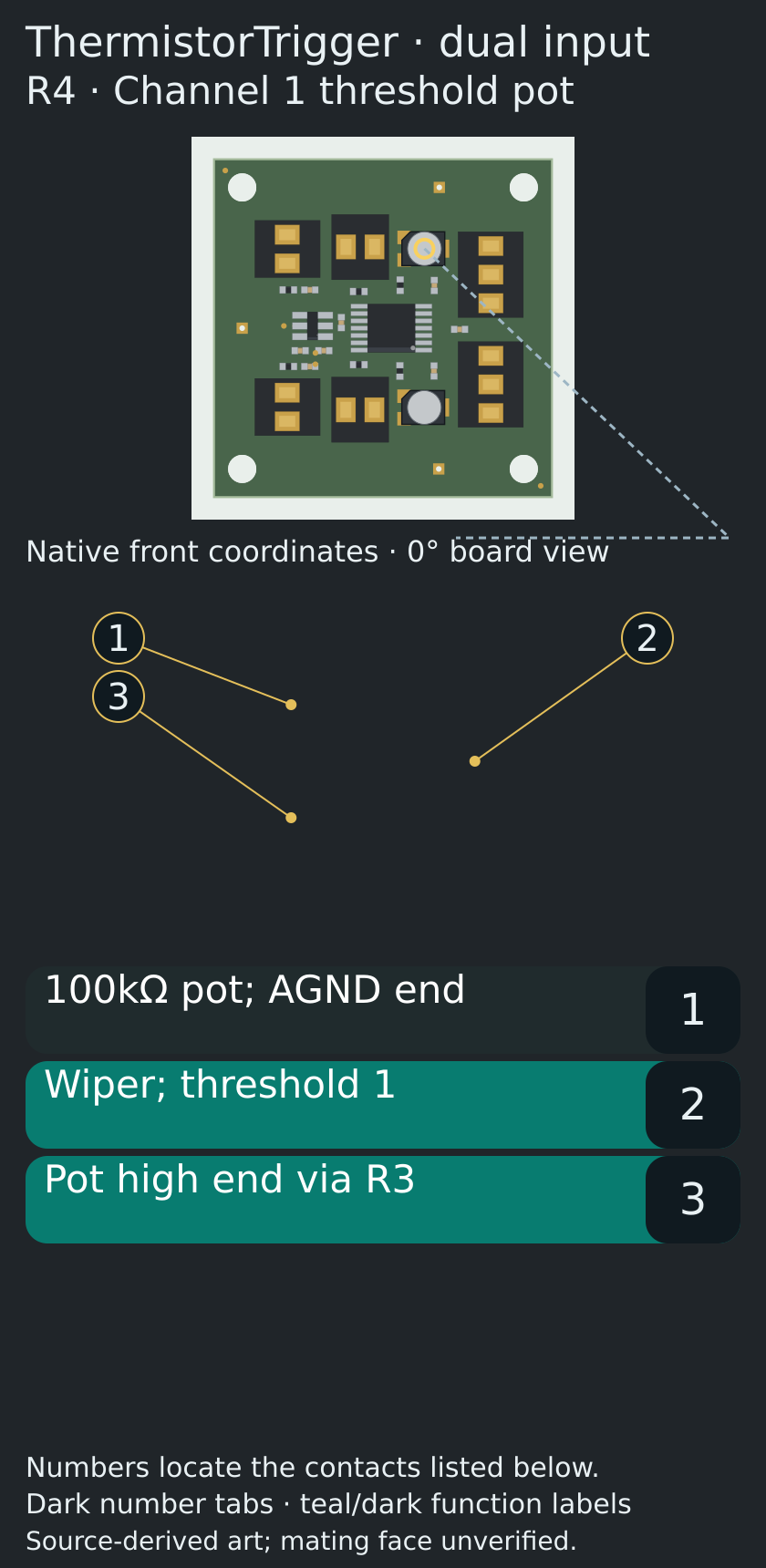
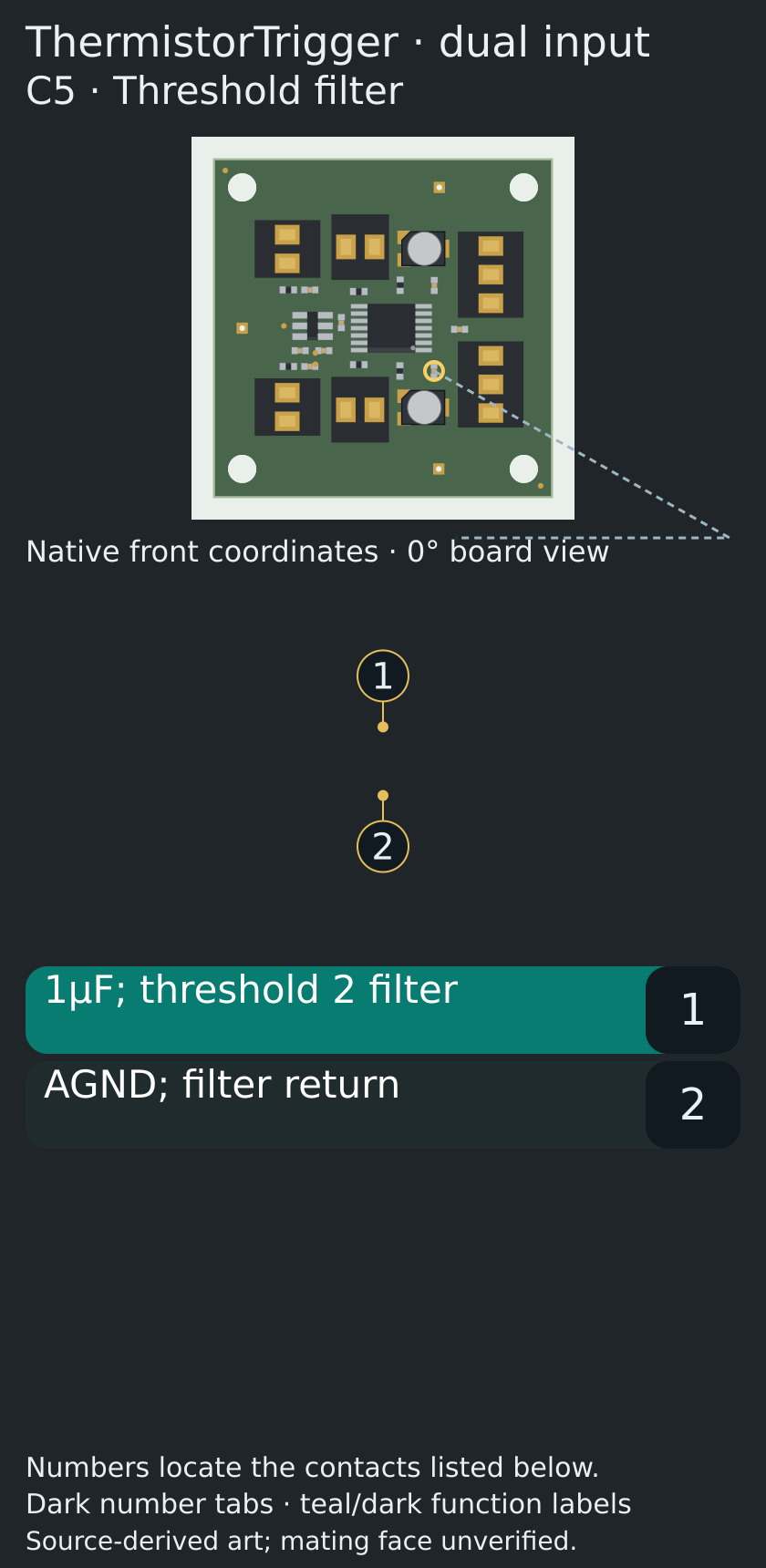
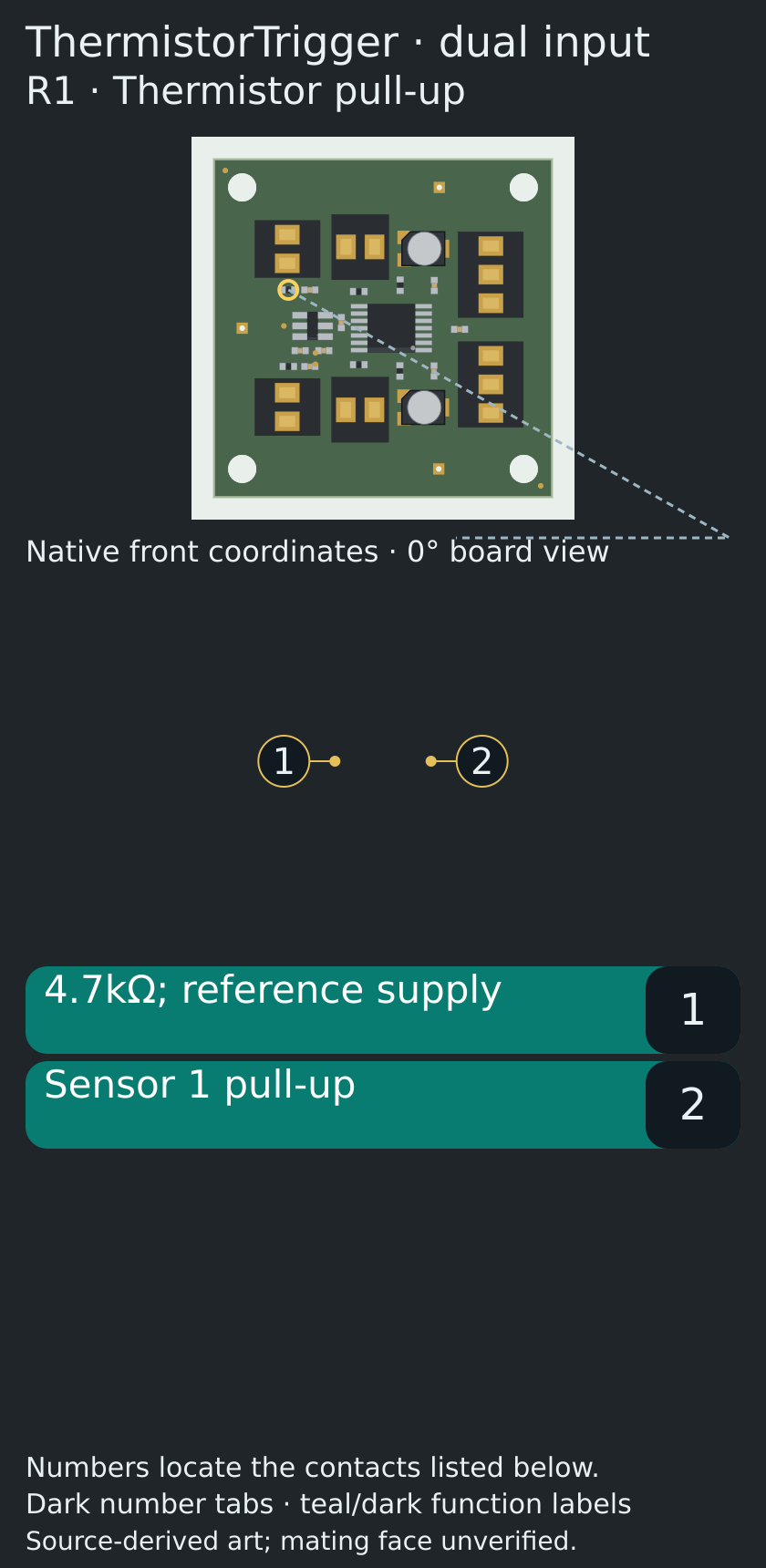
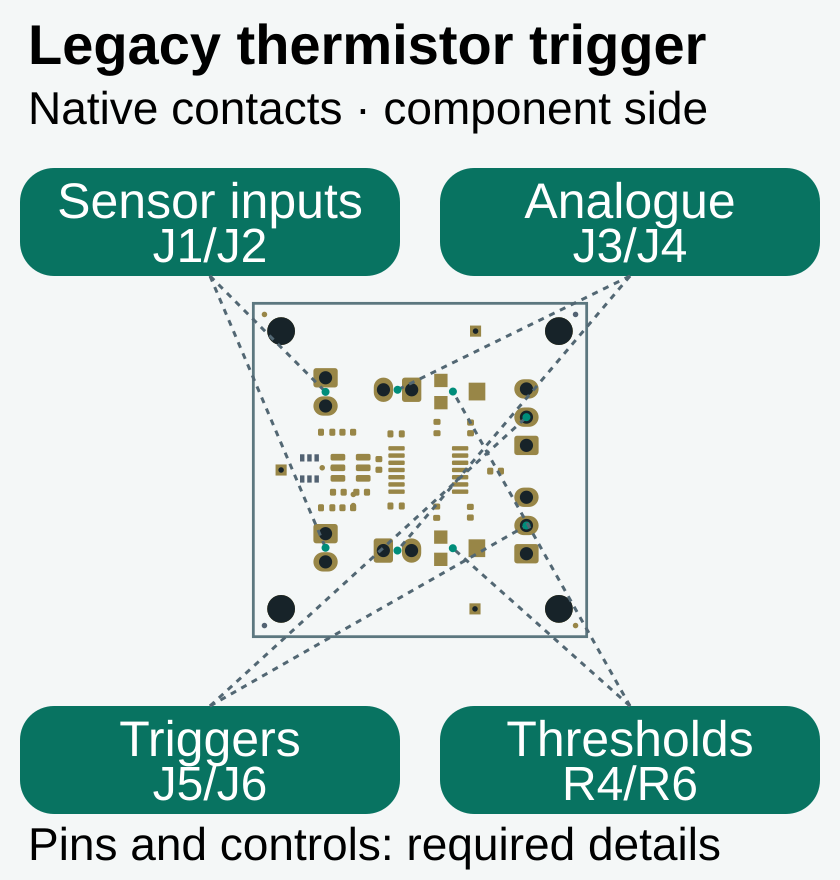
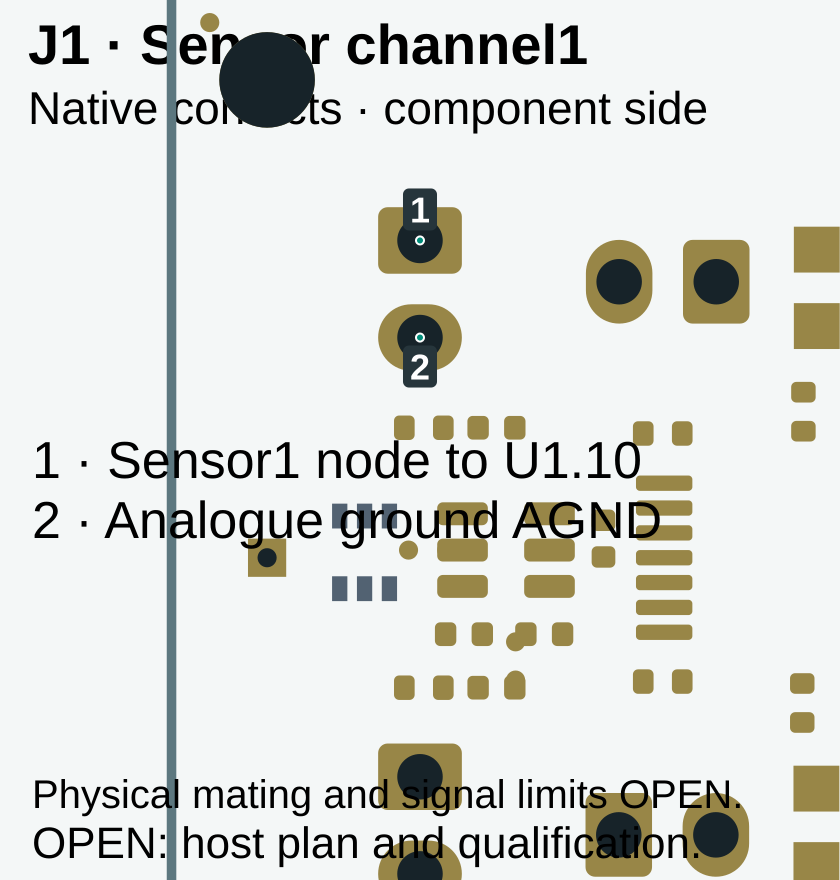
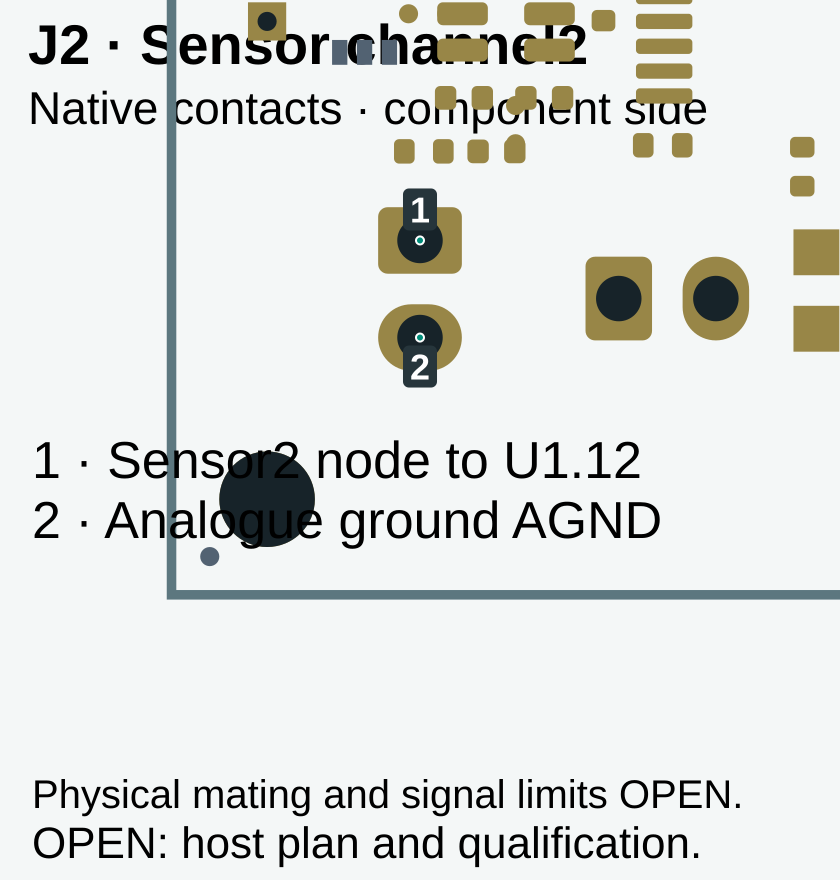
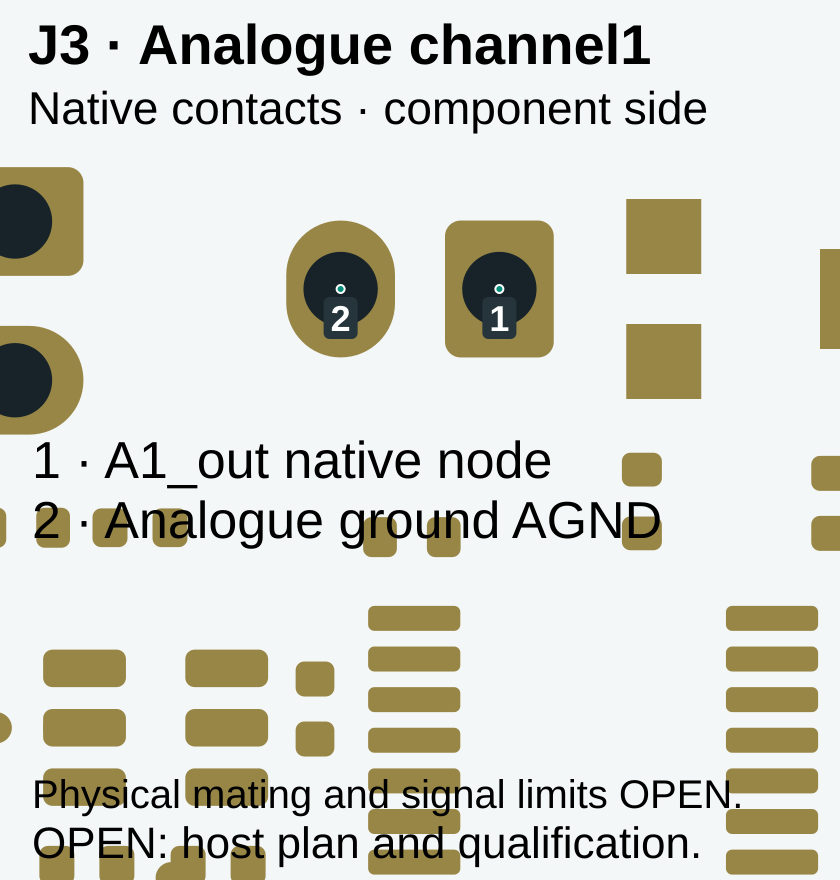
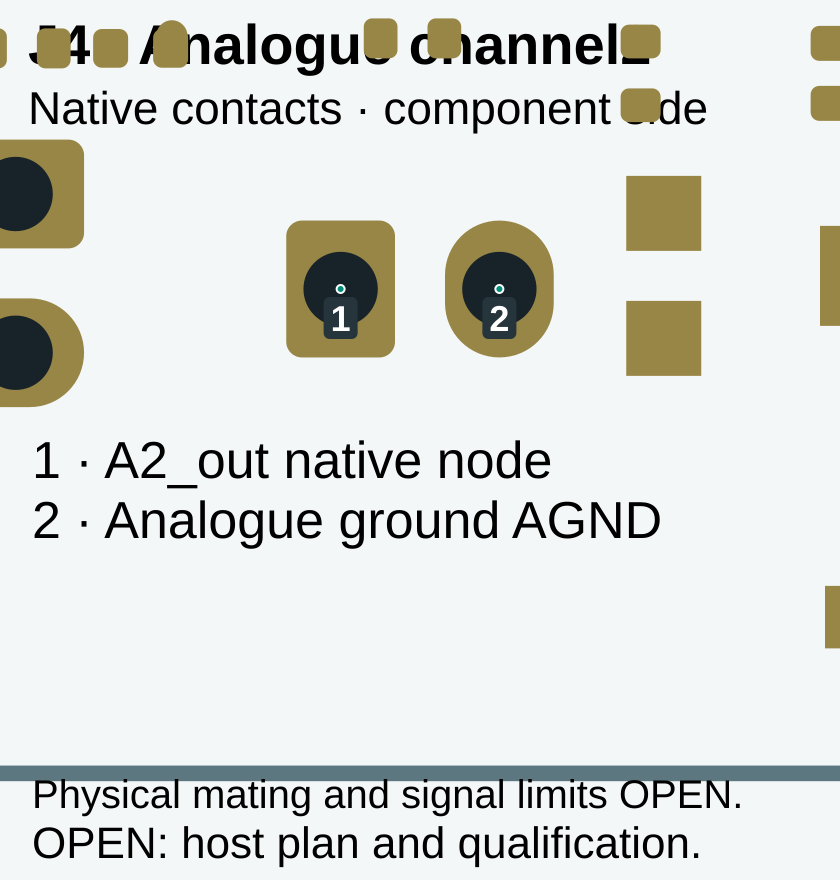
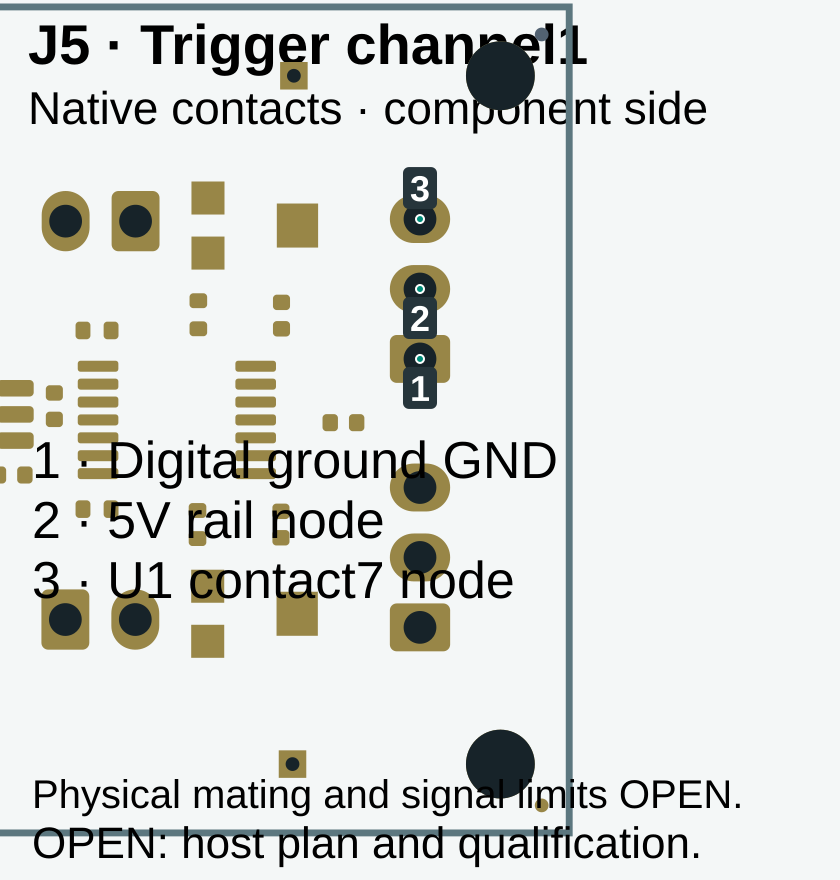
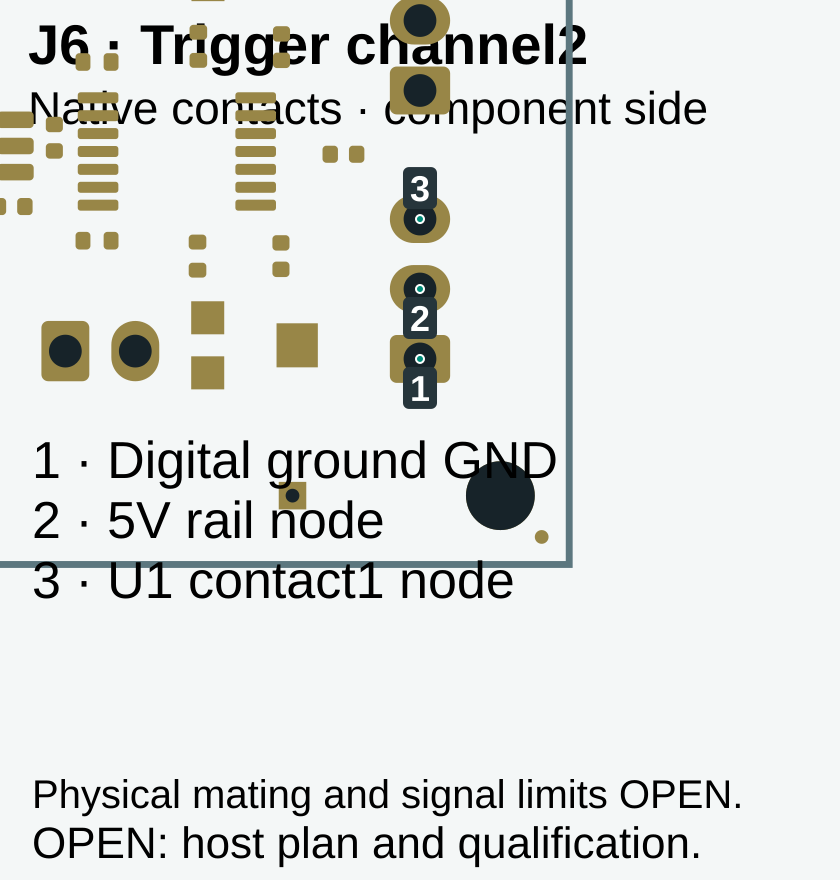
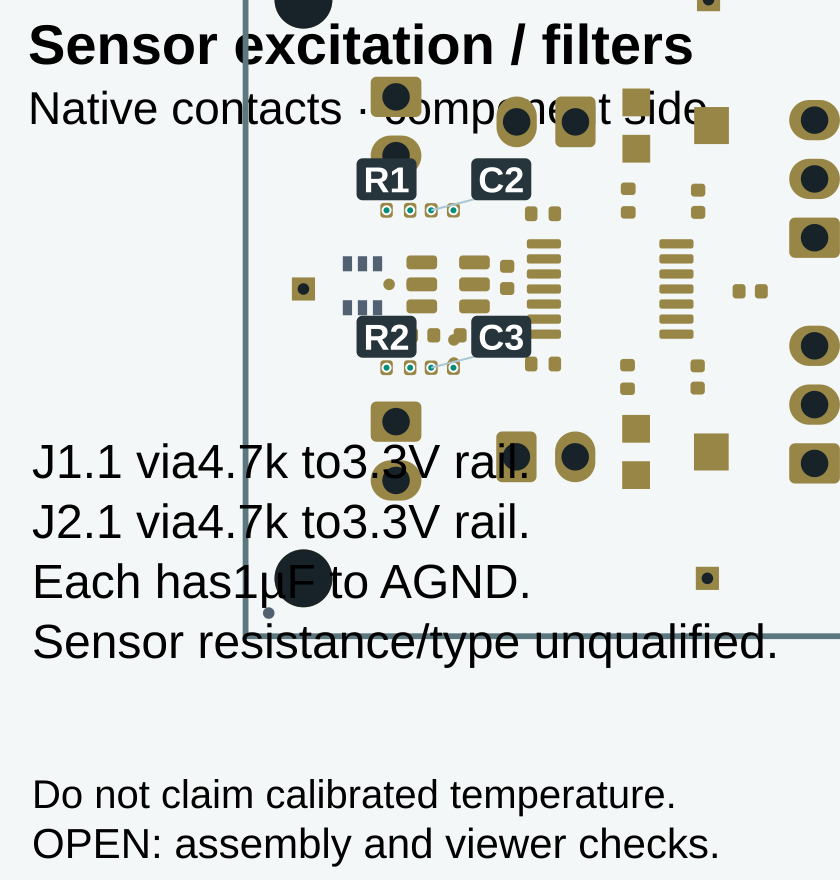
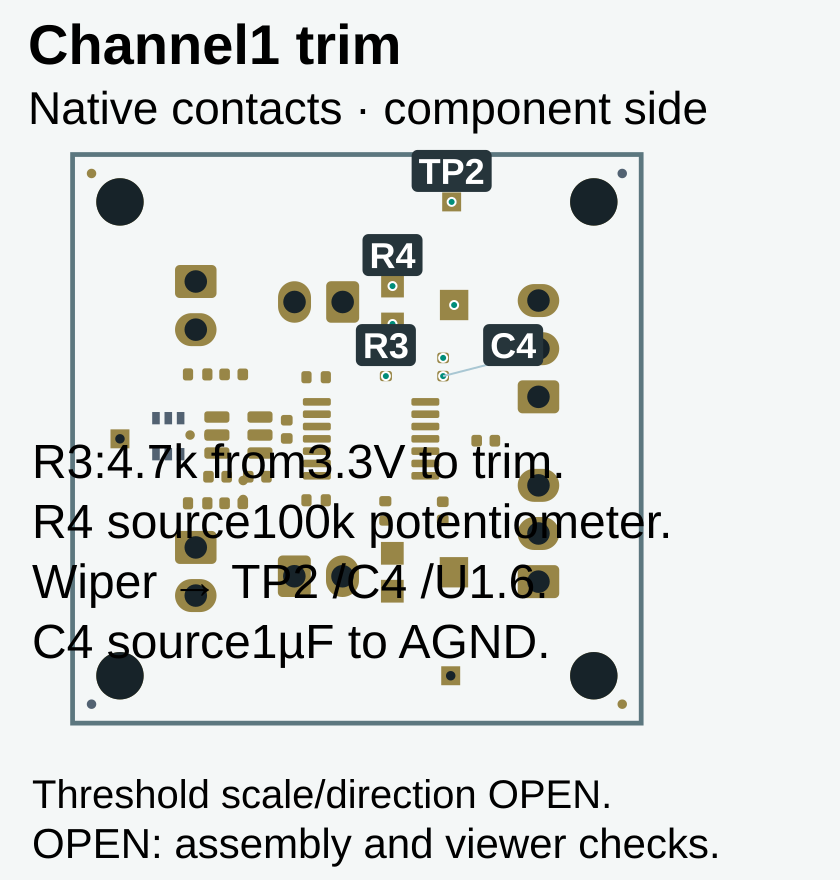
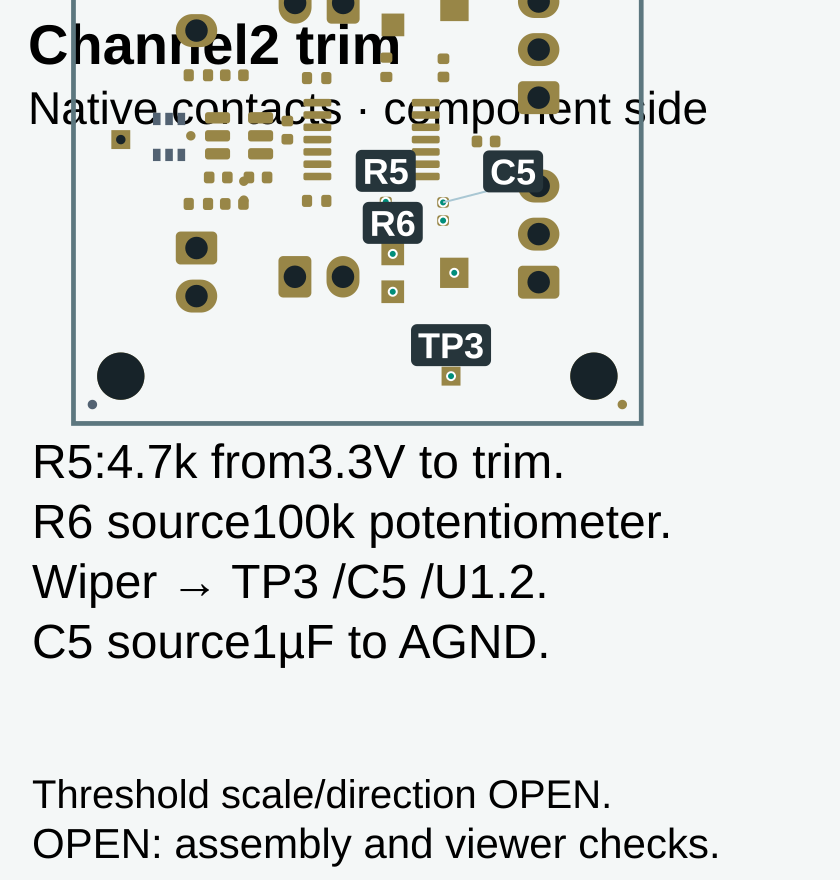
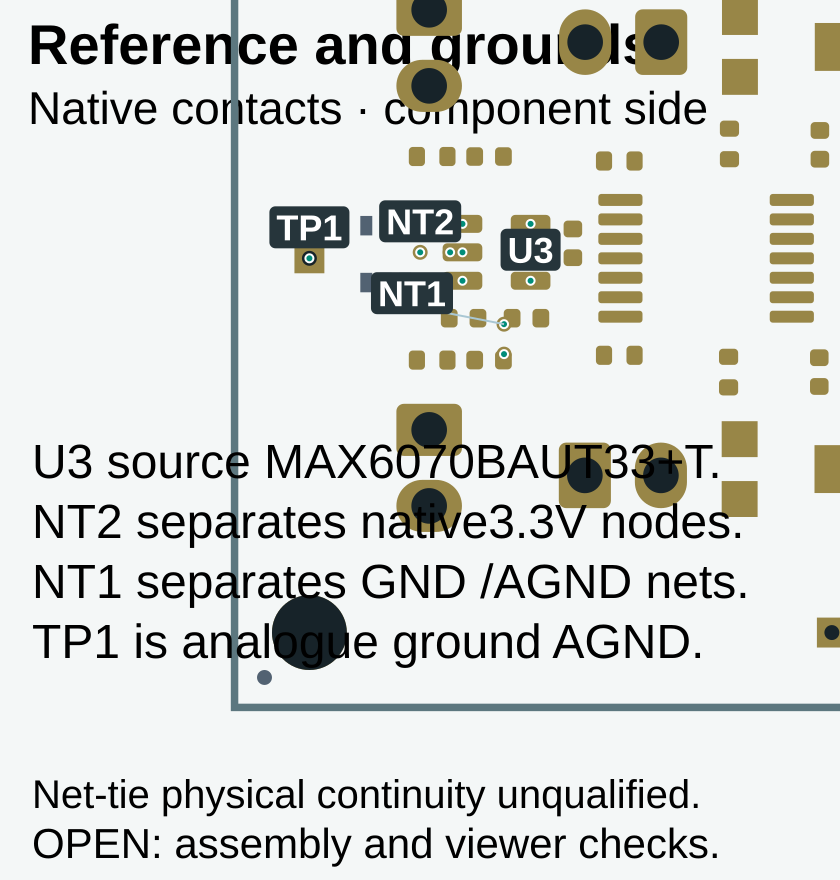
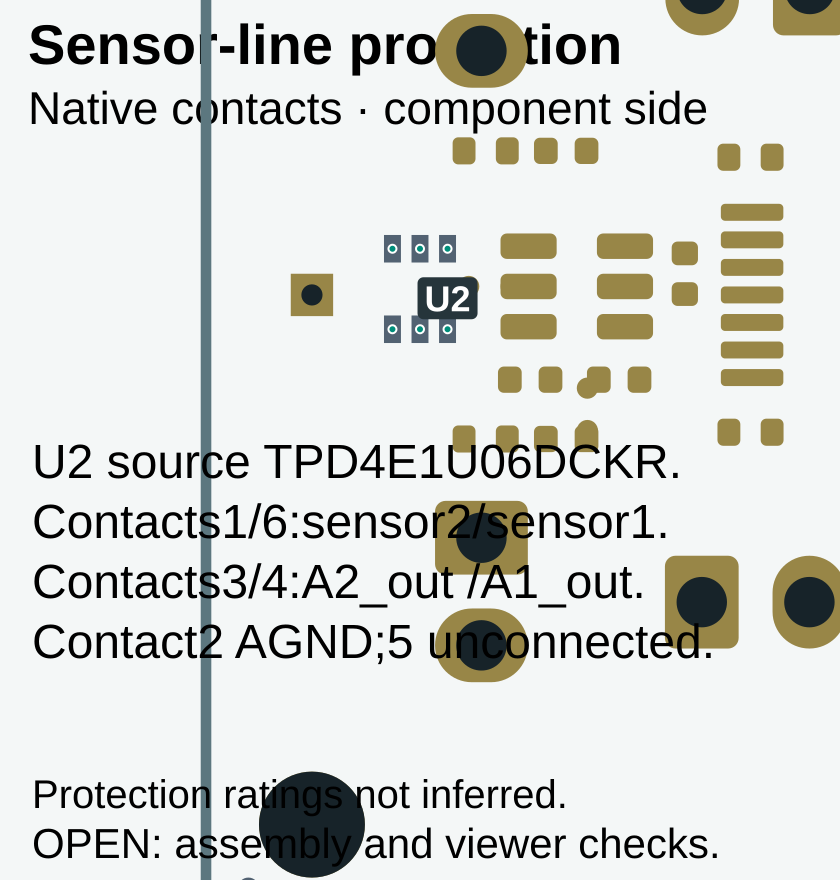
The README explains the buffer/comparator use; the PCB contains LMV324, a MAX6070BAUT33+T reference and TPD4E1U06DCKR protection. The two sensor connectors are J1/J2 with AGND on contact 2. Buffered analog outputs J3/J4 carry A1_out/A2_out on contact 1 and AGND on contact 2. J5/J6 each carry ground, +5 V and a trigger on contacts 1/2/3. R4 and R6 are 100 kΩ TC33X potentiometers, despite their R designators; their wipers set the two comparator references. NT1 joins GND/AGND physically as a net tie; do not replace analog-ground reasoning with a casual name match. NT2 is another explicit reference-domain net tie.
Active outputs and reference circuit
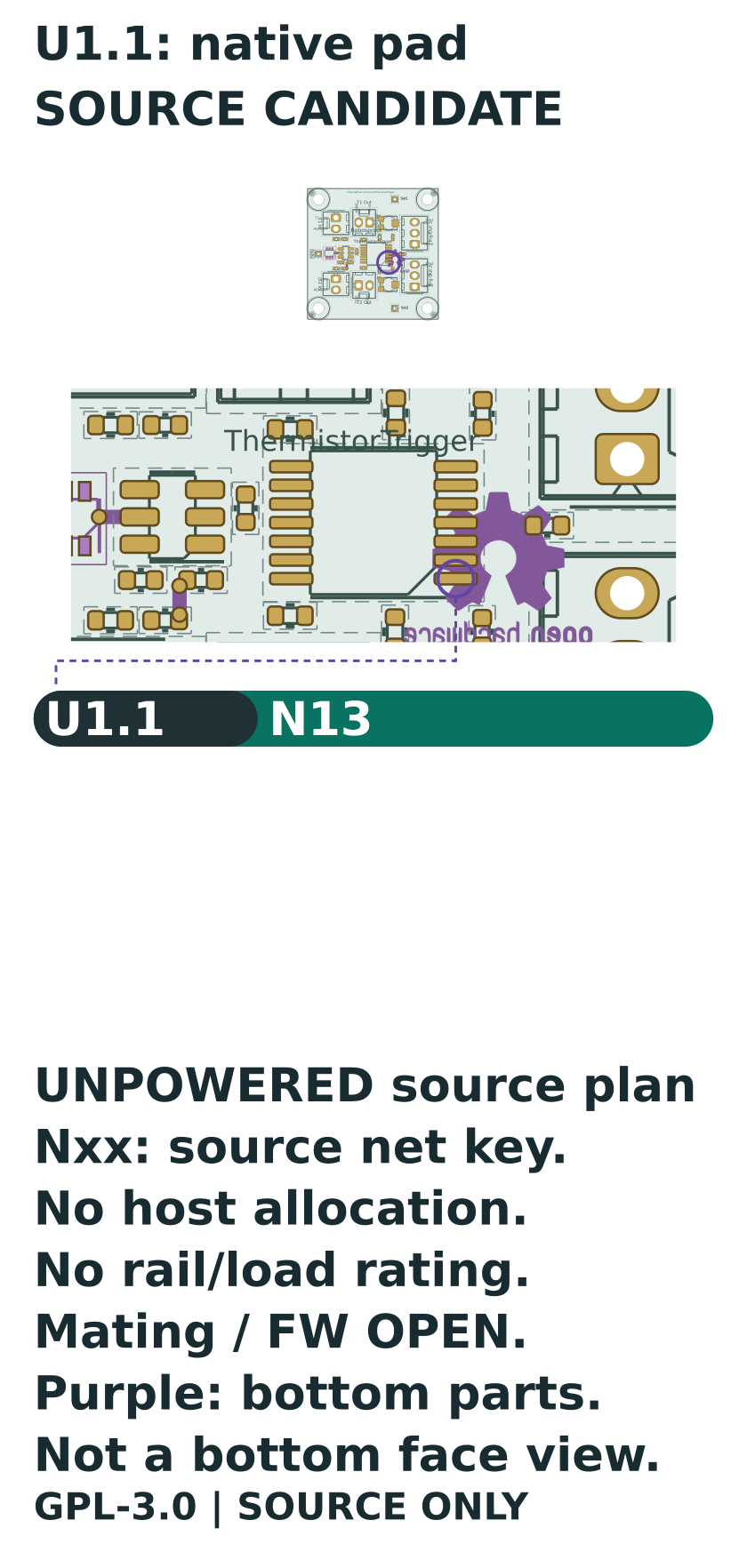
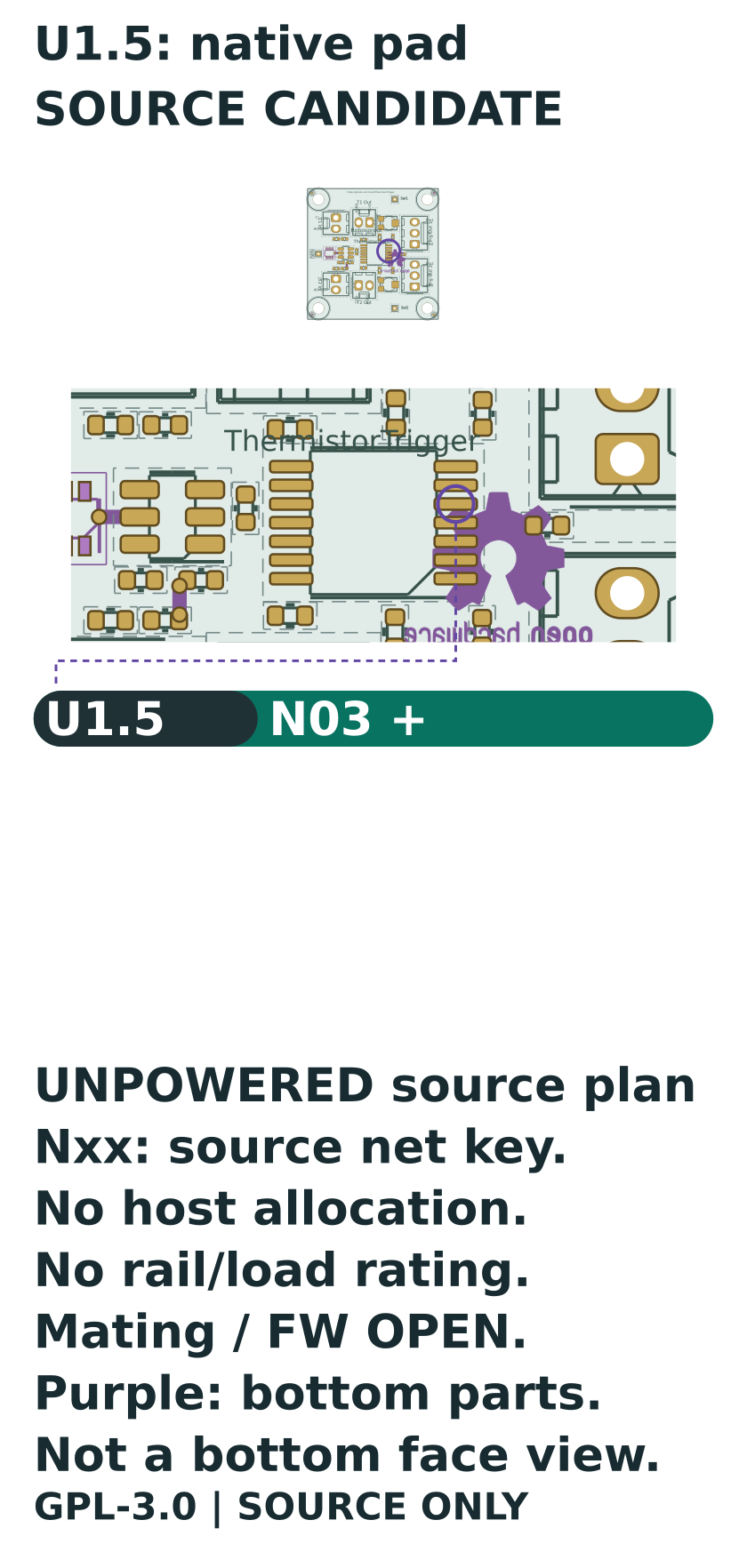
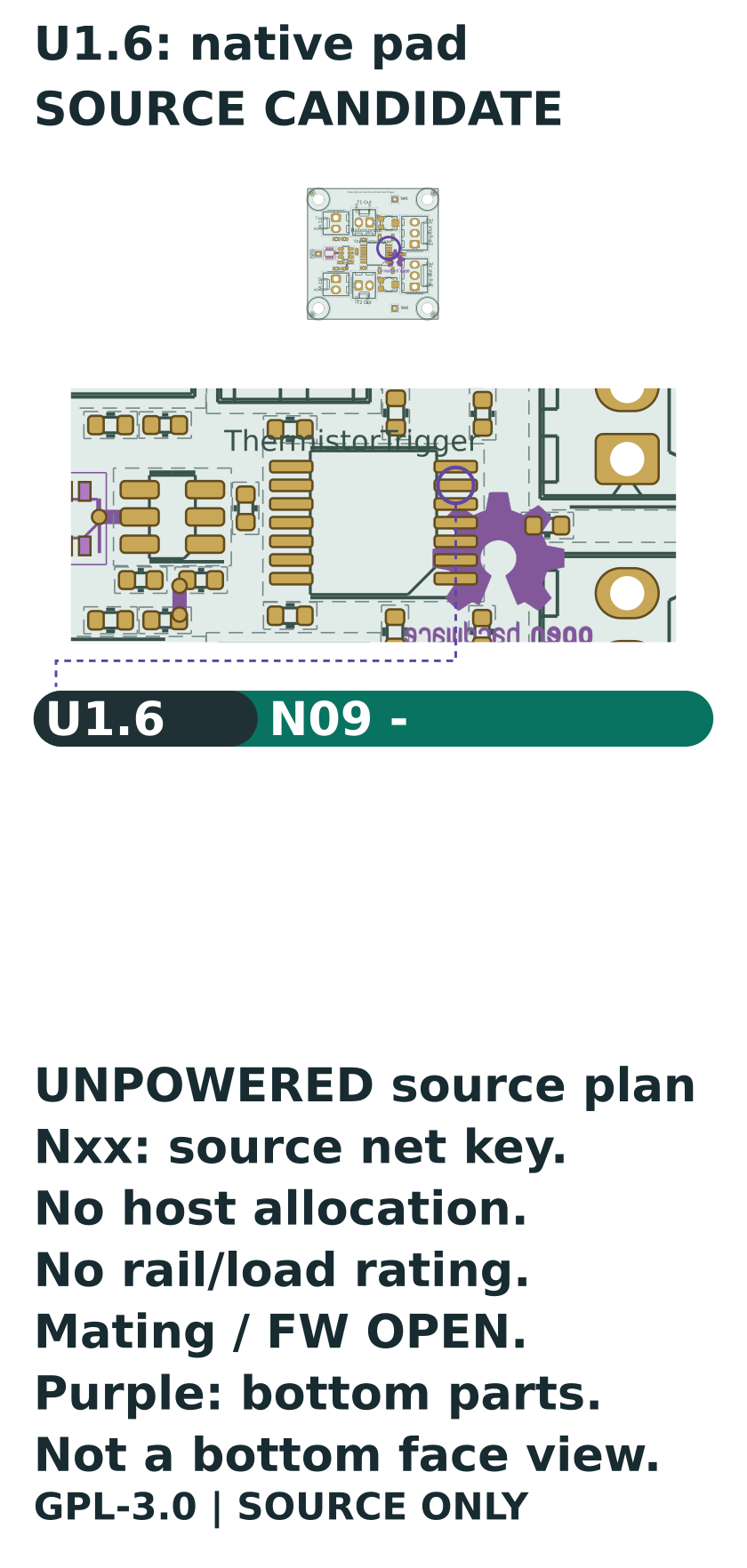
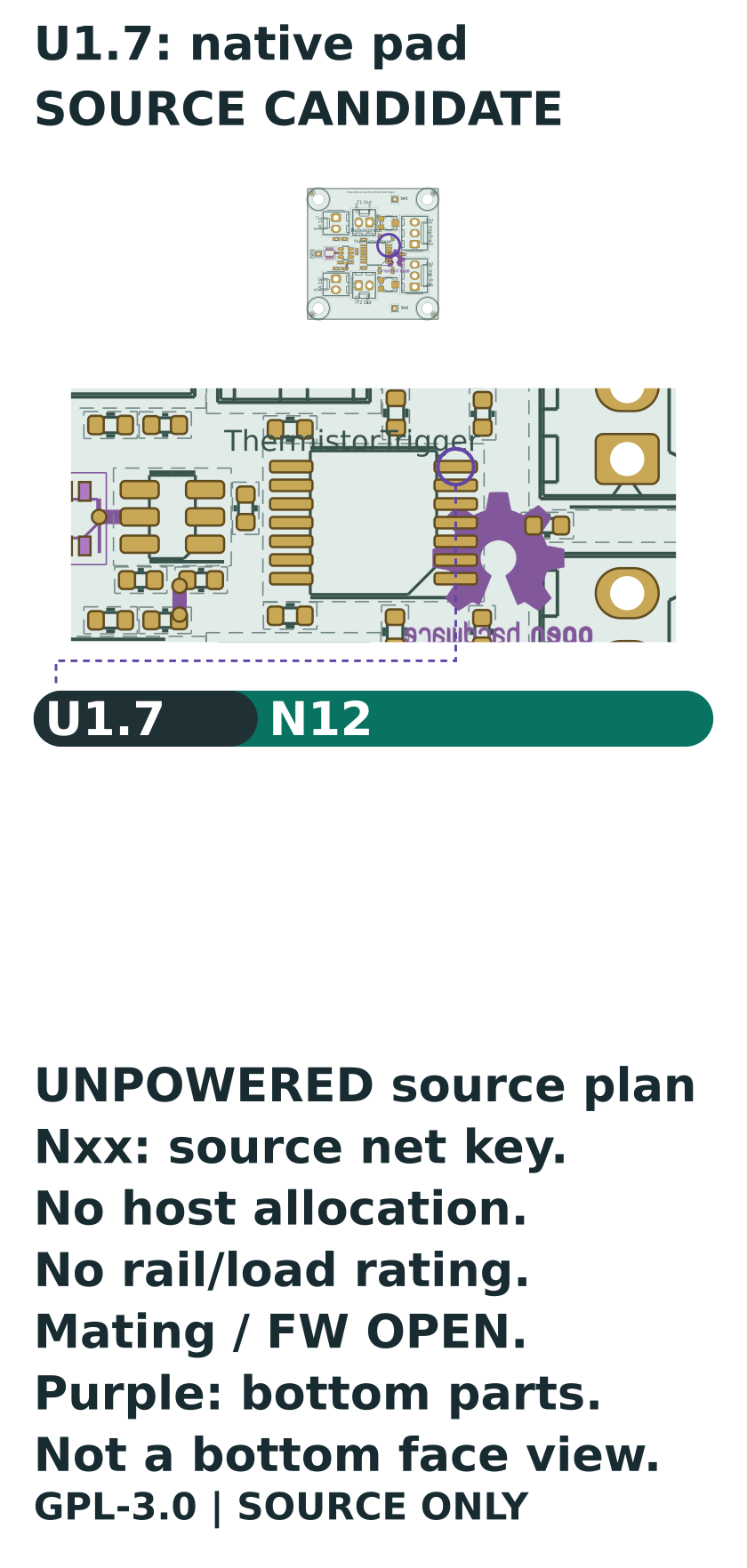
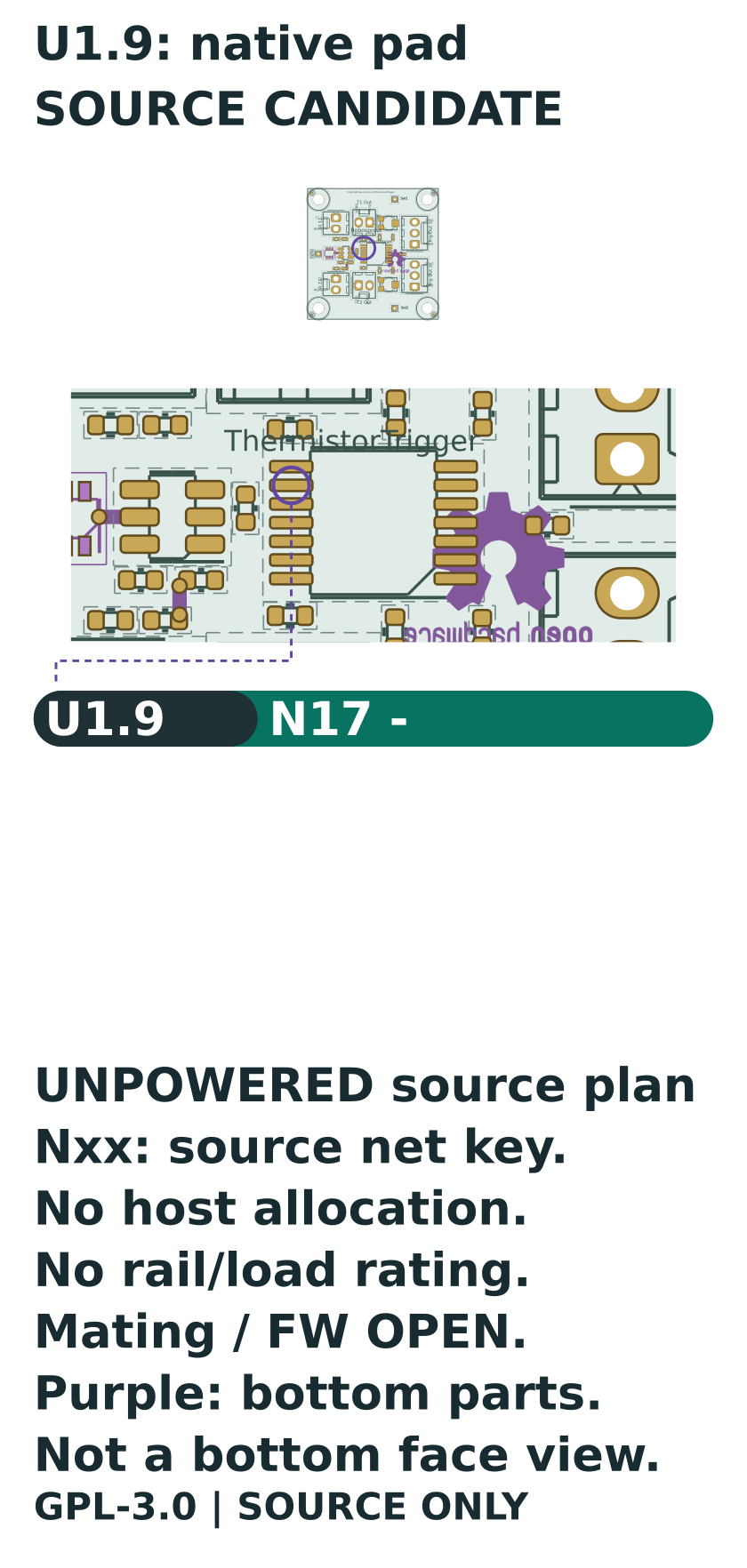
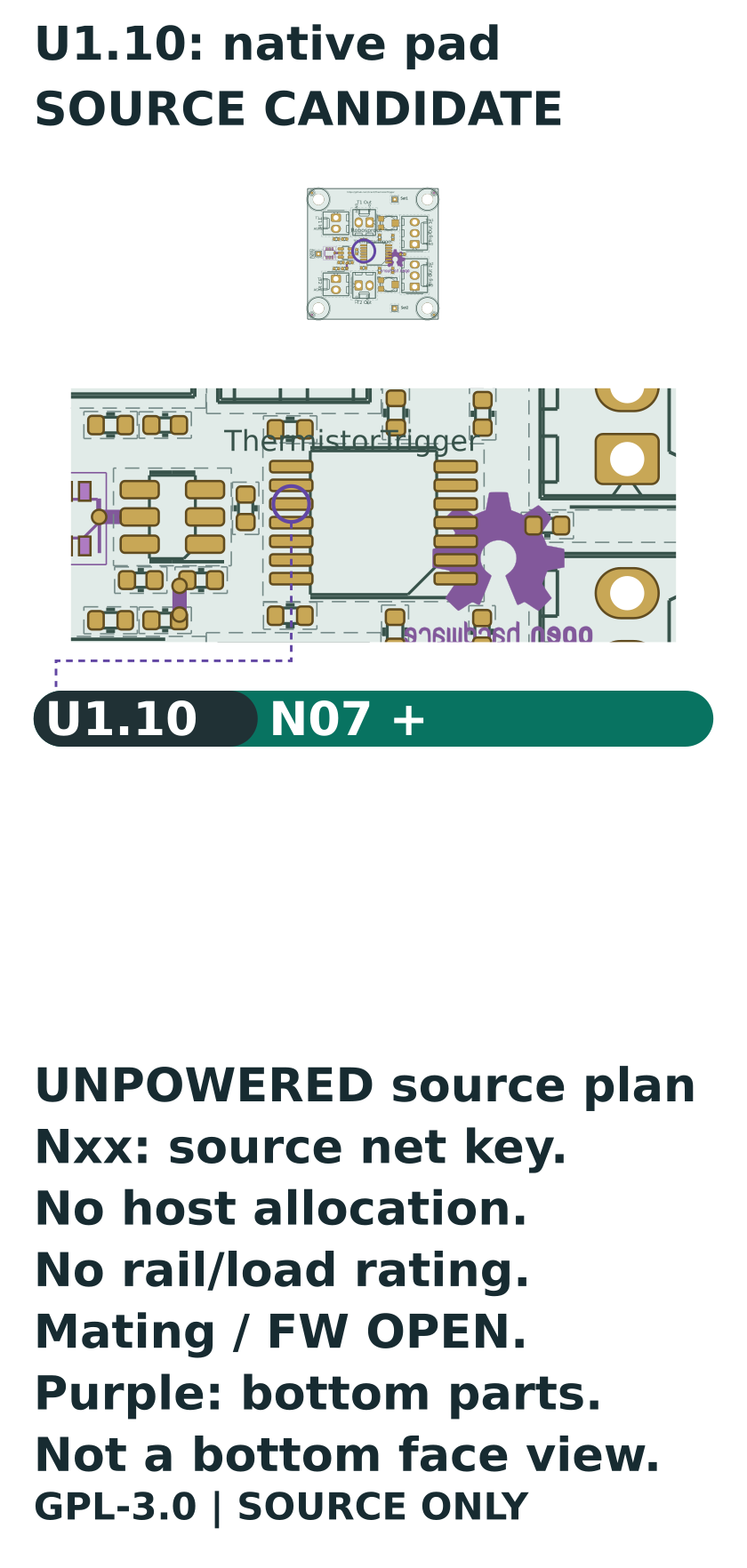
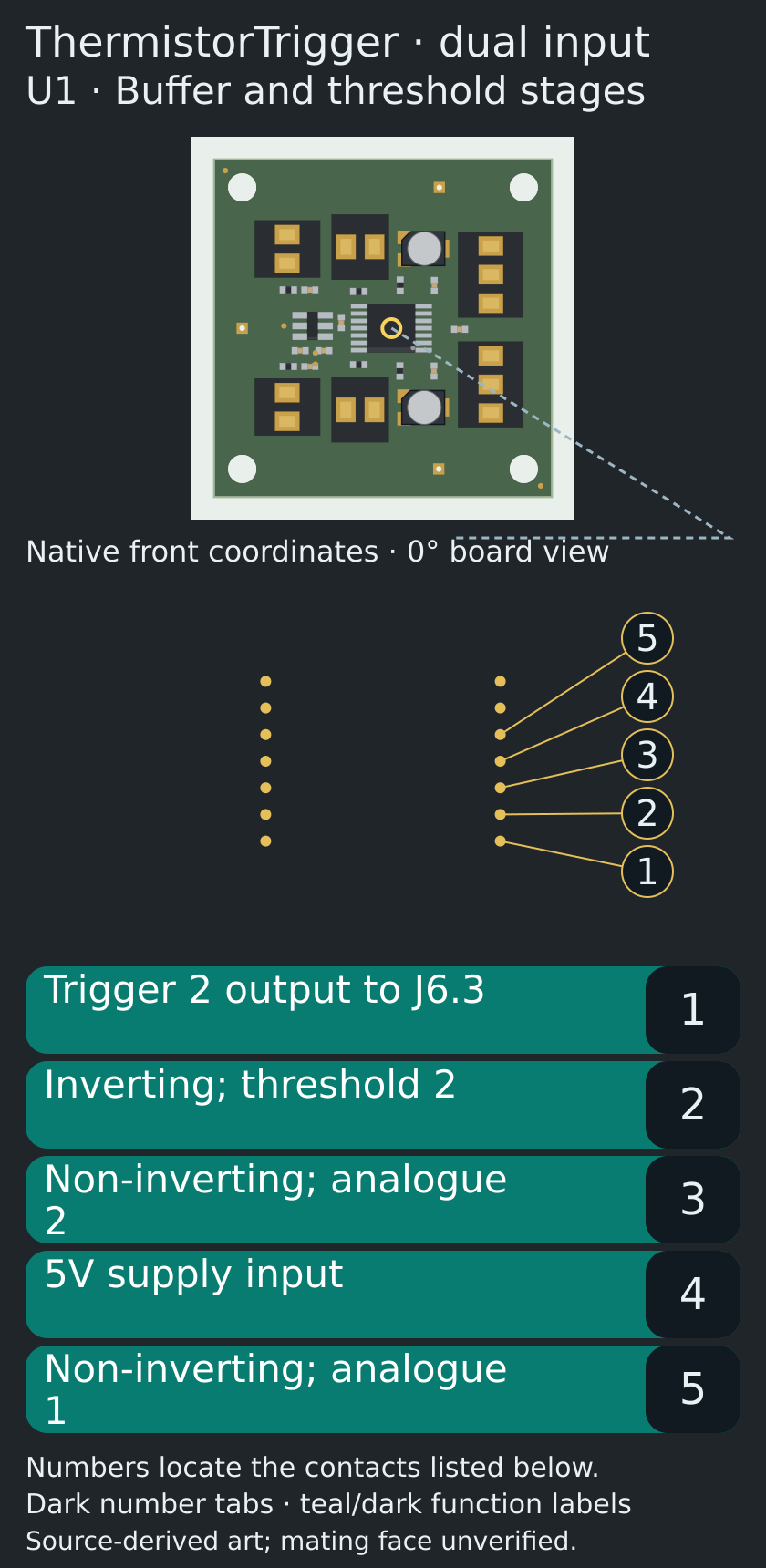
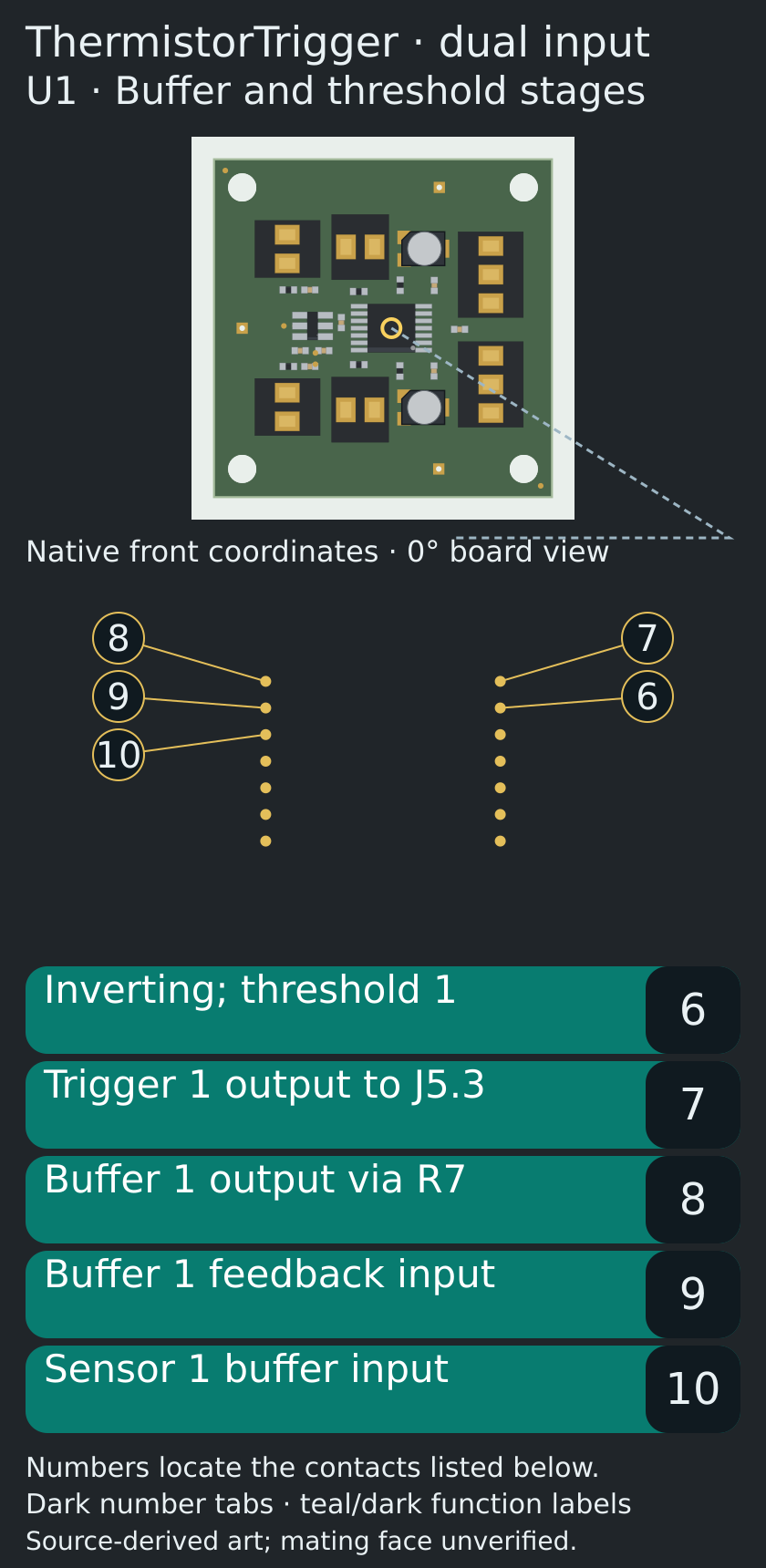
J5.3 connects directly to U1.7 and J6.3 to U1.1. U1 is powered from 5 V; neither output has a fitted level translator. Do not connect these trigger outputs directly to a Prime GPIO on the assumption that they are 3.3 V signals. Their output range, power-up behavior and receiver compatibility still need qualification. The generic LMV324 source value does not identify the fitted manufacturer or grade, and this op-amp comparison circuit has no established hysteresis or saturation-recovery guarantee.
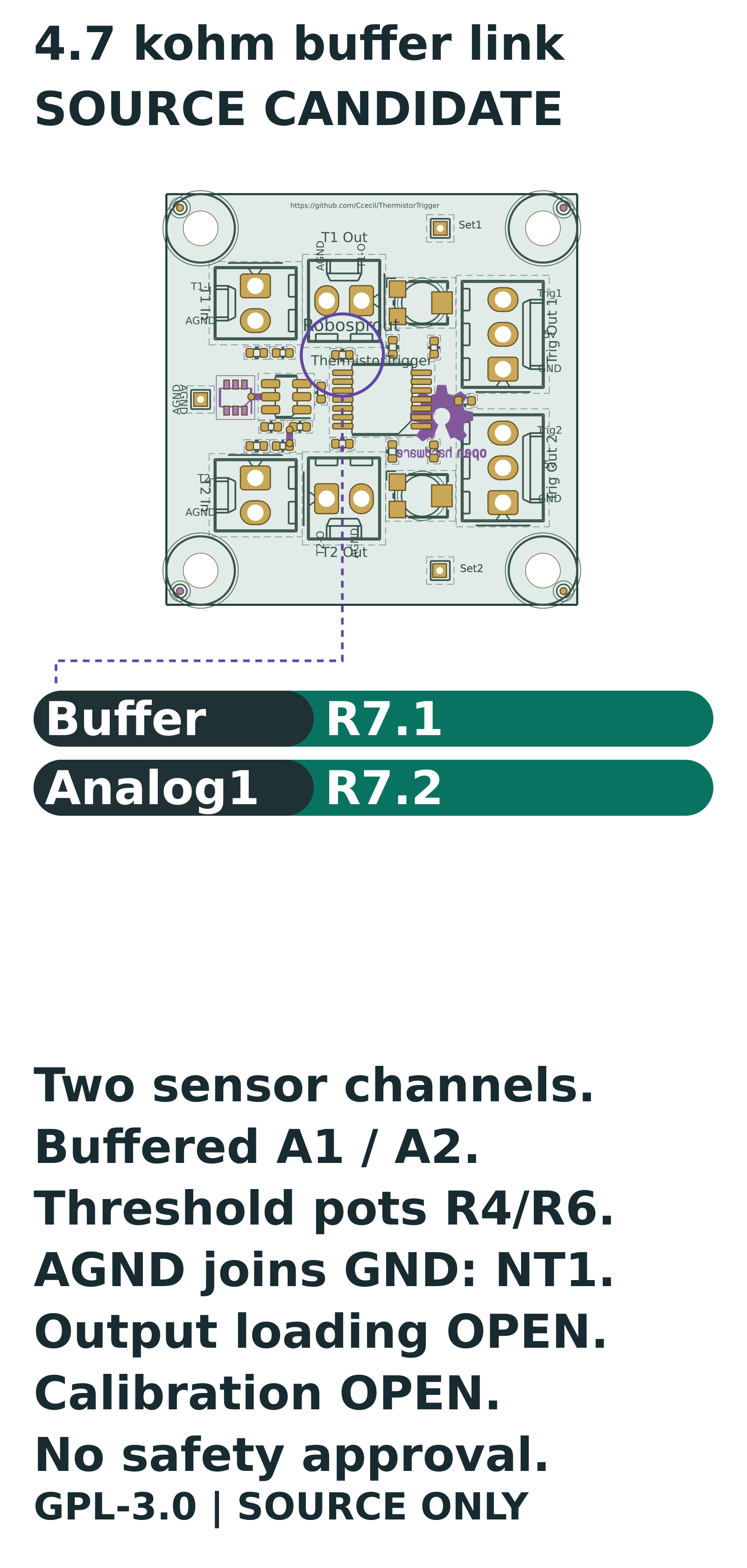
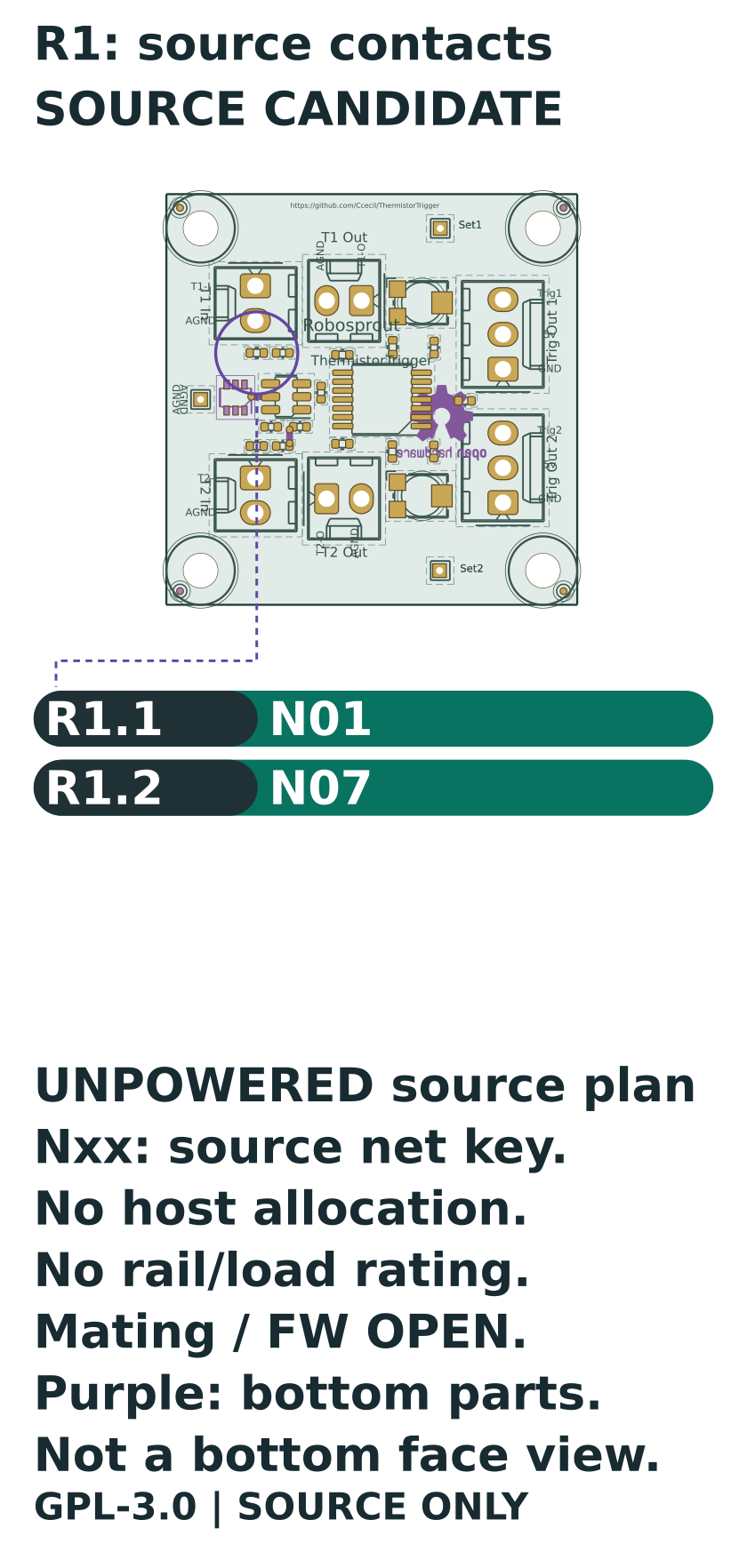
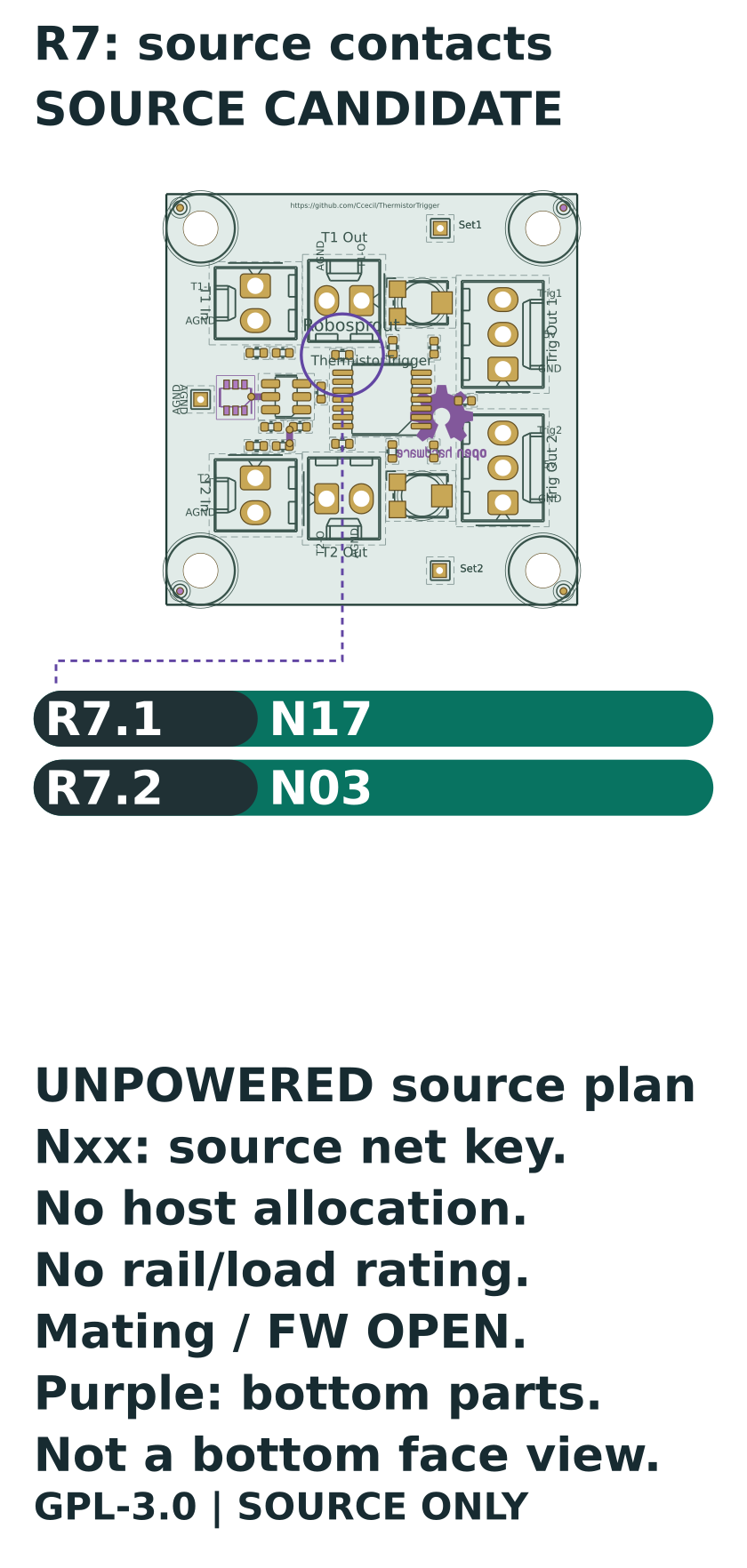
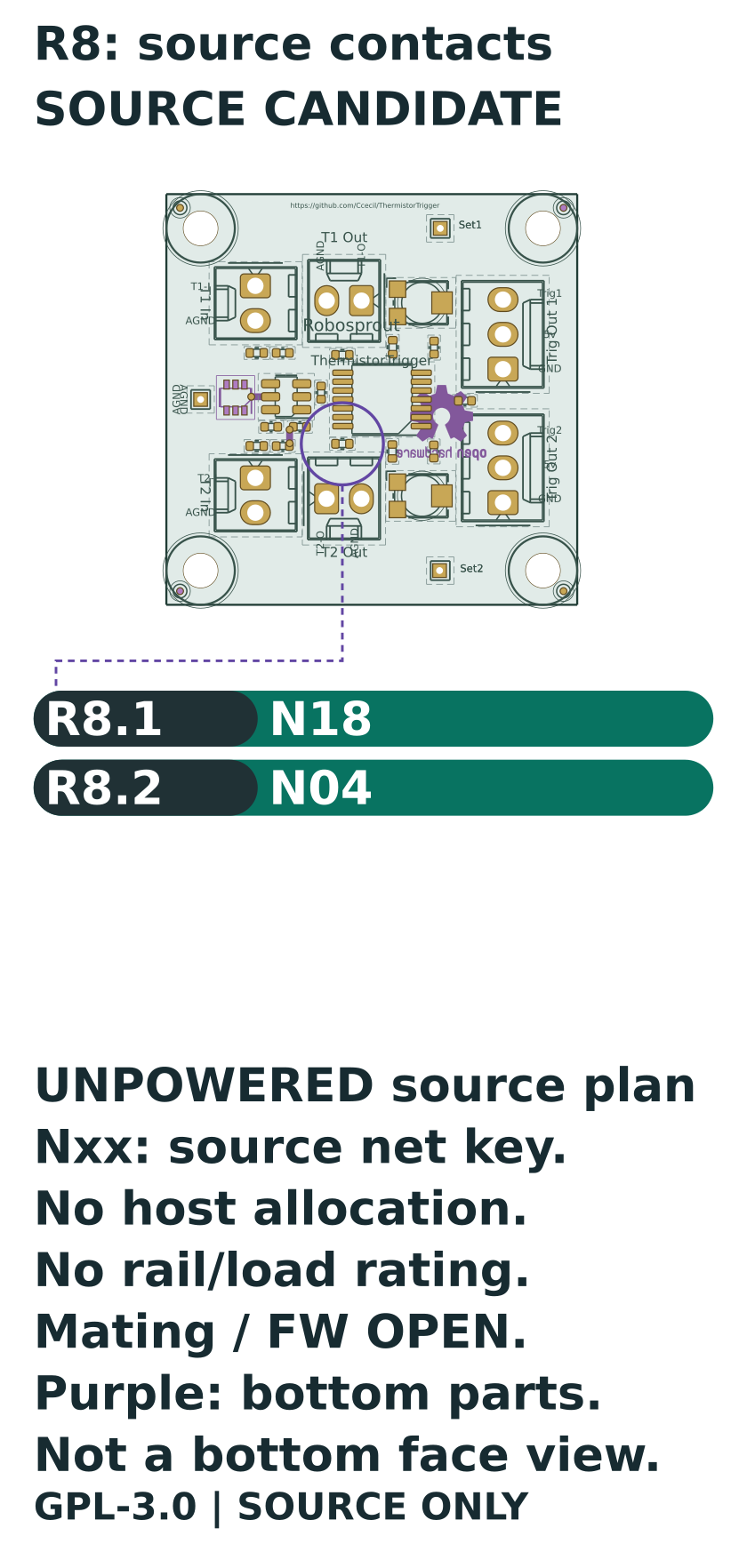
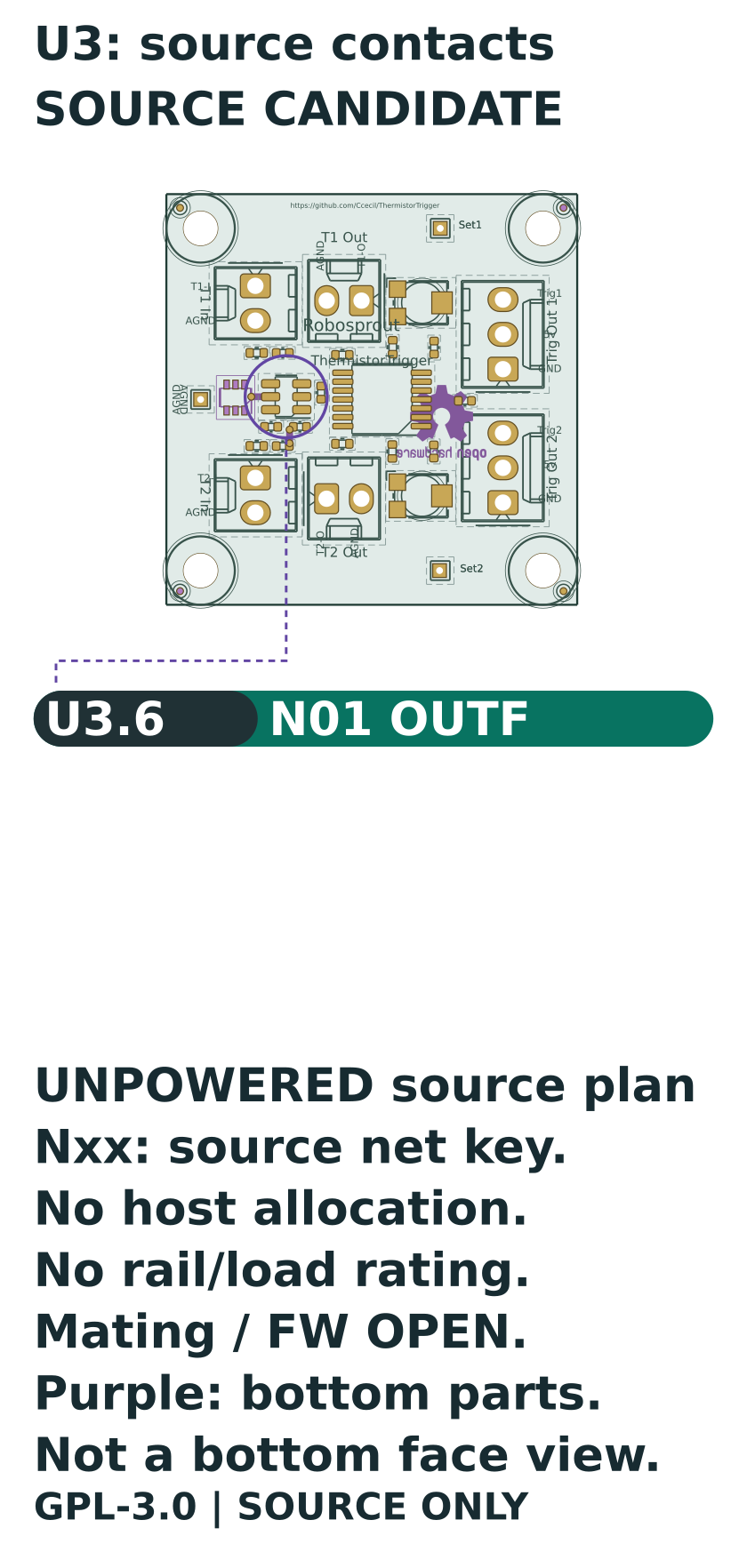
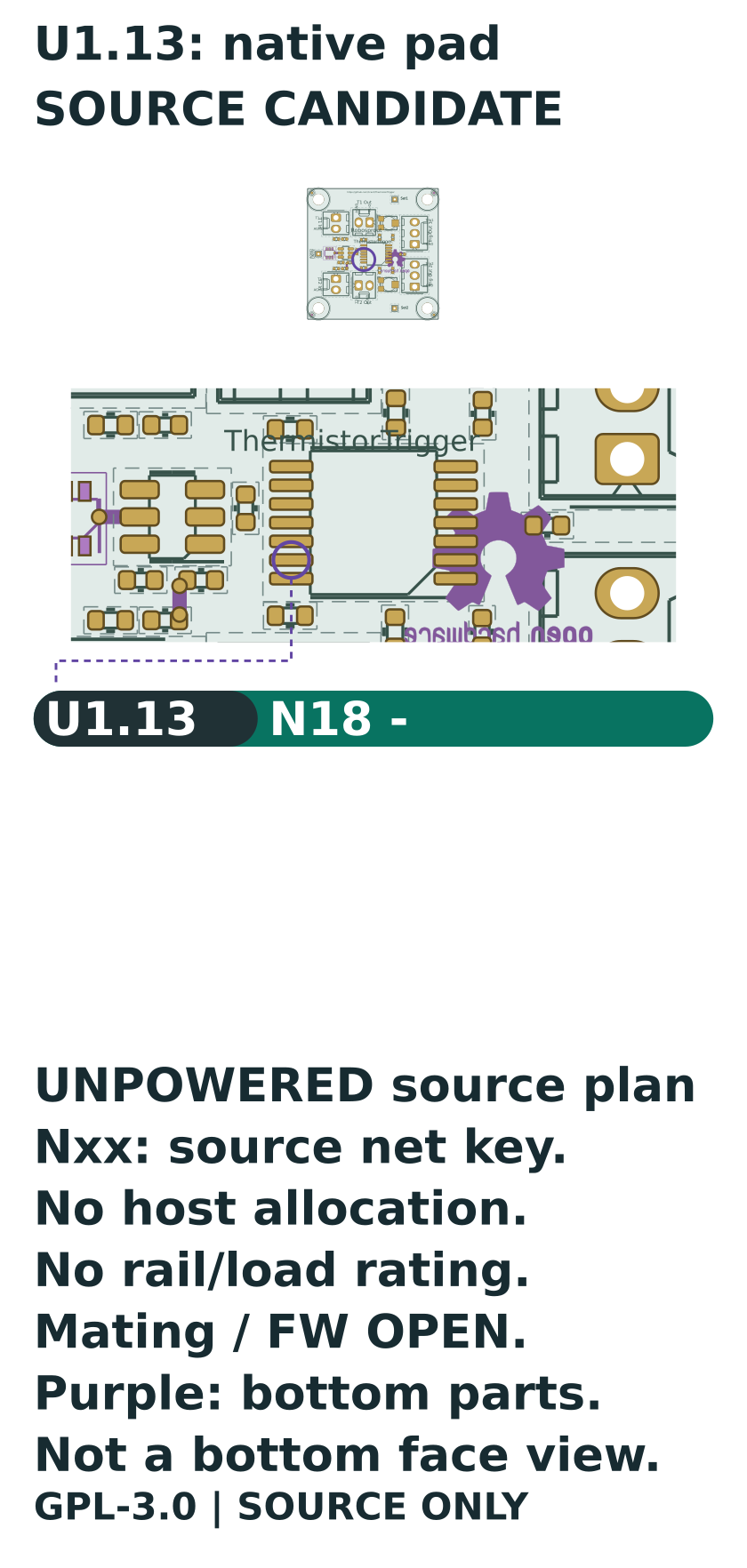
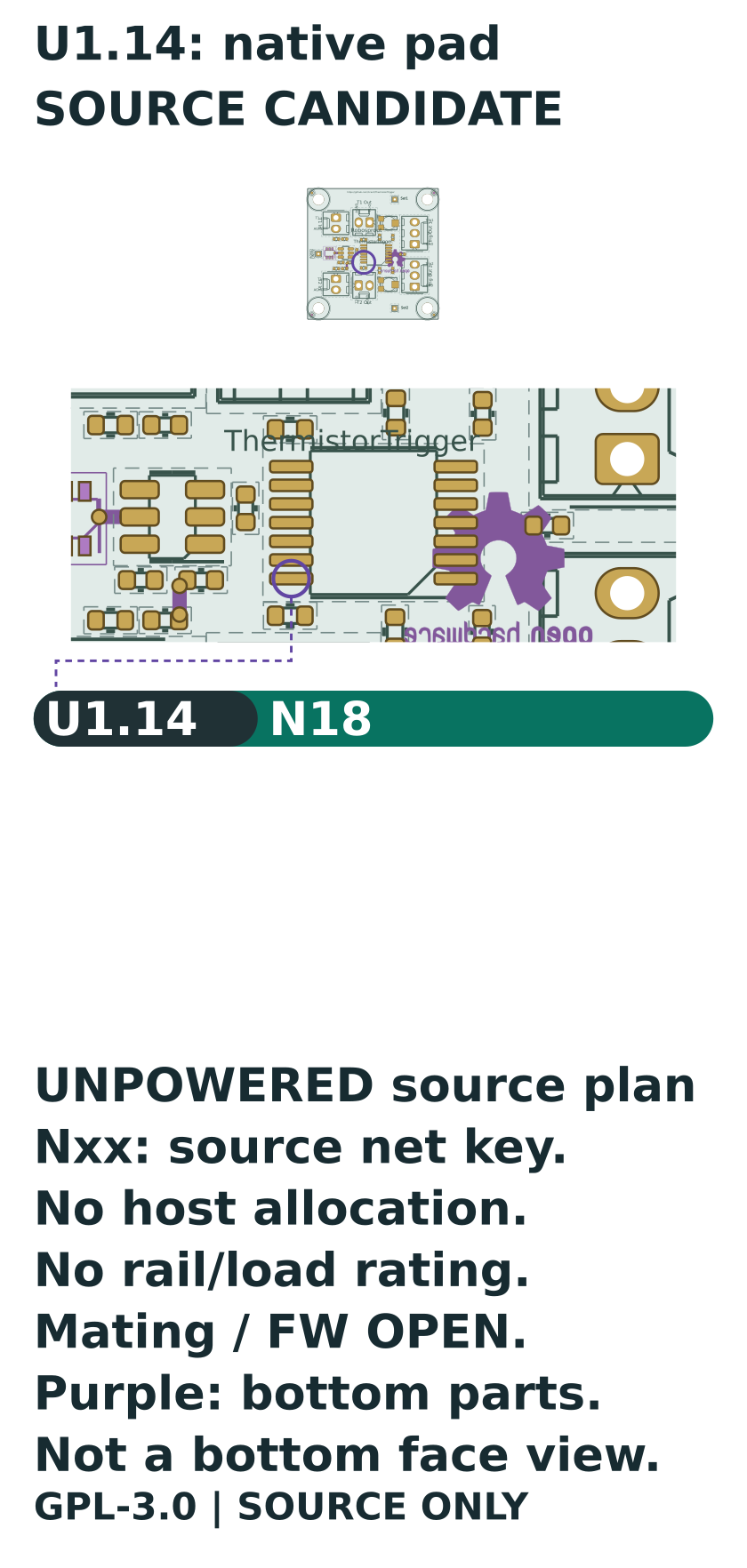
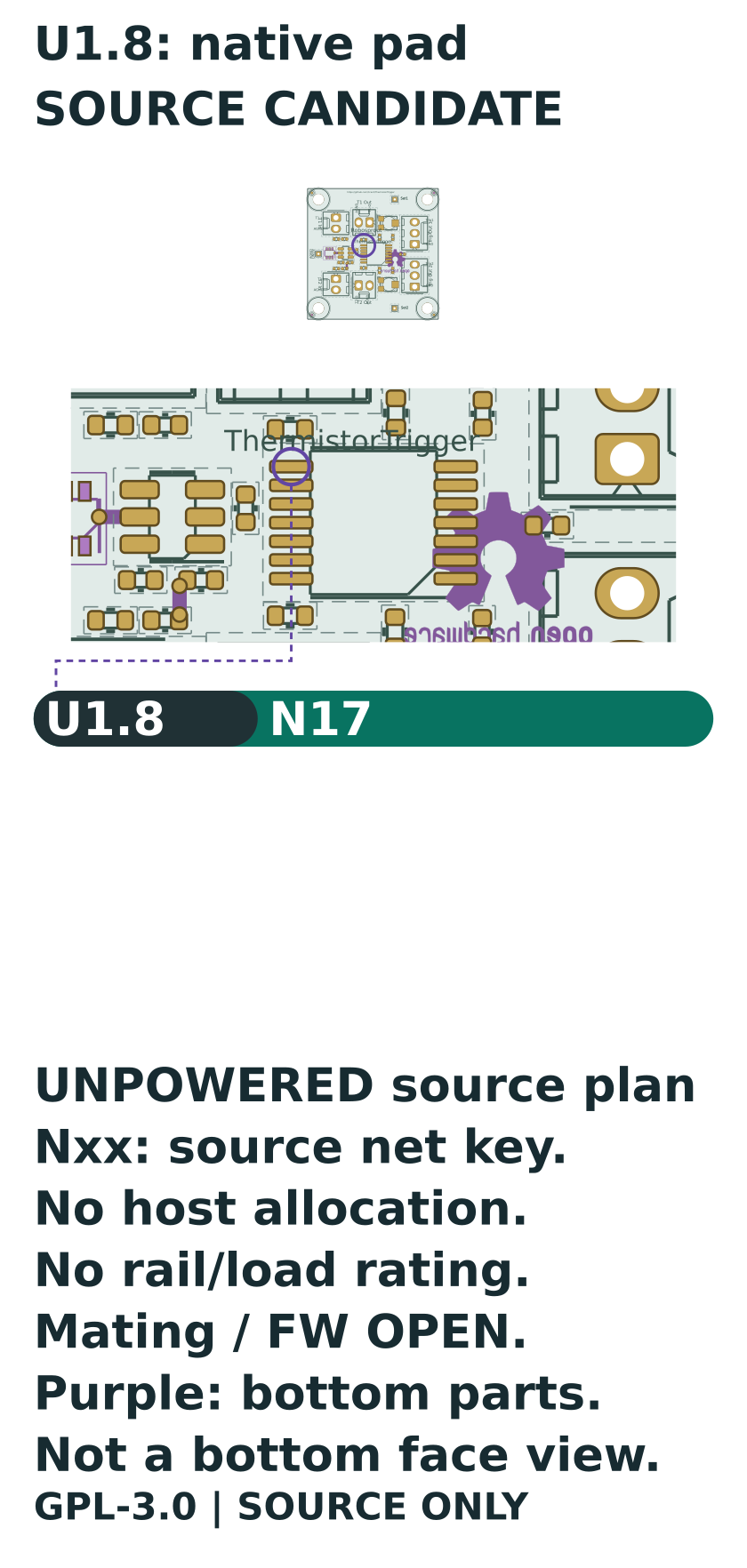
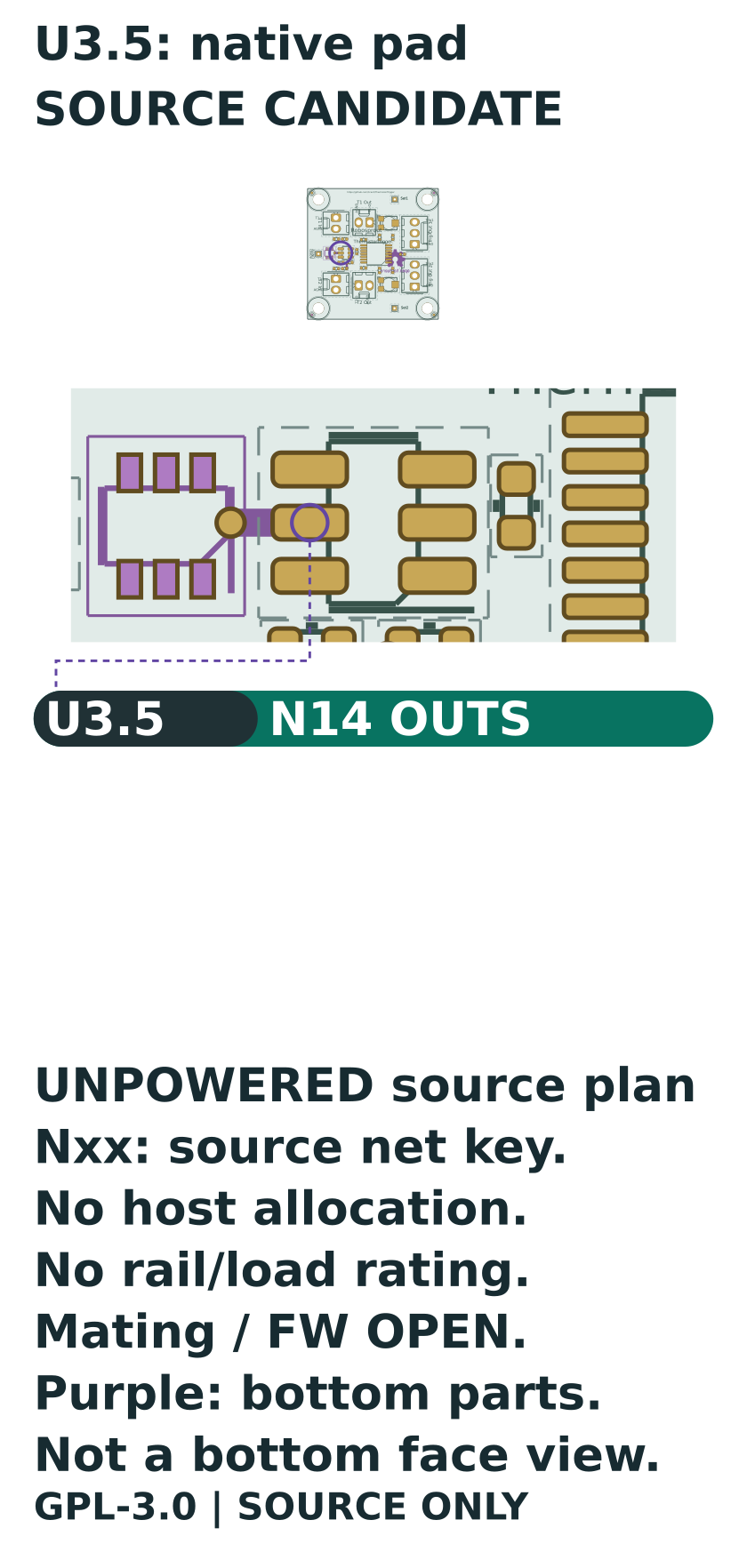
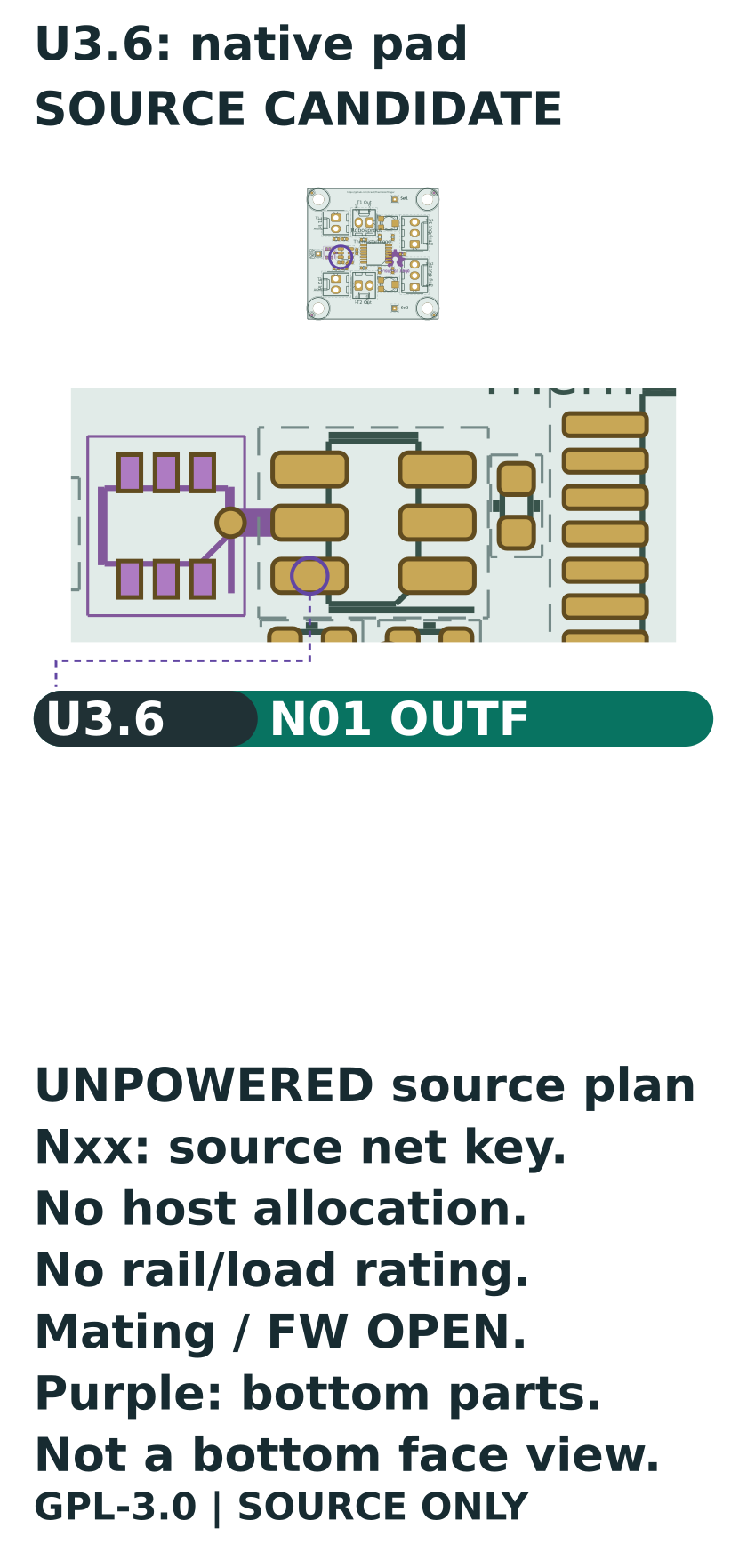
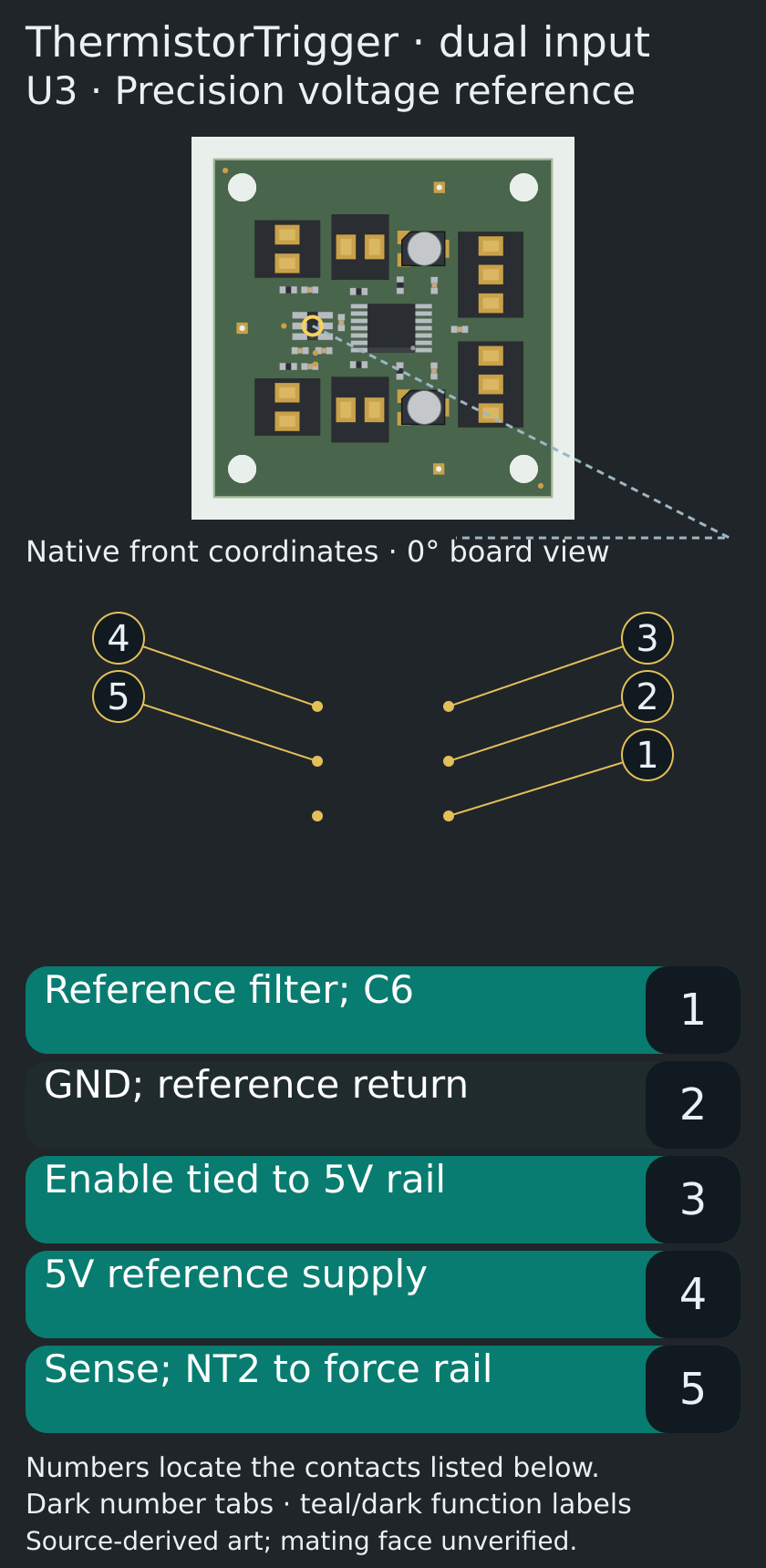
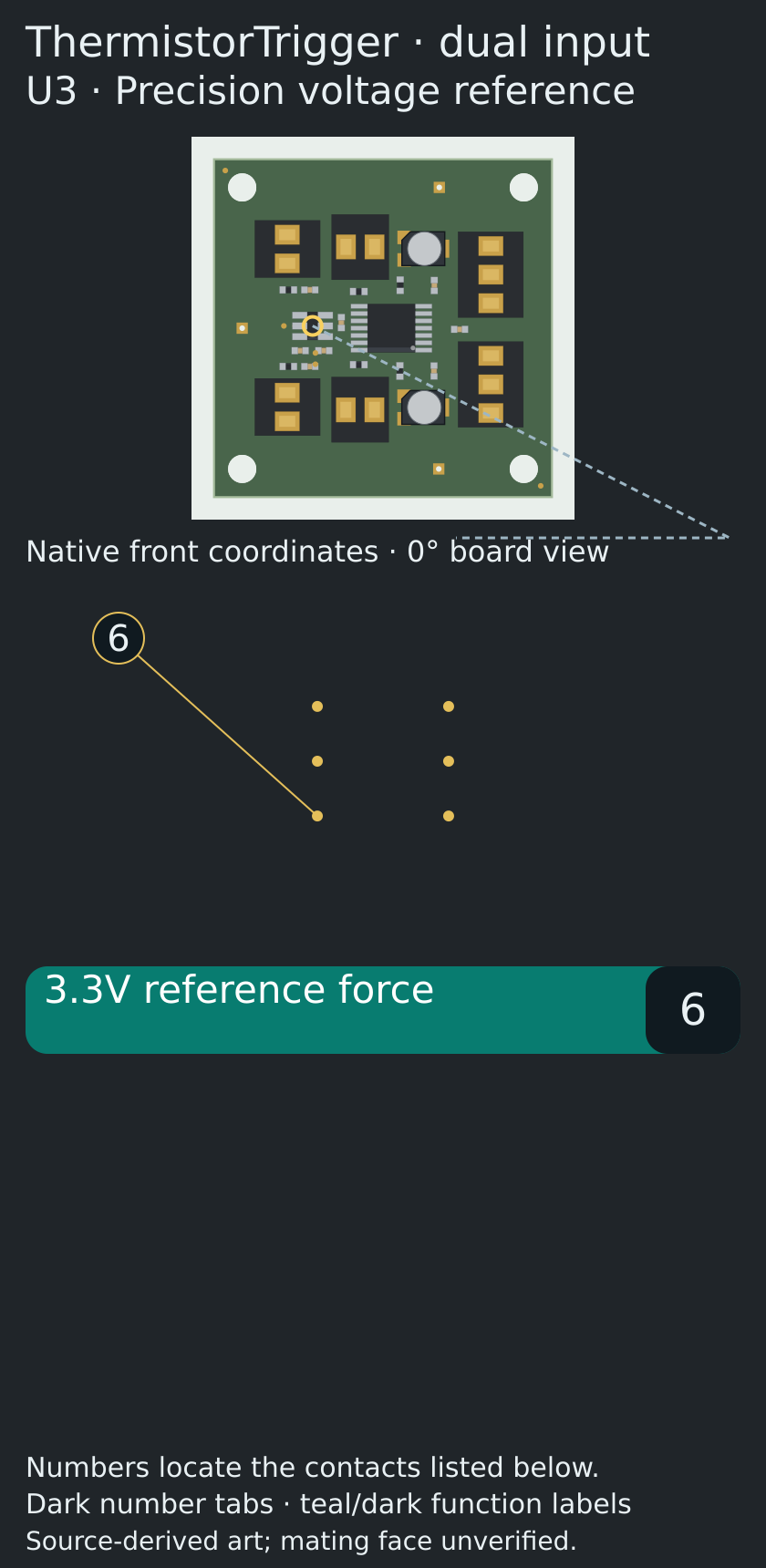
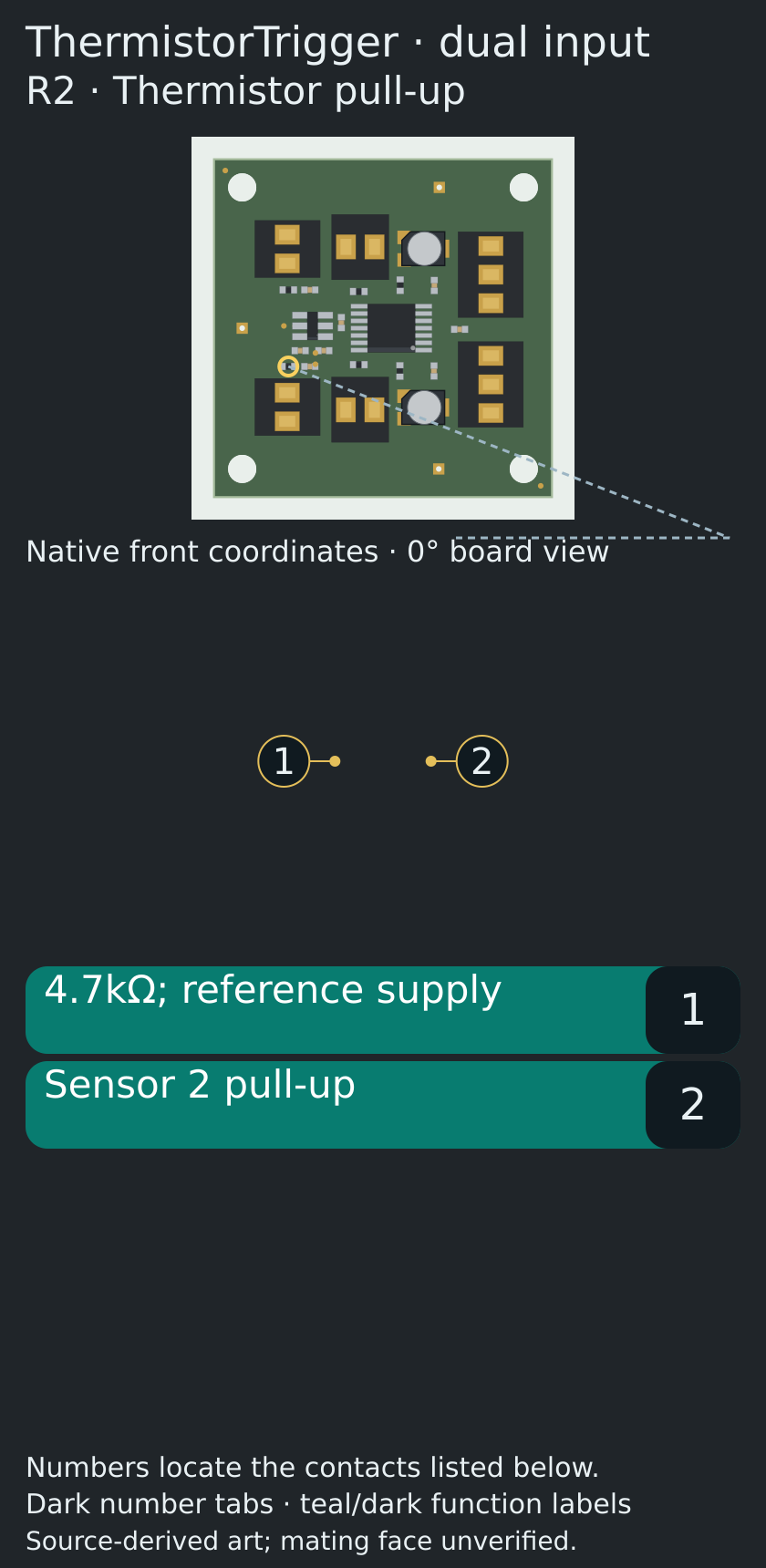
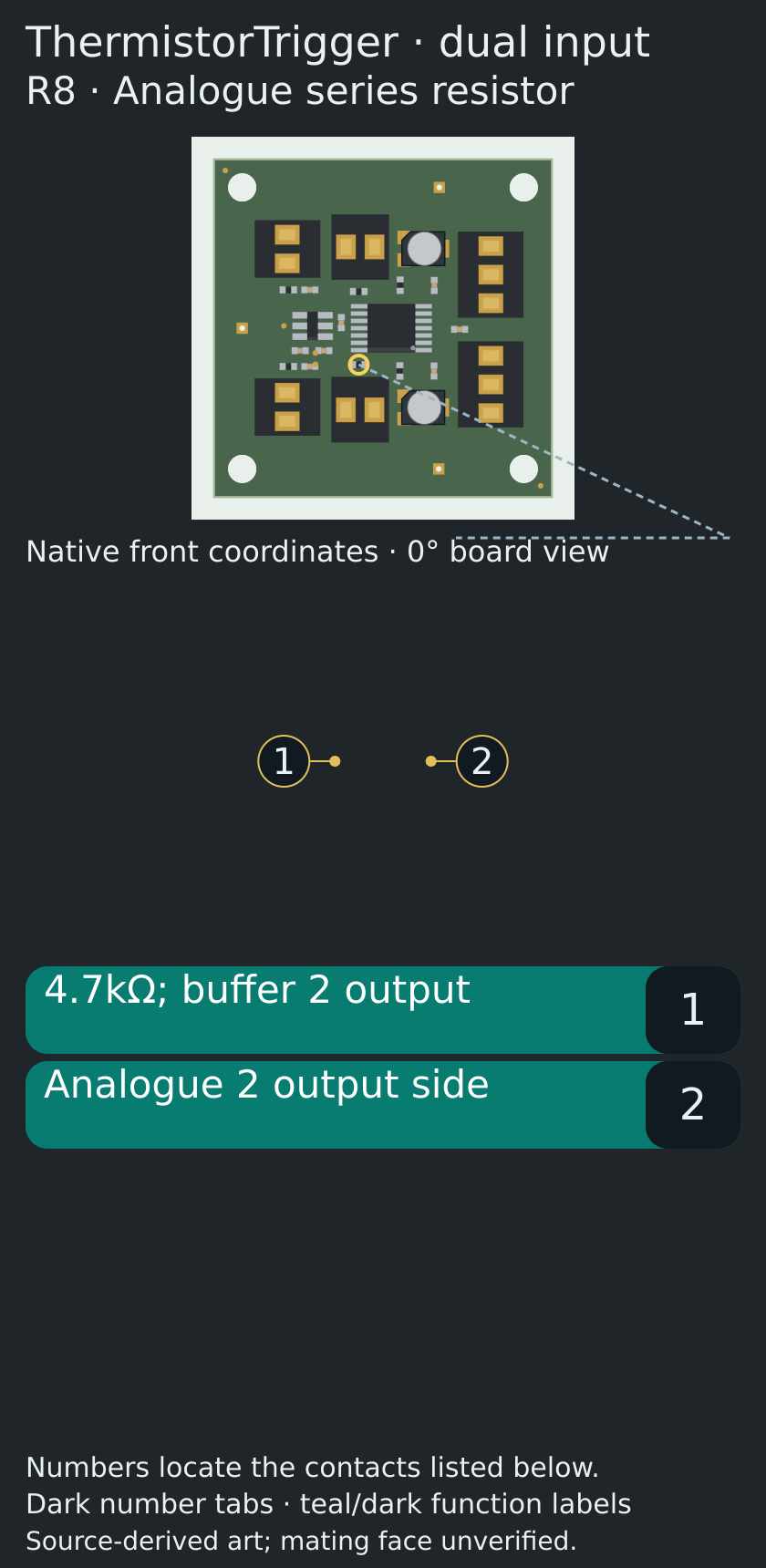
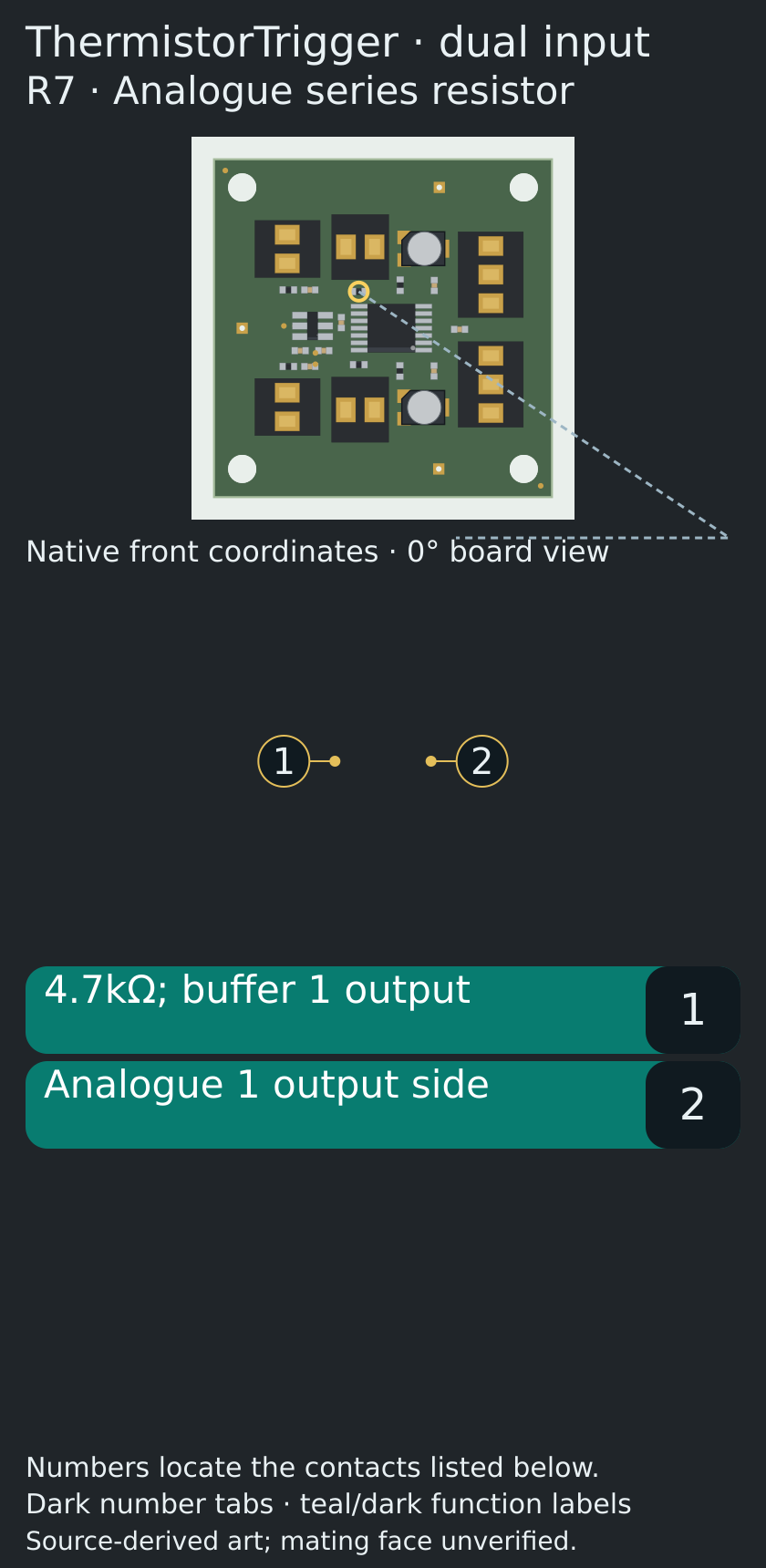
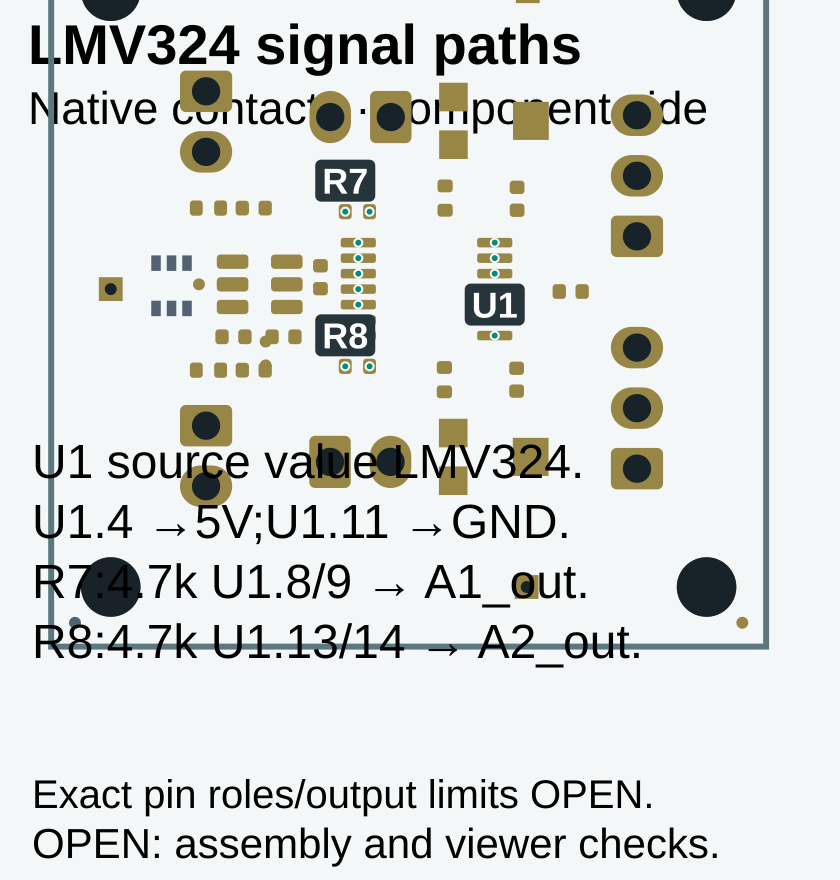
Channel 1 first buffers the thermistor signal at U1.8/9, then passes through R7 to A1_out and the threshold stage. Channel 2 similarly uses U1.14/13 and R8. The MAX6070 reference datasheet identifies U3.5 as OUTS (sense) and U3.6 as OUTF (force). The selected PCB’s NT2 copper joins them to the 3.3 V reference domain; NT2 is not a user voltage-selection jumper. NT1 joins analog and circuit ground, so the board is not galvanically isolated.
Annotated connector and component reference
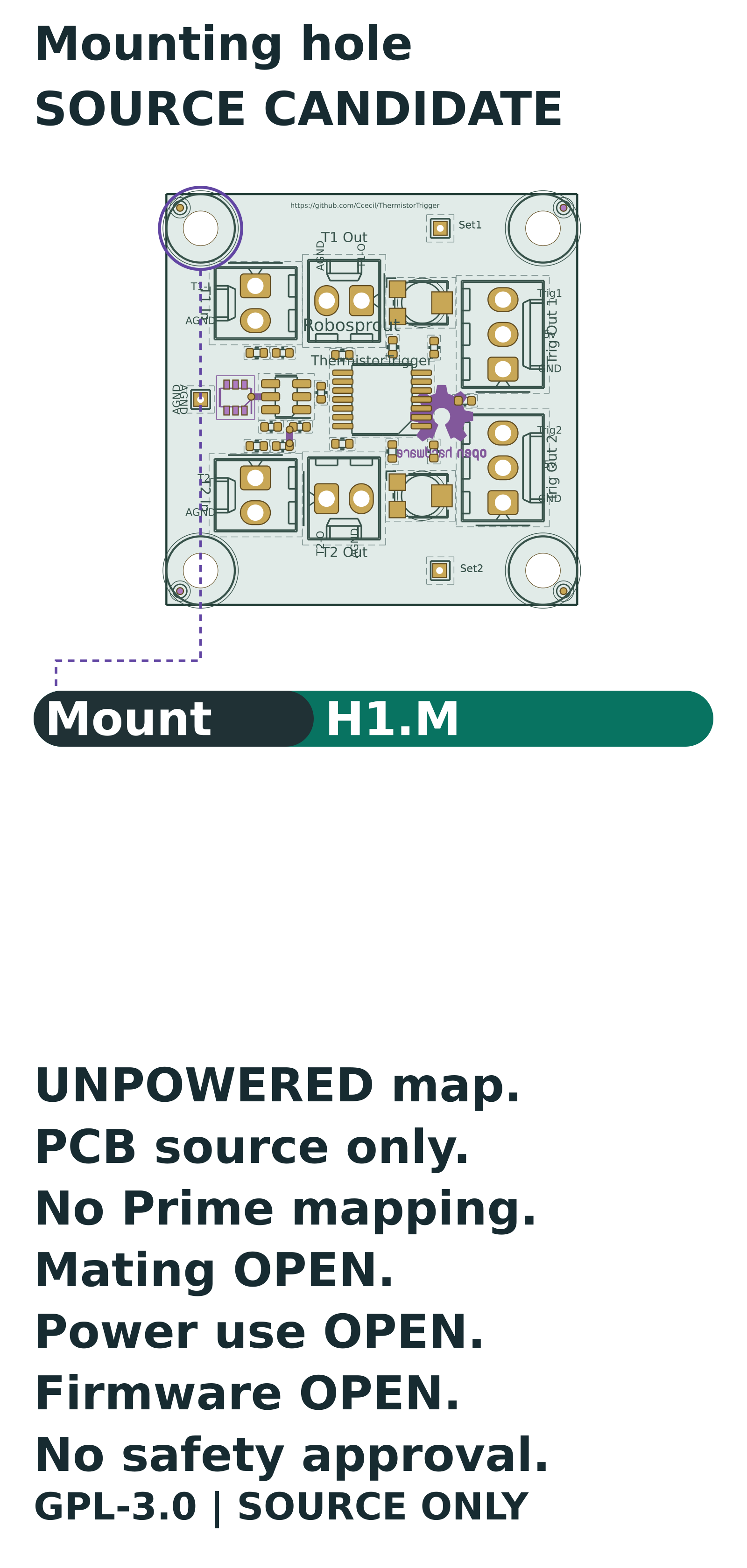
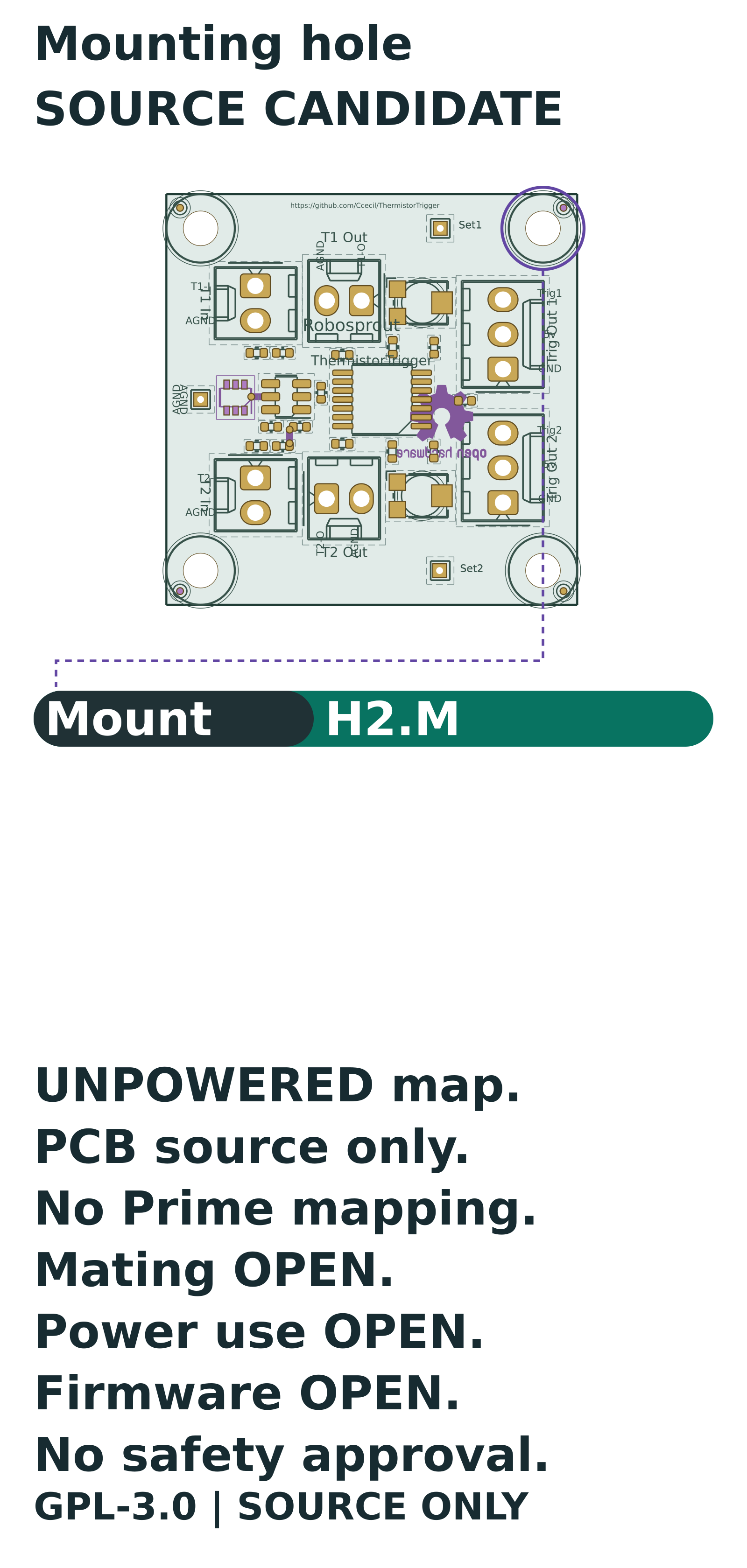
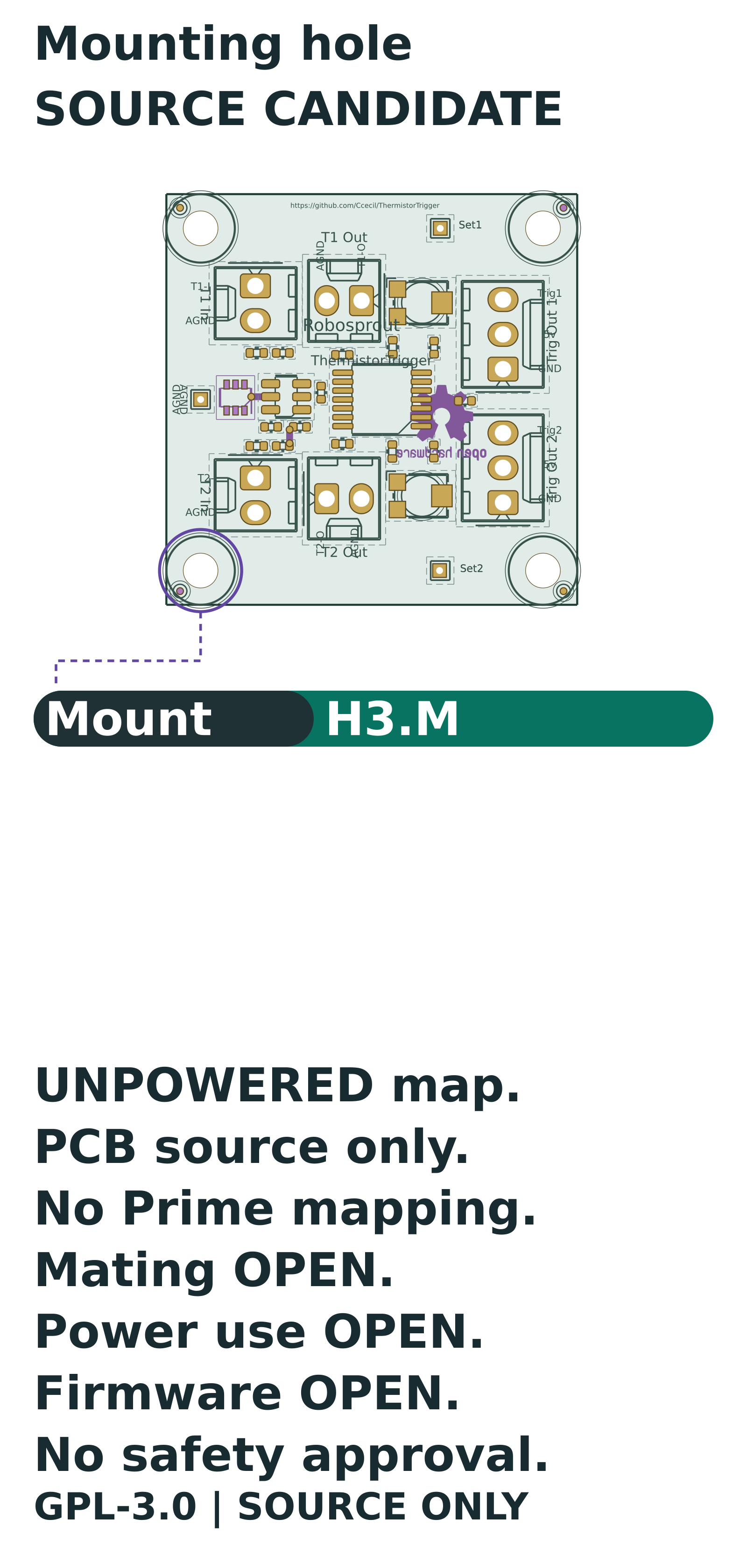
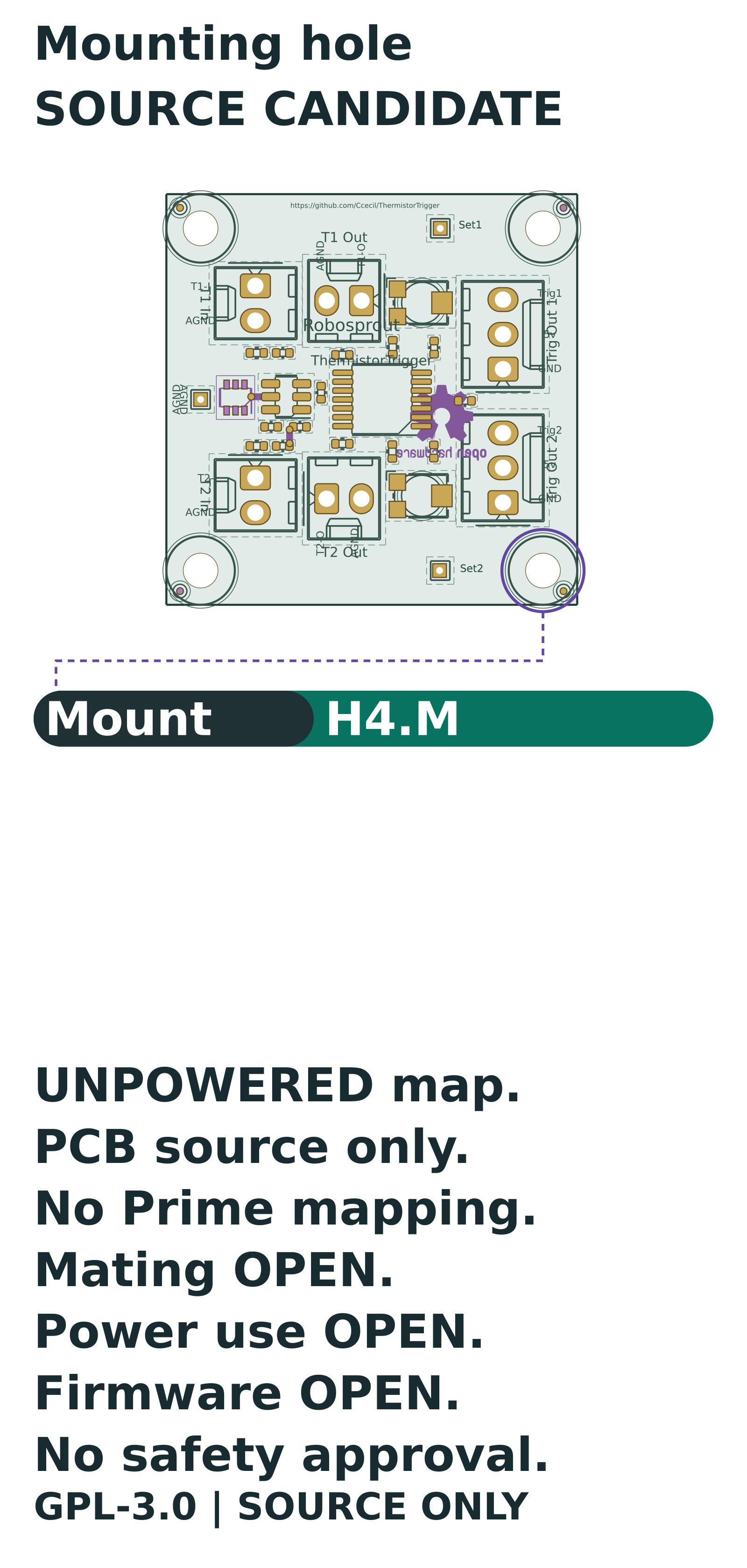
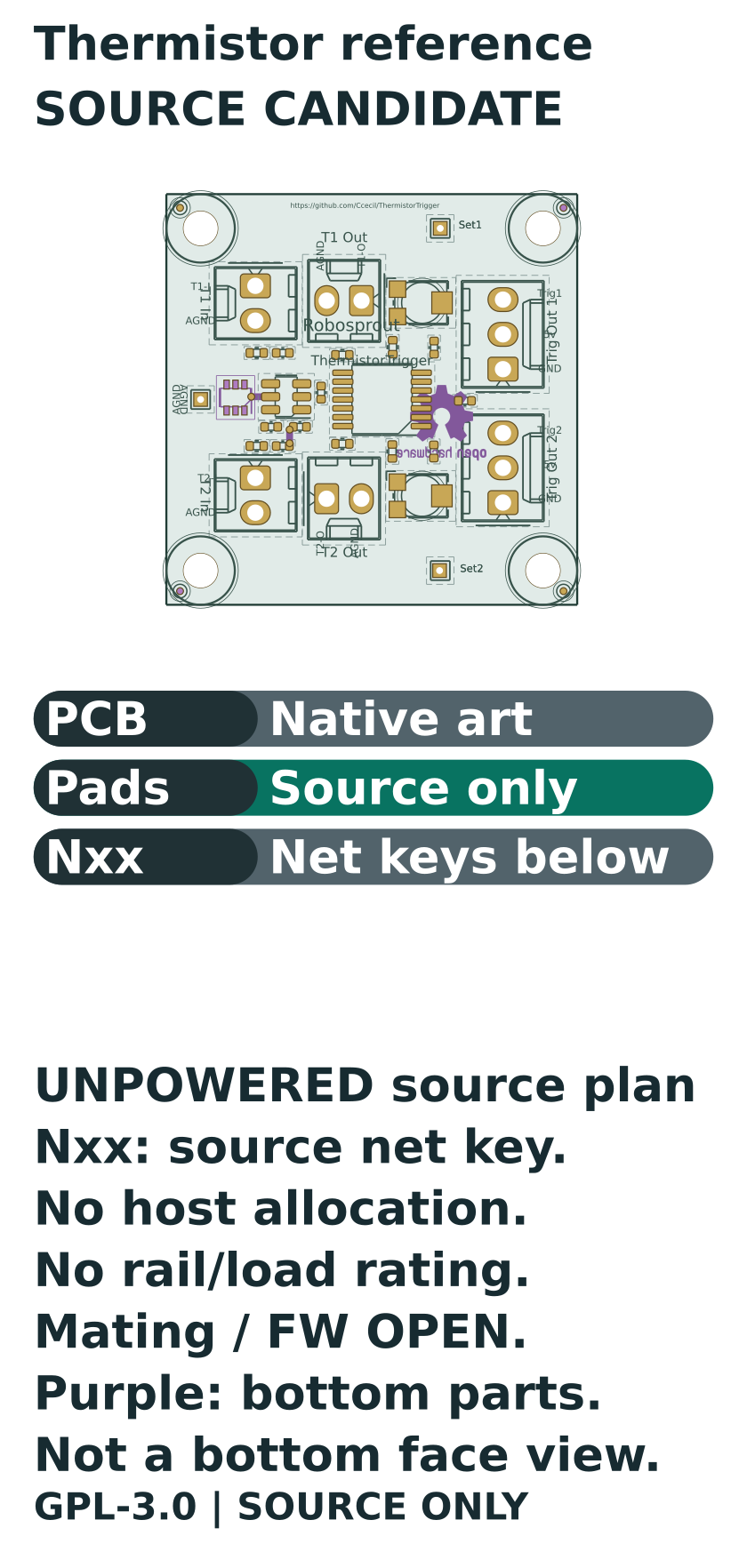
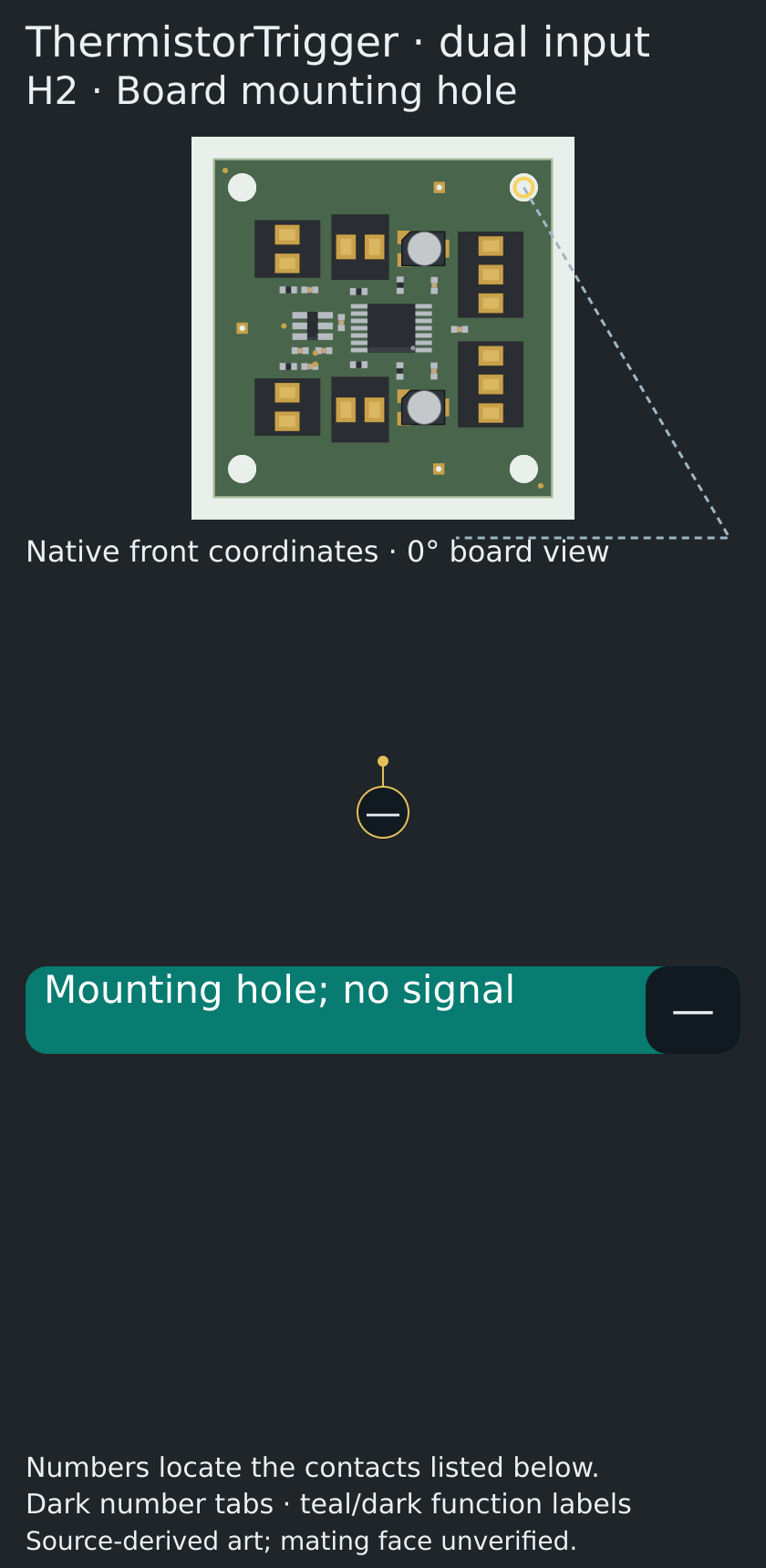
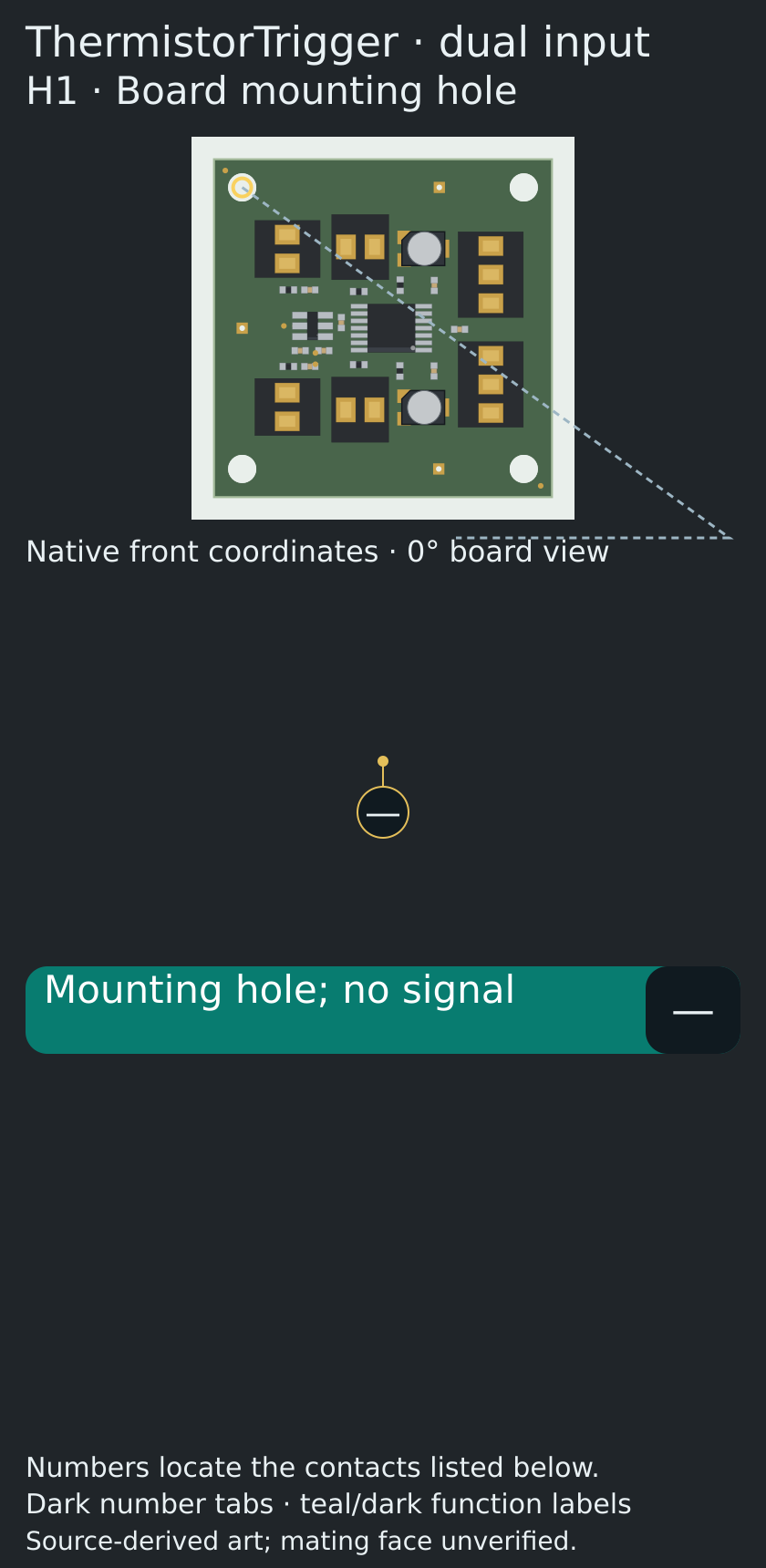
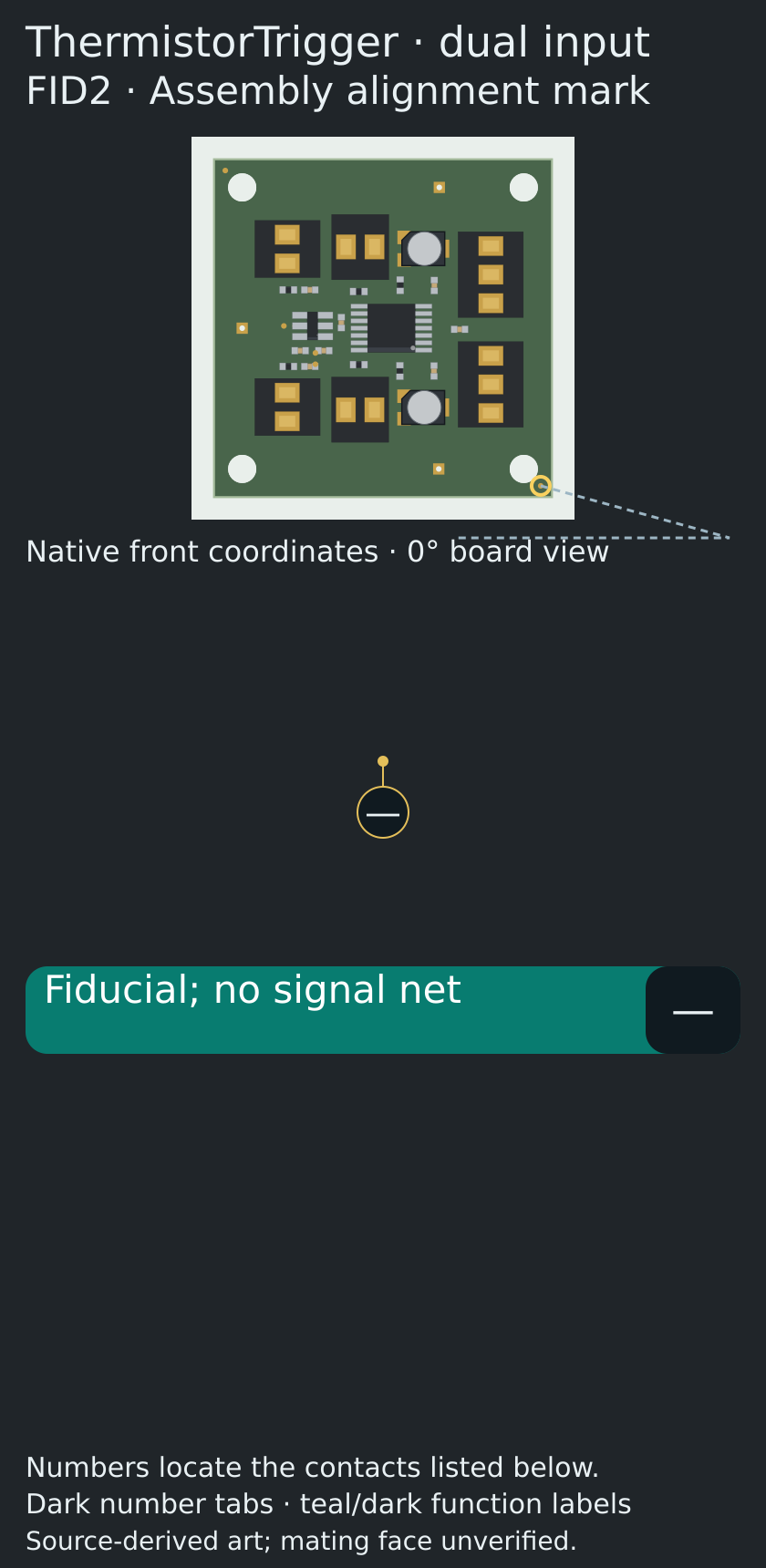
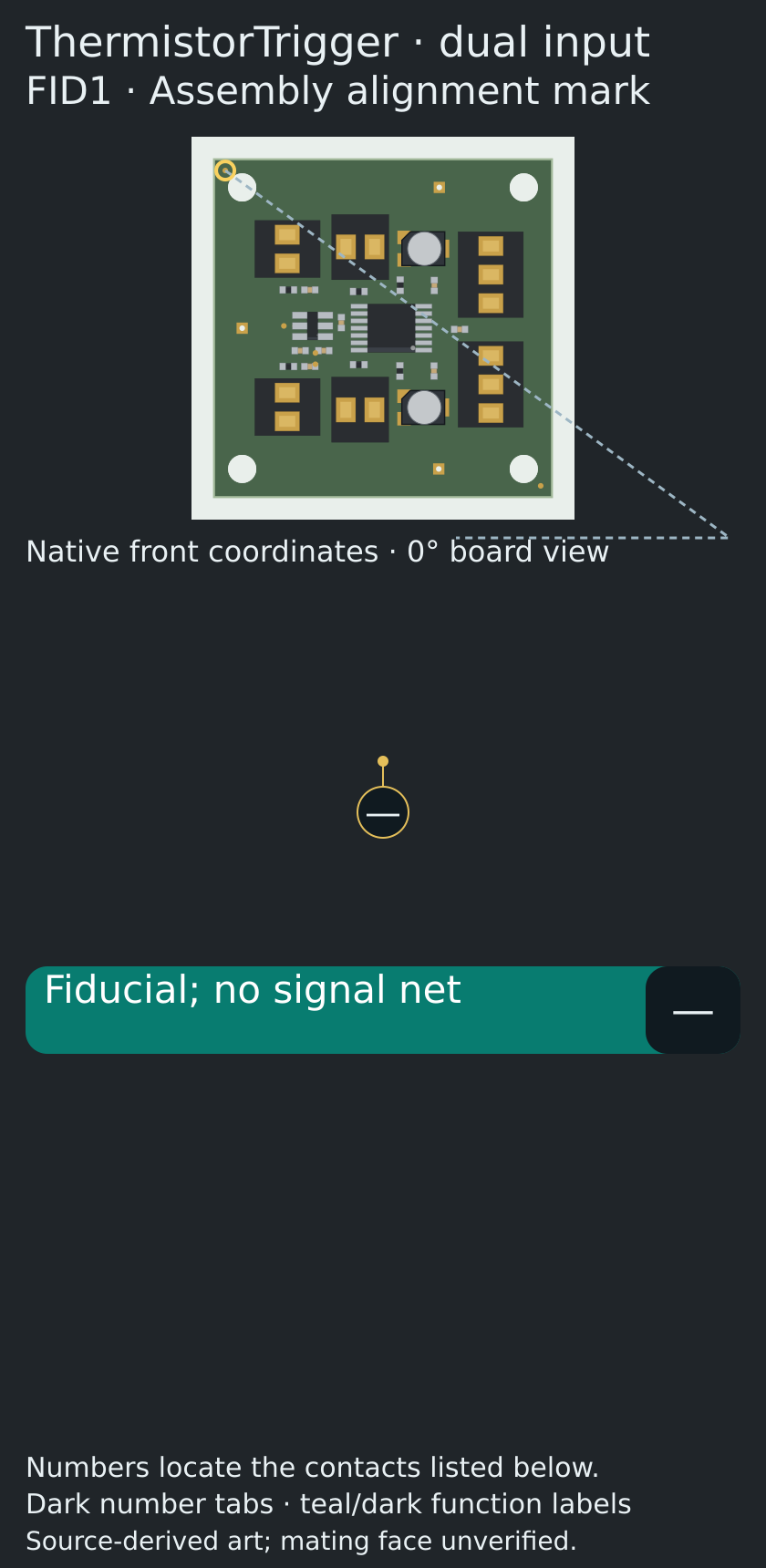
These newly source-derived drawings retain the selected native outline, footprints, pads and graphics with function callouts. They are not a recovered canonical abstract or a verified mating view. Comparator thresholds, adjustment/calibration, sensor type, supply and output qualification remain unresolved. These references do not provide an operating adjustment procedure or a safety-rated trip. Host allocation, firmware and powered operation remain unqualified.
Board reference
These function-labelled views retain the selected native source geometry. They are newly source-derived references, not a verified mating view.
Read labels at full size
Scroll across and down within this view. You can also open the PNG separately and use your browser’s zoom controls.
Fit shows the whole drawing. Zoom to read labels; scroll within the drawing. Escape closes the viewer.
Read labels at full size
Scroll across and down within this view. You can also open the PNG separately and use your browser’s zoom controls.
Fit shows the whole drawing. Zoom to read labels; scroll within the drawing. Escape closes the viewer.
Connector and component functions
Read labels at full size
Scroll across and down within this view. You can also open the PNG separately and use your browser’s zoom controls.
Fit shows the whole drawing. Zoom to read labels; scroll within the drawing. Escape closes the viewer.
Read labels at full size
Scroll across and down within this view. You can also open the PNG separately and use your browser’s zoom controls.
Fit shows the whole drawing. Zoom to read labels; scroll within the drawing. Escape closes the viewer.
Read labels at full size
Scroll across and down within this view. You can also open the PNG separately and use your browser’s zoom controls.
Fit shows the whole drawing. Zoom to read labels; scroll within the drawing. Escape closes the viewer.
Read labels at full size
Scroll across and down within this view. You can also open the PNG separately and use your browser’s zoom controls.
Fit shows the whole drawing. Zoom to read labels; scroll within the drawing. Escape closes the viewer.
Read labels at full size
Scroll across and down within this view. You can also open the PNG separately and use your browser’s zoom controls.
Fit shows the whole drawing. Zoom to read labels; scroll within the drawing. Escape closes the viewer.
Read labels at full size
Scroll across and down within this view. You can also open the PNG separately and use your browser’s zoom controls.
Fit shows the whole drawing. Zoom to read labels; scroll within the drawing. Escape closes the viewer.
Read labels at full size
Scroll across and down within this view. You can also open the PNG separately and use your browser’s zoom controls.
Fit shows the whole drawing. Zoom to read labels; scroll within the drawing. Escape closes the viewer.
Read labels at full size
Scroll across and down within this view. You can also open the PNG separately and use your browser’s zoom controls.
Fit shows the whole drawing. Zoom to read labels; scroll within the drawing. Escape closes the viewer.
Read labels at full size
Scroll across and down within this view. You can also open the PNG separately and use your browser’s zoom controls.
Fit shows the whole drawing. Zoom to read labels; scroll within the drawing. Escape closes the viewer.
Read labels at full size
Scroll across and down within this view. You can also open the PNG separately and use your browser’s zoom controls.
Fit shows the whole drawing. Zoom to read labels; scroll within the drawing. Escape closes the viewer.
Read labels at full size
Scroll across and down within this view. You can also open the PNG separately and use your browser’s zoom controls.
Fit shows the whole drawing. Zoom to read labels; scroll within the drawing. Escape closes the viewer.
Read labels at full size
Scroll across and down within this view. You can also open the PNG separately and use your browser’s zoom controls.
Fit shows the whole drawing. Zoom to read labels; scroll within the drawing. Escape closes the viewer.
Read labels at full size
Scroll across and down within this view. You can also open the PNG separately and use your browser’s zoom controls.
Fit shows the whole drawing. Zoom to read labels; scroll within the drawing. Escape closes the viewer.
Read labels at full size
Scroll across and down within this view. You can also open the PNG separately and use your browser’s zoom controls.
Fit shows the whole drawing. Zoom to read labels; scroll within the drawing. Escape closes the viewer.
Read labels at full size
Scroll across and down within this view. You can also open the PNG separately and use your browser’s zoom controls.
Fit shows the whole drawing. Zoom to read labels; scroll within the drawing. Escape closes the viewer.
Original contact audits and supplementary source views
Read labels at full size
Scroll across and down within this view. You can also open the PNG separately and use your browser’s zoom controls.
Fit shows the whole drawing. Zoom to read labels; scroll within the drawing. Escape closes the viewer.
Read labels at full size
Scroll across and down within this view. You can also open the PNG separately and use your browser’s zoom controls.
Fit shows the whole drawing. Zoom to read labels; scroll within the drawing. Escape closes the viewer.
Read labels at full size
Scroll across and down within this view. You can also open the PNG separately and use your browser’s zoom controls.
Fit shows the whole drawing. Zoom to read labels; scroll within the drawing. Escape closes the viewer.
Read labels at full size
Scroll across and down within this view. You can also open the PNG separately and use your browser’s zoom controls.
Fit shows the whole drawing. Zoom to read labels; scroll within the drawing. Escape closes the viewer.
Read labels at full size
Scroll across and down within this view. You can also open the PNG separately and use your browser’s zoom controls.
Fit shows the whole drawing. Zoom to read labels; scroll within the drawing. Escape closes the viewer.
Read labels at full size
Scroll across and down within this view. You can also open the PNG separately and use your browser’s zoom controls.
Fit shows the whole drawing. Zoom to read labels; scroll within the drawing. Escape closes the viewer.
Read labels at full size
Scroll across and down within this view. You can also open the PNG separately and use your browser’s zoom controls.
Fit shows the whole drawing. Zoom to read labels; scroll within the drawing. Escape closes the viewer.
Read labels at full size
Scroll across and down within this view. You can also open the PNG separately and use your browser’s zoom controls.
Fit shows the whole drawing. Zoom to read labels; scroll within the drawing. Escape closes the viewer.
Read labels at full size
Scroll across and down within this view. You can also open the PNG separately and use your browser’s zoom controls.
Fit shows the whole drawing. Zoom to read labels; scroll within the drawing. Escape closes the viewer.
Read labels at full size
Scroll across and down within this view. You can also open the PNG separately and use your browser’s zoom controls.
Fit shows the whole drawing. Zoom to read labels; scroll within the drawing. Escape closes the viewer.
Read labels at full size
Scroll across and down within this view. You can also open the PNG separately and use your browser’s zoom controls.
Fit shows the whole drawing. Zoom to read labels; scroll within the drawing. Escape closes the viewer.
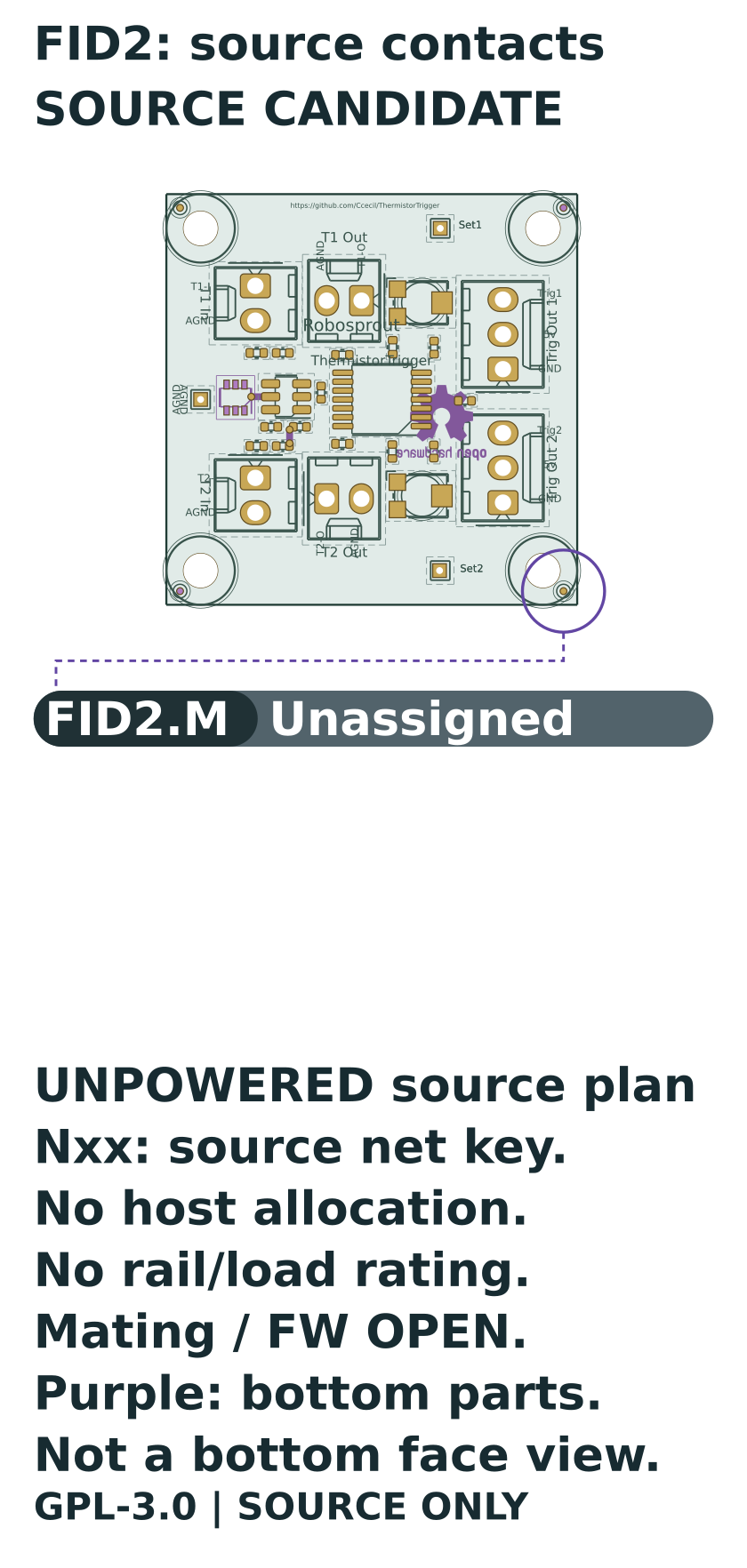
Read labels at full size
Scroll across and down within this view. You can also open the PNG separately and use your browser’s zoom controls.
Fit shows the whole drawing. Zoom to read labels; scroll within the drawing. Escape closes the viewer.
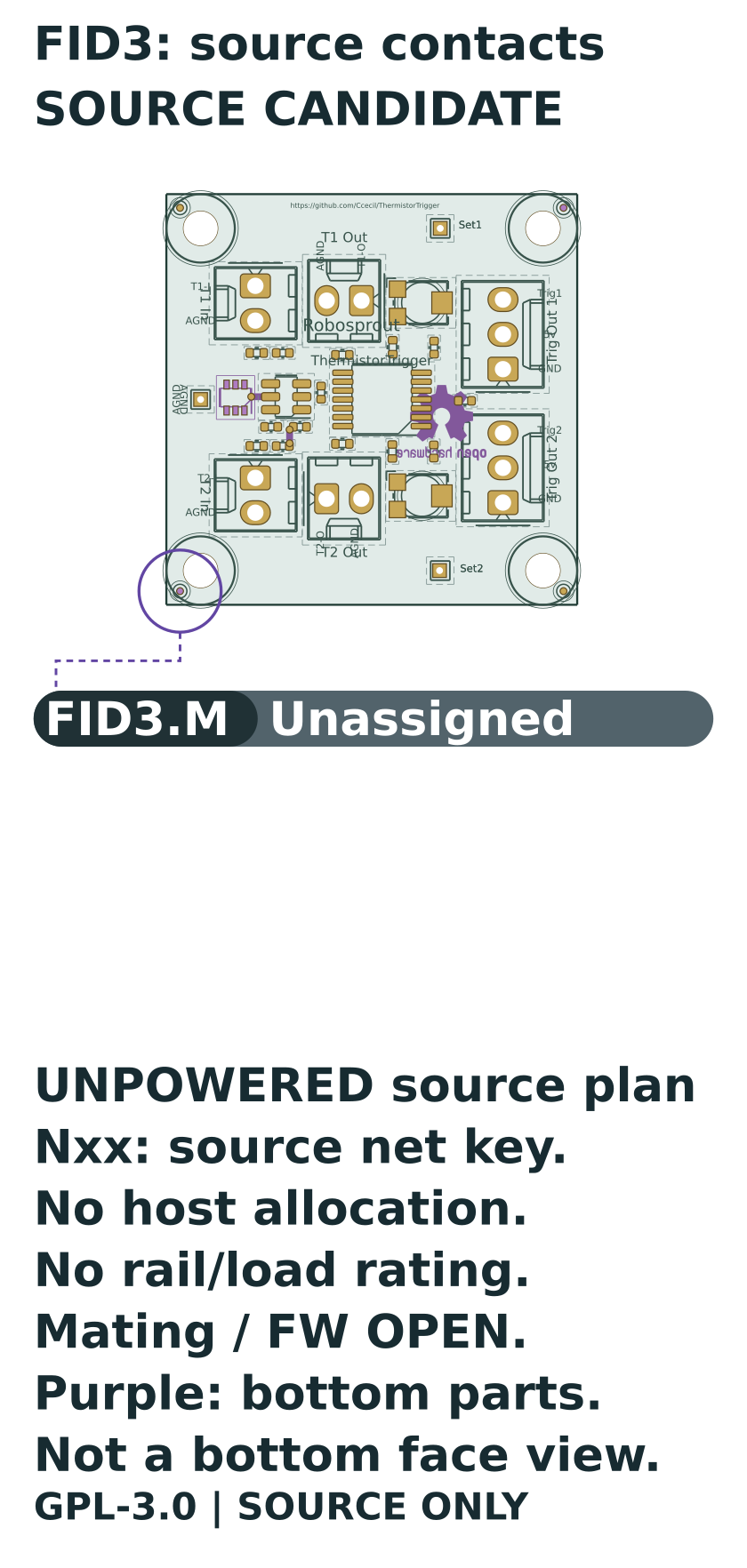
Read labels at full size
Scroll across and down within this view. You can also open the PNG separately and use your browser’s zoom controls.
Fit shows the whole drawing. Zoom to read labels; scroll within the drawing. Escape closes the viewer.
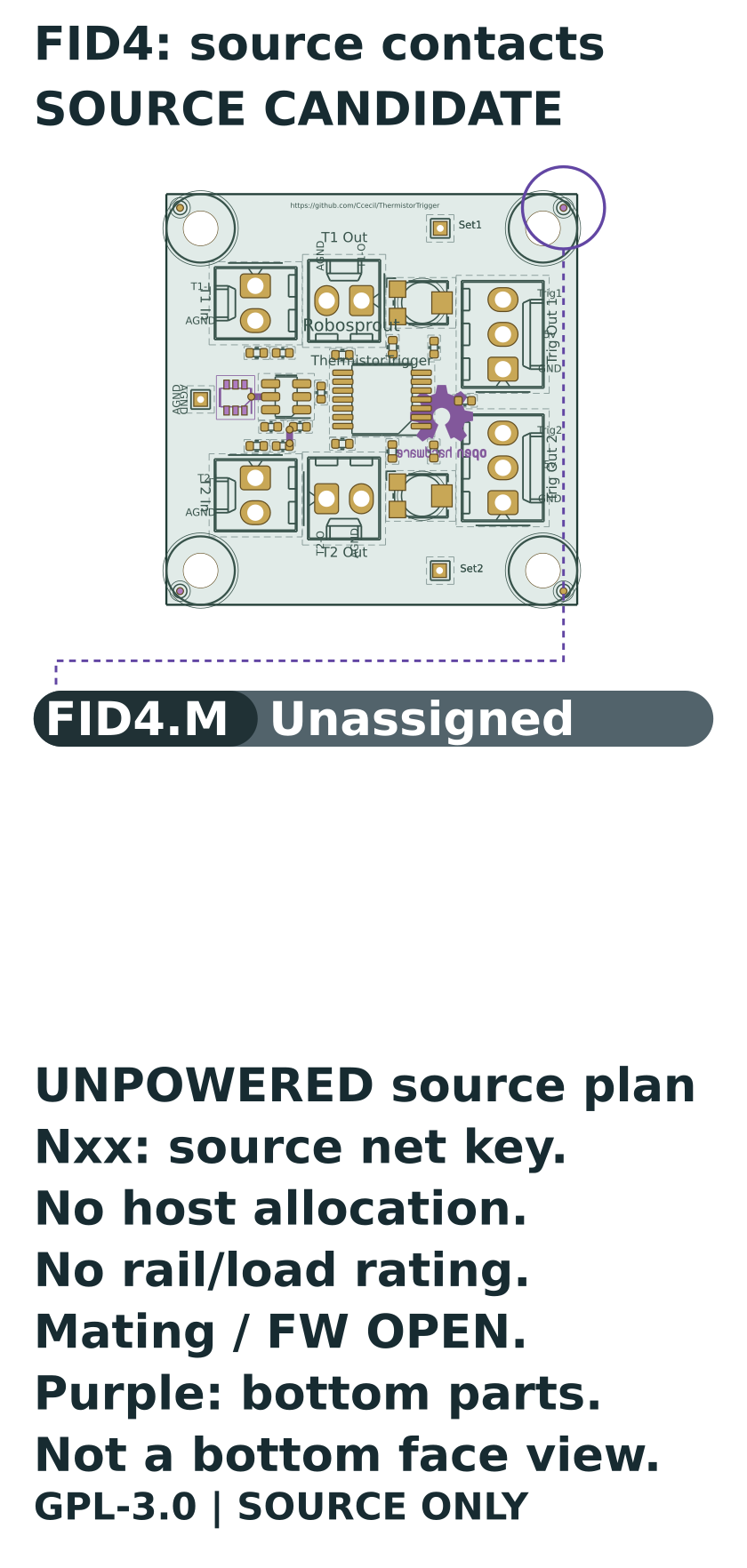
Read labels at full size
Scroll across and down within this view. You can also open the PNG separately and use your browser’s zoom controls.
Fit shows the whole drawing. Zoom to read labels; scroll within the drawing. Escape closes the viewer.
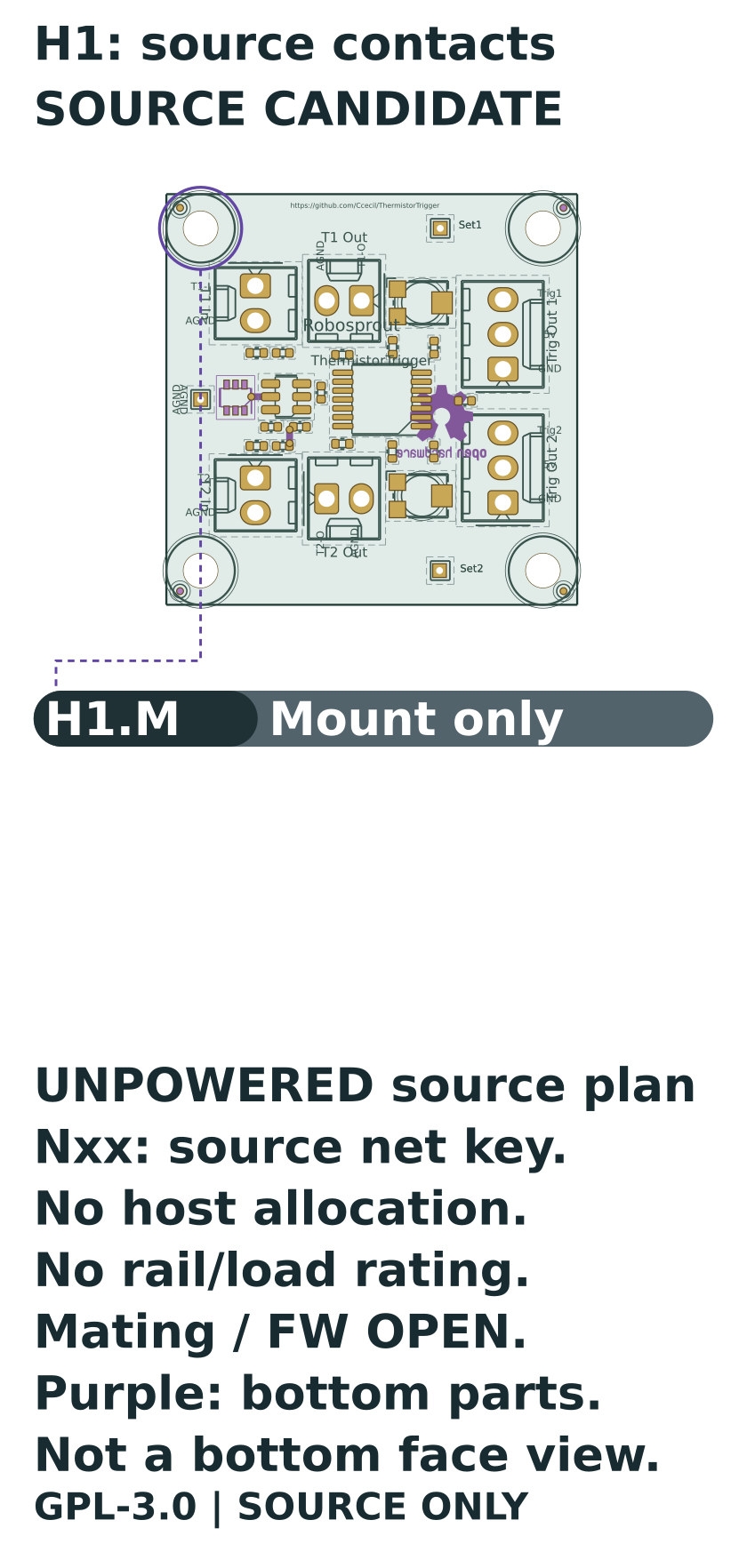
Read labels at full size
Scroll across and down within this view. You can also open the PNG separately and use your browser’s zoom controls.
Fit shows the whole drawing. Zoom to read labels; scroll within the drawing. Escape closes the viewer.
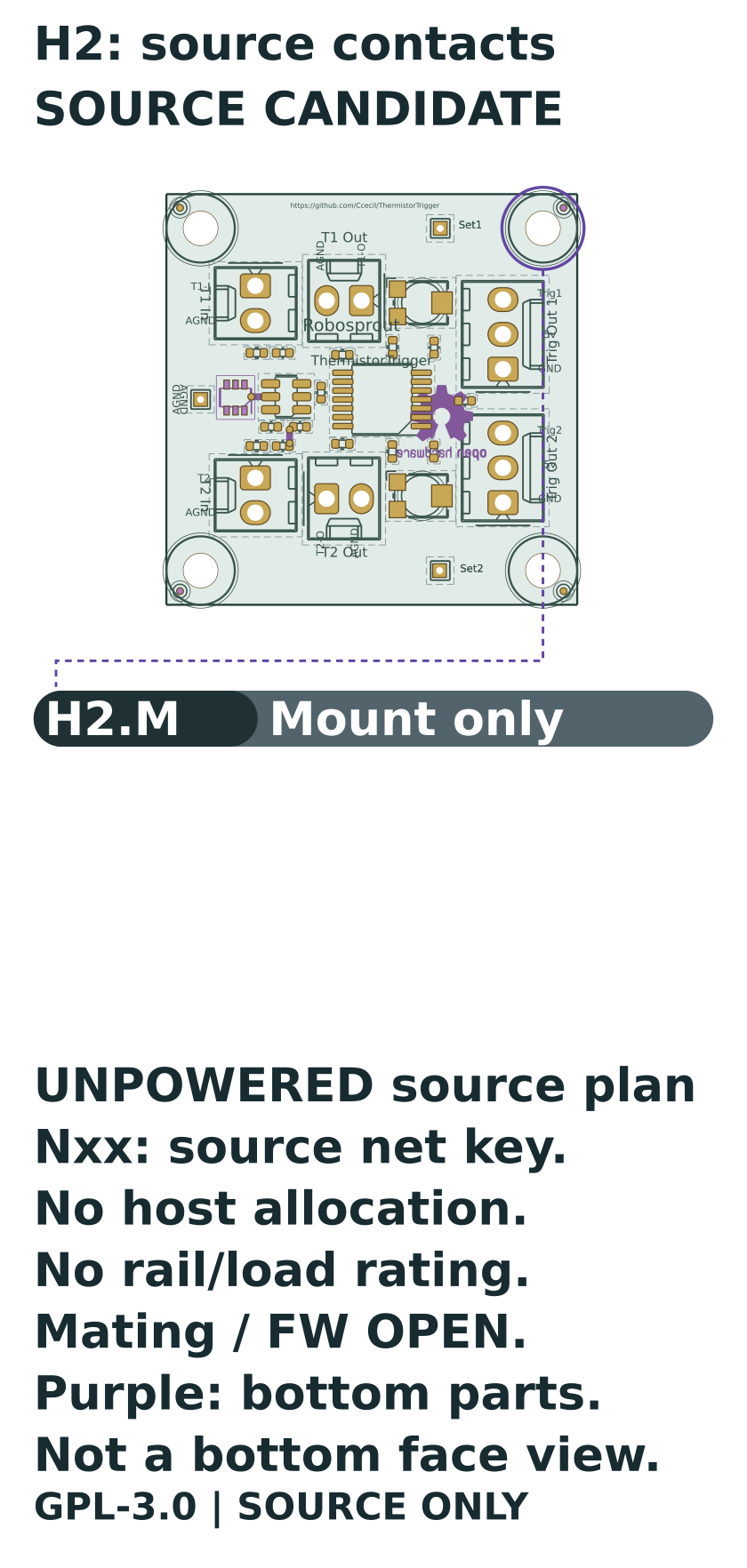
Read labels at full size
Scroll across and down within this view. You can also open the PNG separately and use your browser’s zoom controls.
Fit shows the whole drawing. Zoom to read labels; scroll within the drawing. Escape closes the viewer.
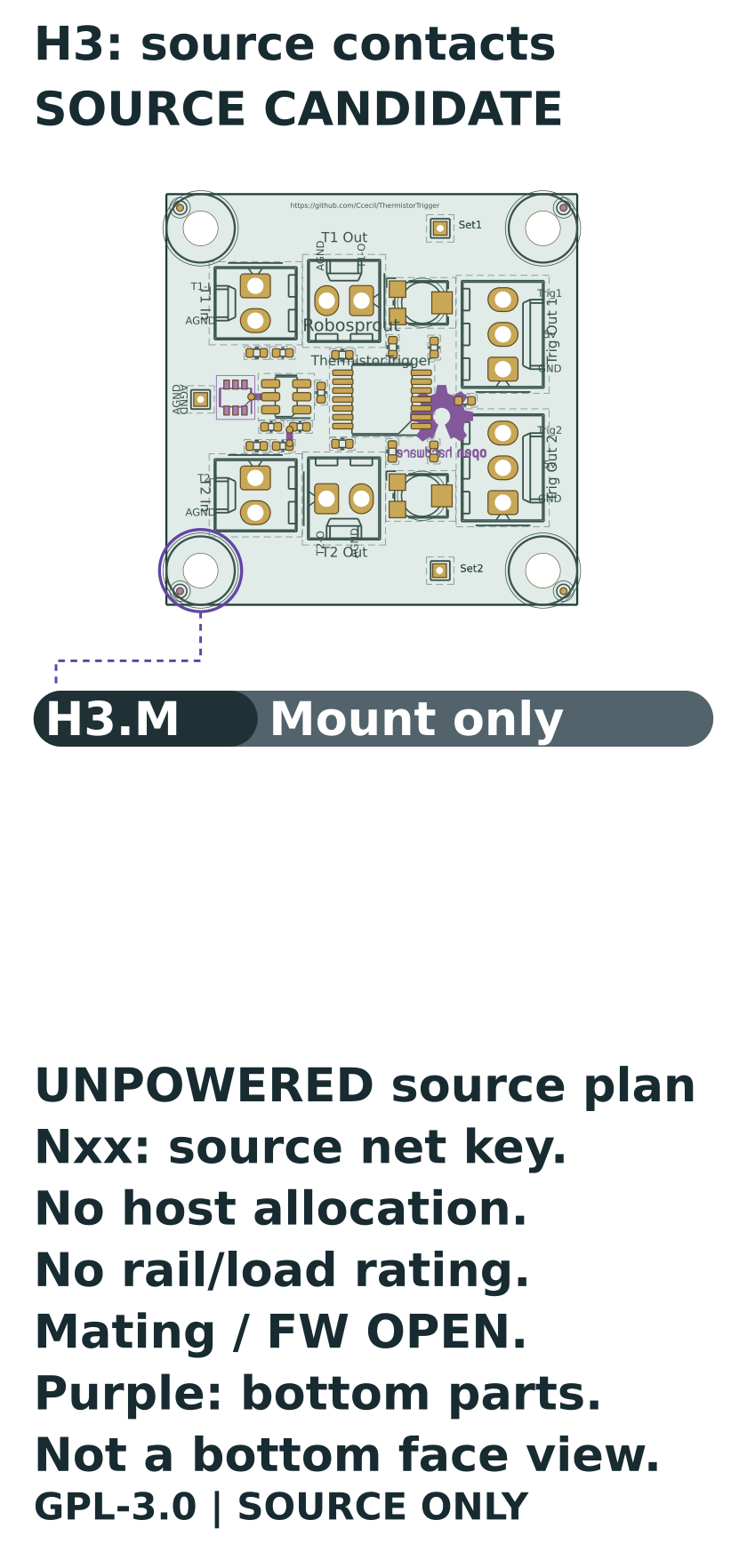
Read labels at full size
Scroll across and down within this view. You can also open the PNG separately and use your browser’s zoom controls.
Fit shows the whole drawing. Zoom to read labels; scroll within the drawing. Escape closes the viewer.
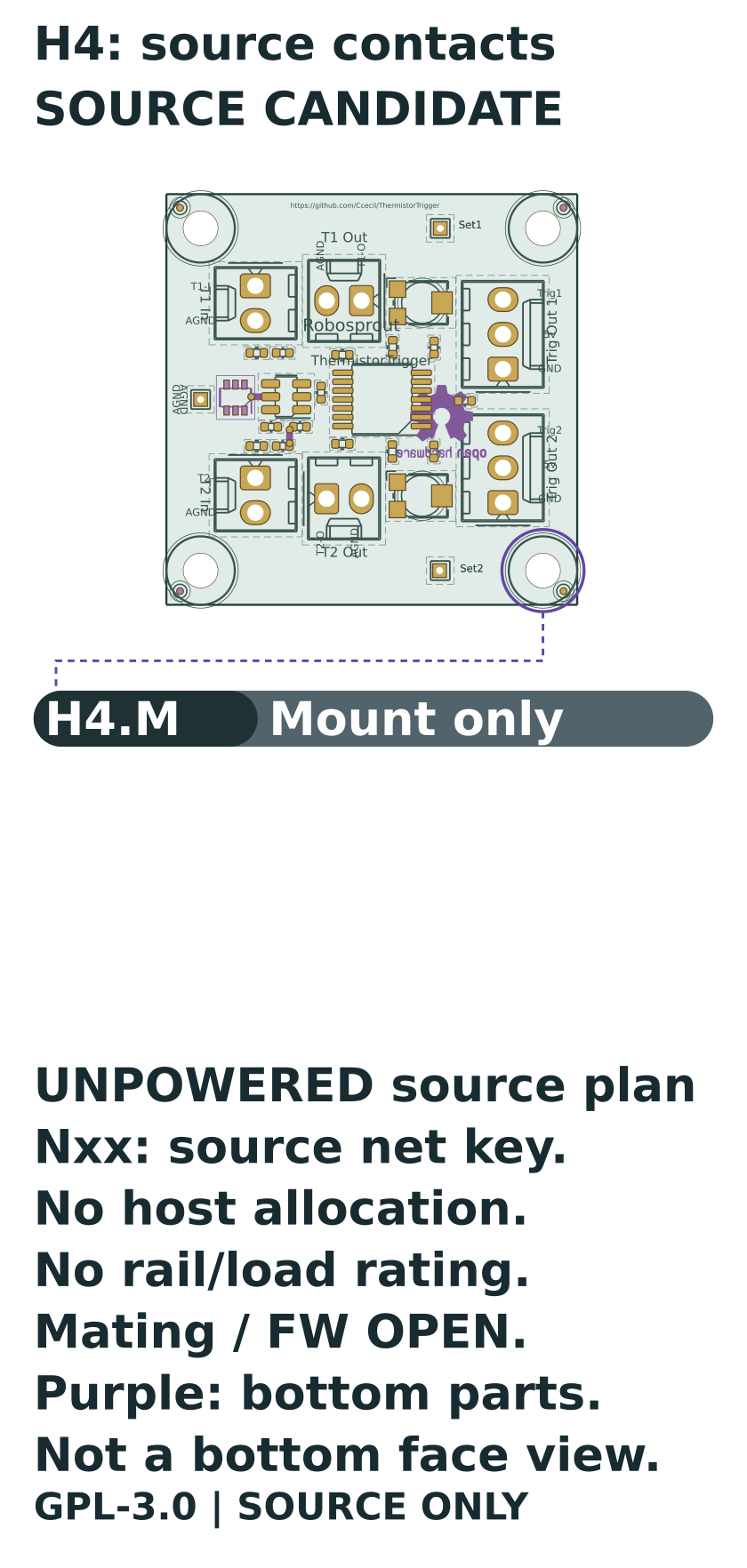
Read labels at full size
Scroll across and down within this view. You can also open the PNG separately and use your browser’s zoom controls.
Fit shows the whole drawing. Zoom to read labels; scroll within the drawing. Escape closes the viewer.
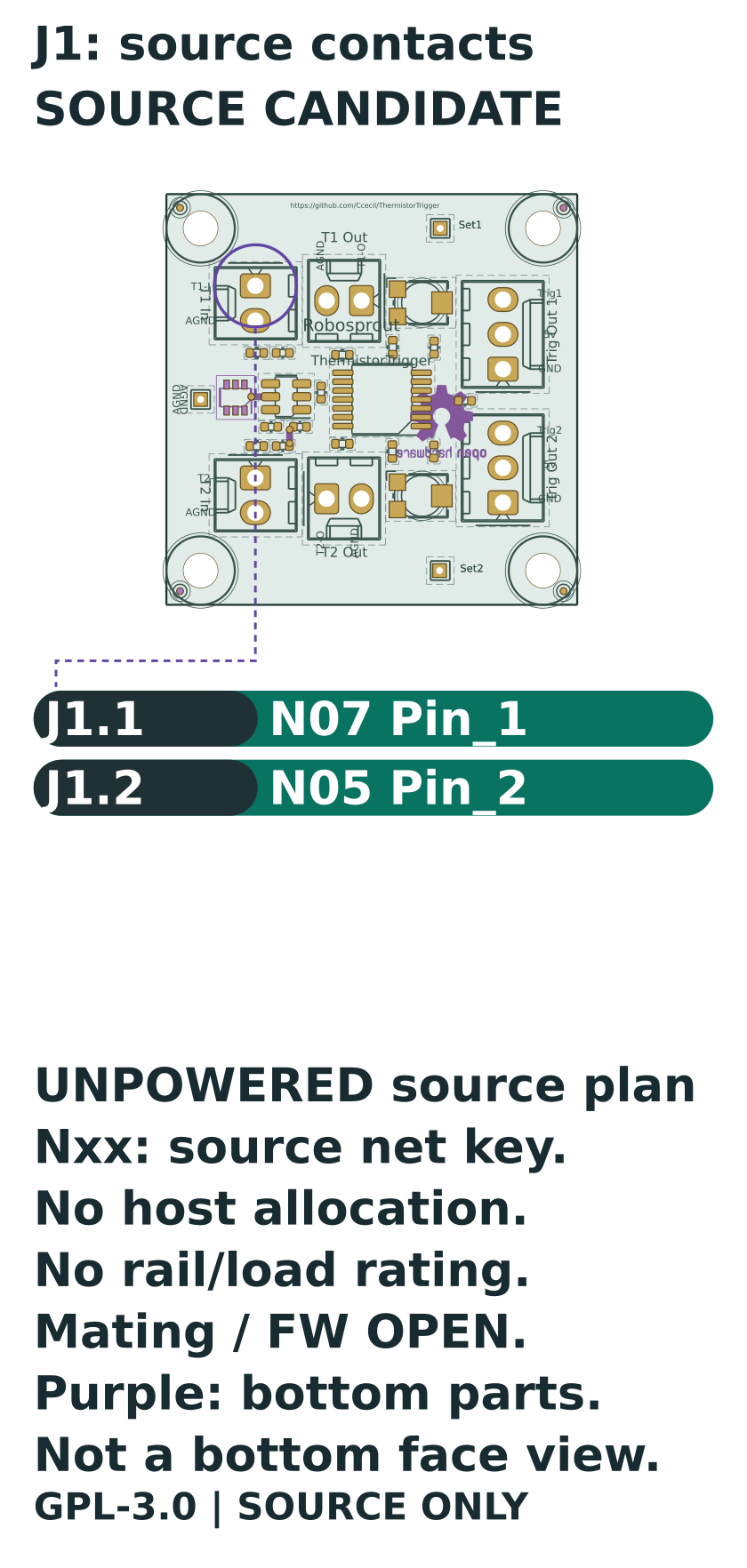
Read labels at full size
Scroll across and down within this view. You can also open the PNG separately and use your browser’s zoom controls.
Fit shows the whole drawing. Zoom to read labels; scroll within the drawing. Escape closes the viewer.
Read labels at full size
Scroll across and down within this view. You can also open the PNG separately and use your browser’s zoom controls.
Fit shows the whole drawing. Zoom to read labels; scroll within the drawing. Escape closes the viewer.
Read labels at full size
Scroll across and down within this view. You can also open the PNG separately and use your browser’s zoom controls.
Fit shows the whole drawing. Zoom to read labels; scroll within the drawing. Escape closes the viewer.
Read labels at full size
Scroll across and down within this view. You can also open the PNG separately and use your browser’s zoom controls.
Fit shows the whole drawing. Zoom to read labels; scroll within the drawing. Escape closes the viewer.
Read labels at full size
Scroll across and down within this view. You can also open the PNG separately and use your browser’s zoom controls.
Fit shows the whole drawing. Zoom to read labels; scroll within the drawing. Escape closes the viewer.
Read labels at full size
Scroll across and down within this view. You can also open the PNG separately and use your browser’s zoom controls.
Fit shows the whole drawing. Zoom to read labels; scroll within the drawing. Escape closes the viewer.
Read labels at full size
Scroll across and down within this view. You can also open the PNG separately and use your browser’s zoom controls.
Fit shows the whole drawing. Zoom to read labels; scroll within the drawing. Escape closes the viewer.
Read labels at full size
Scroll across and down within this view. You can also open the PNG separately and use your browser’s zoom controls.
Fit shows the whole drawing. Zoom to read labels; scroll within the drawing. Escape closes the viewer.
Read labels at full size
Scroll across and down within this view. You can also open the PNG separately and use your browser’s zoom controls.
Fit shows the whole drawing. Zoom to read labels; scroll within the drawing. Escape closes the viewer.
Read labels at full size
Scroll across and down within this view. You can also open the PNG separately and use your browser’s zoom controls.
Fit shows the whole drawing. Zoom to read labels; scroll within the drawing. Escape closes the viewer.
Read labels at full size
Scroll across and down within this view. You can also open the PNG separately and use your browser’s zoom controls.
Fit shows the whole drawing. Zoom to read labels; scroll within the drawing. Escape closes the viewer.
Read labels at full size
Scroll across and down within this view. You can also open the PNG separately and use your browser’s zoom controls.
Fit shows the whole drawing. Zoom to read labels; scroll within the drawing. Escape closes the viewer.
Read labels at full size
Scroll across and down within this view. You can also open the PNG separately and use your browser’s zoom controls.
Fit shows the whole drawing. Zoom to read labels; scroll within the drawing. Escape closes the viewer.
Read labels at full size
Scroll across and down within this view. You can also open the PNG separately and use your browser’s zoom controls.
Fit shows the whole drawing. Zoom to read labels; scroll within the drawing. Escape closes the viewer.
Read labels at full size
Scroll across and down within this view. You can also open the PNG separately and use your browser’s zoom controls.
Fit shows the whole drawing. Zoom to read labels; scroll within the drawing. Escape closes the viewer.
Read labels at full size
Scroll across and down within this view. You can also open the PNG separately and use your browser’s zoom controls.
Fit shows the whole drawing. Zoom to read labels; scroll within the drawing. Escape closes the viewer.
Read labels at full size
Scroll across and down within this view. You can also open the PNG separately and use your browser’s zoom controls.
Fit shows the whole drawing. Zoom to read labels; scroll within the drawing. Escape closes the viewer.
Read labels at full size
Scroll across and down within this view. You can also open the PNG separately and use your browser’s zoom controls.
Fit shows the whole drawing. Zoom to read labels; scroll within the drawing. Escape closes the viewer.
Read labels at full size
Scroll across and down within this view. You can also open the PNG separately and use your browser’s zoom controls.
Fit shows the whole drawing. Zoom to read labels; scroll within the drawing. Escape closes the viewer.
Read labels at full size
Scroll across and down within this view. You can also open the PNG separately and use your browser’s zoom controls.
Fit shows the whole drawing. Zoom to read labels; scroll within the drawing. Escape closes the viewer.
Read labels at full size
Scroll across and down within this view. You can also open the PNG separately and use your browser’s zoom controls.
Fit shows the whole drawing. Zoom to read labels; scroll within the drawing. Escape closes the viewer.
Read labels at full size
Scroll across and down within this view. You can also open the PNG separately and use your browser’s zoom controls.
Fit shows the whole drawing. Zoom to read labels; scroll within the drawing. Escape closes the viewer.
Read labels at full size
Scroll across and down within this view. You can also open the PNG separately and use your browser’s zoom controls.
Fit shows the whole drawing. Zoom to read labels; scroll within the drawing. Escape closes the viewer.
Read labels at full size
Scroll across and down within this view. You can also open the PNG separately and use your browser’s zoom controls.
Fit shows the whole drawing. Zoom to read labels; scroll within the drawing. Escape closes the viewer.
Read labels at full size
Scroll across and down within this view. You can also open the PNG separately and use your browser’s zoom controls.
Fit shows the whole drawing. Zoom to read labels; scroll within the drawing. Escape closes the viewer.
Read labels at full size
Scroll across and down within this view. You can also open the PNG separately and use your browser’s zoom controls.
Fit shows the whole drawing. Zoom to read labels; scroll within the drawing. Escape closes the viewer.
Read labels at full size
Scroll across and down within this view. You can also open the PNG separately and use your browser’s zoom controls.
Fit shows the whole drawing. Zoom to read labels; scroll within the drawing. Escape closes the viewer.
Read labels at full size
Scroll across and down within this view. You can also open the PNG separately and use your browser’s zoom controls.
Fit shows the whole drawing. Zoom to read labels; scroll within the drawing. Escape closes the viewer.
Read labels at full size
Scroll across and down within this view. You can also open the PNG separately and use your browser’s zoom controls.
Fit shows the whole drawing. Zoom to read labels; scroll within the drawing. Escape closes the viewer.
Read labels at full size
Scroll across and down within this view. You can also open the PNG separately and use your browser’s zoom controls.
Fit shows the whole drawing. Zoom to read labels; scroll within the drawing. Escape closes the viewer.
Individual native contact keys
Read labels at full size
Scroll across and down within this view. You can also open the PNG separately and use your browser’s zoom controls.
Fit shows the whole drawing. Zoom to read labels; scroll within the drawing. Escape closes the viewer.
Read labels at full size
Scroll across and down within this view. You can also open the PNG separately and use your browser’s zoom controls.
Fit shows the whole drawing. Zoom to read labels; scroll within the drawing. Escape closes the viewer.
Read labels at full size
Scroll across and down within this view. You can also open the PNG separately and use your browser’s zoom controls.
Fit shows the whole drawing. Zoom to read labels; scroll within the drawing. Escape closes the viewer.
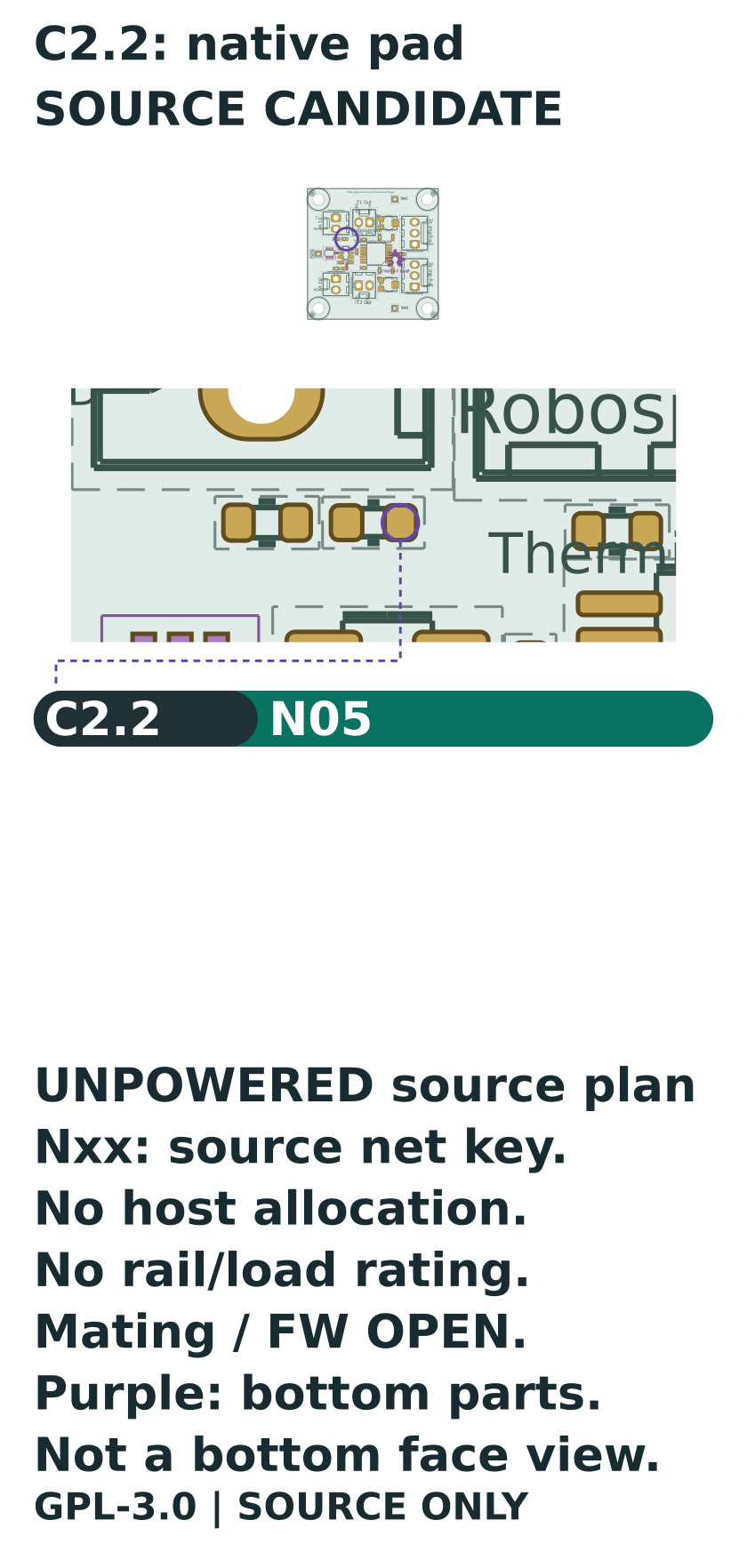
Read labels at full size
Scroll across and down within this view. You can also open the PNG separately and use your browser’s zoom controls.
Fit shows the whole drawing. Zoom to read labels; scroll within the drawing. Escape closes the viewer.
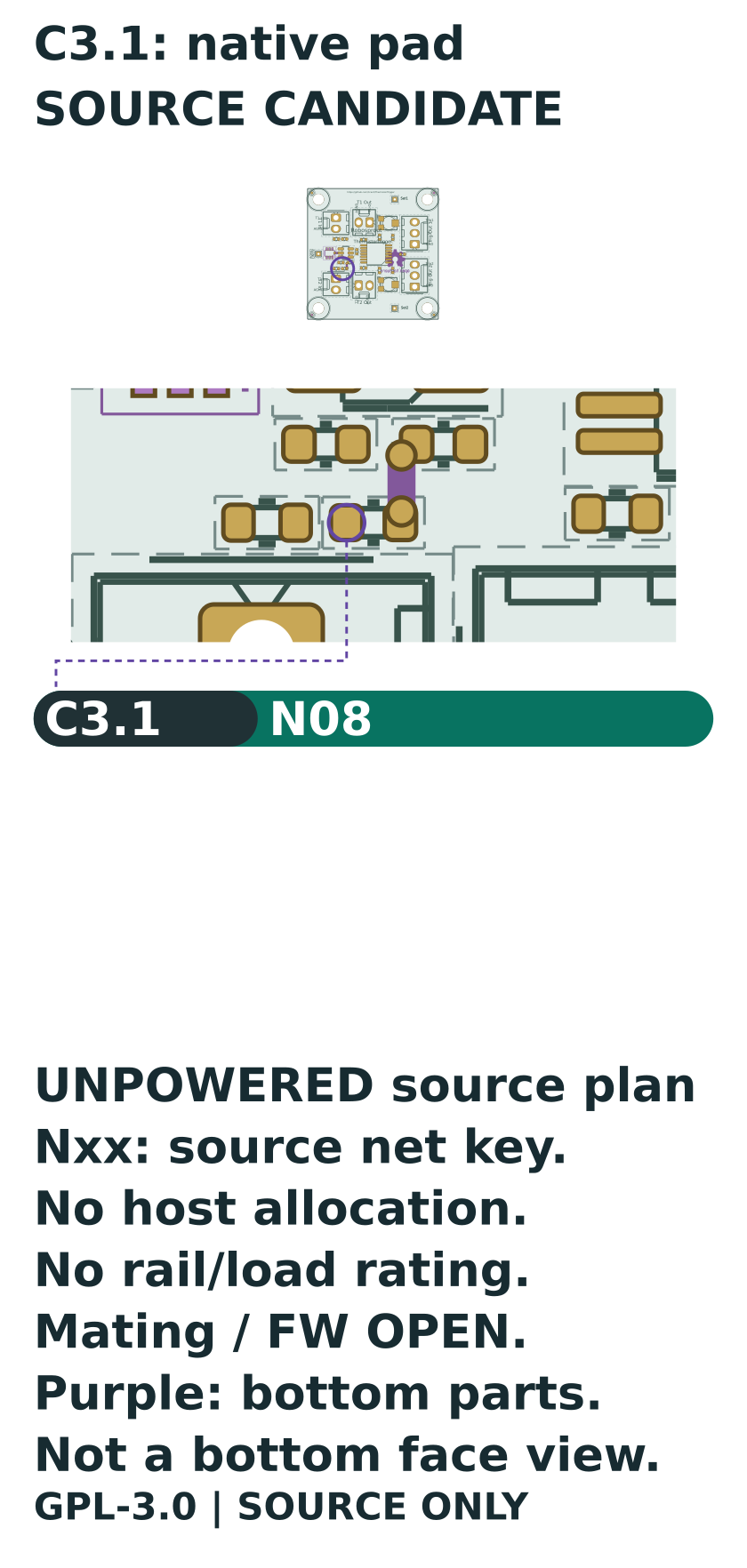
Read labels at full size
Scroll across and down within this view. You can also open the PNG separately and use your browser’s zoom controls.
Fit shows the whole drawing. Zoom to read labels; scroll within the drawing. Escape closes the viewer.
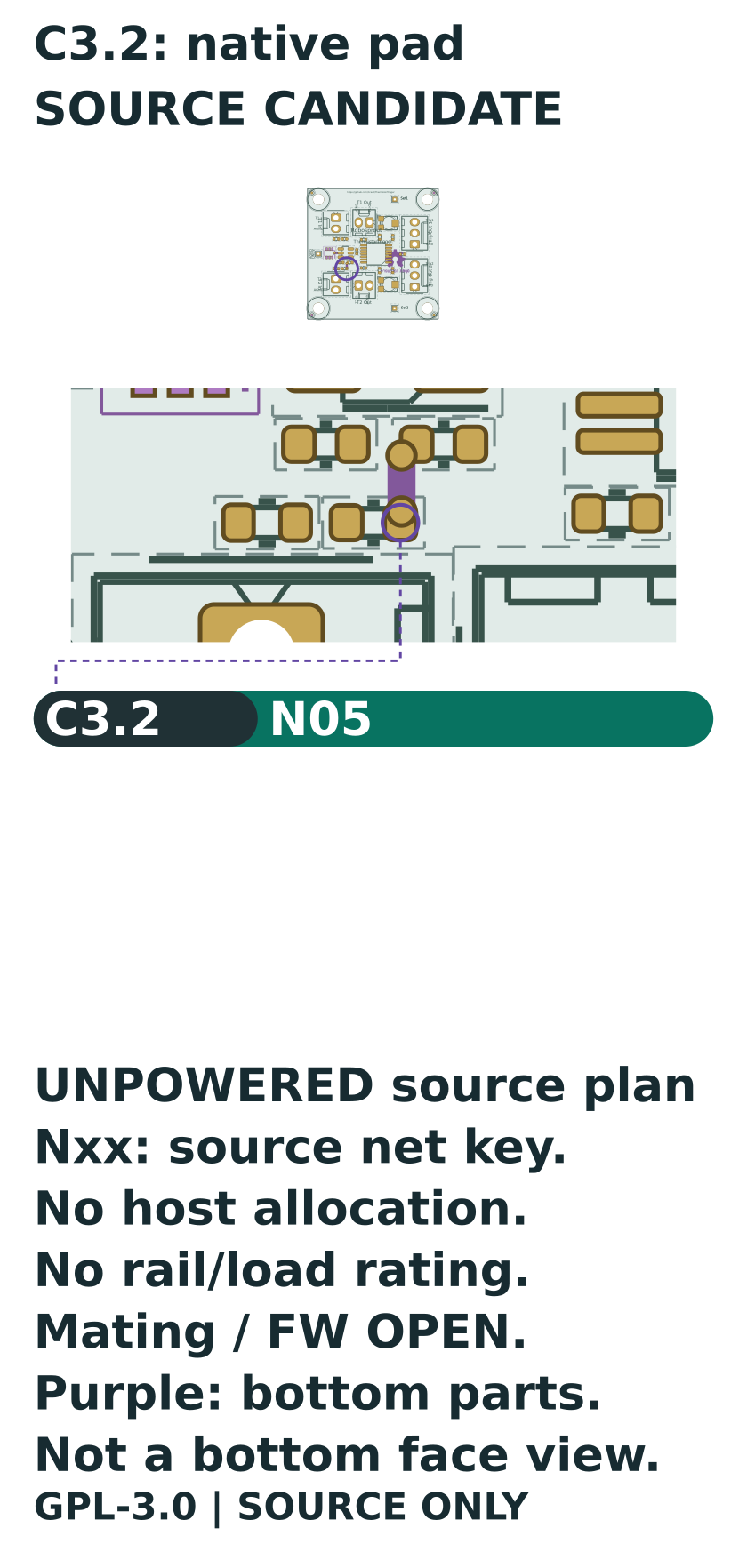
Read labels at full size
Scroll across and down within this view. You can also open the PNG separately and use your browser’s zoom controls.
Fit shows the whole drawing. Zoom to read labels; scroll within the drawing. Escape closes the viewer.
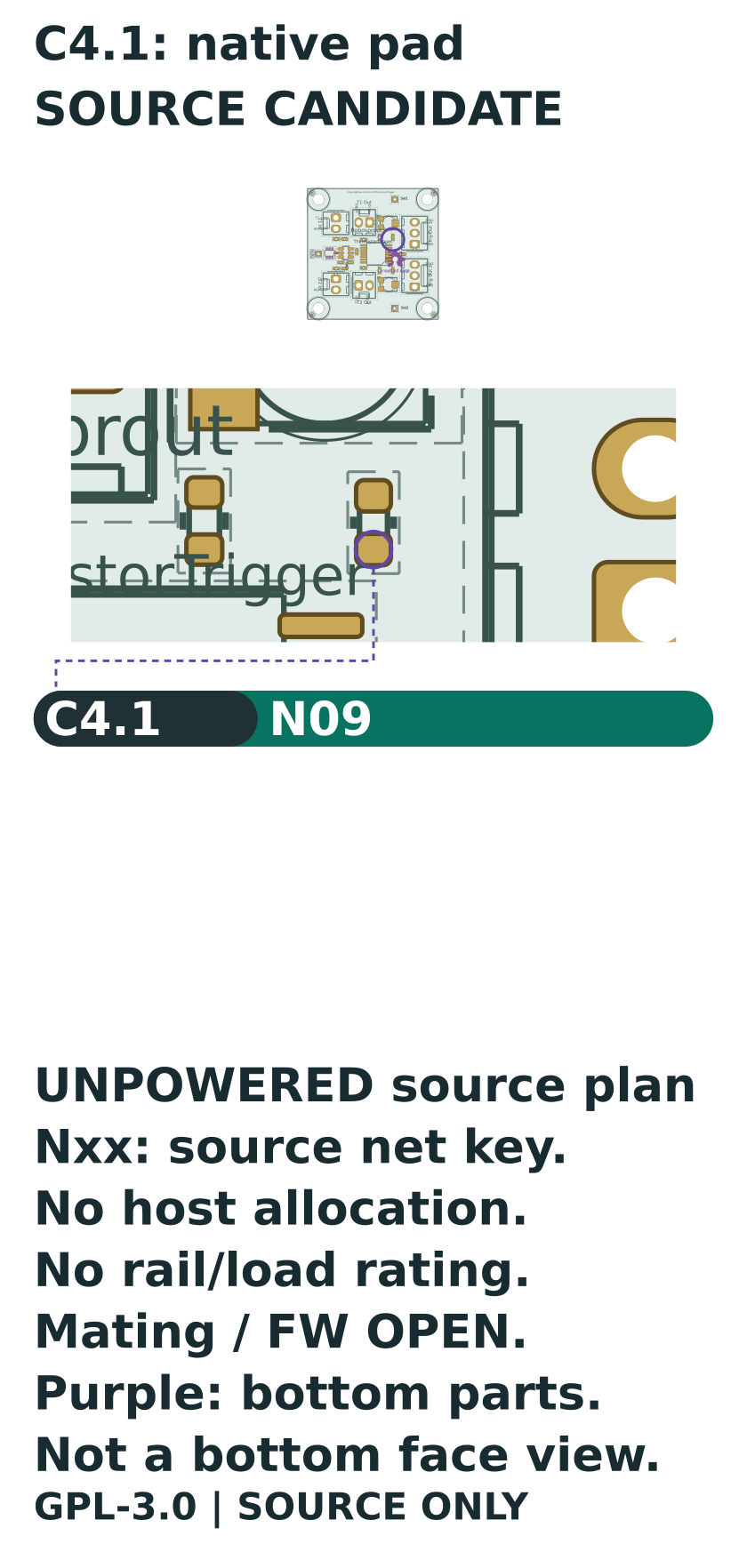
Read labels at full size
Scroll across and down within this view. You can also open the PNG separately and use your browser’s zoom controls.
Fit shows the whole drawing. Zoom to read labels; scroll within the drawing. Escape closes the viewer.
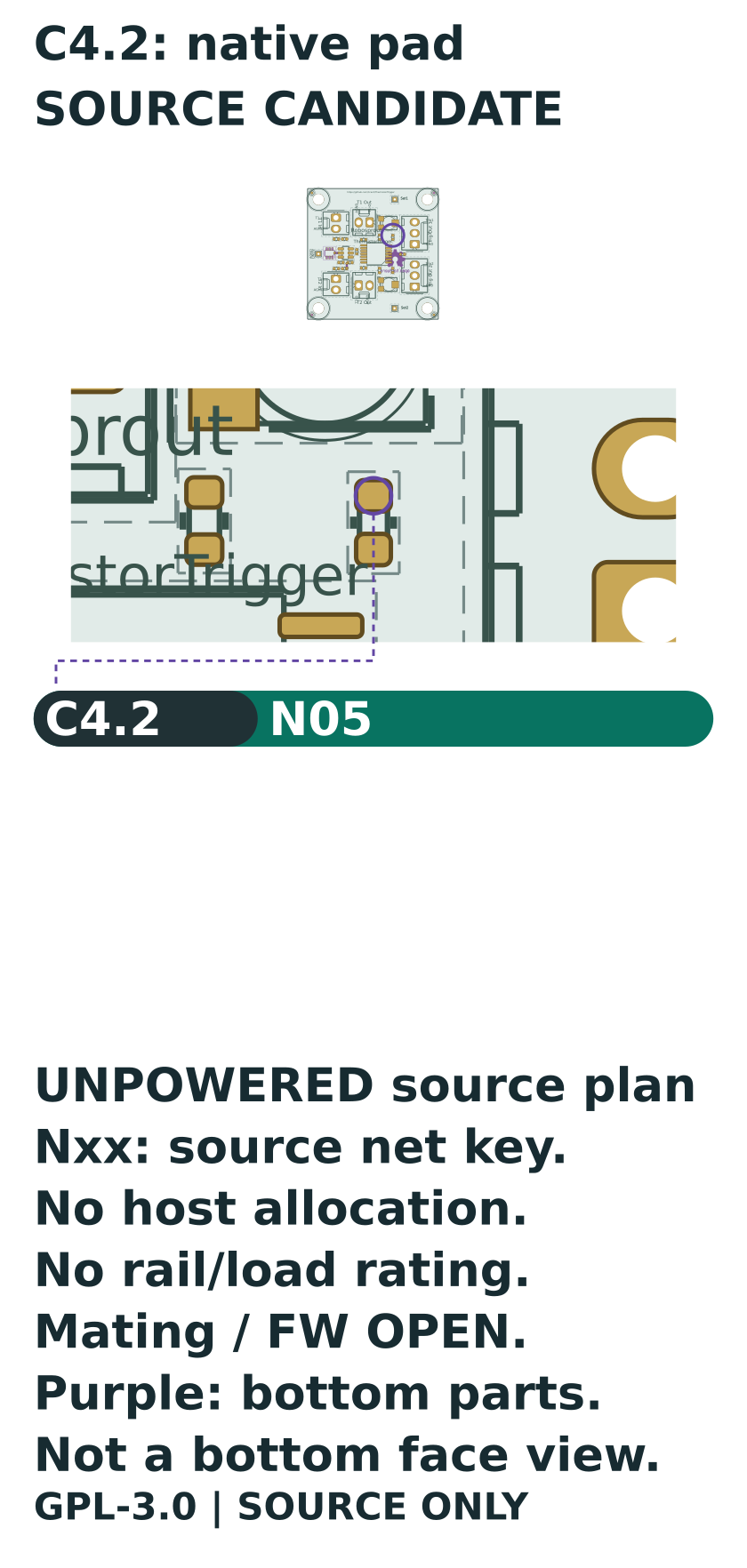
Read labels at full size
Scroll across and down within this view. You can also open the PNG separately and use your browser’s zoom controls.
Fit shows the whole drawing. Zoom to read labels; scroll within the drawing. Escape closes the viewer.
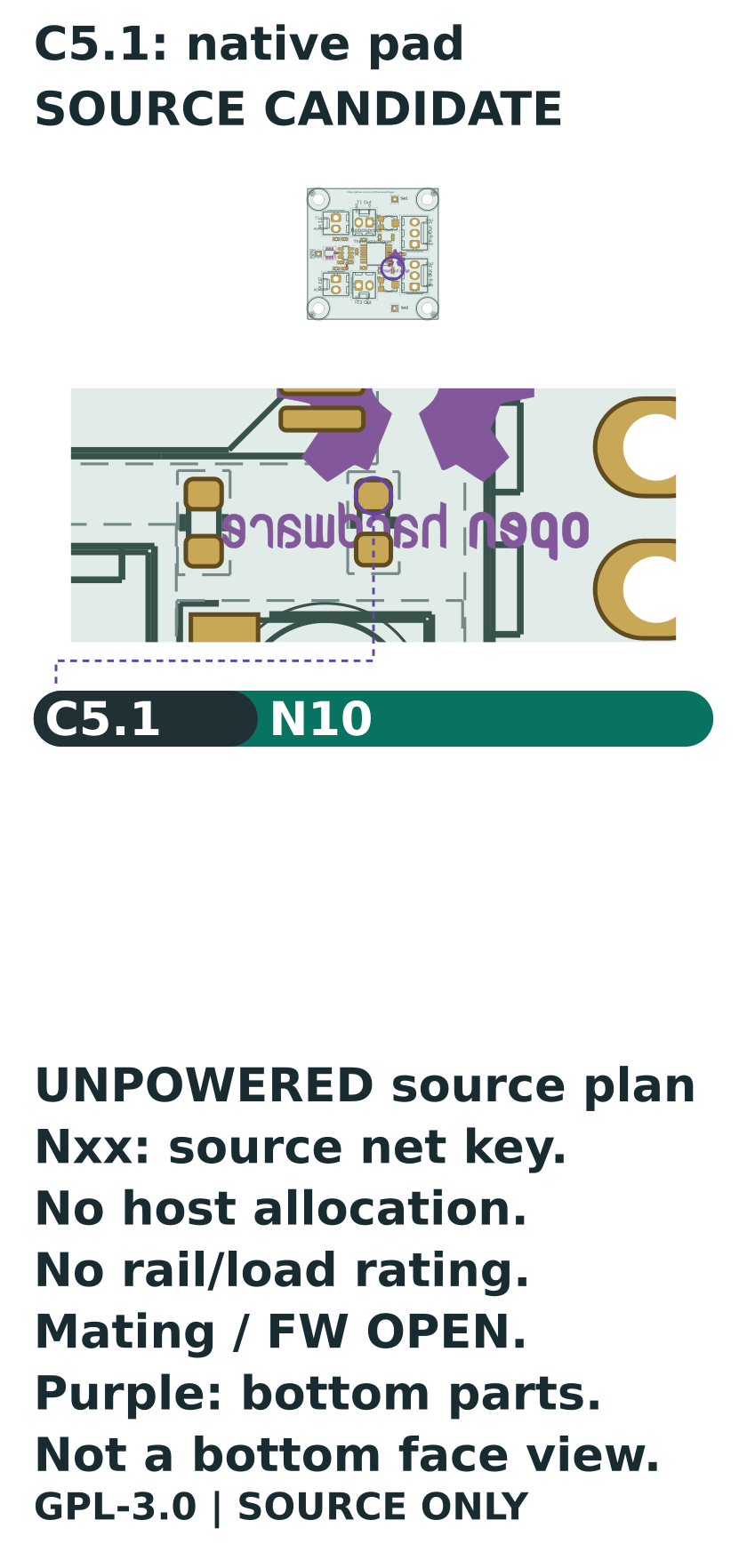
Read labels at full size
Scroll across and down within this view. You can also open the PNG separately and use your browser’s zoom controls.
Fit shows the whole drawing. Zoom to read labels; scroll within the drawing. Escape closes the viewer.
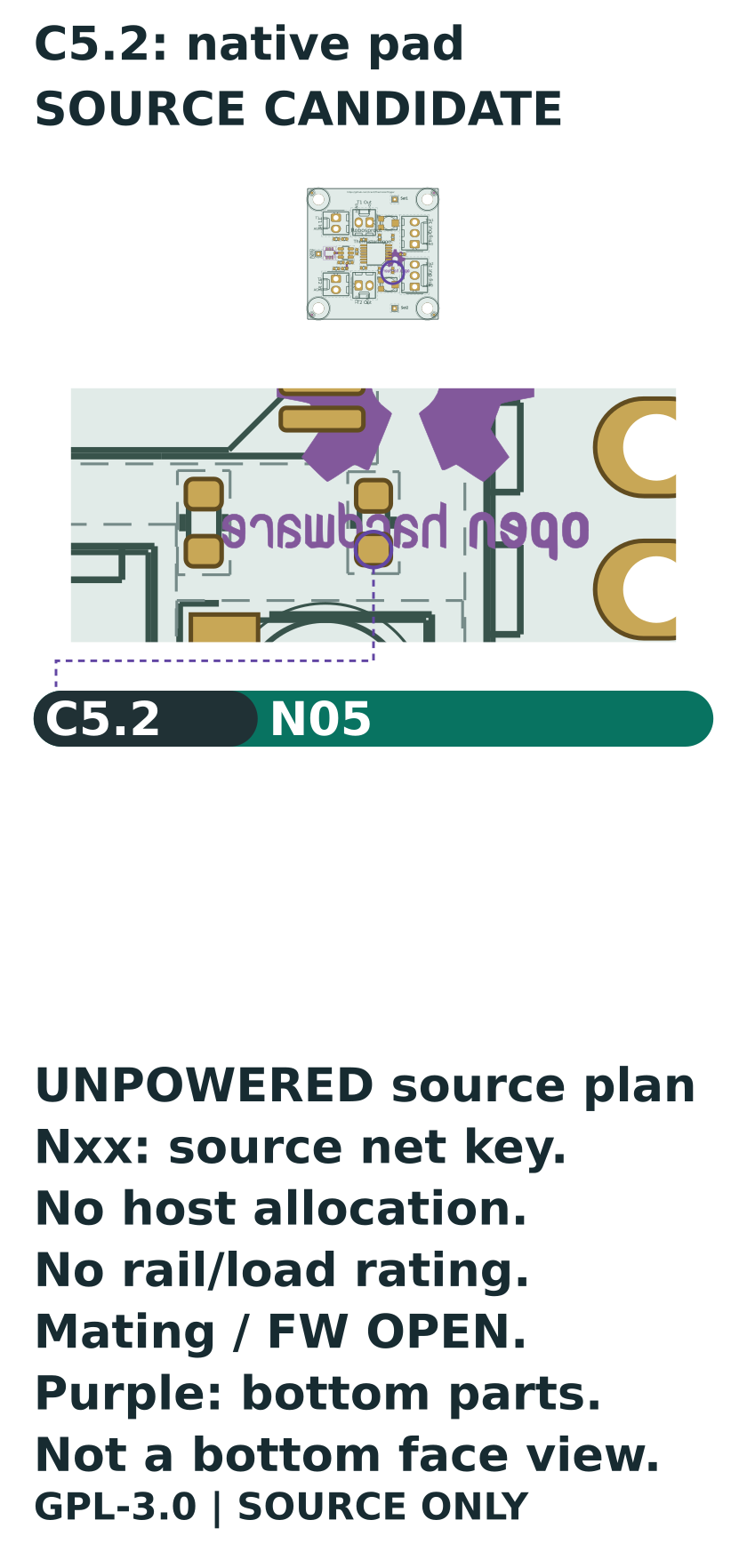
Read labels at full size
Scroll across and down within this view. You can also open the PNG separately and use your browser’s zoom controls.
Fit shows the whole drawing. Zoom to read labels; scroll within the drawing. Escape closes the viewer.
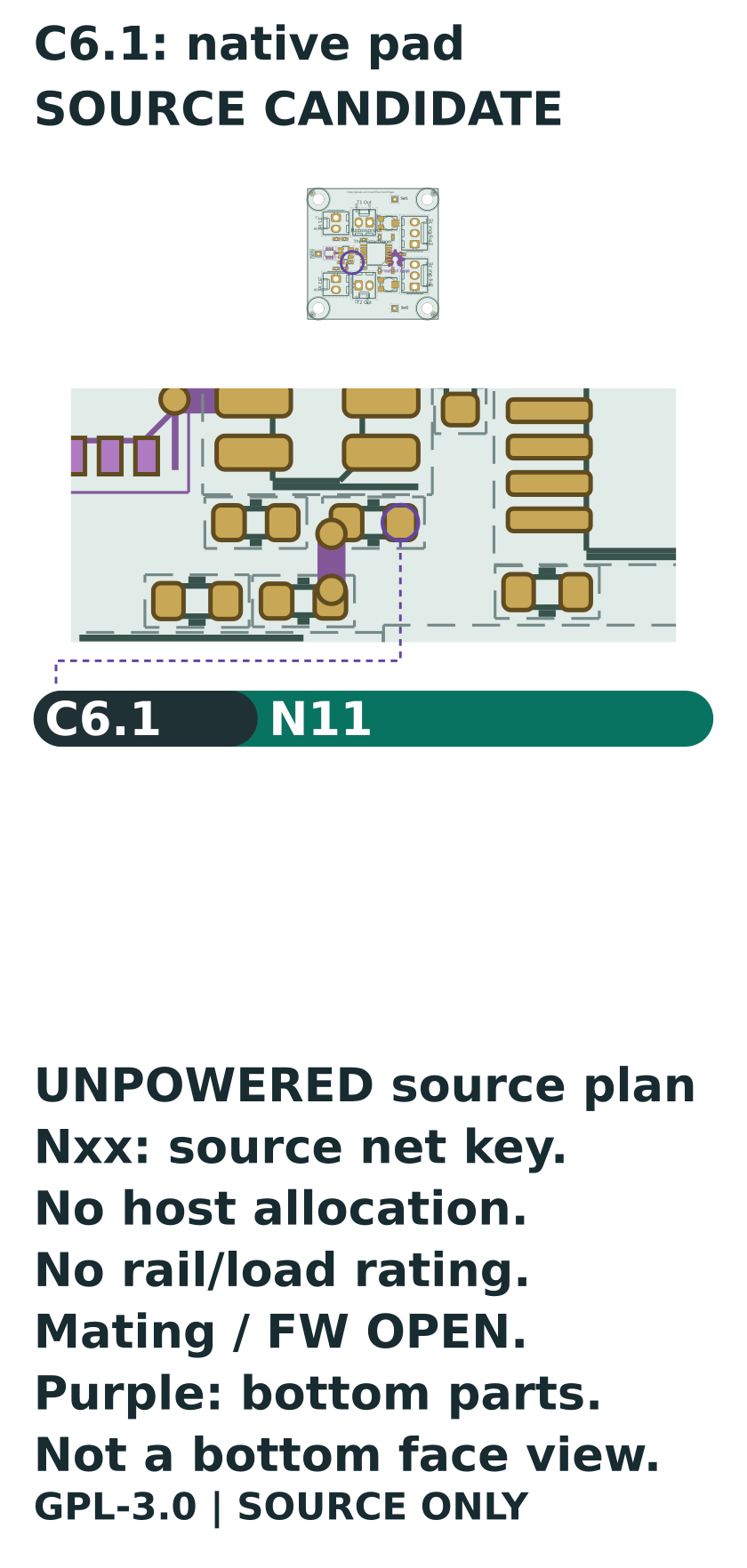
Read labels at full size
Scroll across and down within this view. You can also open the PNG separately and use your browser’s zoom controls.
Fit shows the whole drawing. Zoom to read labels; scroll within the drawing. Escape closes the viewer.
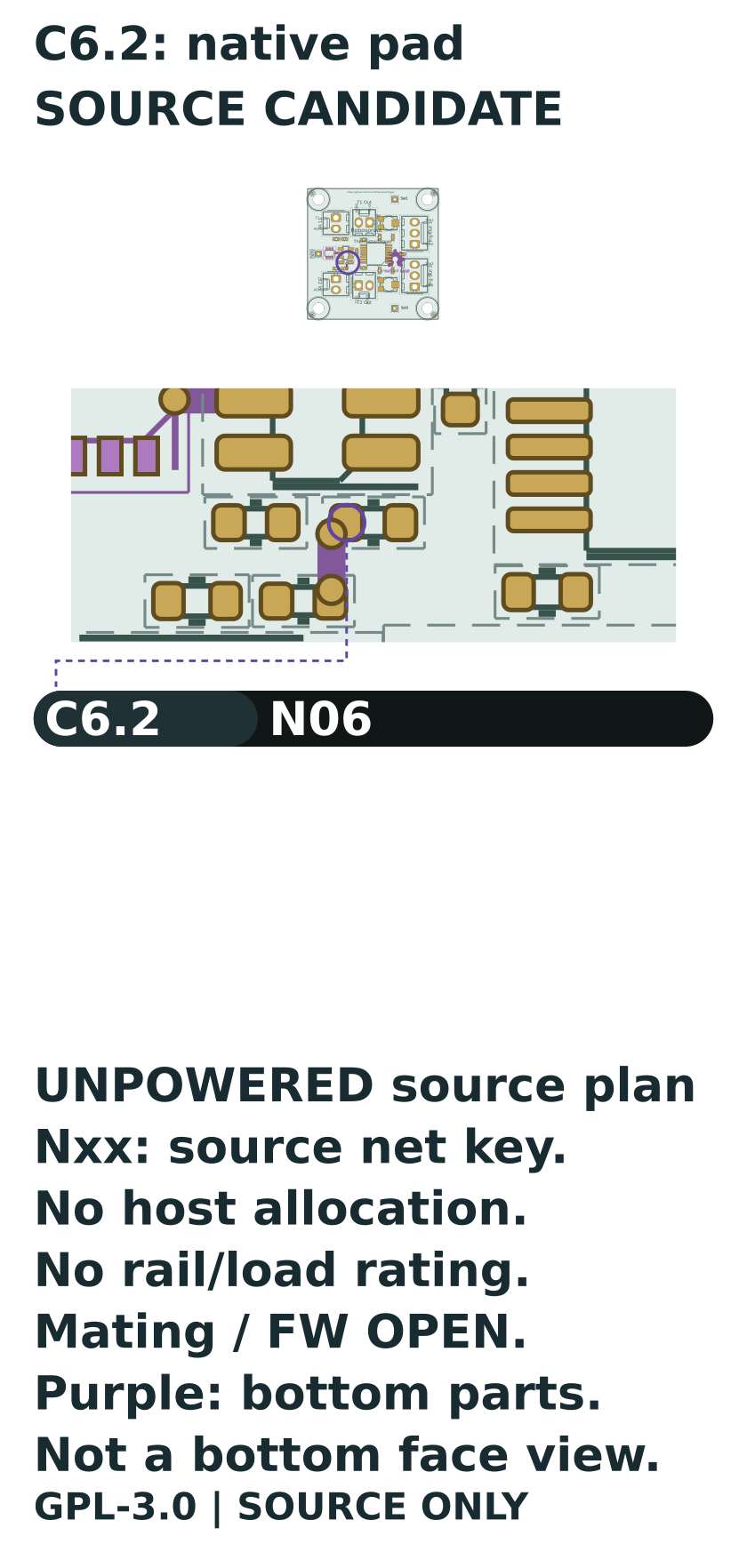
Read labels at full size
Scroll across and down within this view. You can also open the PNG separately and use your browser’s zoom controls.
Fit shows the whole drawing. Zoom to read labels; scroll within the drawing. Escape closes the viewer.
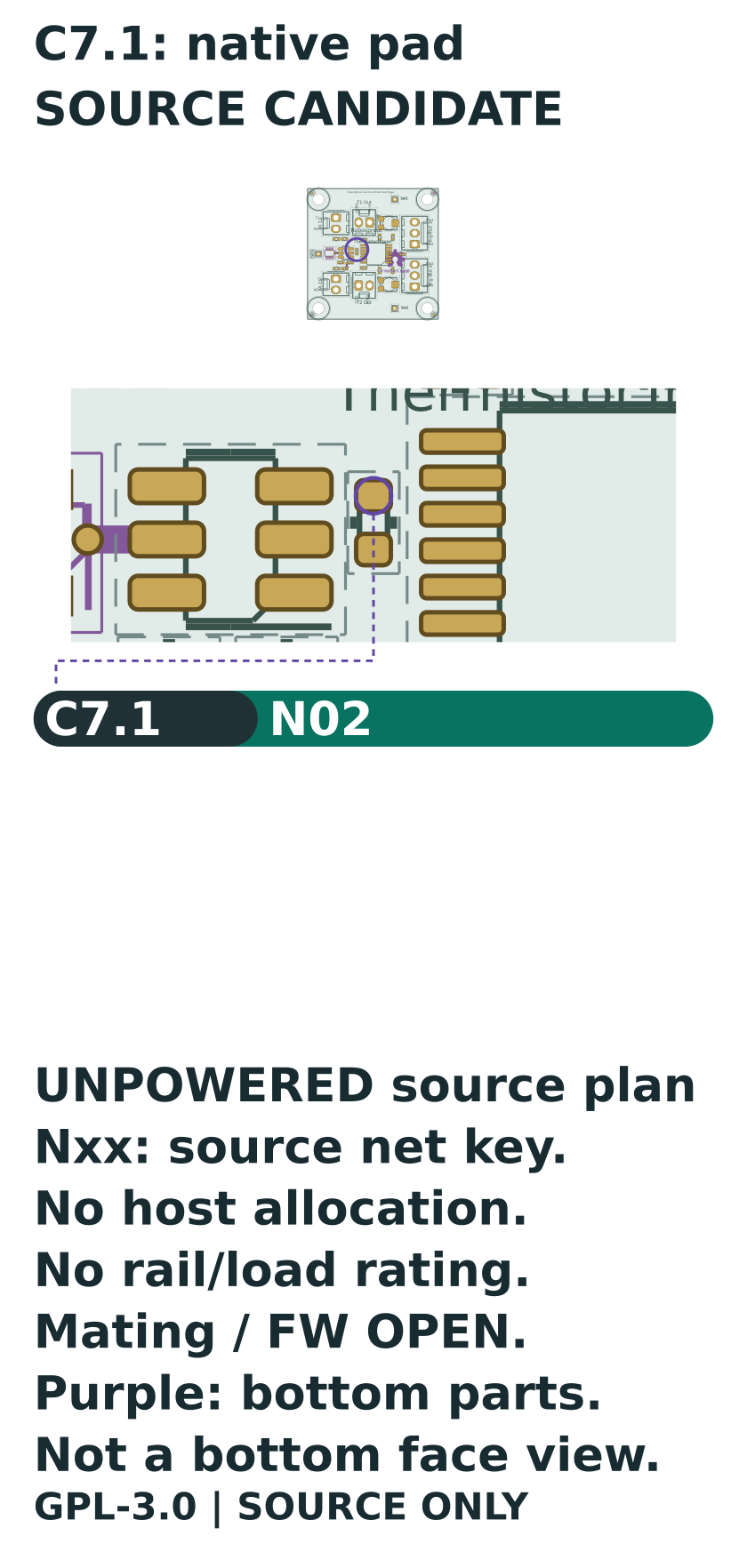
Read labels at full size
Scroll across and down within this view. You can also open the PNG separately and use your browser’s zoom controls.
Fit shows the whole drawing. Zoom to read labels; scroll within the drawing. Escape closes the viewer.
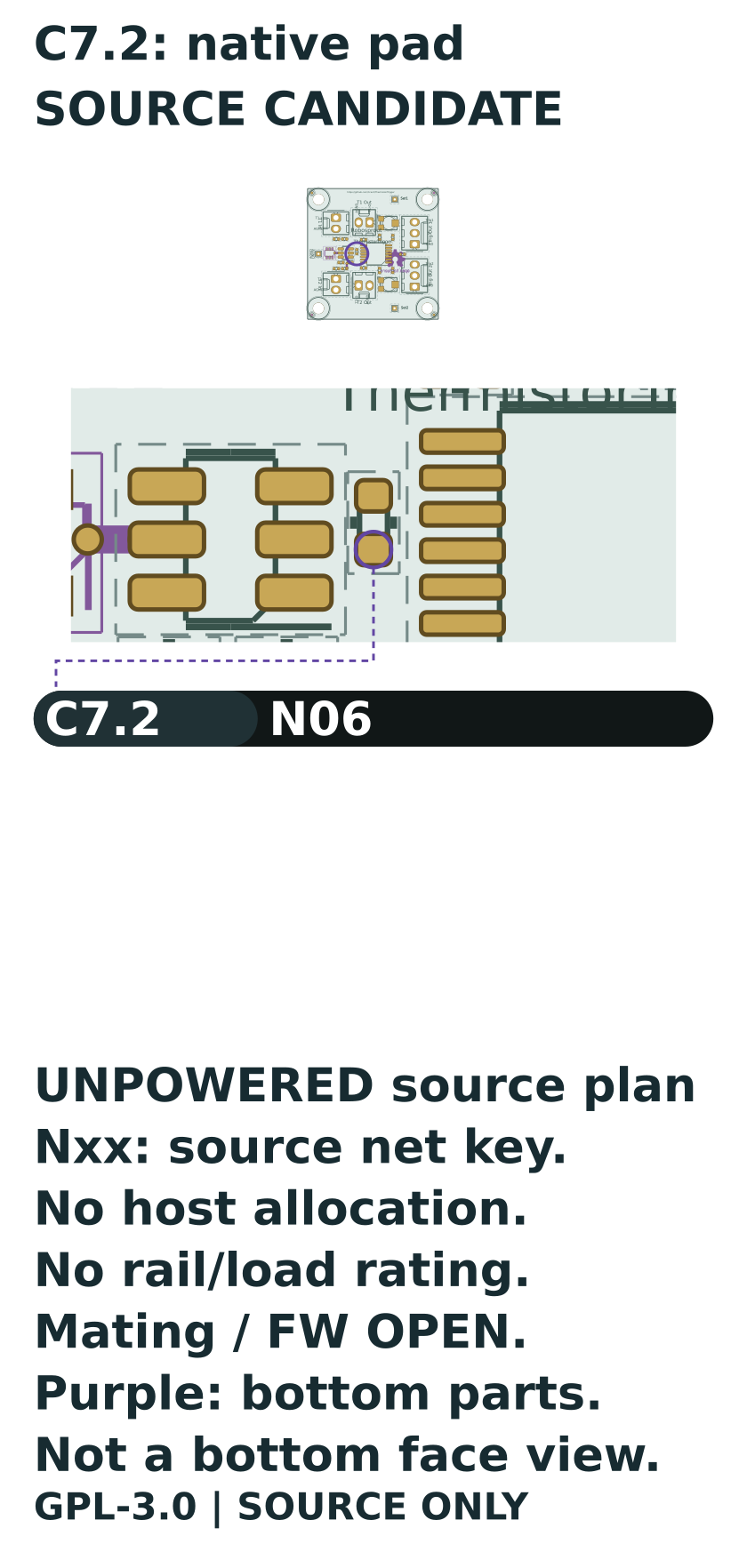
Read labels at full size
Scroll across and down within this view. You can also open the PNG separately and use your browser’s zoom controls.
Fit shows the whole drawing. Zoom to read labels; scroll within the drawing. Escape closes the viewer.
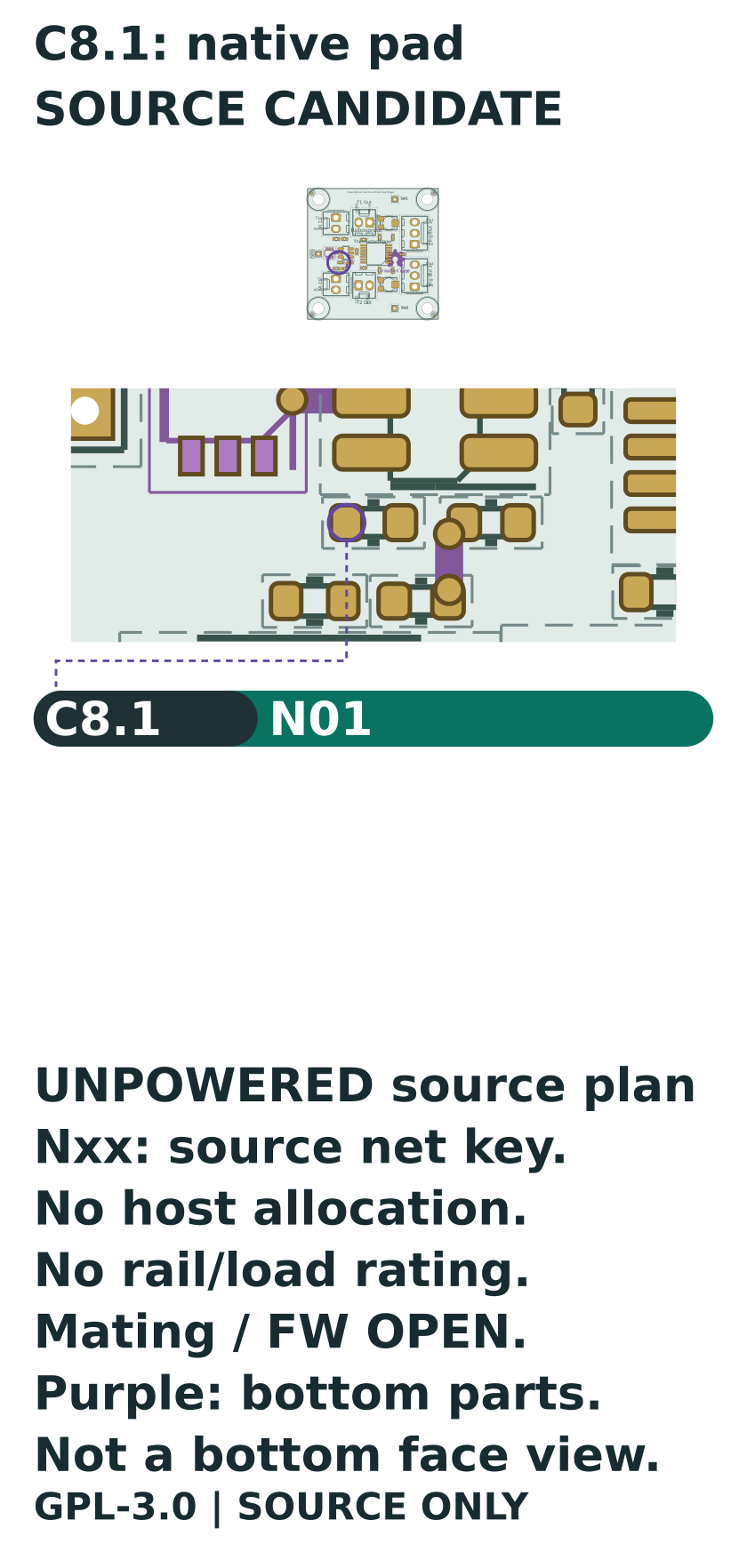
Read labels at full size
Scroll across and down within this view. You can also open the PNG separately and use your browser’s zoom controls.
Fit shows the whole drawing. Zoom to read labels; scroll within the drawing. Escape closes the viewer.
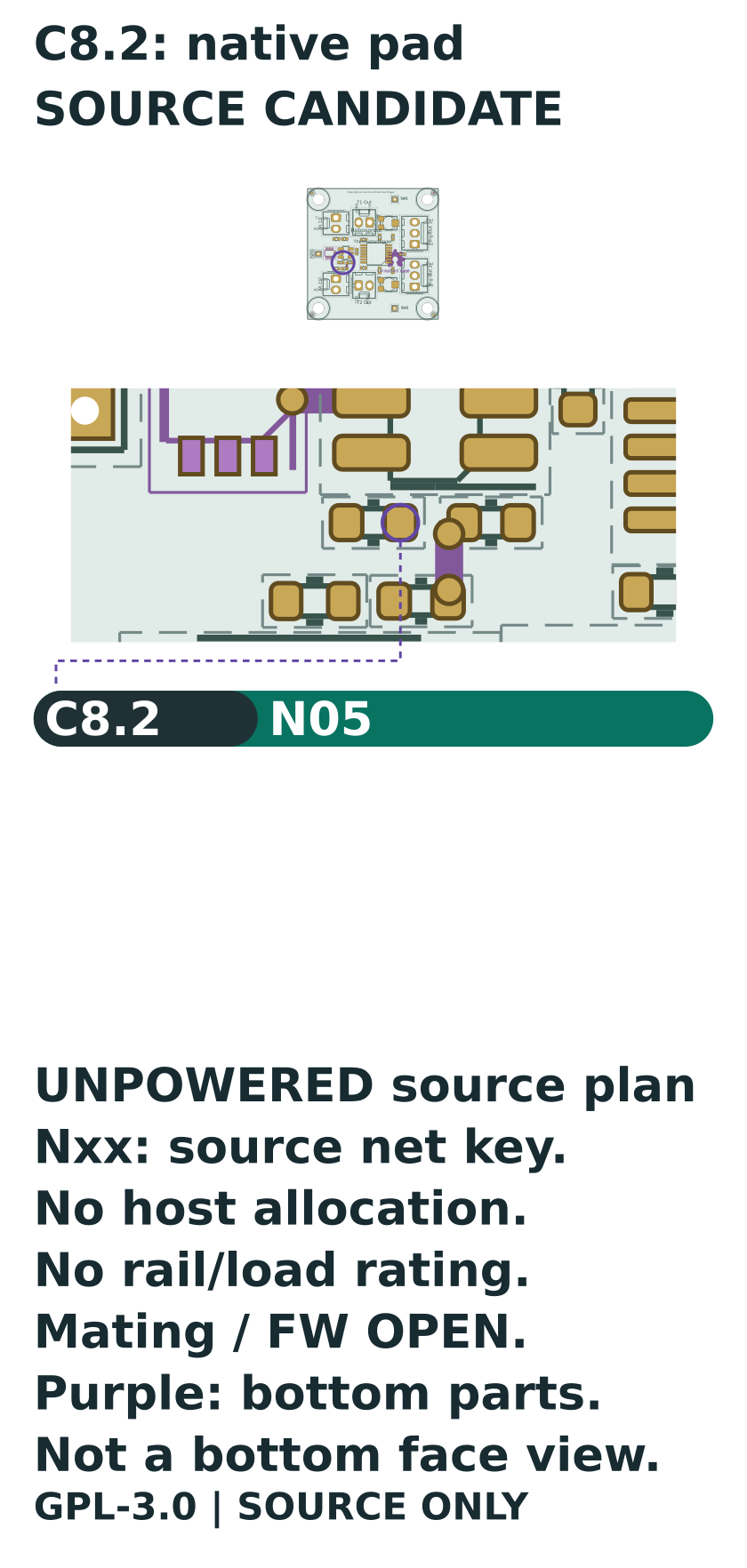
Read labels at full size
Scroll across and down within this view. You can also open the PNG separately and use your browser’s zoom controls.
Fit shows the whole drawing. Zoom to read labels; scroll within the drawing. Escape closes the viewer.
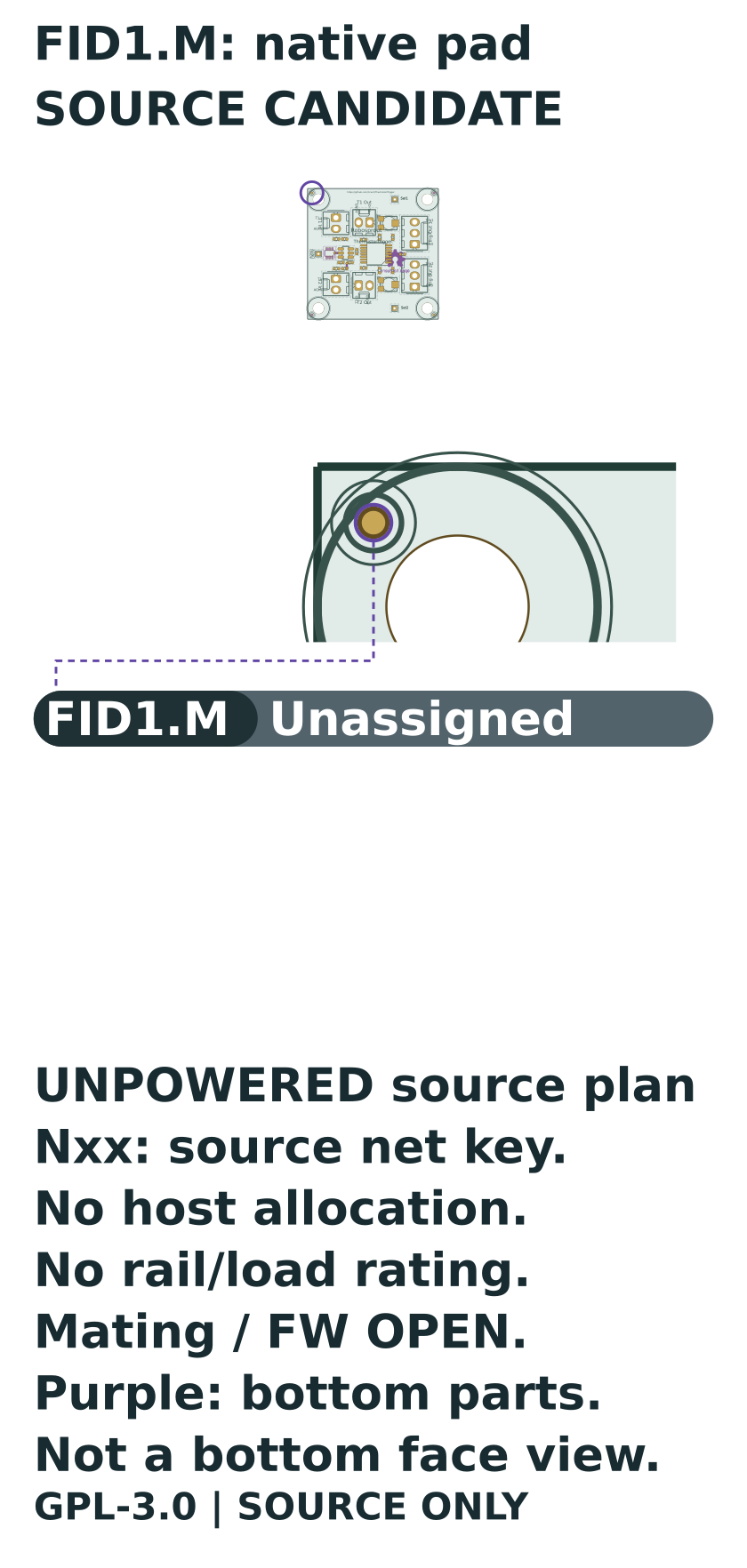
Read labels at full size
Scroll across and down within this view. You can also open the PNG separately and use your browser’s zoom controls.
Fit shows the whole drawing. Zoom to read labels; scroll within the drawing. Escape closes the viewer.
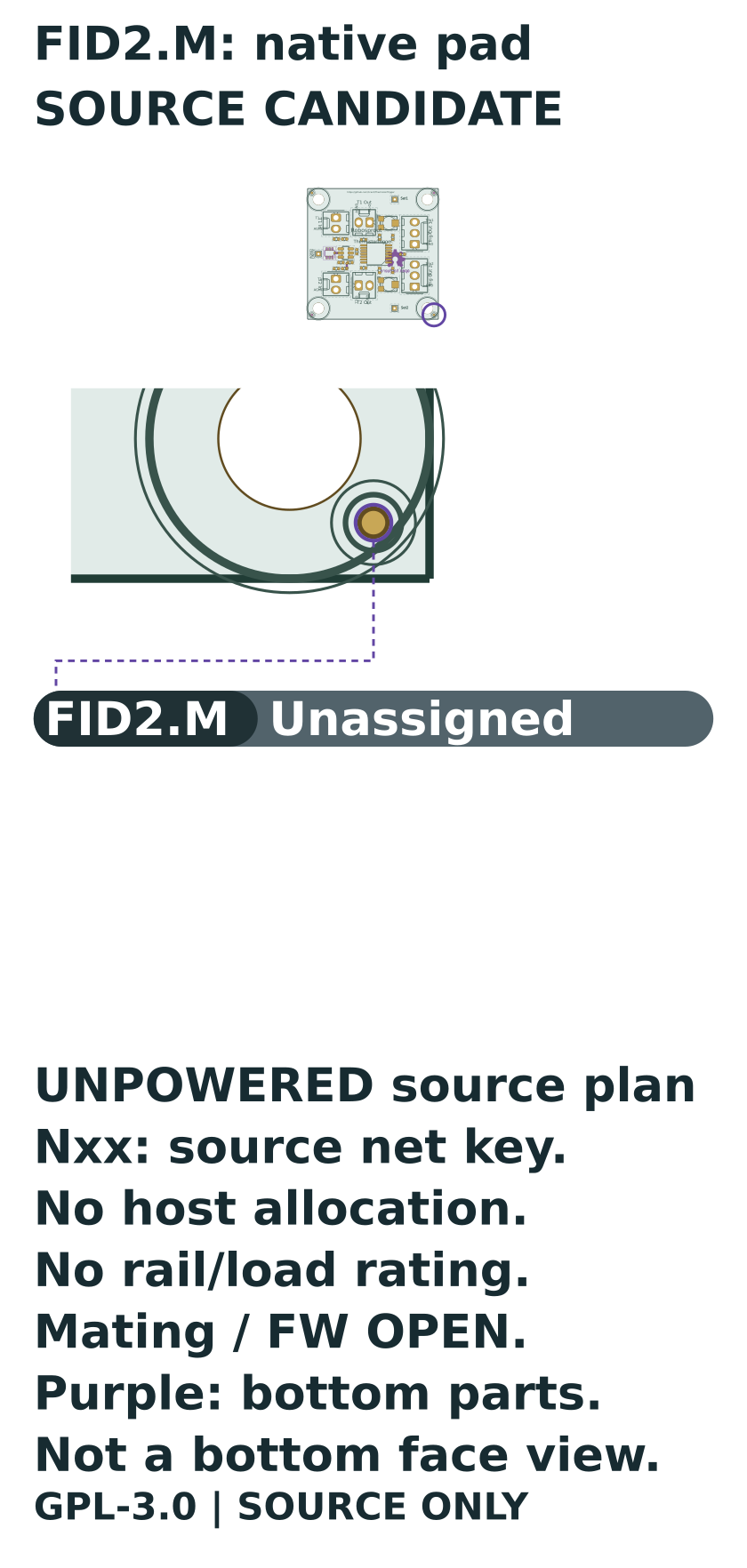
Read labels at full size
Scroll across and down within this view. You can also open the PNG separately and use your browser’s zoom controls.
Fit shows the whole drawing. Zoom to read labels; scroll within the drawing. Escape closes the viewer.
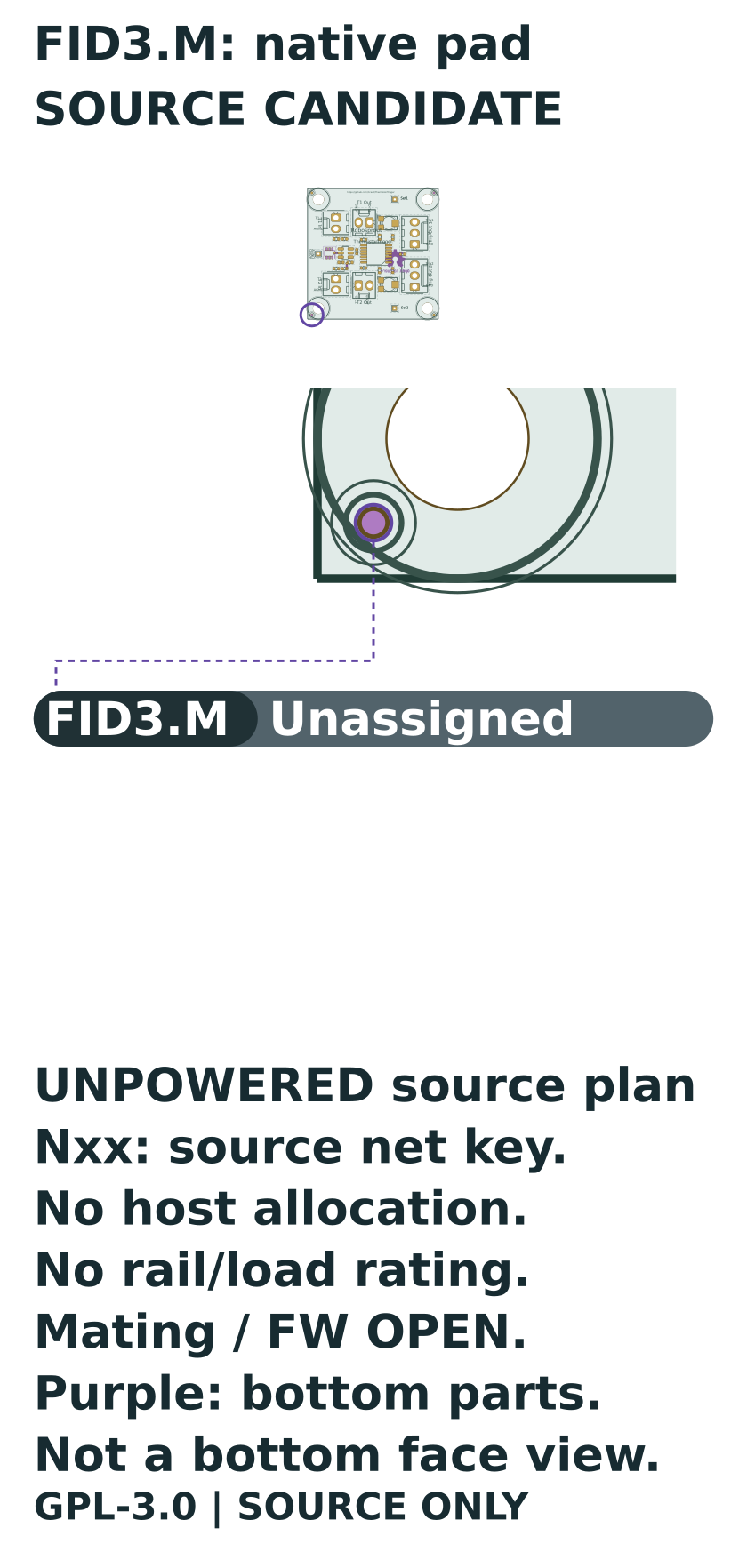
Read labels at full size
Scroll across and down within this view. You can also open the PNG separately and use your browser’s zoom controls.
Fit shows the whole drawing. Zoom to read labels; scroll within the drawing. Escape closes the viewer.
Read labels at full size
Scroll across and down within this view. You can also open the PNG separately and use your browser’s zoom controls.
Fit shows the whole drawing. Zoom to read labels; scroll within the drawing. Escape closes the viewer.
Read labels at full size
Scroll across and down within this view. You can also open the PNG separately and use your browser’s zoom controls.
Fit shows the whole drawing. Zoom to read labels; scroll within the drawing. Escape closes the viewer.
Read labels at full size
Scroll across and down within this view. You can also open the PNG separately and use your browser’s zoom controls.
Fit shows the whole drawing. Zoom to read labels; scroll within the drawing. Escape closes the viewer.
Read labels at full size
Scroll across and down within this view. You can also open the PNG separately and use your browser’s zoom controls.
Fit shows the whole drawing. Zoom to read labels; scroll within the drawing. Escape closes the viewer.
Read labels at full size
Scroll across and down within this view. You can also open the PNG separately and use your browser’s zoom controls.
Fit shows the whole drawing. Zoom to read labels; scroll within the drawing. Escape closes the viewer.
Read labels at full size
Scroll across and down within this view. You can also open the PNG separately and use your browser’s zoom controls.
Fit shows the whole drawing. Zoom to read labels; scroll within the drawing. Escape closes the viewer.
Read labels at full size
Scroll across and down within this view. You can also open the PNG separately and use your browser’s zoom controls.
Fit shows the whole drawing. Zoom to read labels; scroll within the drawing. Escape closes the viewer.
Read labels at full size
Scroll across and down within this view. You can also open the PNG separately and use your browser’s zoom controls.
Fit shows the whole drawing. Zoom to read labels; scroll within the drawing. Escape closes the viewer.
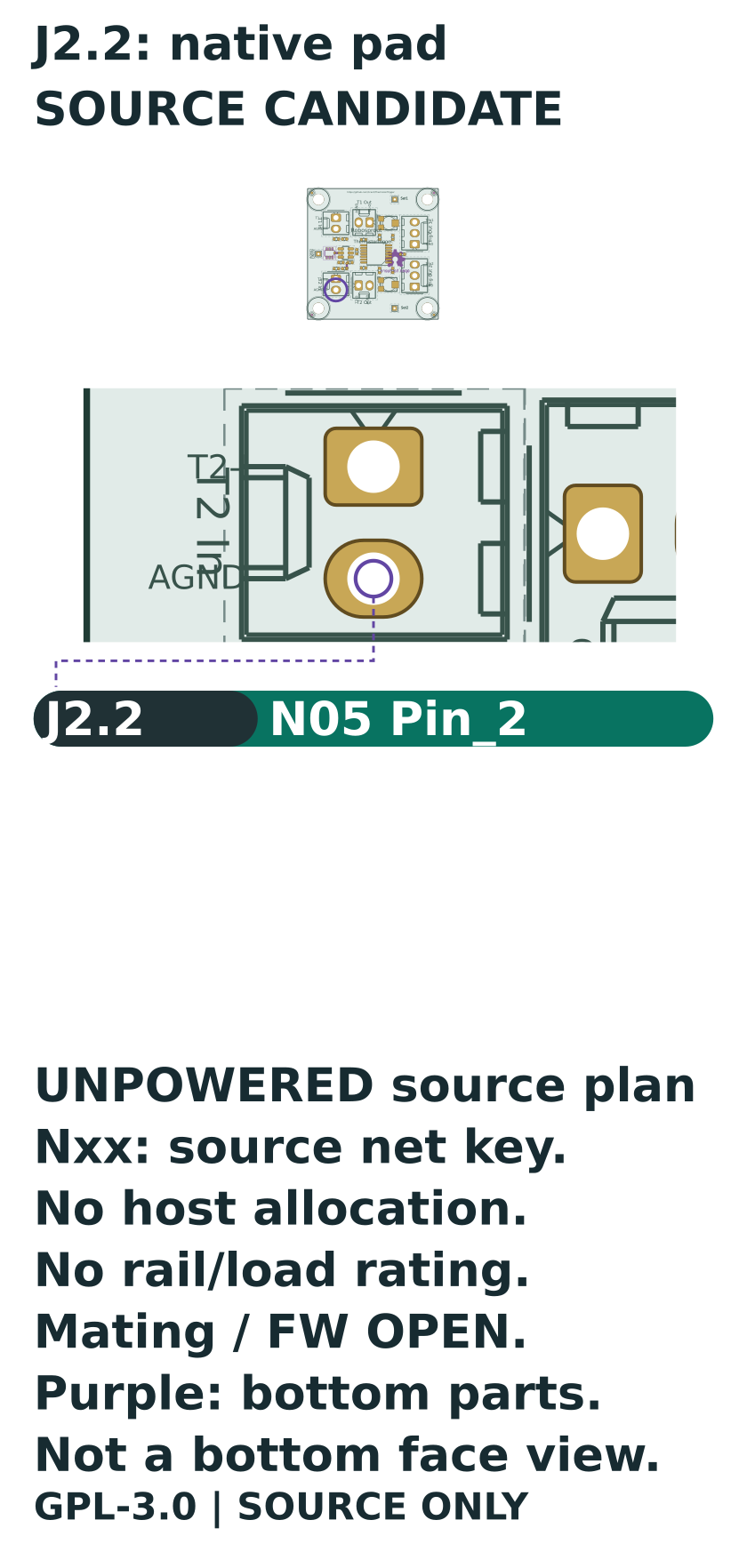
Read labels at full size
Scroll across and down within this view. You can also open the PNG separately and use your browser’s zoom controls.
Fit shows the whole drawing. Zoom to read labels; scroll within the drawing. Escape closes the viewer.
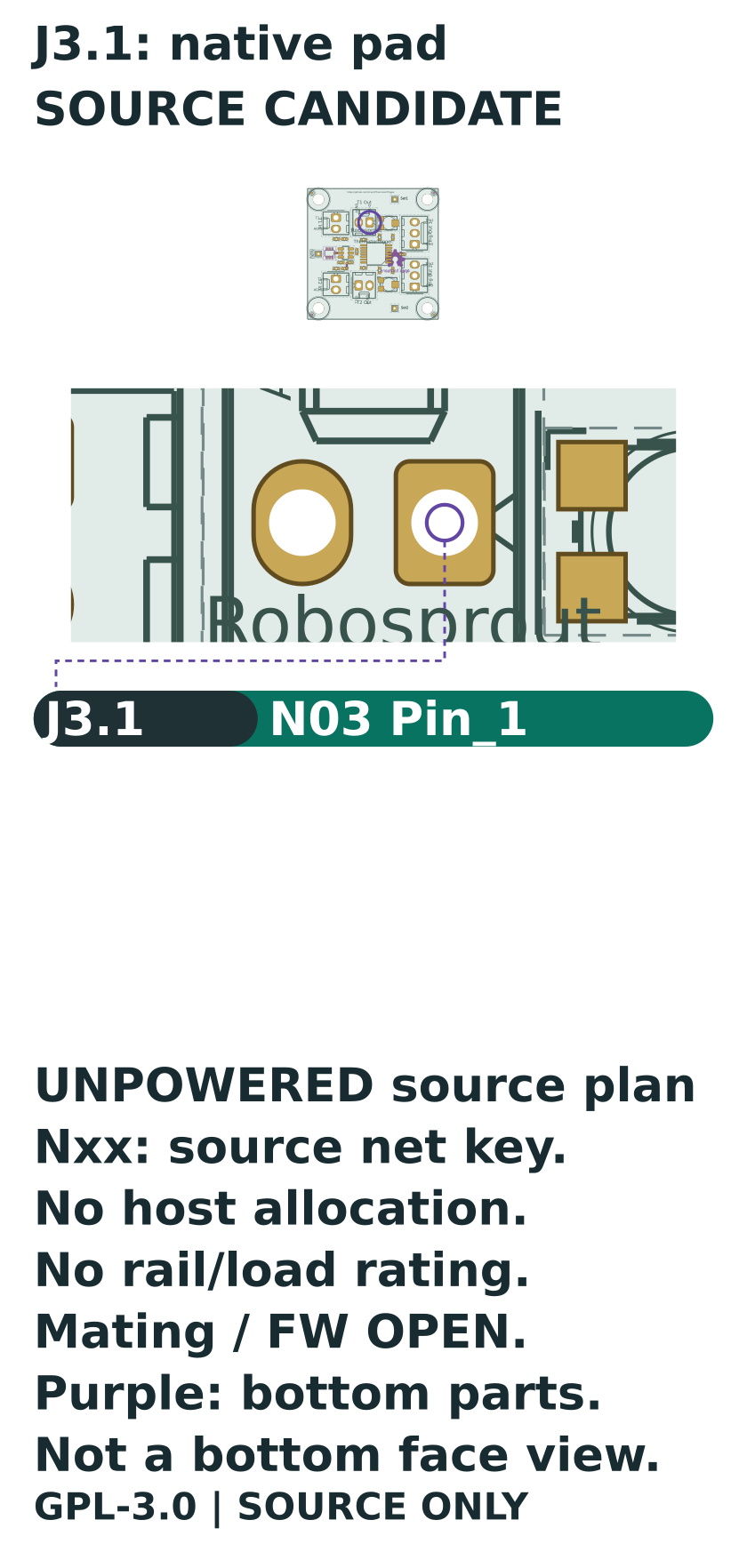
Read labels at full size
Scroll across and down within this view. You can also open the PNG separately and use your browser’s zoom controls.
Fit shows the whole drawing. Zoom to read labels; scroll within the drawing. Escape closes the viewer.
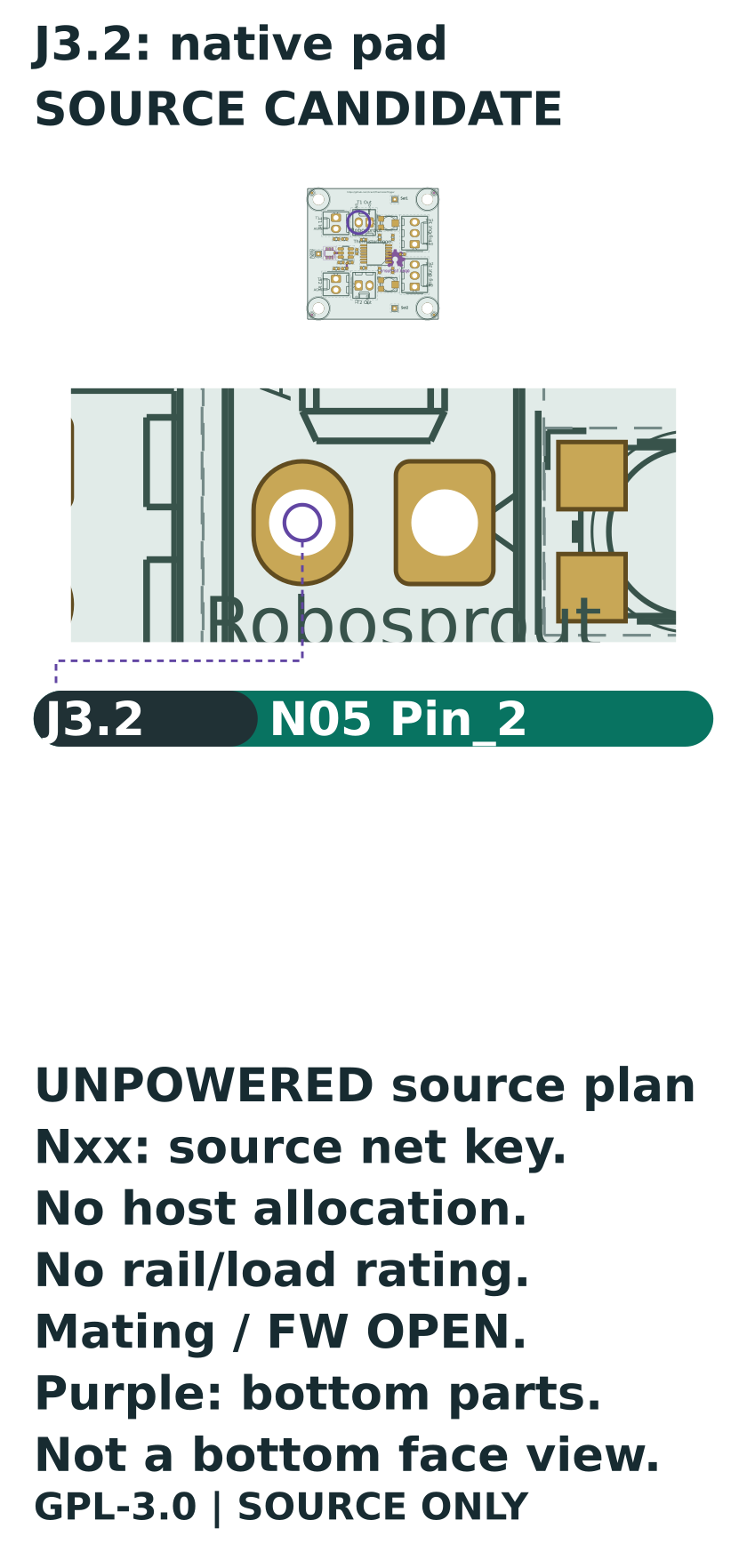
Read labels at full size
Scroll across and down within this view. You can also open the PNG separately and use your browser’s zoom controls.
Fit shows the whole drawing. Zoom to read labels; scroll within the drawing. Escape closes the viewer.
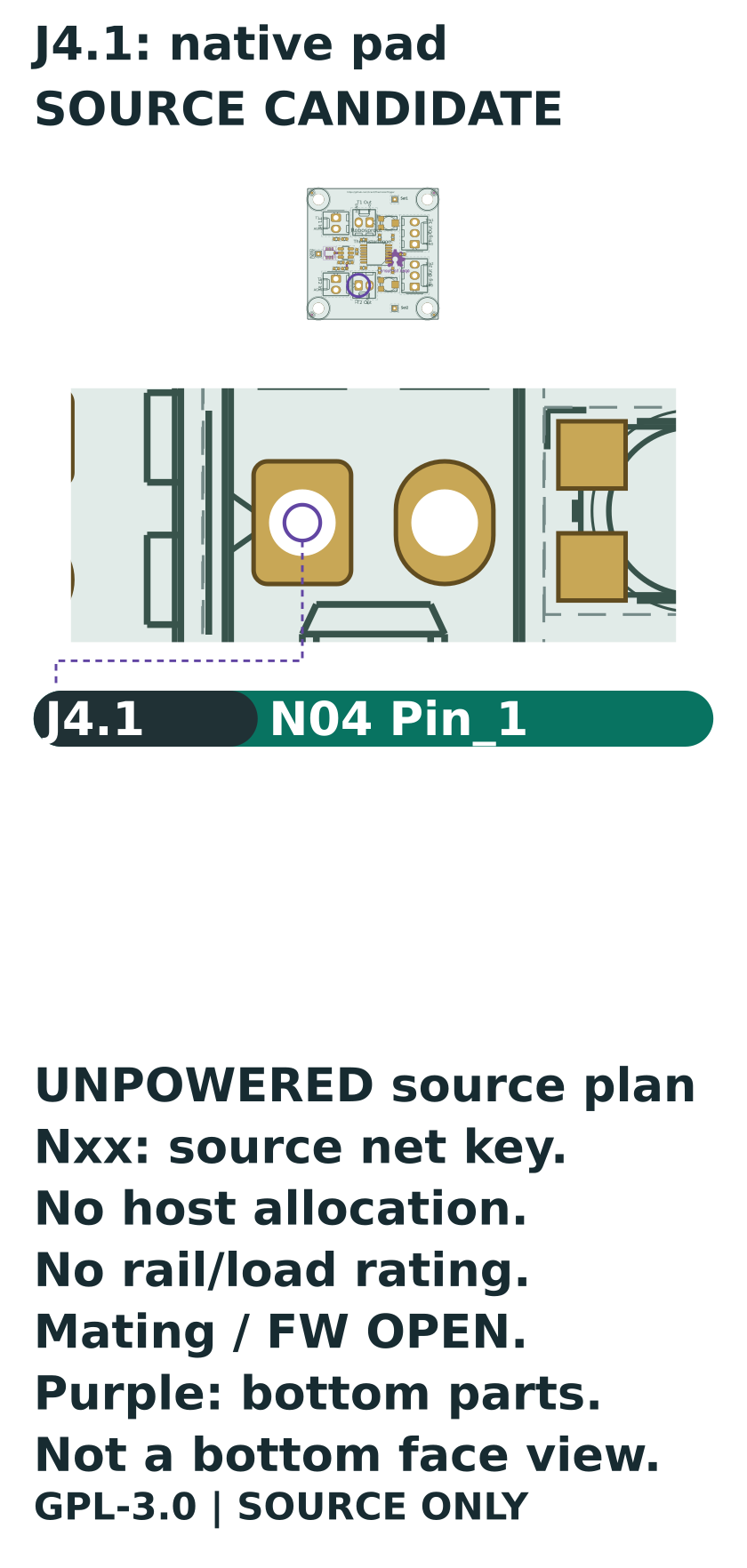
Read labels at full size
Scroll across and down within this view. You can also open the PNG separately and use your browser’s zoom controls.
Fit shows the whole drawing. Zoom to read labels; scroll within the drawing. Escape closes the viewer.
Read labels at full size
Scroll across and down within this view. You can also open the PNG separately and use your browser’s zoom controls.
Fit shows the whole drawing. Zoom to read labels; scroll within the drawing. Escape closes the viewer.
Read labels at full size
Scroll across and down within this view. You can also open the PNG separately and use your browser’s zoom controls.
Fit shows the whole drawing. Zoom to read labels; scroll within the drawing. Escape closes the viewer.
Read labels at full size
Scroll across and down within this view. You can also open the PNG separately and use your browser’s zoom controls.
Fit shows the whole drawing. Zoom to read labels; scroll within the drawing. Escape closes the viewer.
Read labels at full size
Scroll across and down within this view. You can also open the PNG separately and use your browser’s zoom controls.
Fit shows the whole drawing. Zoom to read labels; scroll within the drawing. Escape closes the viewer.
Read labels at full size
Scroll across and down within this view. You can also open the PNG separately and use your browser’s zoom controls.
Fit shows the whole drawing. Zoom to read labels; scroll within the drawing. Escape closes the viewer.
Read labels at full size
Scroll across and down within this view. You can also open the PNG separately and use your browser’s zoom controls.
Fit shows the whole drawing. Zoom to read labels; scroll within the drawing. Escape closes the viewer.
Read labels at full size
Scroll across and down within this view. You can also open the PNG separately and use your browser’s zoom controls.
Fit shows the whole drawing. Zoom to read labels; scroll within the drawing. Escape closes the viewer.
Read labels at full size
Scroll across and down within this view. You can also open the PNG separately and use your browser’s zoom controls.
Fit shows the whole drawing. Zoom to read labels; scroll within the drawing. Escape closes the viewer.
Read labels at full size
Scroll across and down within this view. You can also open the PNG separately and use your browser’s zoom controls.
Fit shows the whole drawing. Zoom to read labels; scroll within the drawing. Escape closes the viewer.
Read labels at full size
Scroll across and down within this view. You can also open the PNG separately and use your browser’s zoom controls.
Fit shows the whole drawing. Zoom to read labels; scroll within the drawing. Escape closes the viewer.
Read labels at full size
Scroll across and down within this view. You can also open the PNG separately and use your browser’s zoom controls.
Fit shows the whole drawing. Zoom to read labels; scroll within the drawing. Escape closes the viewer.
Read labels at full size
Scroll across and down within this view. You can also open the PNG separately and use your browser’s zoom controls.
Fit shows the whole drawing. Zoom to read labels; scroll within the drawing. Escape closes the viewer.
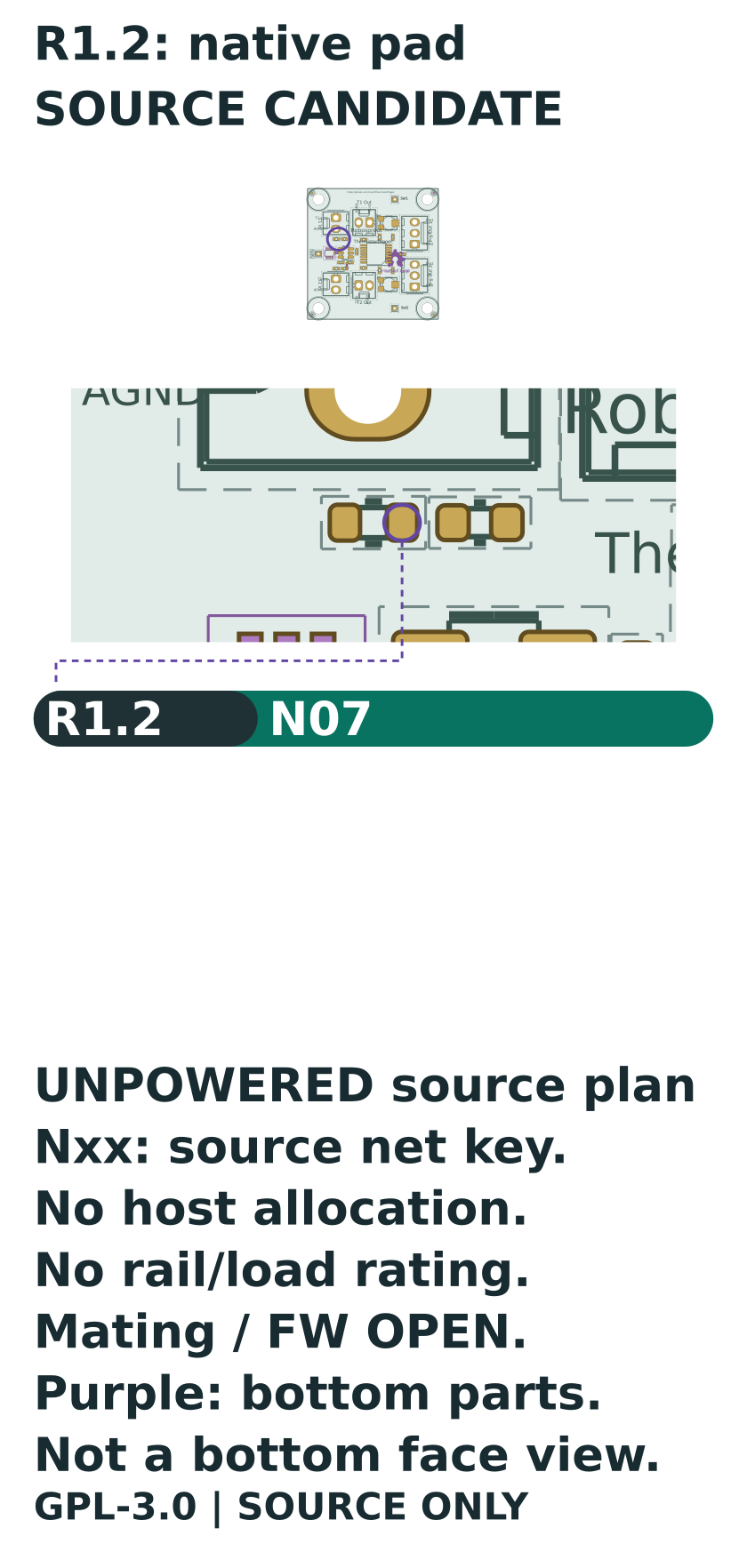
Read labels at full size
Scroll across and down within this view. You can also open the PNG separately and use your browser’s zoom controls.
Fit shows the whole drawing. Zoom to read labels; scroll within the drawing. Escape closes the viewer.
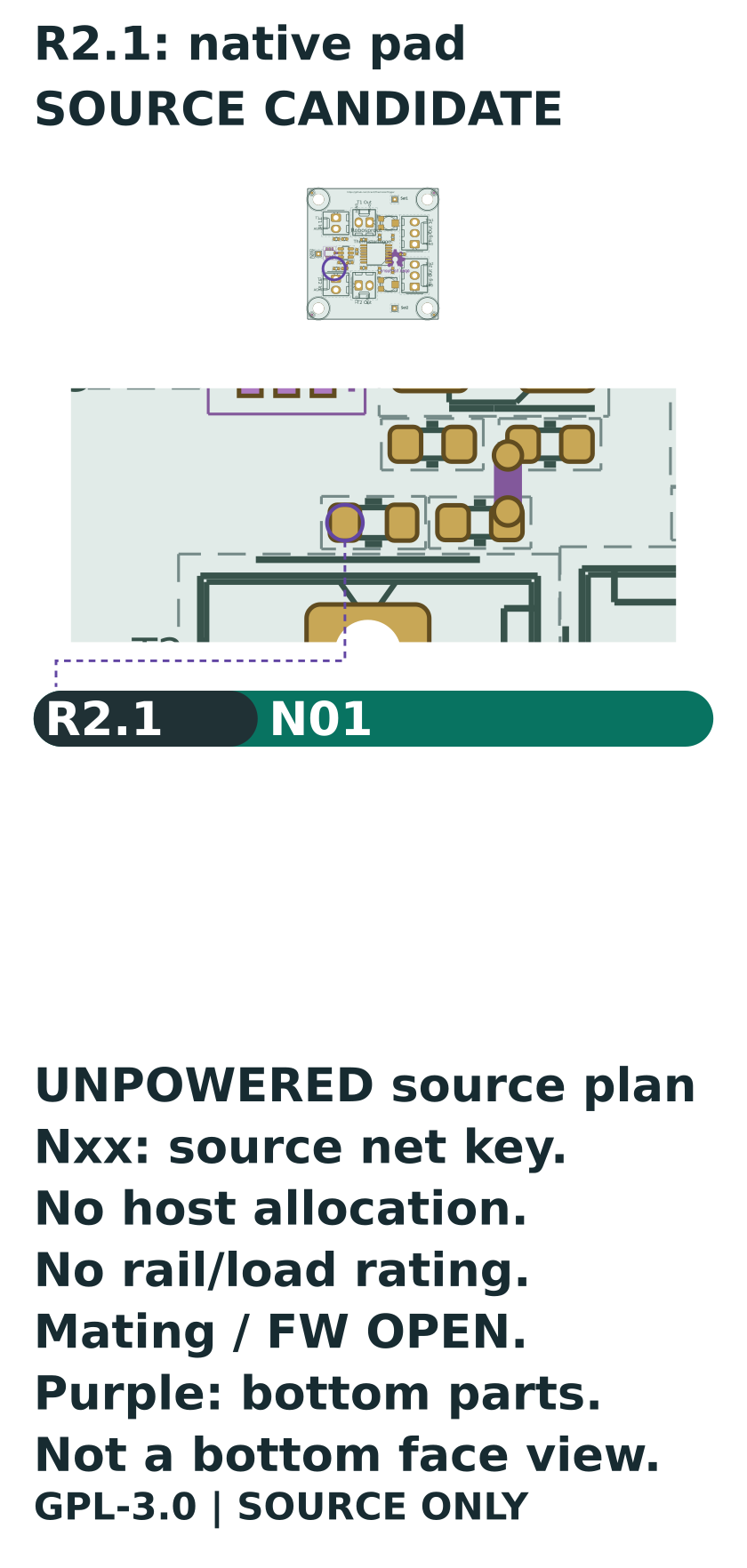
Read labels at full size
Scroll across and down within this view. You can also open the PNG separately and use your browser’s zoom controls.
Fit shows the whole drawing. Zoom to read labels; scroll within the drawing. Escape closes the viewer.
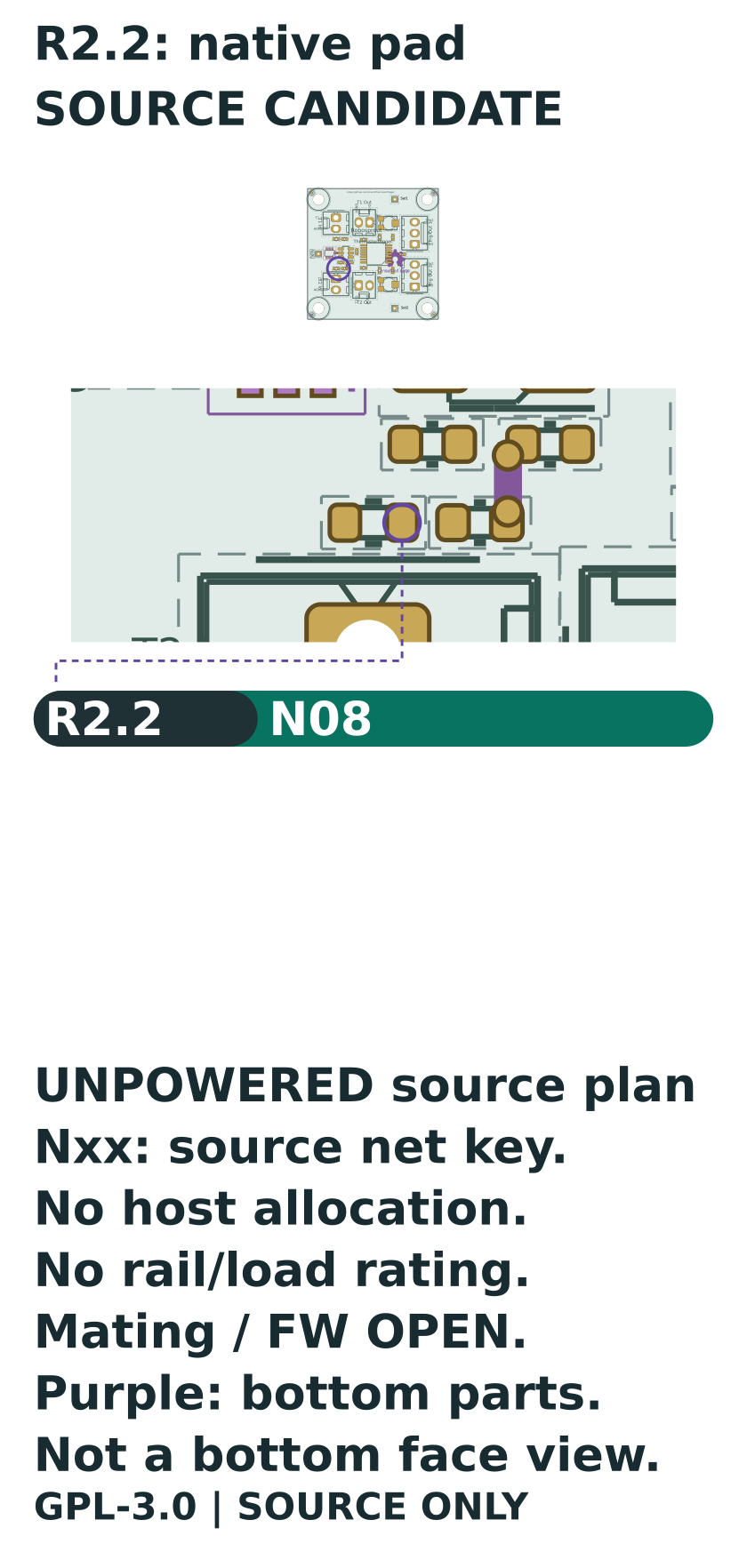
Read labels at full size
Scroll across and down within this view. You can also open the PNG separately and use your browser’s zoom controls.
Fit shows the whole drawing. Zoom to read labels; scroll within the drawing. Escape closes the viewer.
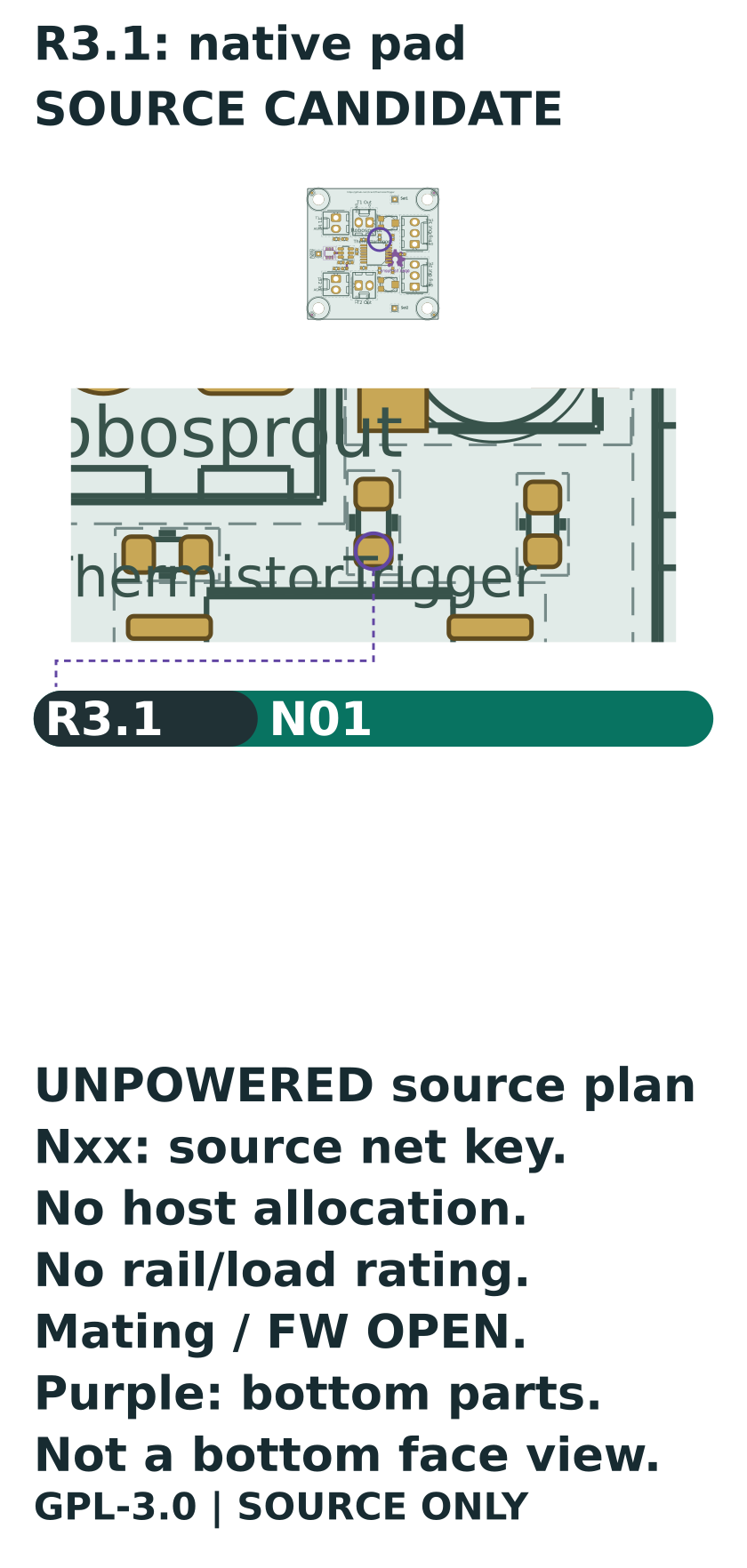
Read labels at full size
Scroll across and down within this view. You can also open the PNG separately and use your browser’s zoom controls.
Fit shows the whole drawing. Zoom to read labels; scroll within the drawing. Escape closes the viewer.
Read labels at full size
Scroll across and down within this view. You can also open the PNG separately and use your browser’s zoom controls.
Fit shows the whole drawing. Zoom to read labels; scroll within the drawing. Escape closes the viewer.
Read labels at full size
Scroll across and down within this view. You can also open the PNG separately and use your browser’s zoom controls.
Fit shows the whole drawing. Zoom to read labels; scroll within the drawing. Escape closes the viewer.
Read labels at full size
Scroll across and down within this view. You can also open the PNG separately and use your browser’s zoom controls.
Fit shows the whole drawing. Zoom to read labels; scroll within the drawing. Escape closes the viewer.
Read labels at full size
Scroll across and down within this view. You can also open the PNG separately and use your browser’s zoom controls.
Fit shows the whole drawing. Zoom to read labels; scroll within the drawing. Escape closes the viewer.
Read labels at full size
Scroll across and down within this view. You can also open the PNG separately and use your browser’s zoom controls.
Fit shows the whole drawing. Zoom to read labels; scroll within the drawing. Escape closes the viewer.
Read labels at full size
Scroll across and down within this view. You can also open the PNG separately and use your browser’s zoom controls.
Fit shows the whole drawing. Zoom to read labels; scroll within the drawing. Escape closes the viewer.
Read labels at full size
Scroll across and down within this view. You can also open the PNG separately and use your browser’s zoom controls.
Fit shows the whole drawing. Zoom to read labels; scroll within the drawing. Escape closes the viewer.
Read labels at full size
Scroll across and down within this view. You can also open the PNG separately and use your browser’s zoom controls.
Fit shows the whole drawing. Zoom to read labels; scroll within the drawing. Escape closes the viewer.
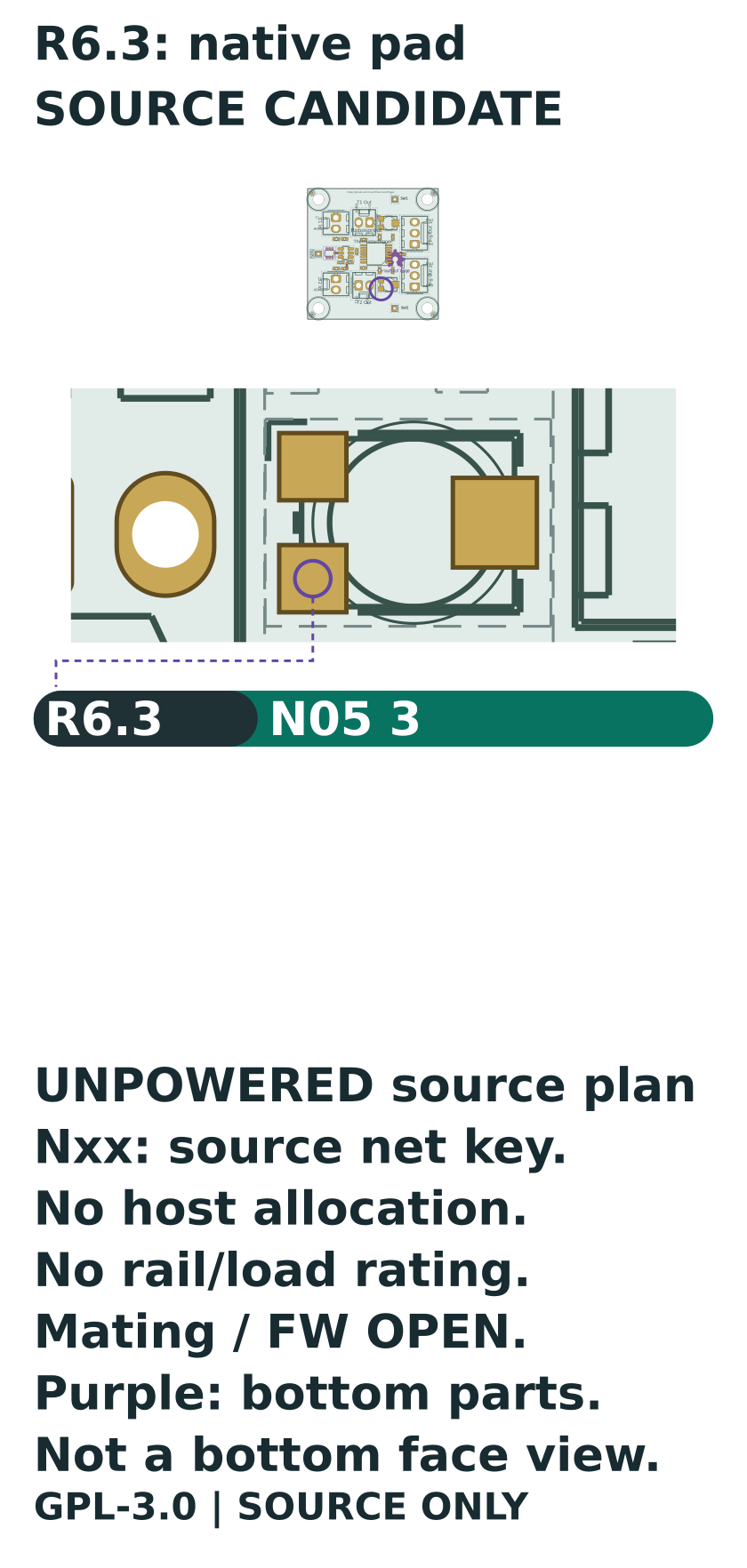
Read labels at full size
Scroll across and down within this view. You can also open the PNG separately and use your browser’s zoom controls.
Fit shows the whole drawing. Zoom to read labels; scroll within the drawing. Escape closes the viewer.
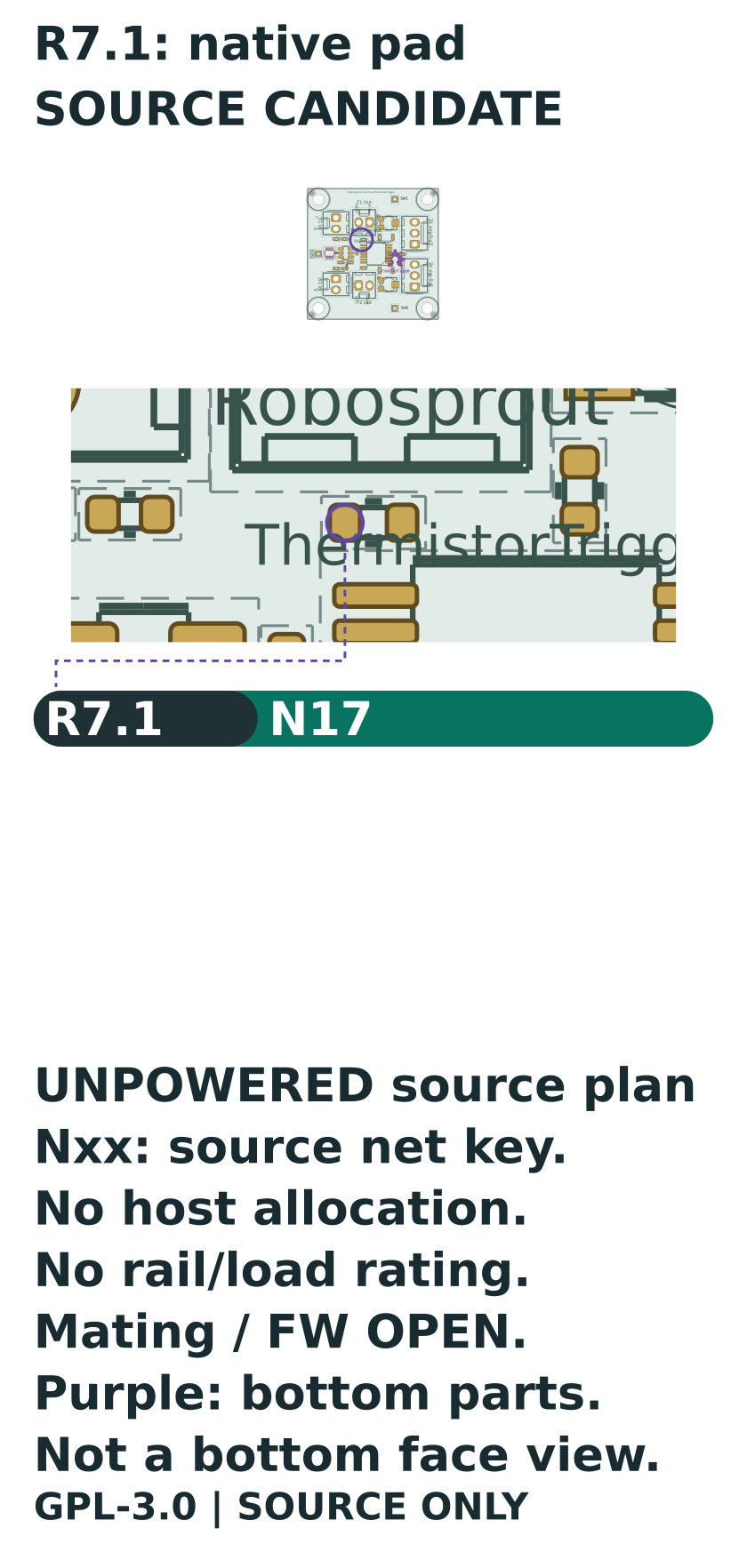
Read labels at full size
Scroll across and down within this view. You can also open the PNG separately and use your browser’s zoom controls.
Fit shows the whole drawing. Zoom to read labels; scroll within the drawing. Escape closes the viewer.
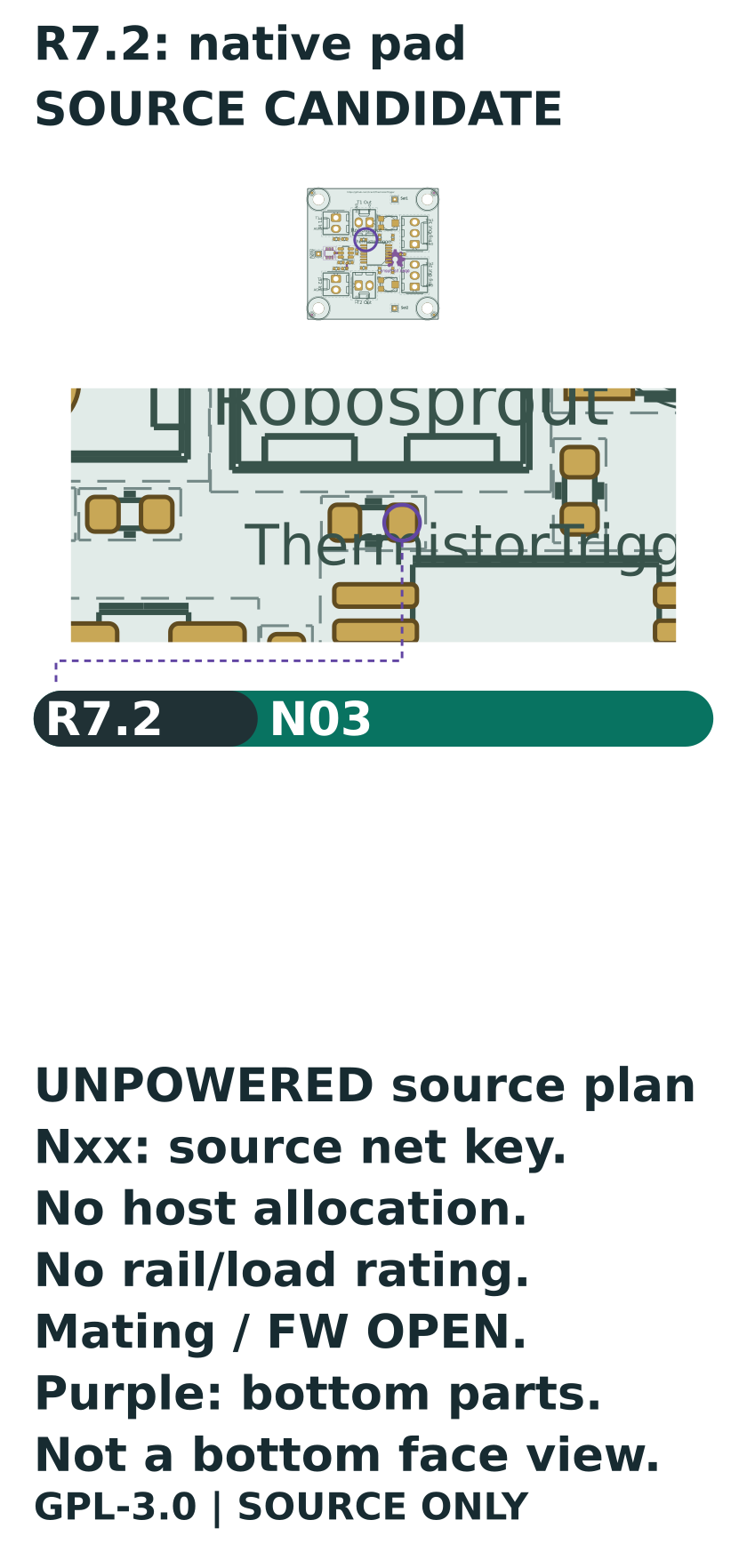
Read labels at full size
Scroll across and down within this view. You can also open the PNG separately and use your browser’s zoom controls.
Fit shows the whole drawing. Zoom to read labels; scroll within the drawing. Escape closes the viewer.
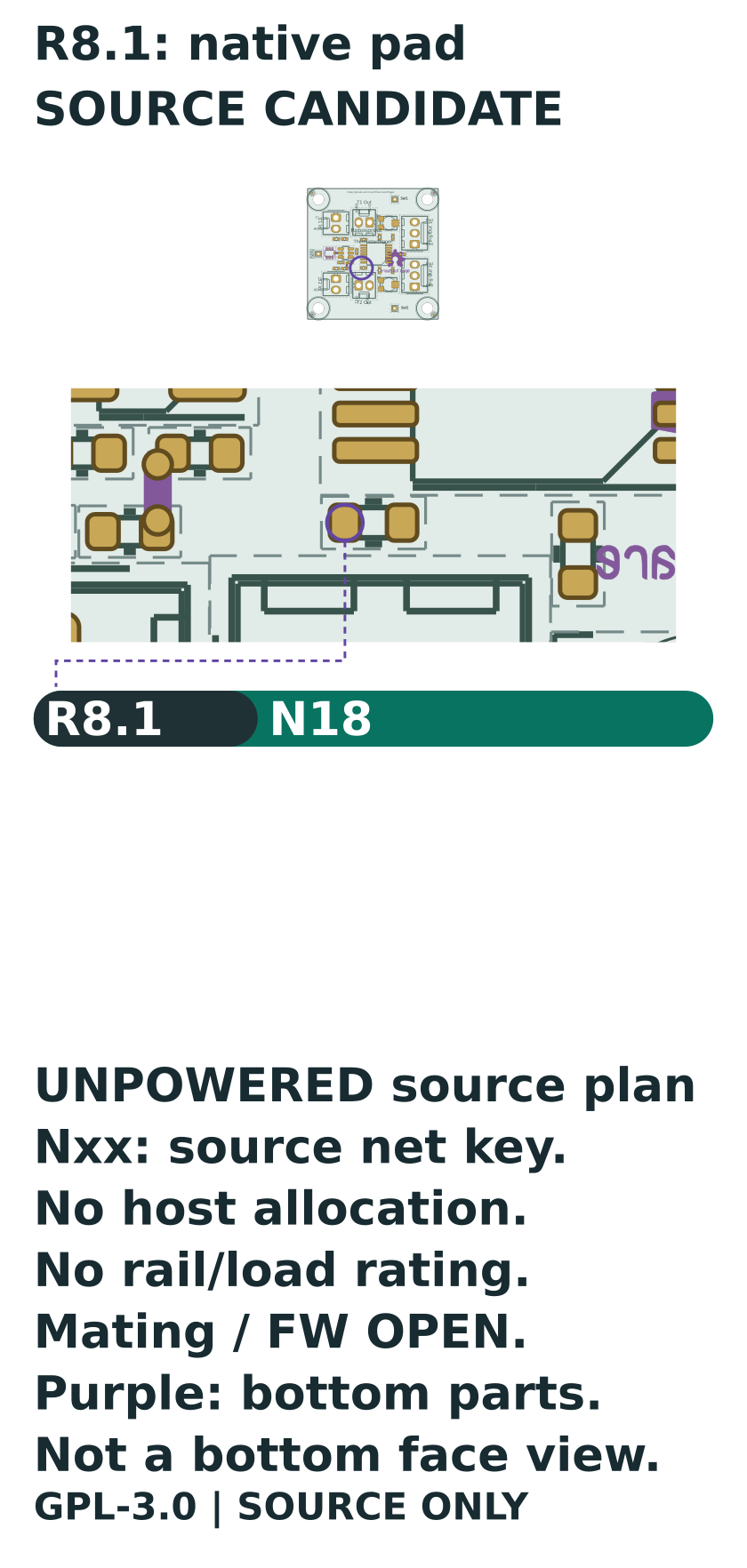
Read labels at full size
Scroll across and down within this view. You can also open the PNG separately and use your browser’s zoom controls.
Fit shows the whole drawing. Zoom to read labels; scroll within the drawing. Escape closes the viewer.
Read labels at full size
Scroll across and down within this view. You can also open the PNG separately and use your browser’s zoom controls.
Fit shows the whole drawing. Zoom to read labels; scroll within the drawing. Escape closes the viewer.
Read labels at full size
Scroll across and down within this view. You can also open the PNG separately and use your browser’s zoom controls.
Fit shows the whole drawing. Zoom to read labels; scroll within the drawing. Escape closes the viewer.
Read labels at full size
Scroll across and down within this view. You can also open the PNG separately and use your browser’s zoom controls.
Fit shows the whole drawing. Zoom to read labels; scroll within the drawing. Escape closes the viewer.
Read labels at full size
Scroll across and down within this view. You can also open the PNG separately and use your browser’s zoom controls.
Fit shows the whole drawing. Zoom to read labels; scroll within the drawing. Escape closes the viewer.
Read labels at full size
Scroll across and down within this view. You can also open the PNG separately and use your browser’s zoom controls.
Fit shows the whole drawing. Zoom to read labels; scroll within the drawing. Escape closes the viewer.
Read labels at full size
Scroll across and down within this view. You can also open the PNG separately and use your browser’s zoom controls.
Fit shows the whole drawing. Zoom to read labels; scroll within the drawing. Escape closes the viewer.
Read labels at full size
Scroll across and down within this view. You can also open the PNG separately and use your browser’s zoom controls.
Fit shows the whole drawing. Zoom to read labels; scroll within the drawing. Escape closes the viewer.
Read labels at full size
Scroll across and down within this view. You can also open the PNG separately and use your browser’s zoom controls.
Fit shows the whole drawing. Zoom to read labels; scroll within the drawing. Escape closes the viewer.
Read labels at full size
Scroll across and down within this view. You can also open the PNG separately and use your browser’s zoom controls.
Fit shows the whole drawing. Zoom to read labels; scroll within the drawing. Escape closes the viewer.
Read labels at full size
Scroll across and down within this view. You can also open the PNG separately and use your browser’s zoom controls.
Fit shows the whole drawing. Zoom to read labels; scroll within the drawing. Escape closes the viewer.
Read labels at full size
Scroll across and down within this view. You can also open the PNG separately and use your browser’s zoom controls.
Fit shows the whole drawing. Zoom to read labels; scroll within the drawing. Escape closes the viewer.
Read labels at full size
Scroll across and down within this view. You can also open the PNG separately and use your browser’s zoom controls.
Fit shows the whole drawing. Zoom to read labels; scroll within the drawing. Escape closes the viewer.
Read labels at full size
Scroll across and down within this view. You can also open the PNG separately and use your browser’s zoom controls.
Fit shows the whole drawing. Zoom to read labels; scroll within the drawing. Escape closes the viewer.
Read labels at full size
Scroll across and down within this view. You can also open the PNG separately and use your browser’s zoom controls.
Fit shows the whole drawing. Zoom to read labels; scroll within the drawing. Escape closes the viewer.
Read labels at full size
Scroll across and down within this view. You can also open the PNG separately and use your browser’s zoom controls.
Fit shows the whole drawing. Zoom to read labels; scroll within the drawing. Escape closes the viewer.
Read labels at full size
Scroll across and down within this view. You can also open the PNG separately and use your browser’s zoom controls.
Fit shows the whole drawing. Zoom to read labels; scroll within the drawing. Escape closes the viewer.
Read labels at full size
Scroll across and down within this view. You can also open the PNG separately and use your browser’s zoom controls.
Fit shows the whole drawing. Zoom to read labels; scroll within the drawing. Escape closes the viewer.
Read labels at full size
Scroll across and down within this view. You can also open the PNG separately and use your browser’s zoom controls.
Fit shows the whole drawing. Zoom to read labels; scroll within the drawing. Escape closes the viewer.
Read labels at full size
Scroll across and down within this view. You can also open the PNG separately and use your browser’s zoom controls.
Fit shows the whole drawing. Zoom to read labels; scroll within the drawing. Escape closes the viewer.
Read labels at full size
Scroll across and down within this view. You can also open the PNG separately and use your browser’s zoom controls.
Fit shows the whole drawing. Zoom to read labels; scroll within the drawing. Escape closes the viewer.
Read labels at full size
Scroll across and down within this view. You can also open the PNG separately and use your browser’s zoom controls.
Fit shows the whole drawing. Zoom to read labels; scroll within the drawing. Escape closes the viewer.
Read labels at full size
Scroll across and down within this view. You can also open the PNG separately and use your browser’s zoom controls.
Fit shows the whole drawing. Zoom to read labels; scroll within the drawing. Escape closes the viewer.
Read labels at full size
Scroll across and down within this view. You can also open the PNG separately and use your browser’s zoom controls.
Fit shows the whole drawing. Zoom to read labels; scroll within the drawing. Escape closes the viewer.
Read labels at full size
Scroll across and down within this view. You can also open the PNG separately and use your browser’s zoom controls.
Fit shows the whole drawing. Zoom to read labels; scroll within the drawing. Escape closes the viewer.
Read labels at full size
Scroll across and down within this view. You can also open the PNG separately and use your browser’s zoom controls.
Fit shows the whole drawing. Zoom to read labels; scroll within the drawing. Escape closes the viewer.
Read labels at full size
Scroll across and down within this view. You can also open the PNG separately and use your browser’s zoom controls.
Fit shows the whole drawing. Zoom to read labels; scroll within the drawing. Escape closes the viewer.
Read labels at full size
Scroll across and down within this view. You can also open the PNG separately and use your browser’s zoom controls.
Fit shows the whole drawing. Zoom to read labels; scroll within the drawing. Escape closes the viewer.
Read labels at full size
Scroll across and down within this view. You can also open the PNG separately and use your browser’s zoom controls.
Fit shows the whole drawing. Zoom to read labels; scroll within the drawing. Escape closes the viewer.
Read labels at full size
Scroll across and down within this view. You can also open the PNG separately and use your browser’s zoom controls.
Fit shows the whole drawing. Zoom to read labels; scroll within the drawing. Escape closes the viewer.
Read labels at full size
Scroll across and down within this view. You can also open the PNG separately and use your browser’s zoom controls.
Fit shows the whole drawing. Zoom to read labels; scroll within the drawing. Escape closes the viewer.
Retained earlier functional references
Board functions and contact positions
Start with the sensor, threshold, output and supply interfaces. The callouts distinguish buffered analogue signals, threshold controls and digital outputs; expand the component details for filtering, reference links and mounting points. Threshold calibration and Prime electrical compatibility remain unresolved. Native source projections are not fitted connector or cable views.
Read labels at full size
Scroll across and down within this view. You can also open the PNG separately and use your browser’s zoom controls.
Fit shows the whole drawing. Zoom to read labels; scroll within the drawing. Escape closes the viewer.
Read labels at full size
Scroll across and down within this view. You can also open the PNG separately and use your browser’s zoom controls.
Fit shows the whole drawing. Zoom to read labels; scroll within the drawing. Escape closes the viewer.
Read labels at full size
Scroll across and down within this view. You can also open the PNG separately and use your browser’s zoom controls.
Fit shows the whole drawing. Zoom to read labels; scroll within the drawing. Escape closes the viewer.
Read labels at full size
Scroll across and down within this view. You can also open the PNG separately and use your browser’s zoom controls.
Fit shows the whole drawing. Zoom to read labels; scroll within the drawing. Escape closes the viewer.
Read labels at full size
Scroll across and down within this view. You can also open the PNG separately and use your browser’s zoom controls.
Fit shows the whole drawing. Zoom to read labels; scroll within the drawing. Escape closes the viewer.
Read labels at full size
Scroll across and down within this view. You can also open the PNG separately and use your browser’s zoom controls.
Fit shows the whole drawing. Zoom to read labels; scroll within the drawing. Escape closes the viewer.
Read labels at full size
Scroll across and down within this view. You can also open the PNG separately and use your browser’s zoom controls.
Fit shows the whole drawing. Zoom to read labels; scroll within the drawing. Escape closes the viewer.
Read labels at full size
Scroll across and down within this view. You can also open the PNG separately and use your browser’s zoom controls.
Fit shows the whole drawing. Zoom to read labels; scroll within the drawing. Escape closes the viewer.
Read labels at full size
Scroll across and down within this view. You can also open the PNG separately and use your browser’s zoom controls.
Fit shows the whole drawing. Zoom to read labels; scroll within the drawing. Escape closes the viewer.
Read labels at full size
Scroll across and down within this view. You can also open the PNG separately and use your browser’s zoom controls.
Fit shows the whole drawing. Zoom to read labels; scroll within the drawing. Escape closes the viewer.
Read labels at full size
Scroll across and down within this view. You can also open the PNG separately and use your browser’s zoom controls.
Fit shows the whole drawing. Zoom to read labels; scroll within the drawing. Escape closes the viewer.
Read labels at full size
Scroll across and down within this view. You can also open the PNG separately and use your browser’s zoom controls.
Fit shows the whole drawing. Zoom to read labels; scroll within the drawing. Escape closes the viewer.
Read labels at full size
Scroll across and down within this view. You can also open the PNG separately and use your browser’s zoom controls.
Fit shows the whole drawing. Zoom to read labels; scroll within the drawing. Escape closes the viewer.
Read labels at full size
Scroll across and down within this view. You can also open the PNG separately and use your browser’s zoom controls.
Fit shows the whole drawing. Zoom to read labels; scroll within the drawing. Escape closes the viewer.
Read labels at full size
Scroll across and down within this view. You can also open the PNG separately and use your browser’s zoom controls.
Fit shows the whole drawing. Zoom to read labels; scroll within the drawing. Escape closes the viewer.
Read labels at full size
Scroll across and down within this view. You can also open the PNG separately and use your browser’s zoom controls.
Fit shows the whole drawing. Zoom to read labels; scroll within the drawing. Escape closes the viewer.
Circuit components and mounting details
Read labels at full size
Scroll across and down within this view. You can also open the PNG separately and use your browser’s zoom controls.
Fit shows the whole drawing. Zoom to read labels; scroll within the drawing. Escape closes the viewer.
Read labels at full size
Scroll across and down within this view. You can also open the PNG separately and use your browser’s zoom controls.
Fit shows the whole drawing. Zoom to read labels; scroll within the drawing. Escape closes the viewer.
Read labels at full size
Scroll across and down within this view. You can also open the PNG separately and use your browser’s zoom controls.
Fit shows the whole drawing. Zoom to read labels; scroll within the drawing. Escape closes the viewer.
Read labels at full size
Scroll across and down within this view. You can also open the PNG separately and use your browser’s zoom controls.
Fit shows the whole drawing. Zoom to read labels; scroll within the drawing. Escape closes the viewer.
Read labels at full size
Scroll across and down within this view. You can also open the PNG separately and use your browser’s zoom controls.
Fit shows the whole drawing. Zoom to read labels; scroll within the drawing. Escape closes the viewer.
Read labels at full size
Scroll across and down within this view. You can also open the PNG separately and use your browser’s zoom controls.
Fit shows the whole drawing. Zoom to read labels; scroll within the drawing. Escape closes the viewer.
Read labels at full size
Scroll across and down within this view. You can also open the PNG separately and use your browser’s zoom controls.
Fit shows the whole drawing. Zoom to read labels; scroll within the drawing. Escape closes the viewer.
Read labels at full size
Scroll across and down within this view. You can also open the PNG separately and use your browser’s zoom controls.
Fit shows the whole drawing. Zoom to read labels; scroll within the drawing. Escape closes the viewer.
Read labels at full size
Scroll across and down within this view. You can also open the PNG separately and use your browser’s zoom controls.
Fit shows the whole drawing. Zoom to read labels; scroll within the drawing. Escape closes the viewer.
Read labels at full size
Scroll across and down within this view. You can also open the PNG separately and use your browser’s zoom controls.
Fit shows the whole drawing. Zoom to read labels; scroll within the drawing. Escape closes the viewer.
Read labels at full size
Scroll across and down within this view. You can also open the PNG separately and use your browser’s zoom controls.
Fit shows the whole drawing. Zoom to read labels; scroll within the drawing. Escape closes the viewer.
Read labels at full size
Scroll across and down within this view. You can also open the PNG separately and use your browser’s zoom controls.
Fit shows the whole drawing. Zoom to read labels; scroll within the drawing. Escape closes the viewer.
Read labels at full size
Scroll across and down within this view. You can also open the PNG separately and use your browser’s zoom controls.
Fit shows the whole drawing. Zoom to read labels; scroll within the drawing. Escape closes the viewer.
Read labels at full size
Scroll across and down within this view. You can also open the PNG separately and use your browser’s zoom controls.
Fit shows the whole drawing. Zoom to read labels; scroll within the drawing. Escape closes the viewer.
Read labels at full size
Scroll across and down within this view. You can also open the PNG separately and use your browser’s zoom controls.
Fit shows the whole drawing. Zoom to read labels; scroll within the drawing. Escape closes the viewer.
Read labels at full size
Scroll across and down within this view. You can also open the PNG separately and use your browser’s zoom controls.
Fit shows the whole drawing. Zoom to read labels; scroll within the drawing. Escape closes the viewer.
Read labels at full size
Scroll across and down within this view. You can also open the PNG separately and use your browser’s zoom controls.
Fit shows the whole drawing. Zoom to read labels; scroll within the drawing. Escape closes the viewer.
Read labels at full size
Scroll across and down within this view. You can also open the PNG separately and use your browser’s zoom controls.
Fit shows the whole drawing. Zoom to read labels; scroll within the drawing. Escape closes the viewer.
Read labels at full size
Scroll across and down within this view. You can also open the PNG separately and use your browser’s zoom controls.
Fit shows the whole drawing. Zoom to read labels; scroll within the drawing. Escape closes the viewer.
Read labels at full size
Scroll across and down within this view. You can also open the PNG separately and use your browser’s zoom controls.
Fit shows the whole drawing. Zoom to read labels; scroll within the drawing. Escape closes the viewer.
Read labels at full size
Scroll across and down within this view. You can also open the PNG separately and use your browser’s zoom controls.
Fit shows the whole drawing. Zoom to read labels; scroll within the drawing. Escape closes the viewer.
Read labels at full size
Scroll across and down within this view. You can also open the PNG separately and use your browser’s zoom controls.
Fit shows the whole drawing. Zoom to read labels; scroll within the drawing. Escape closes the viewer.
Read labels at full size
Scroll across and down within this view. You can also open the PNG separately and use your browser’s zoom controls.
Fit shows the whole drawing. Zoom to read labels; scroll within the drawing. Escape closes the viewer.
Read labels at full size
Scroll across and down within this view. You can also open the PNG separately and use your browser’s zoom controls.
Fit shows the whole drawing. Zoom to read labels; scroll within the drawing. Escape closes the viewer.
Read labels at full size
Scroll across and down within this view. You can also open the PNG separately and use your browser’s zoom controls.
Fit shows the whole drawing. Zoom to read labels; scroll within the drawing. Escape closes the viewer.
Read labels at full size
Scroll across and down within this view. You can also open the PNG separately and use your browser’s zoom controls.
Fit shows the whole drawing. Zoom to read labels; scroll within the drawing. Escape closes the viewer.
Original pad locators and source comparison
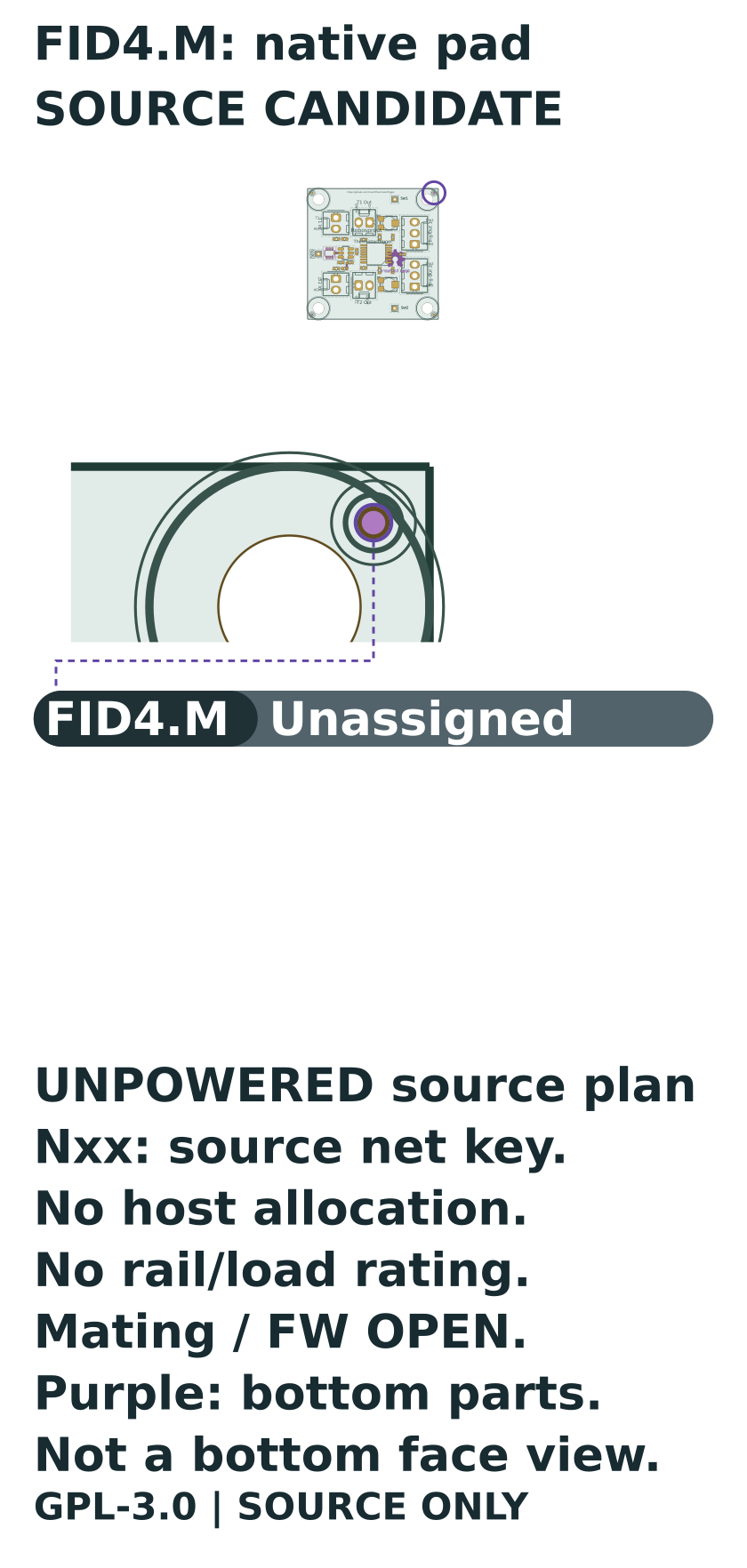
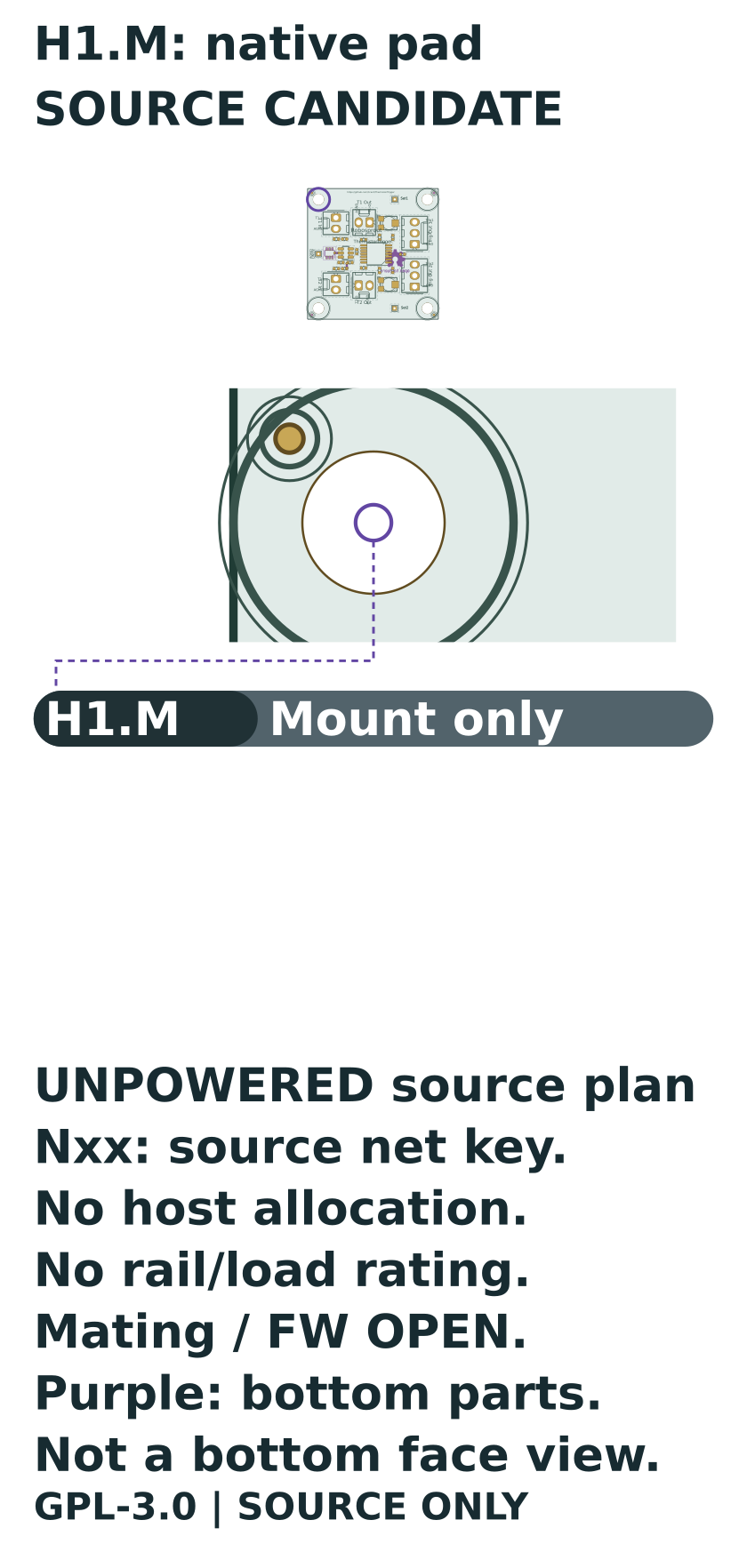
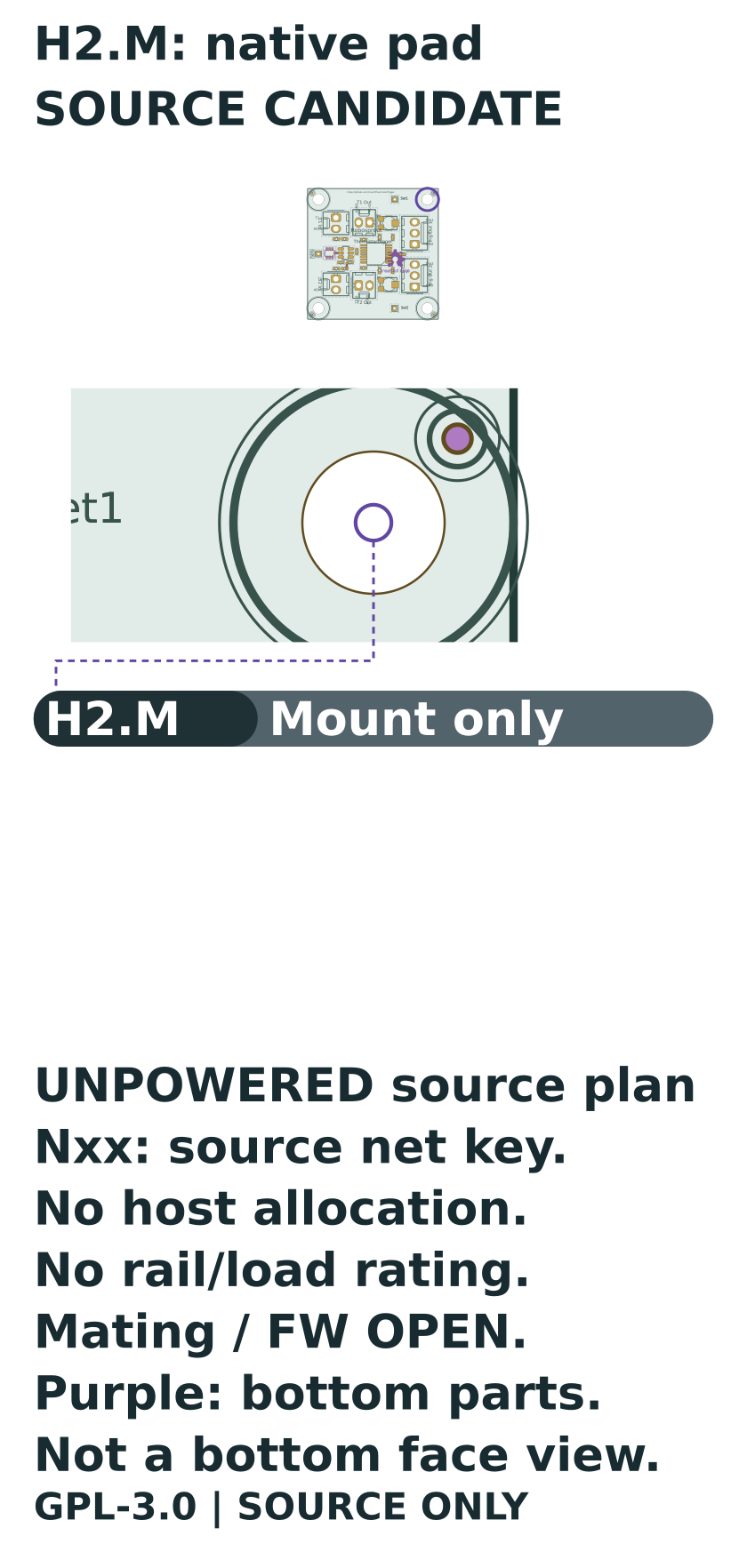
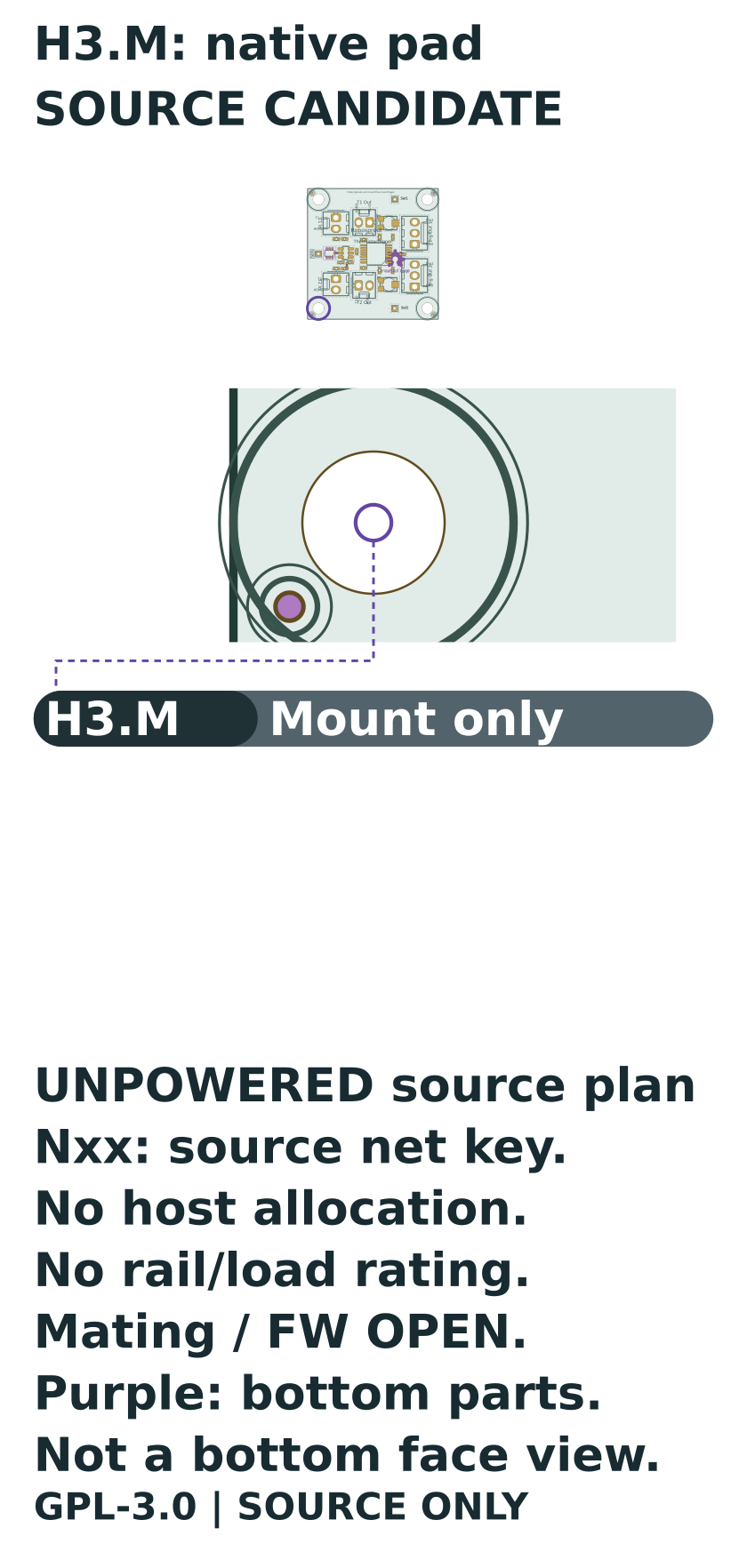
Source-contact reference — canonical abstract pending
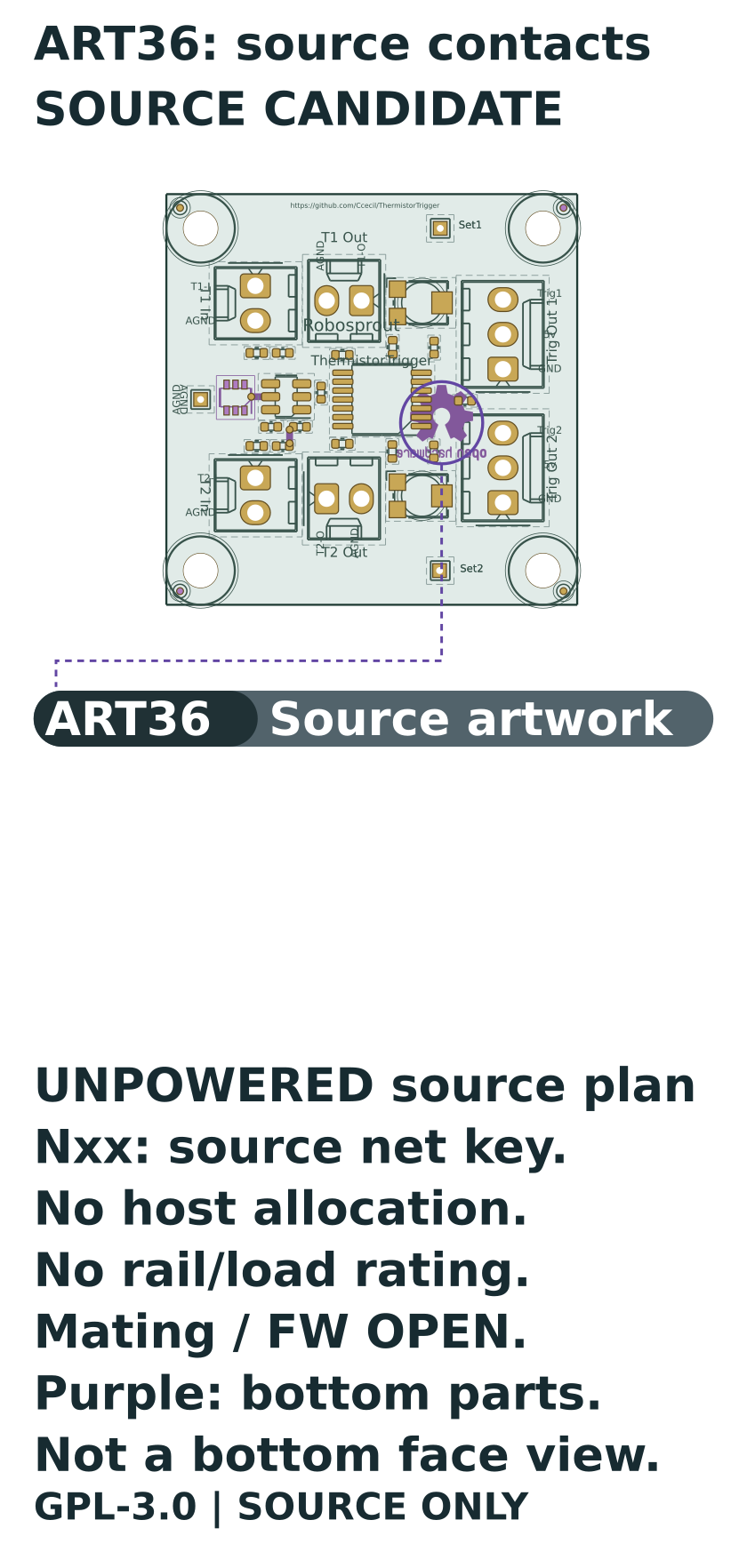
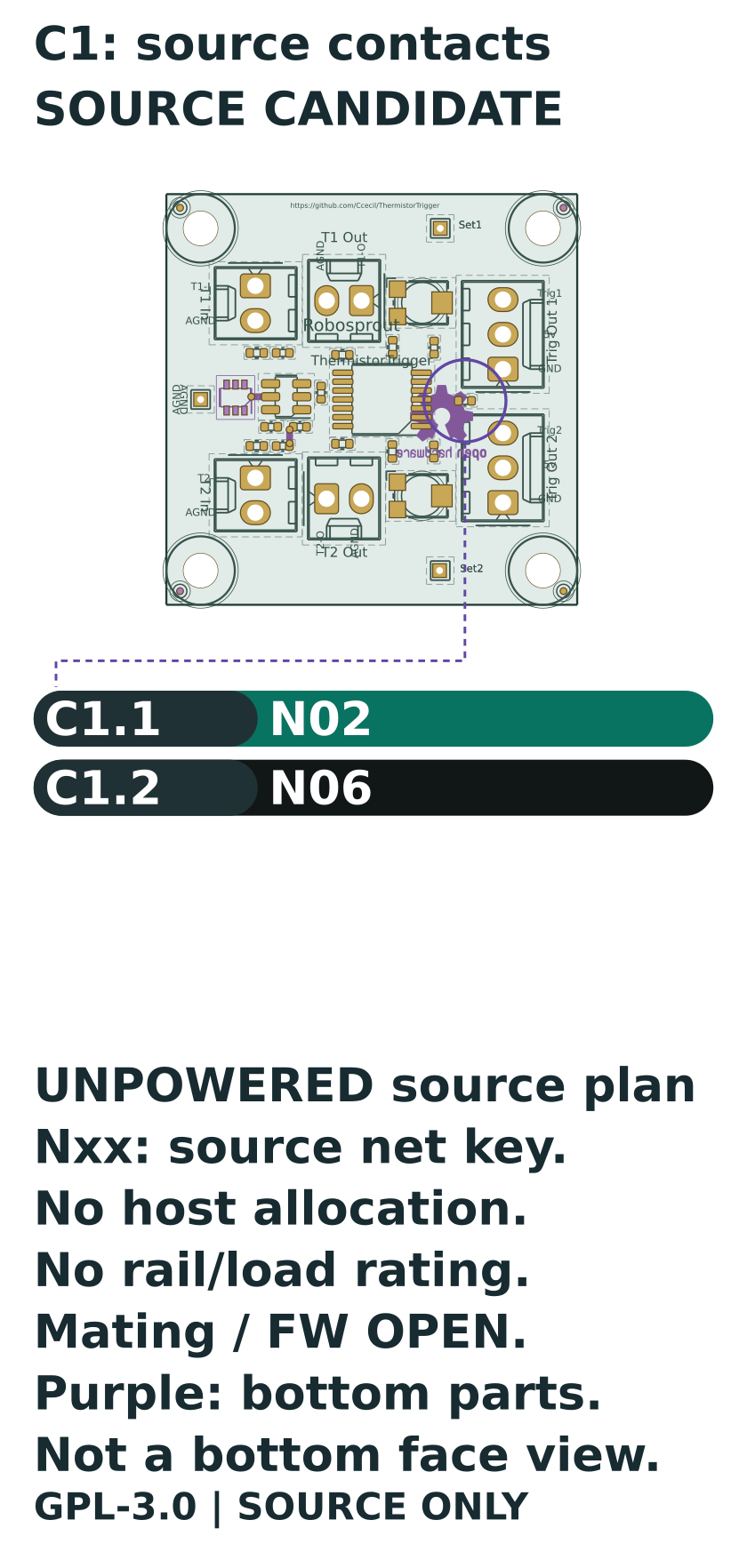
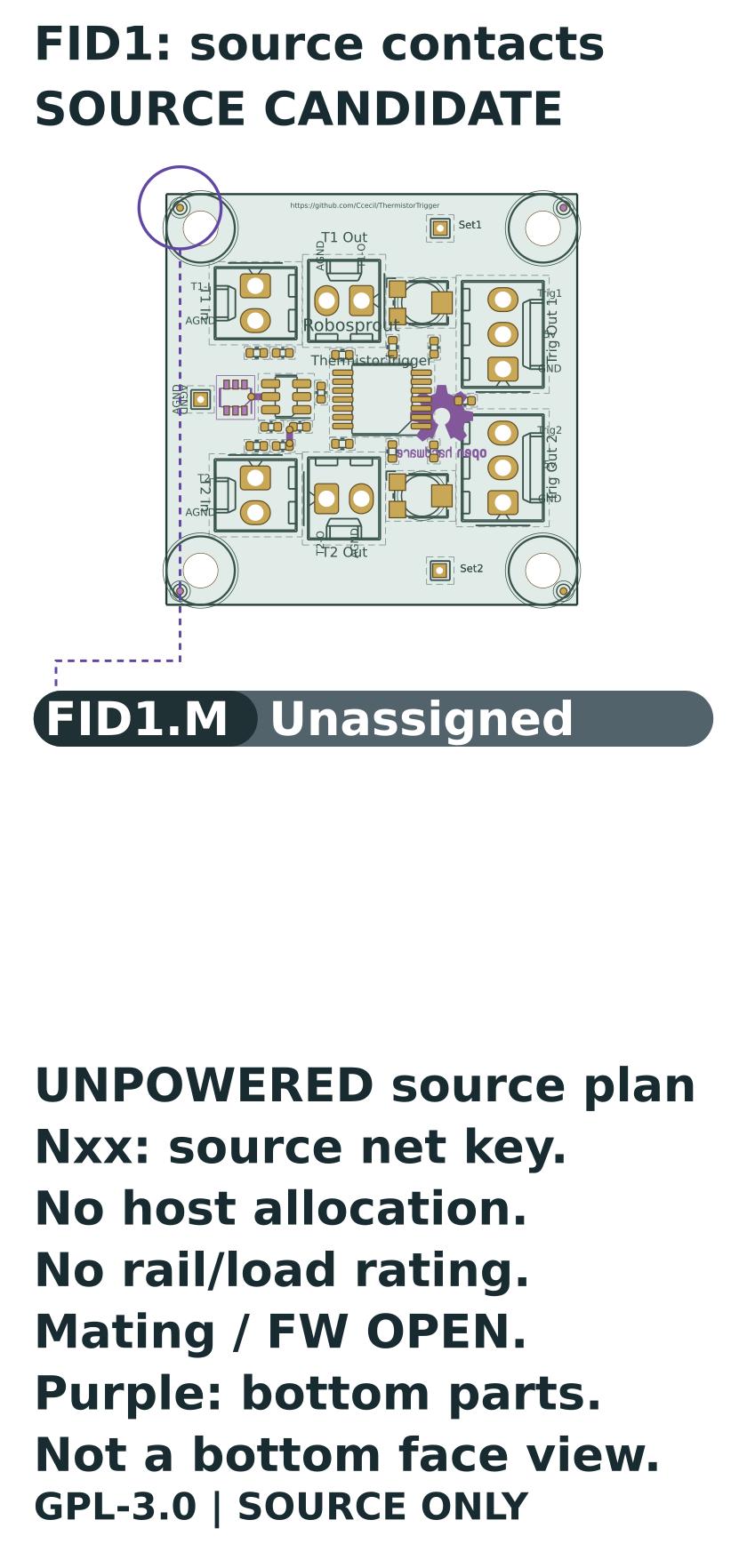
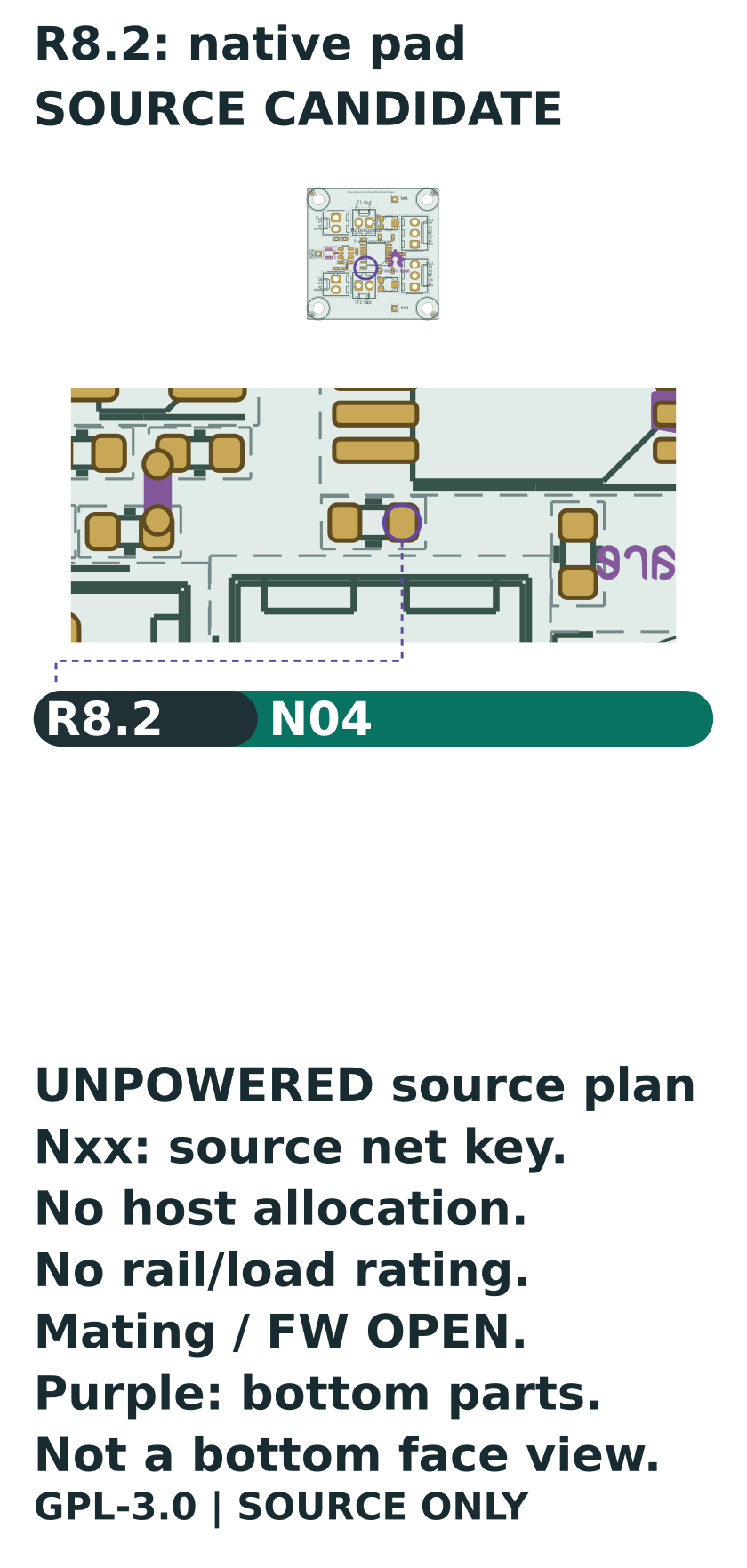
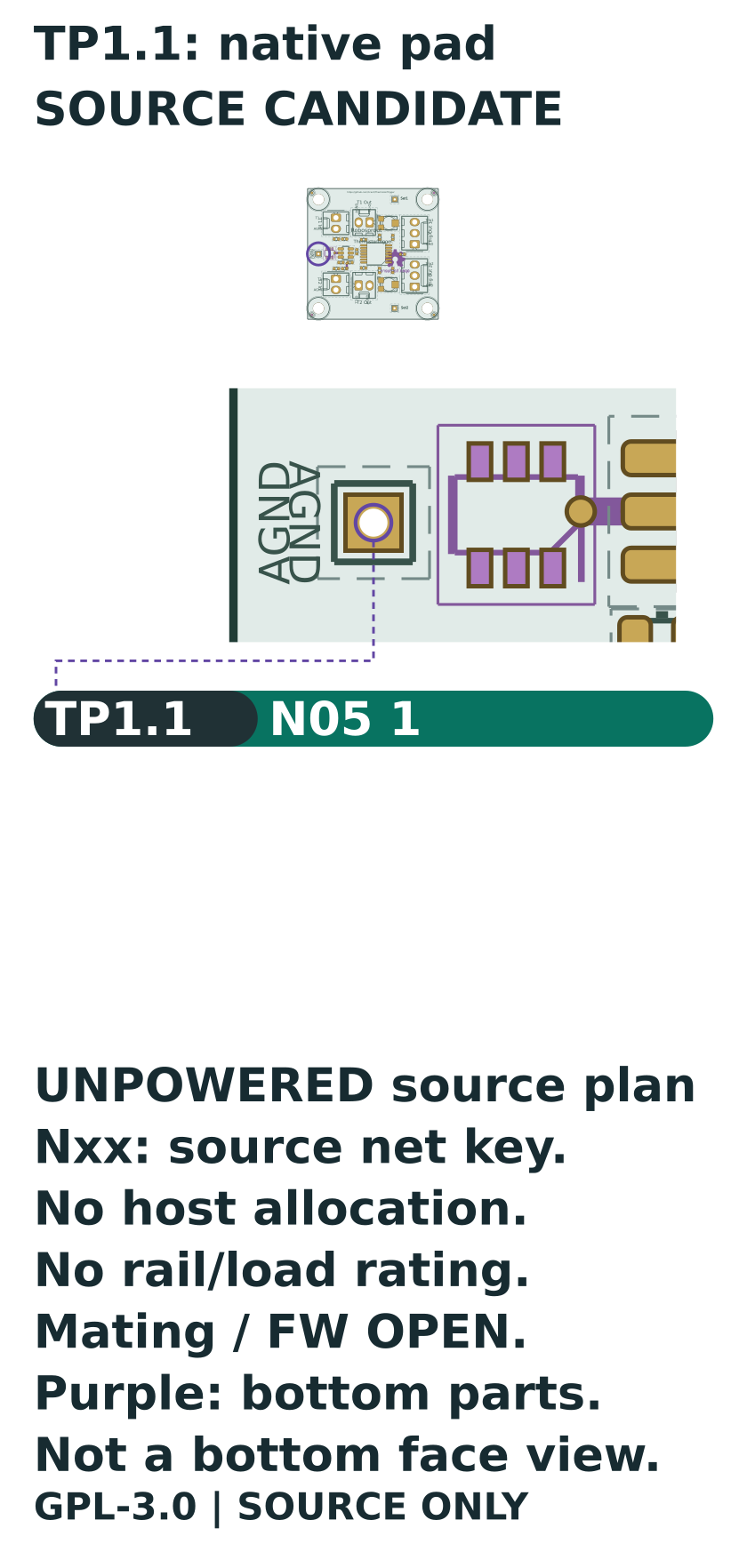
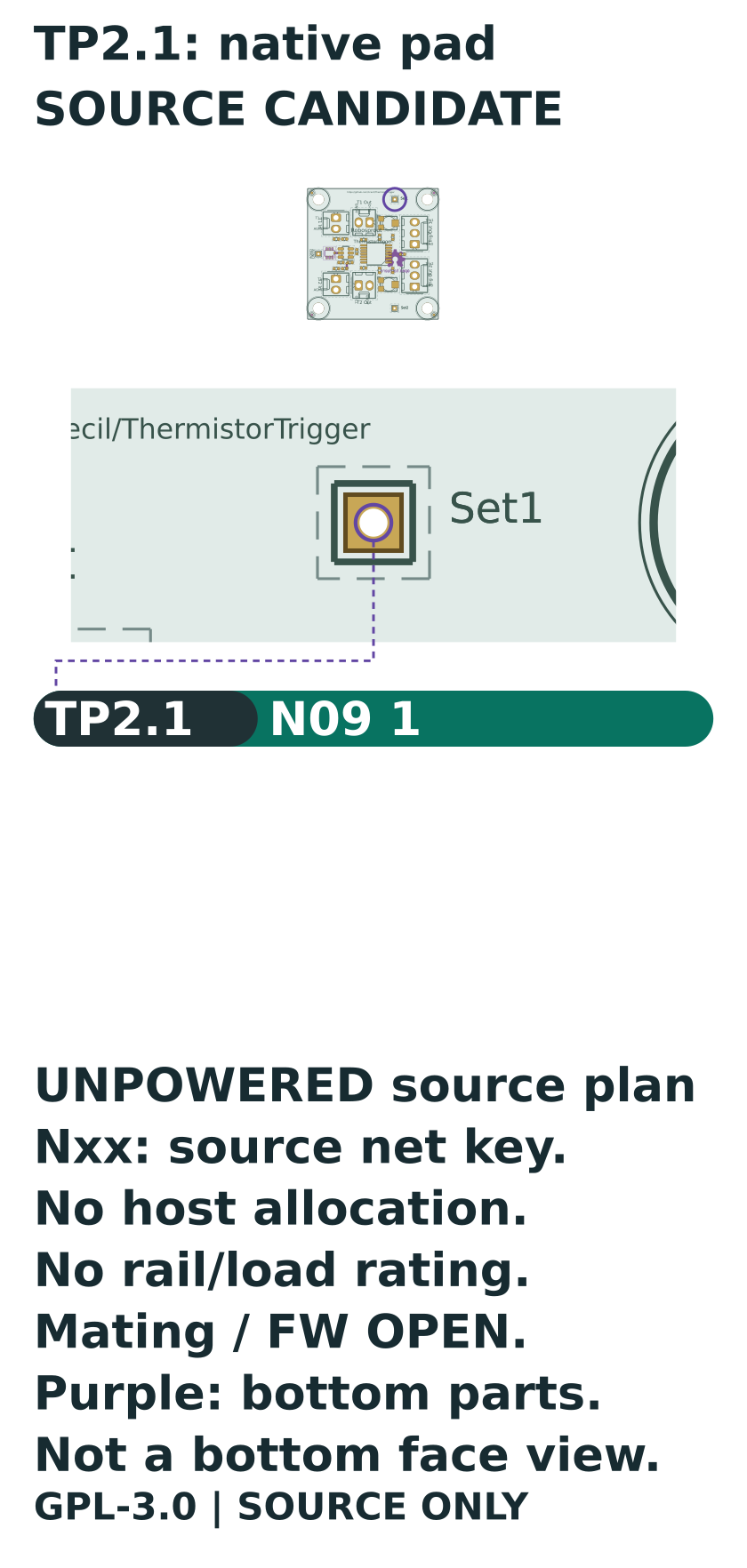
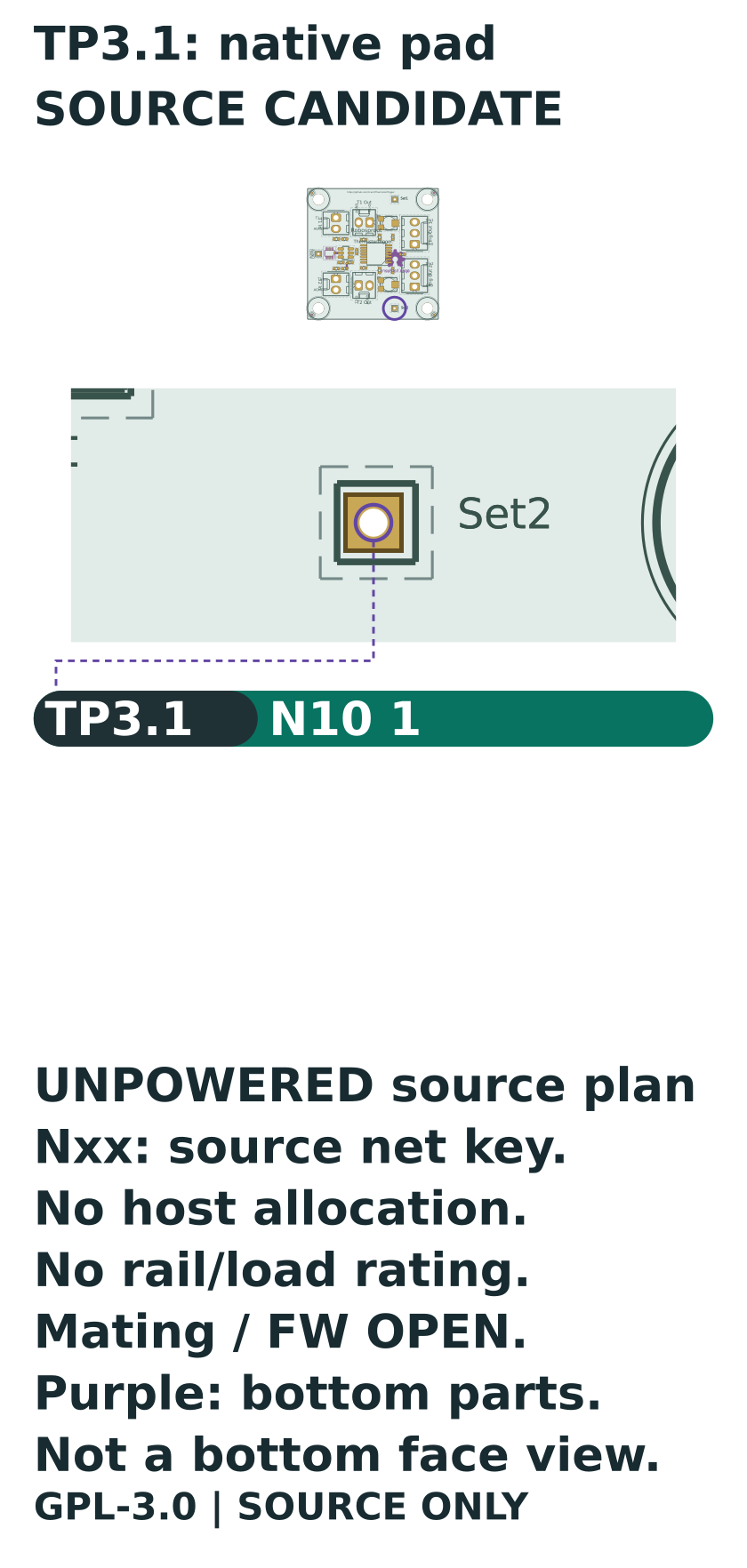
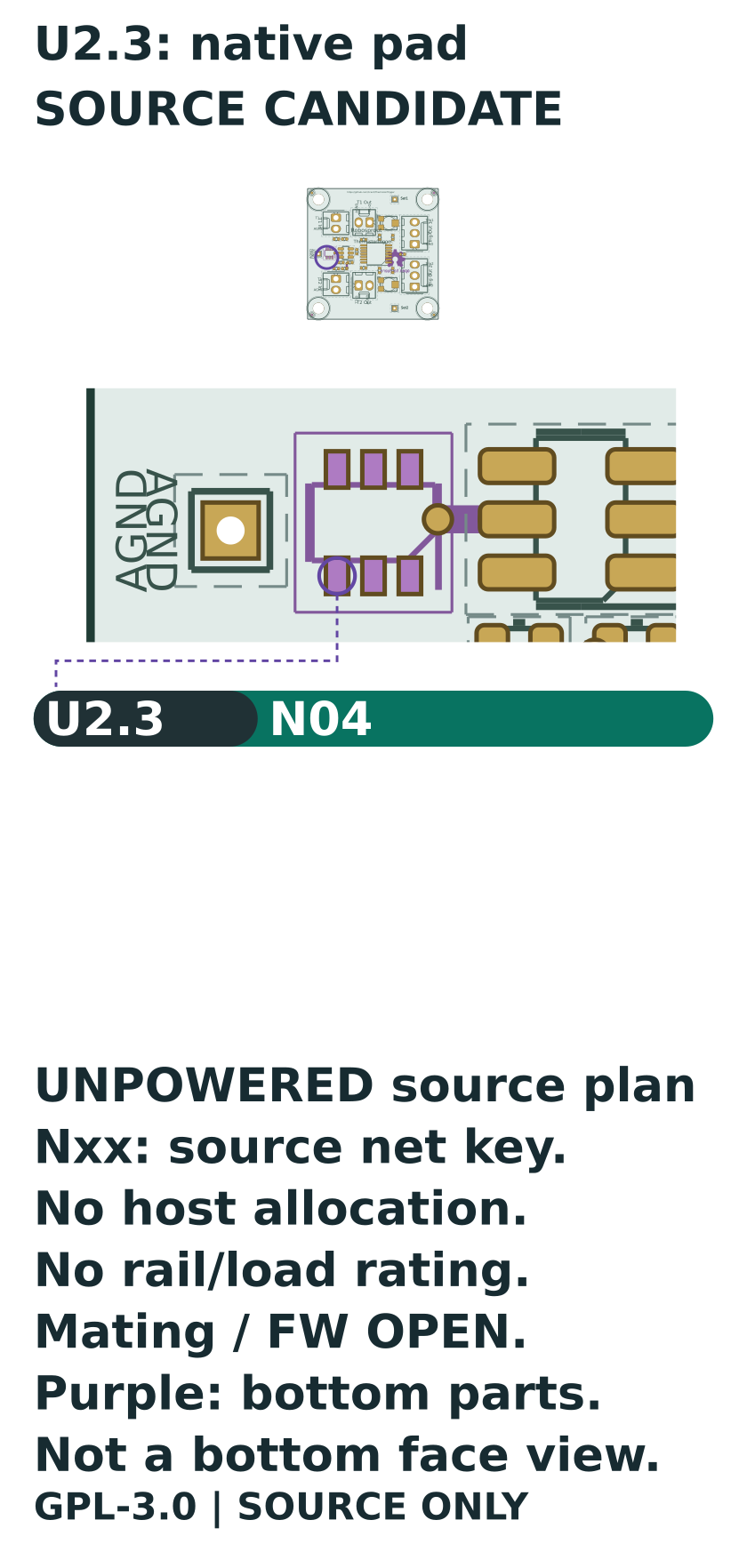
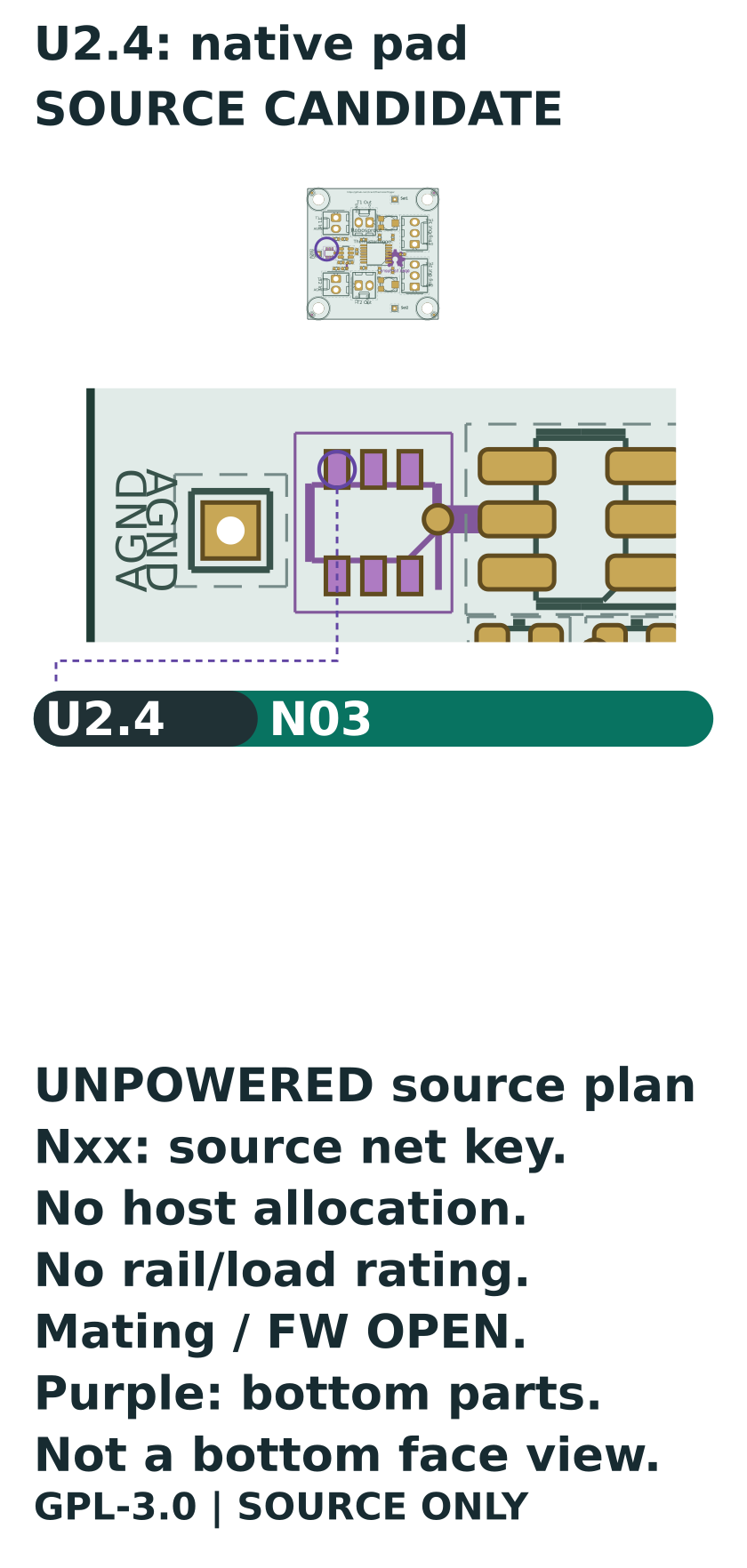
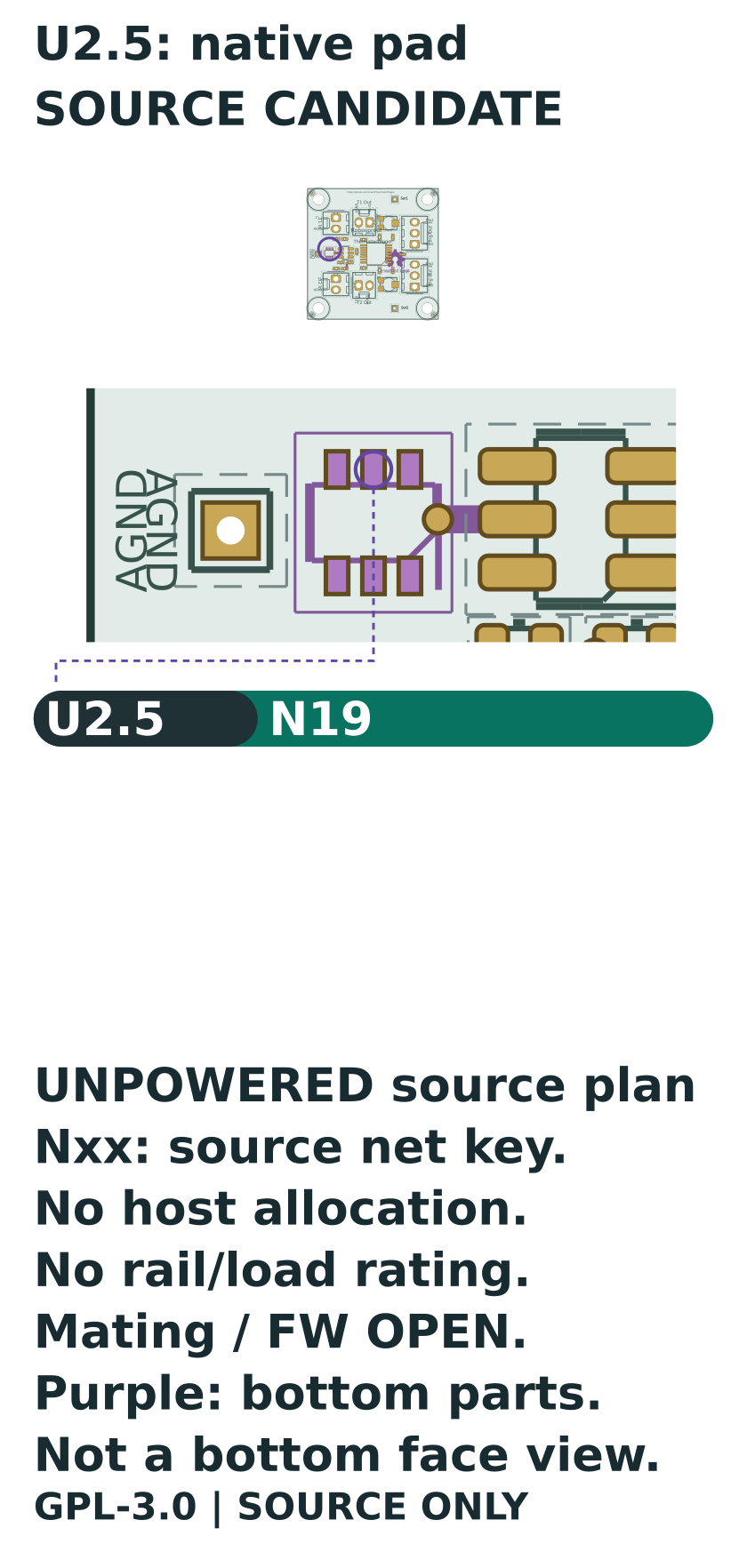
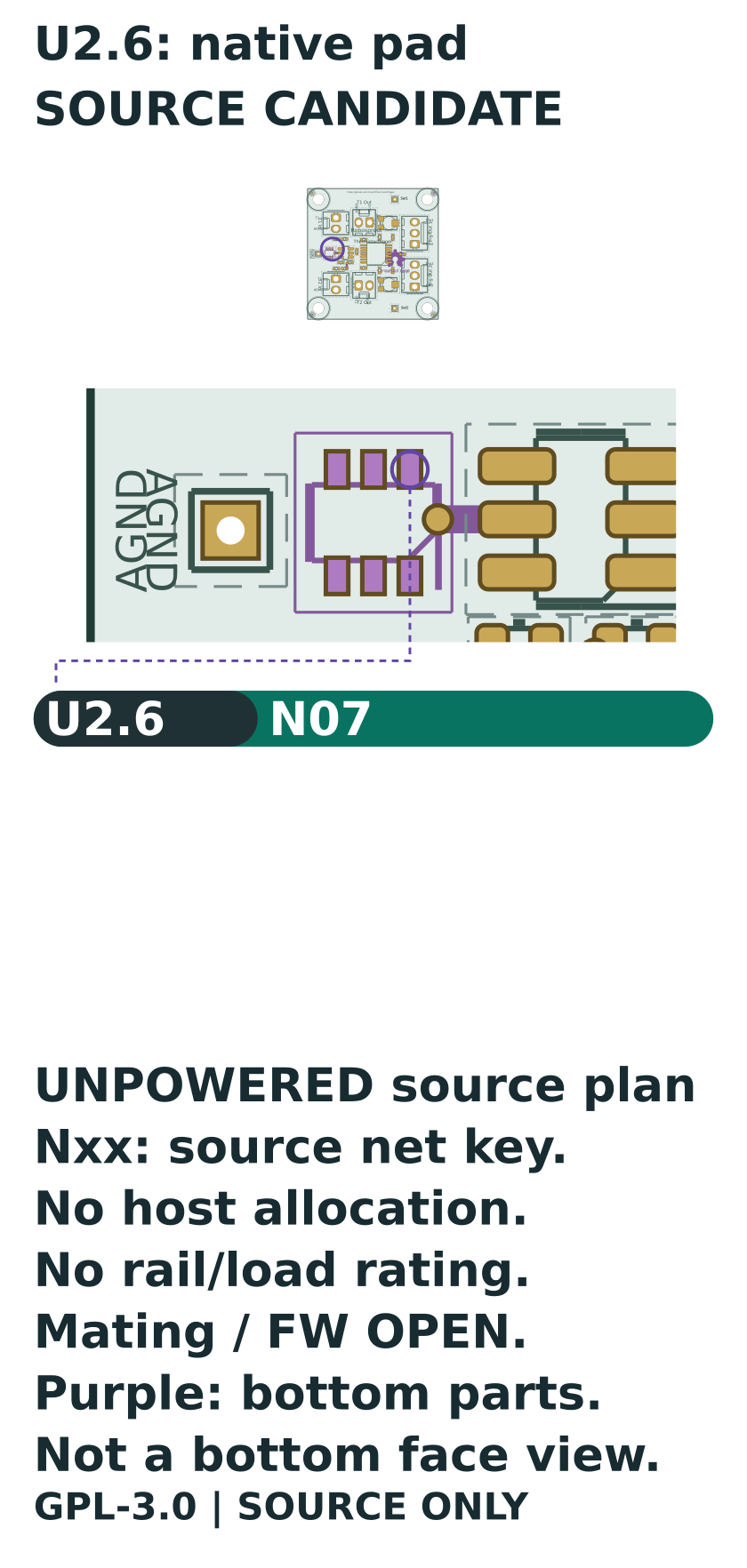
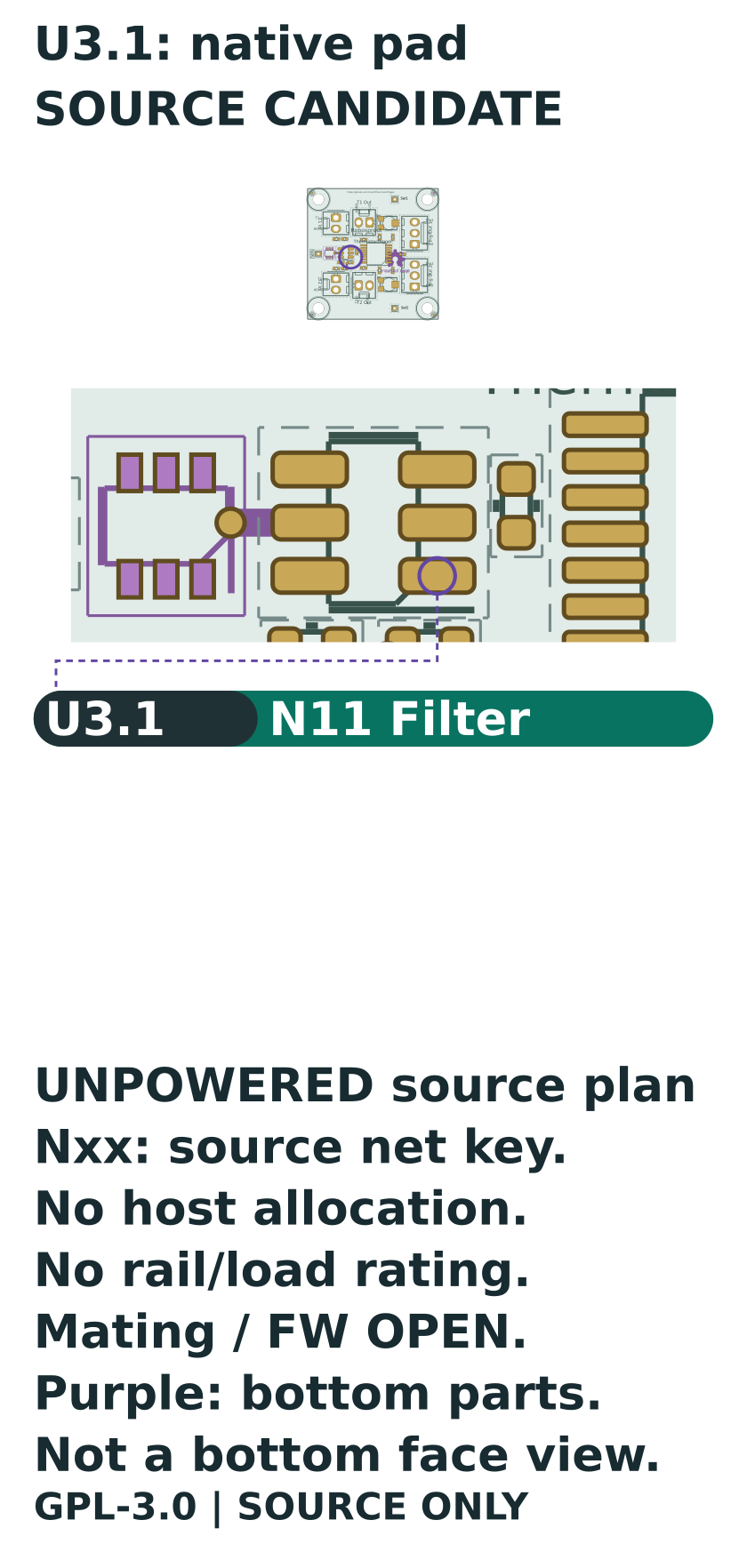
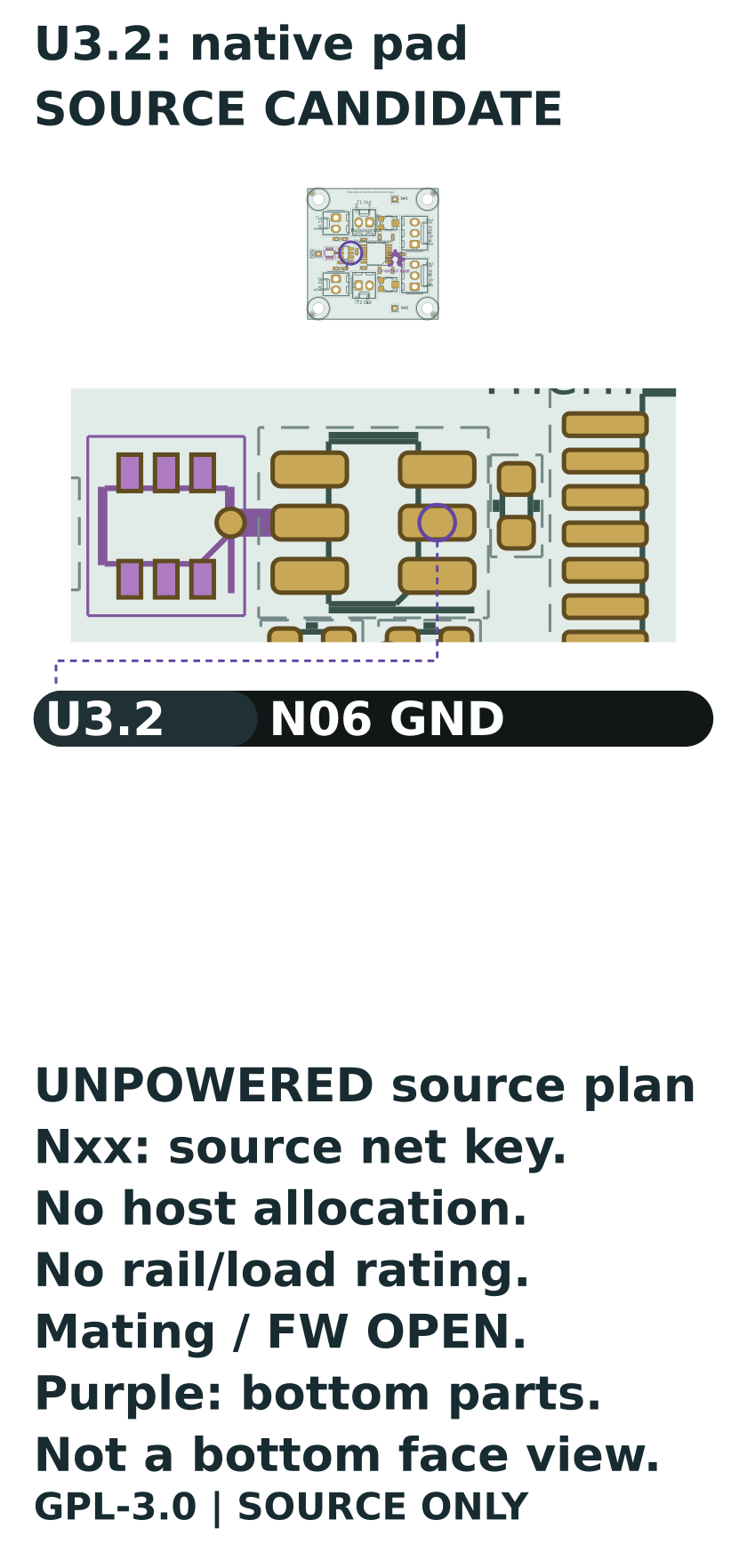
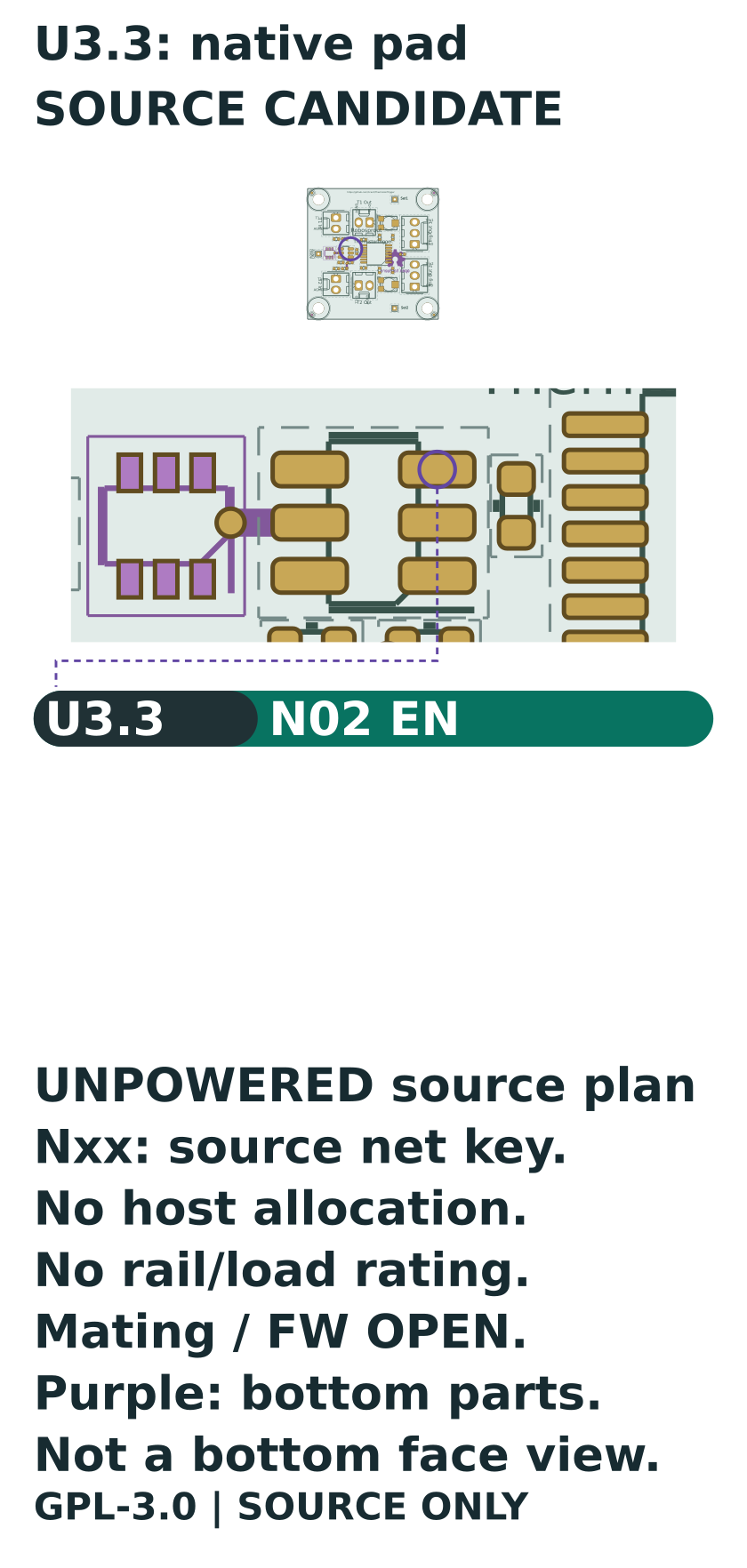
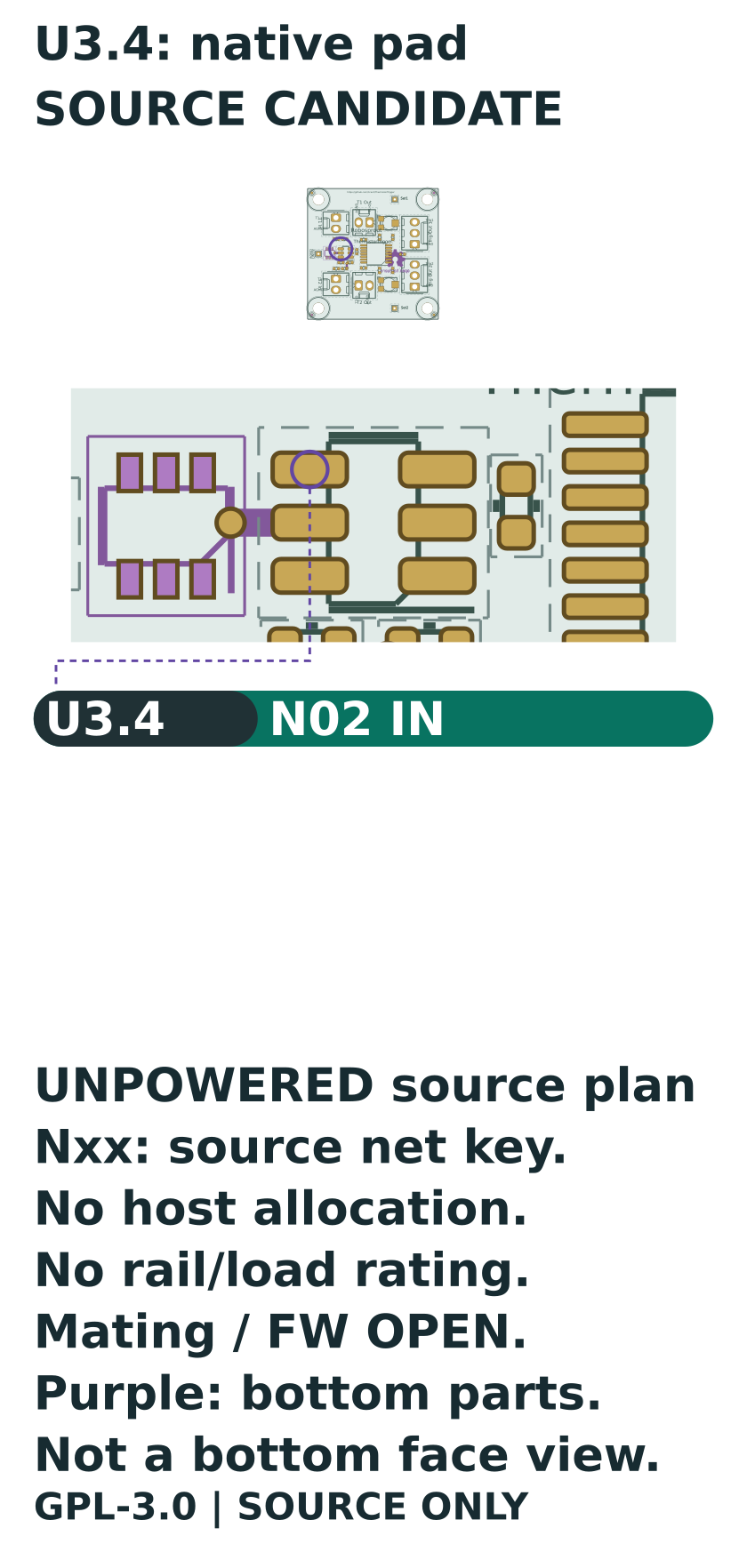
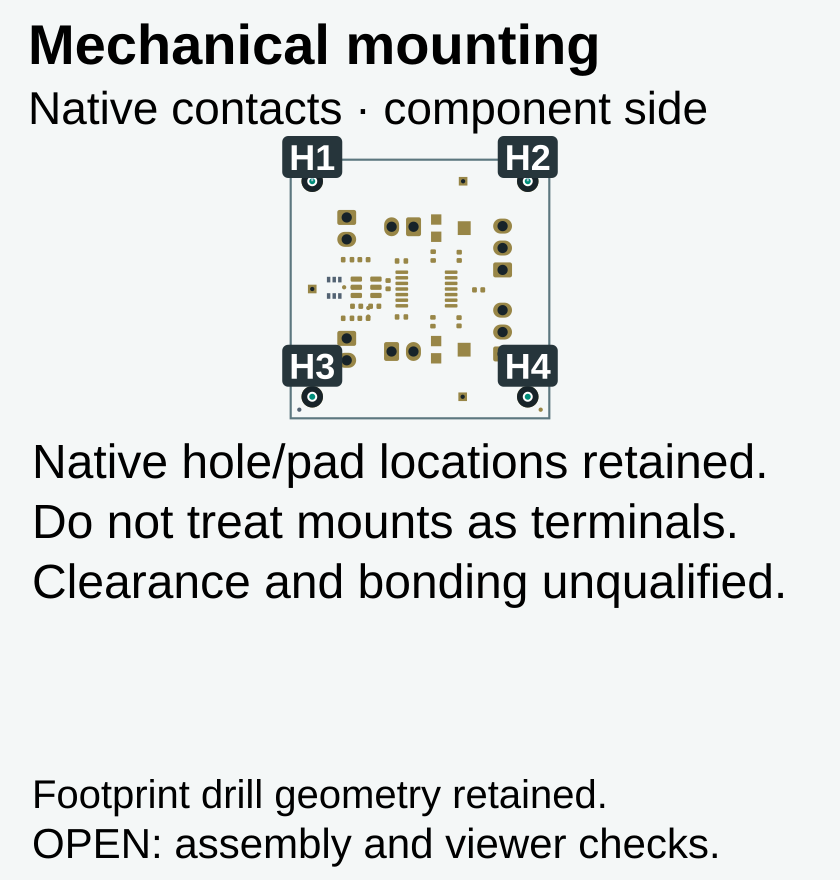
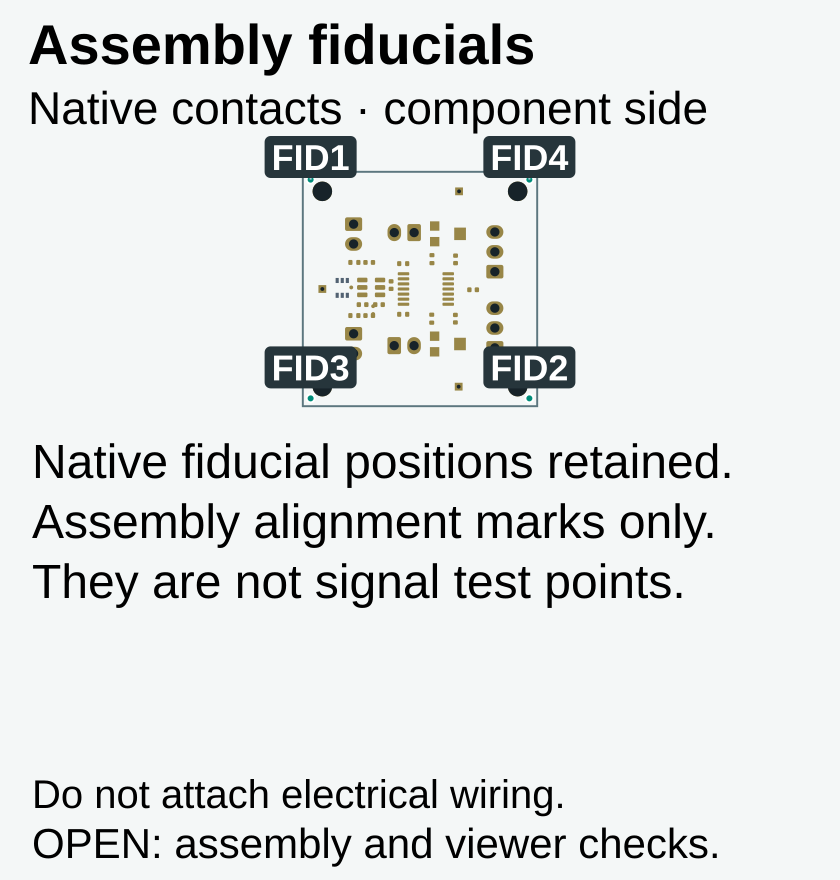
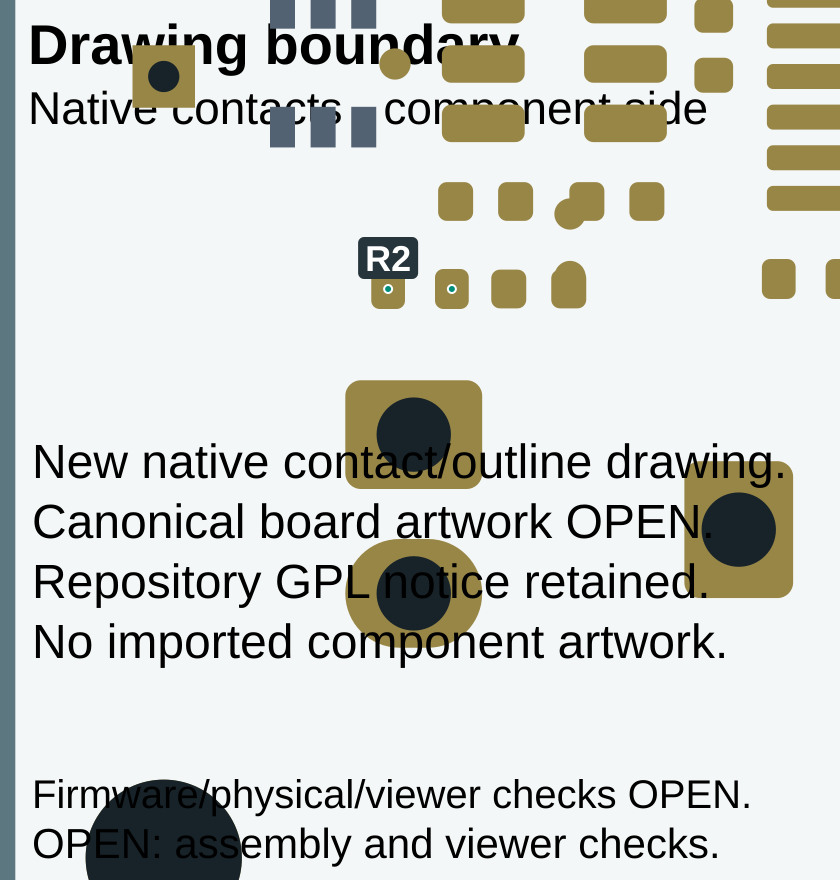
These newly drawn locators preserve the selected native pad positions and board outline. They do not contain populated component artwork and do not satisfy the required canonical abstract diagram. All focused sheets and the boundary notice belong together.
Read labels at full size
Scroll across and down within this view. You can also open the PNG separately and use your browser’s zoom controls.
Fit shows the whole drawing. Zoom to read labels; scroll within the drawing. Escape closes the viewer.
Read labels at full size
Scroll across and down within this view. You can also open the PNG separately and use your browser’s zoom controls.
Fit shows the whole drawing. Zoom to read labels; scroll within the drawing. Escape closes the viewer.
Read labels at full size
Scroll across and down within this view. You can also open the PNG separately and use your browser’s zoom controls.
Fit shows the whole drawing. Zoom to read labels; scroll within the drawing. Escape closes the viewer.
Read labels at full size
Scroll across and down within this view. You can also open the PNG separately and use your browser’s zoom controls.
Fit shows the whole drawing. Zoom to read labels; scroll within the drawing. Escape closes the viewer.
Read labels at full size
Scroll across and down within this view. You can also open the PNG separately and use your browser’s zoom controls.
Fit shows the whole drawing. Zoom to read labels; scroll within the drawing. Escape closes the viewer.
Read labels at full size
Scroll across and down within this view. You can also open the PNG separately and use your browser’s zoom controls.
Fit shows the whole drawing. Zoom to read labels; scroll within the drawing. Escape closes the viewer.
Read labels at full size
Scroll across and down within this view. You can also open the PNG separately and use your browser’s zoom controls.
Fit shows the whole drawing. Zoom to read labels; scroll within the drawing. Escape closes the viewer.
Read labels at full size
Scroll across and down within this view. You can also open the PNG separately and use your browser’s zoom controls.
Fit shows the whole drawing. Zoom to read labels; scroll within the drawing. Escape closes the viewer.
Read labels at full size
Scroll across and down within this view. You can also open the PNG separately and use your browser’s zoom controls.
Fit shows the whole drawing. Zoom to read labels; scroll within the drawing. Escape closes the viewer.
Read labels at full size
Scroll across and down within this view. You can also open the PNG separately and use your browser’s zoom controls.
Fit shows the whole drawing. Zoom to read labels; scroll within the drawing. Escape closes the viewer.
Read labels at full size
Scroll across and down within this view. You can also open the PNG separately and use your browser’s zoom controls.
Fit shows the whole drawing. Zoom to read labels; scroll within the drawing. Escape closes the viewer.
Read labels at full size
Scroll across and down within this view. You can also open the PNG separately and use your browser’s zoom controls.
Fit shows the whole drawing. Zoom to read labels; scroll within the drawing. Escape closes the viewer.
Read labels at full size
Scroll across and down within this view. You can also open the PNG separately and use your browser’s zoom controls.
Fit shows the whole drawing. Zoom to read labels; scroll within the drawing. Escape closes the viewer.
Read labels at full size
Scroll across and down within this view. You can also open the PNG separately and use your browser’s zoom controls.
Fit shows the whole drawing. Zoom to read labels; scroll within the drawing. Escape closes the viewer.
Read labels at full size
Scroll across and down within this view. You can also open the PNG separately and use your browser’s zoom controls.
Fit shows the whole drawing. Zoom to read labels; scroll within the drawing. Escape closes the viewer.
Read labels at full size
Scroll across and down within this view. You can also open the PNG separately and use your browser’s zoom controls.
Fit shows the whole drawing. Zoom to read labels; scroll within the drawing. Escape closes the viewer.
Download matching unmodified native source, upstream licence and drawing notice. Source revision: 625eb1ab9a780d41ef6dac5576418ab81ab8065c. Retain the included source licence and notices with derivatives.
No matching abstract was located in smoothie-diagrams. A faithful revision-specific abstract and annotated diagram are required; a modern replacement or bare PCB render does not satisfy this diagram.
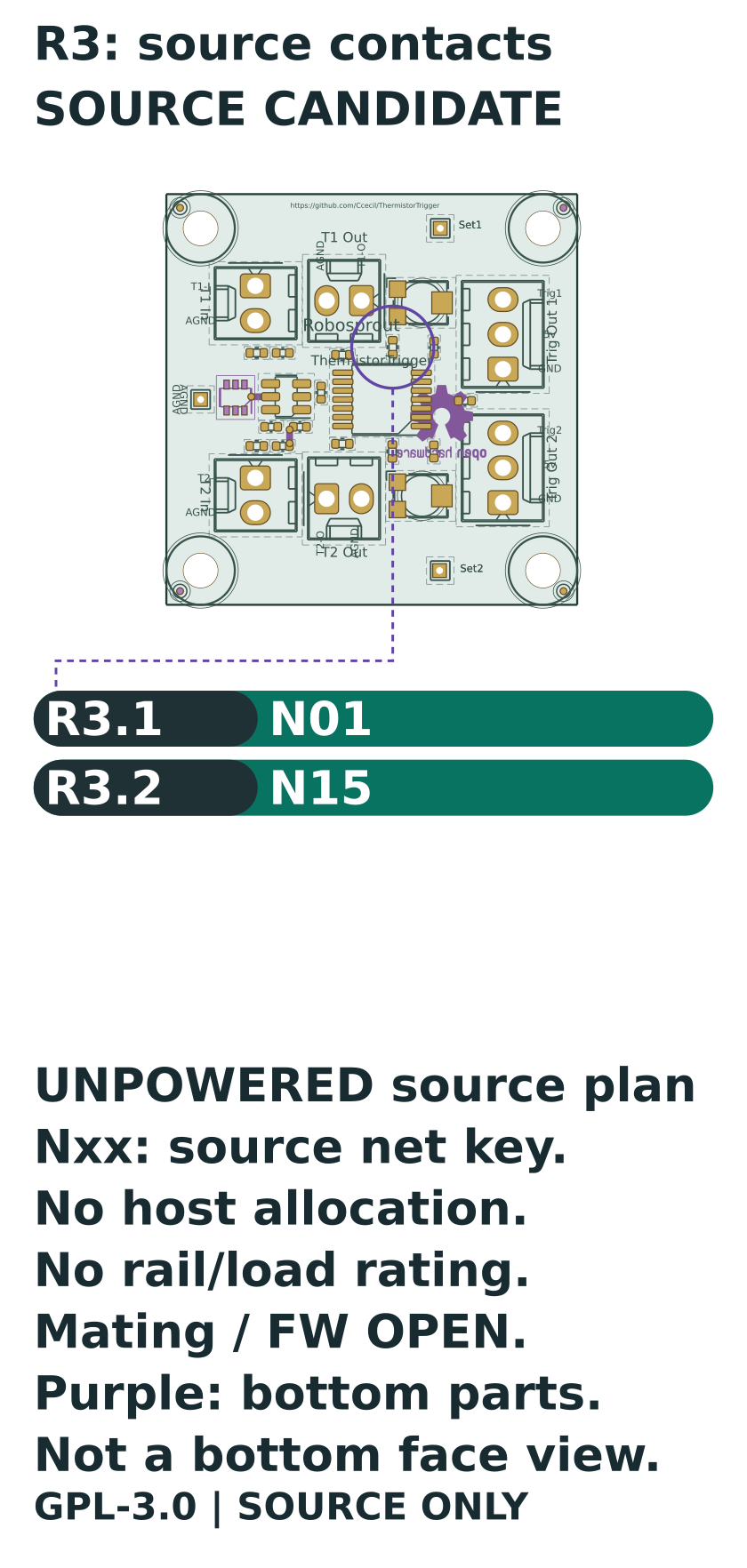
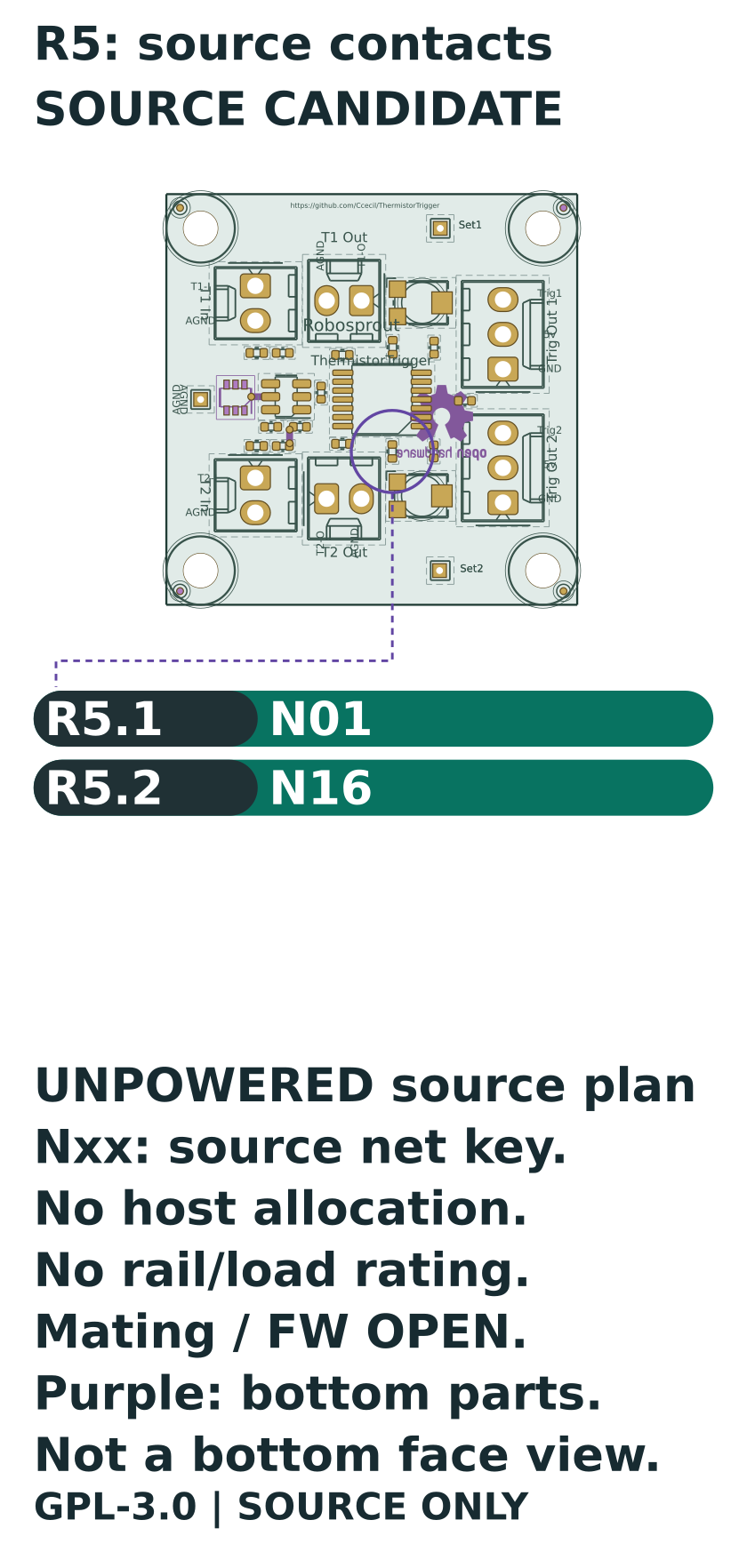
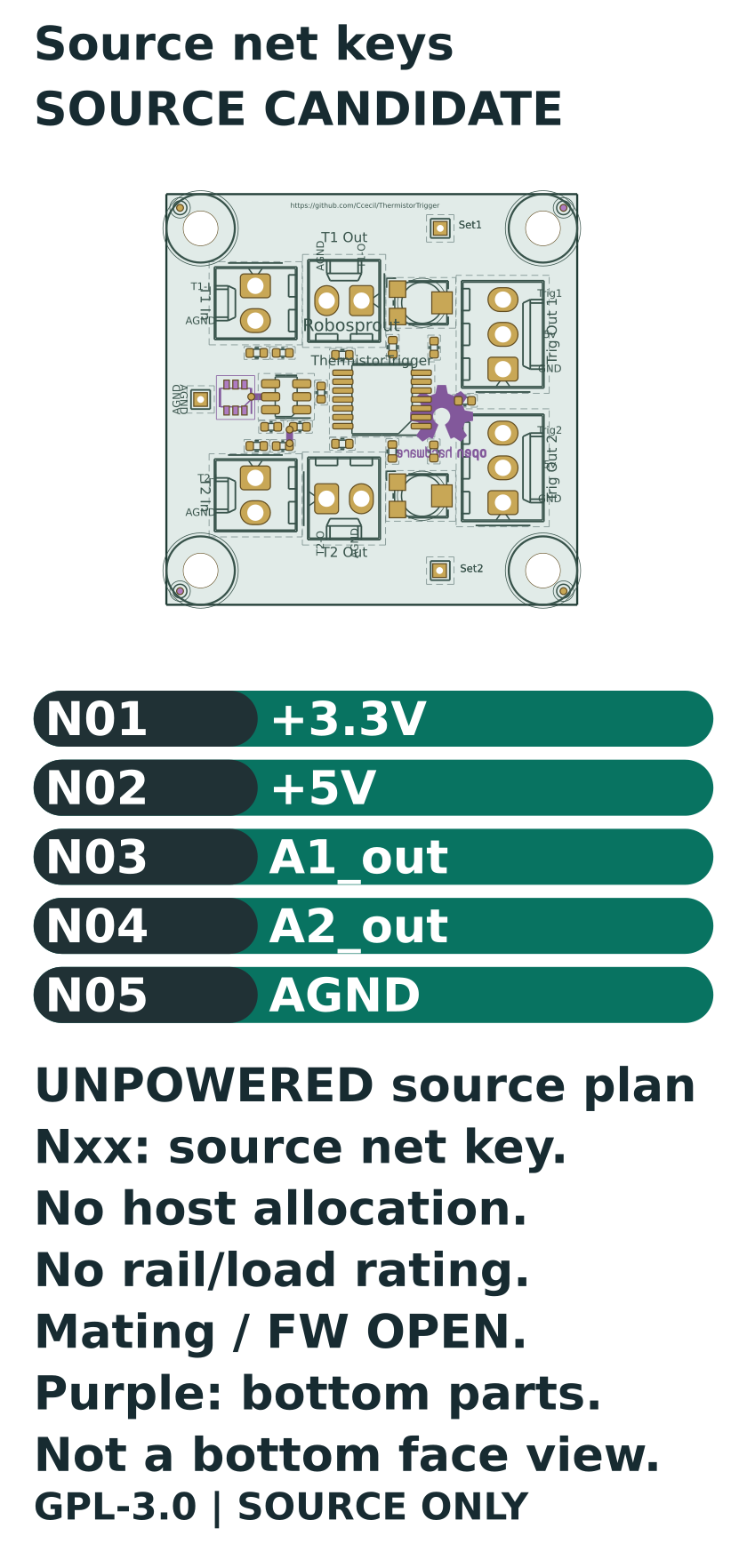
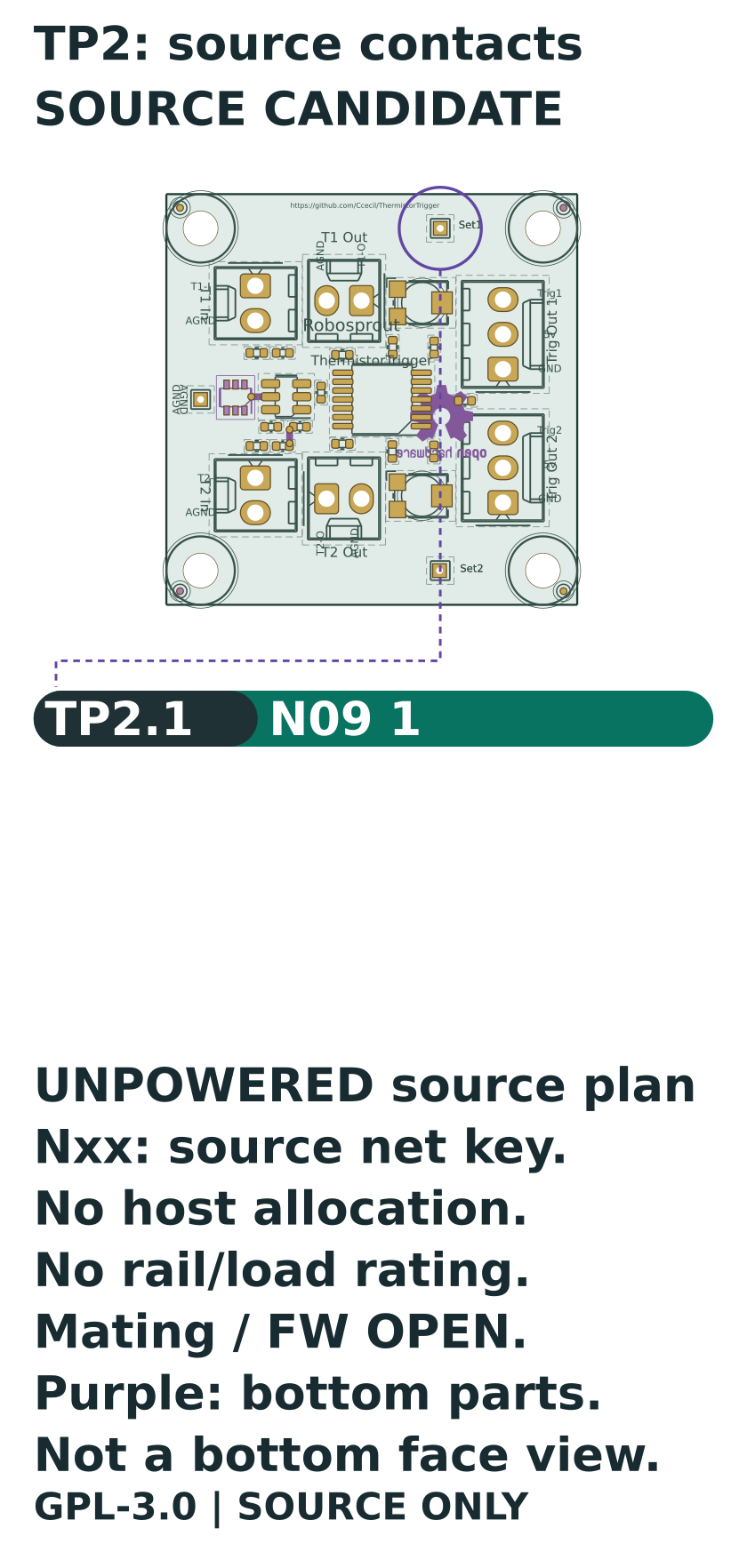
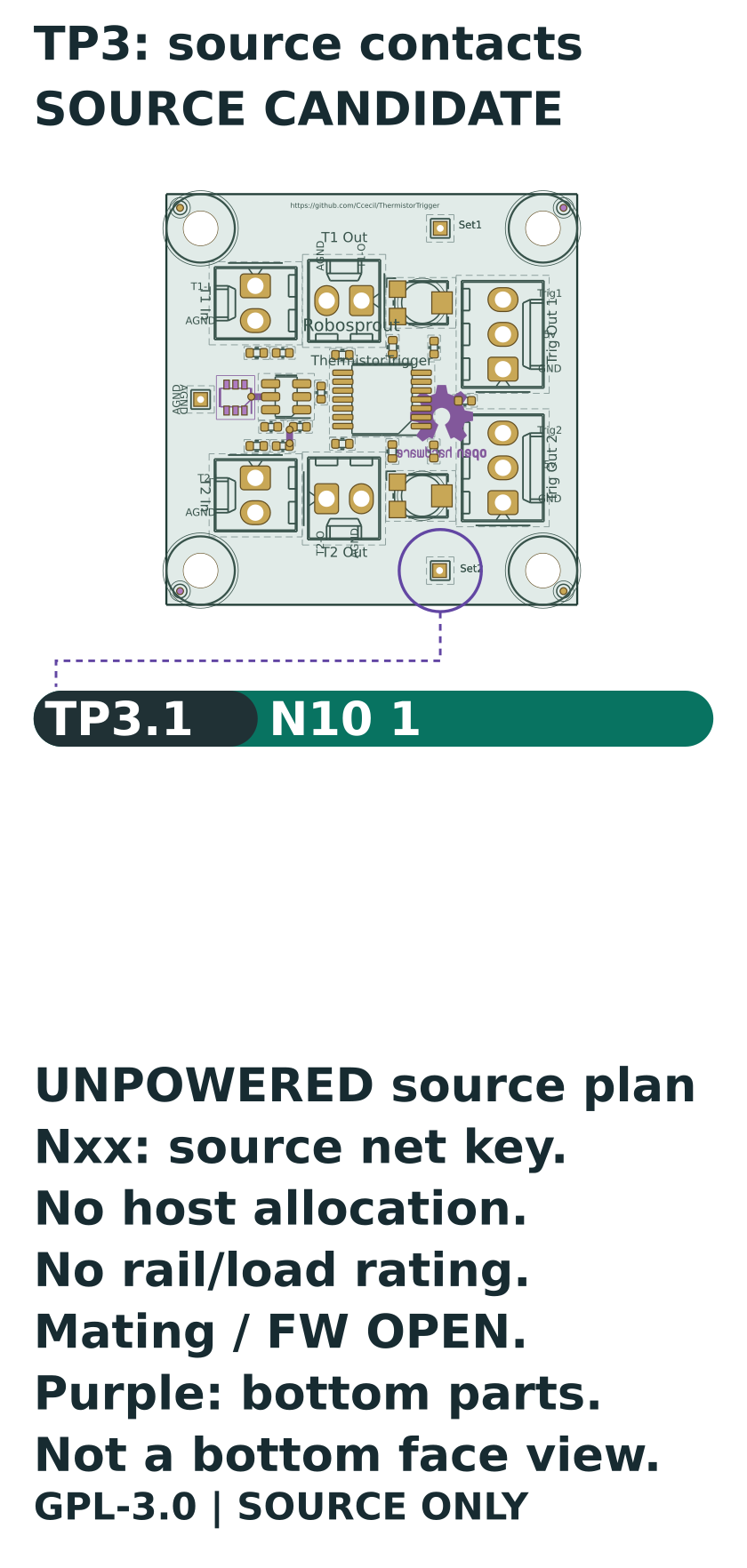
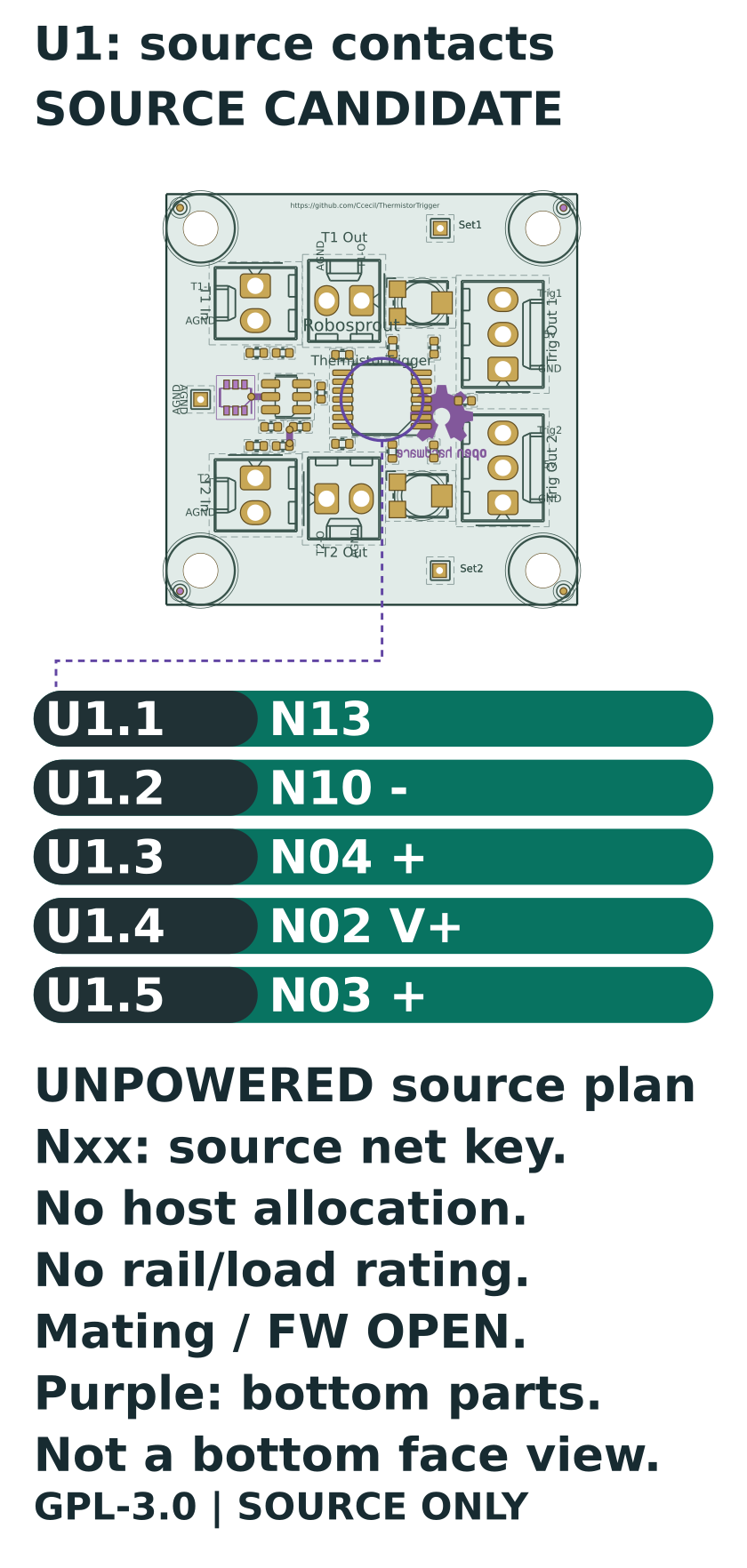
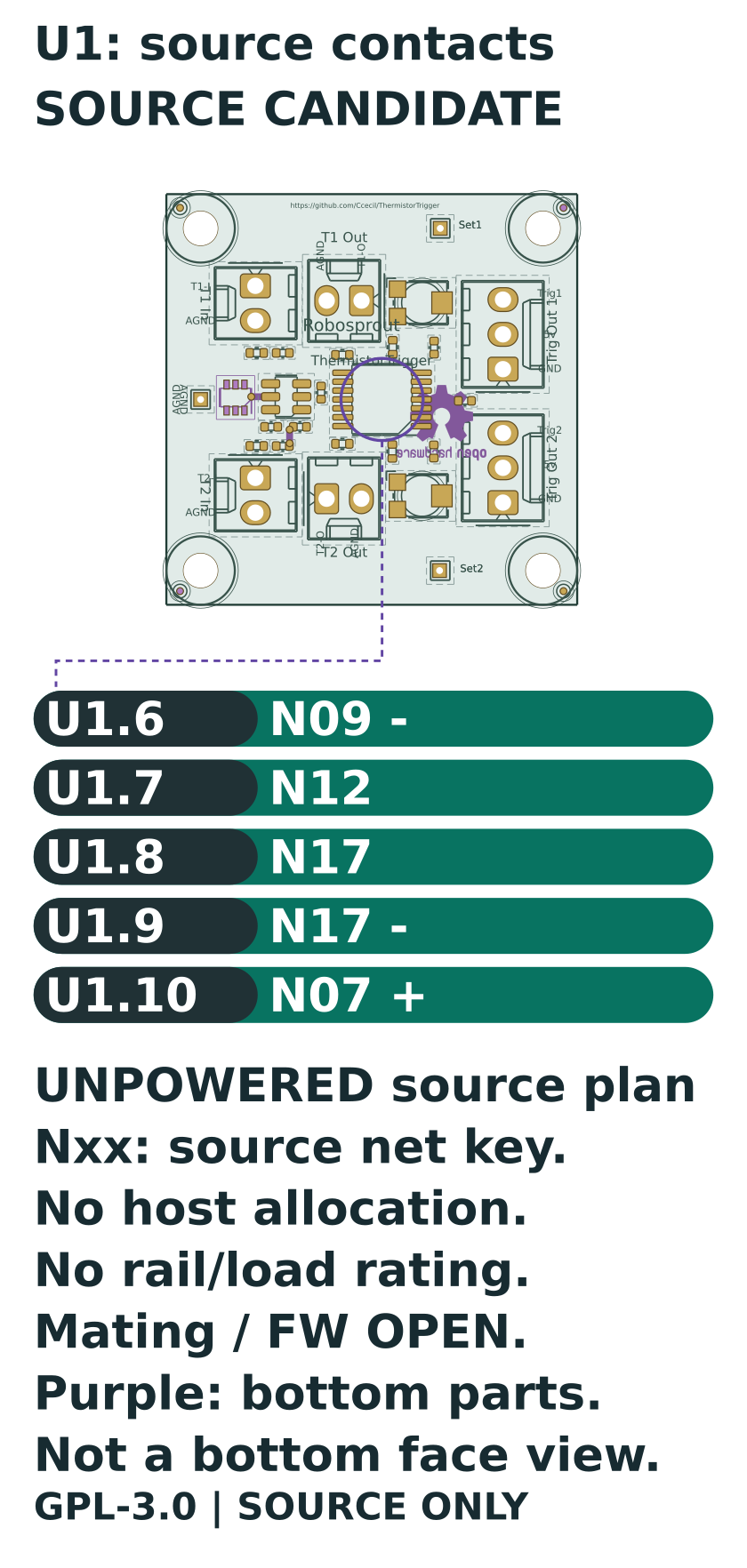
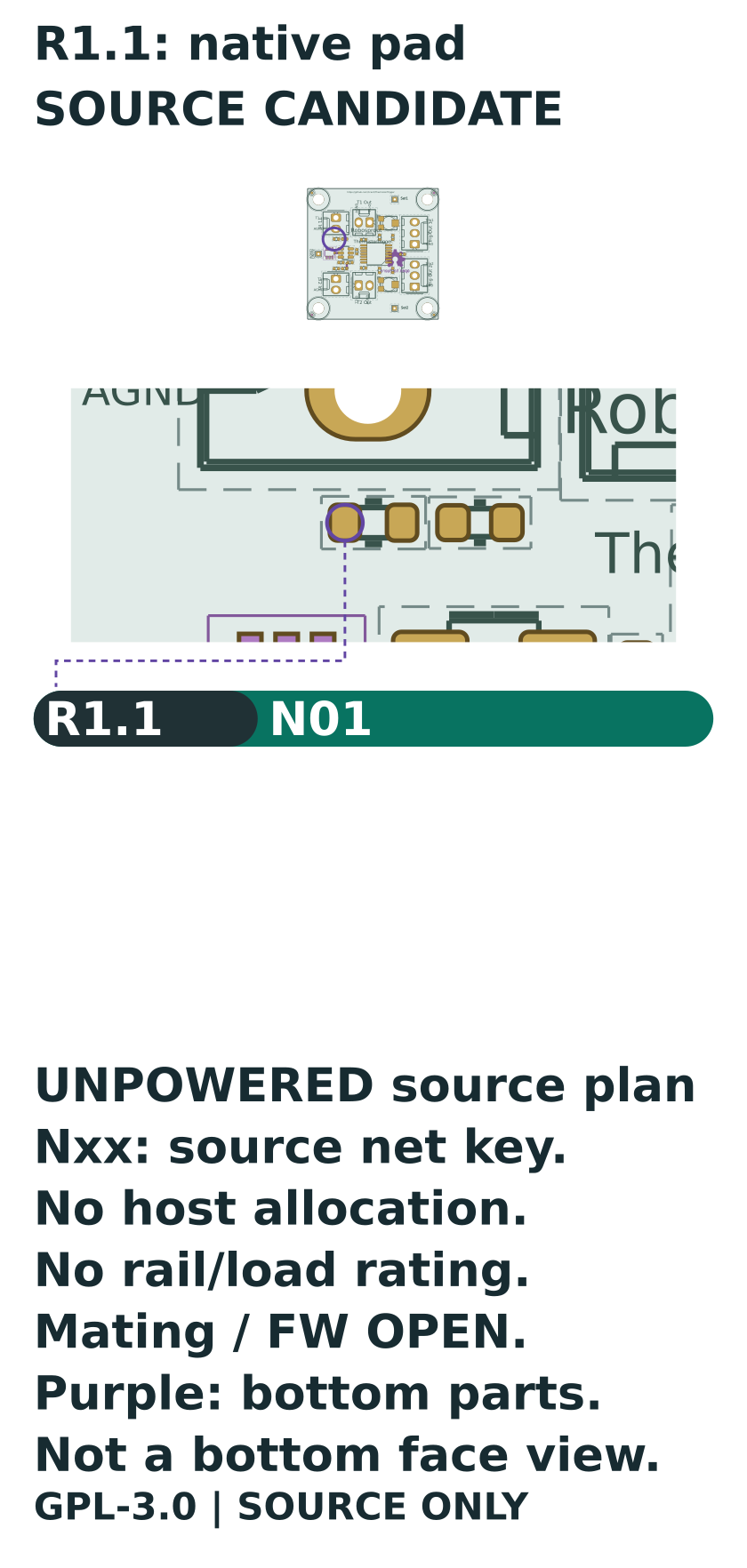
The following table comes directly from the selected PCB footprint pad nets. It is an inventory of named pads, not proof of copper continuity. Source line numbers refer to the exact linked PCB bytes.
Selected-source contact inventory
| PCB reference | Value / control | Source line | Contact → net |
|---|---|---|---|
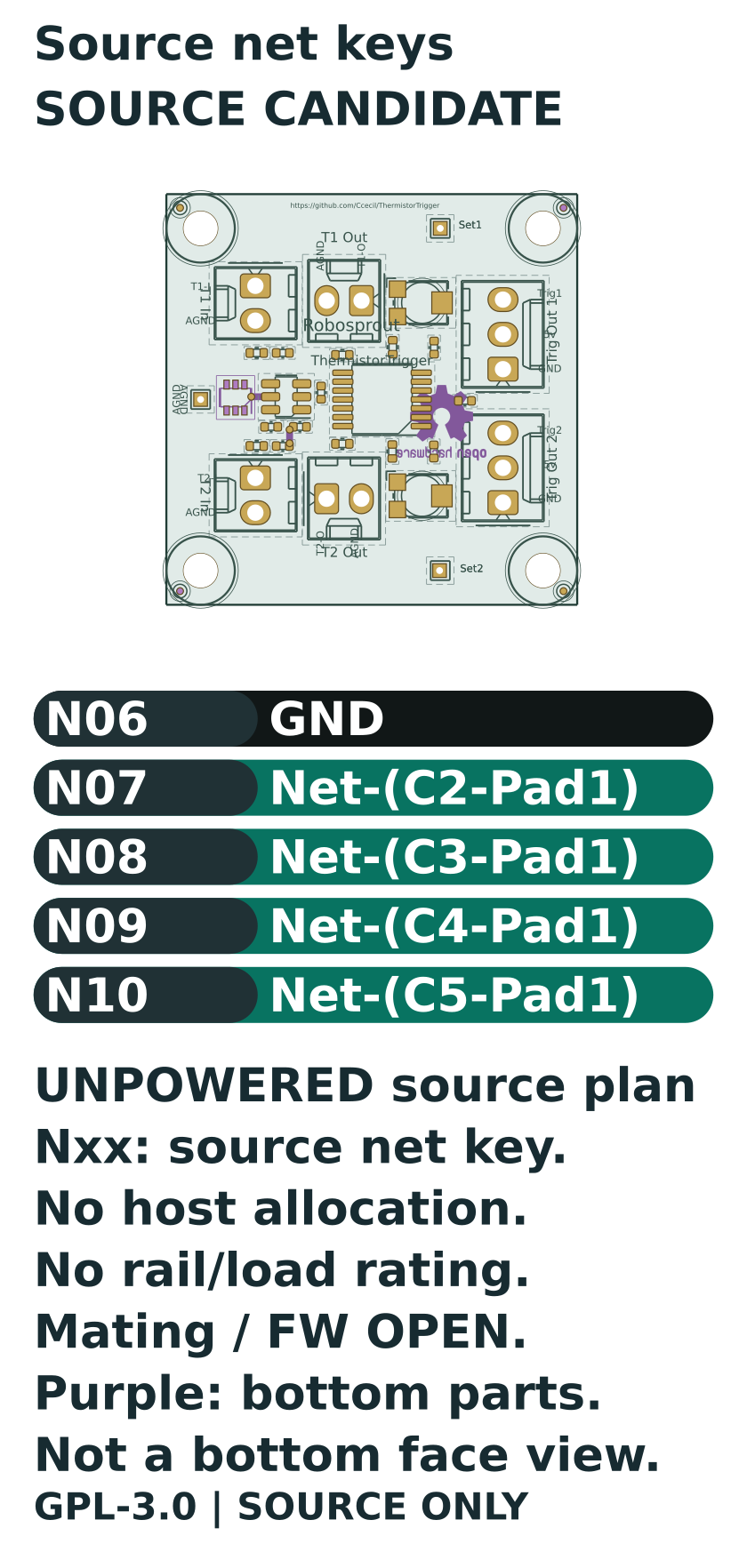
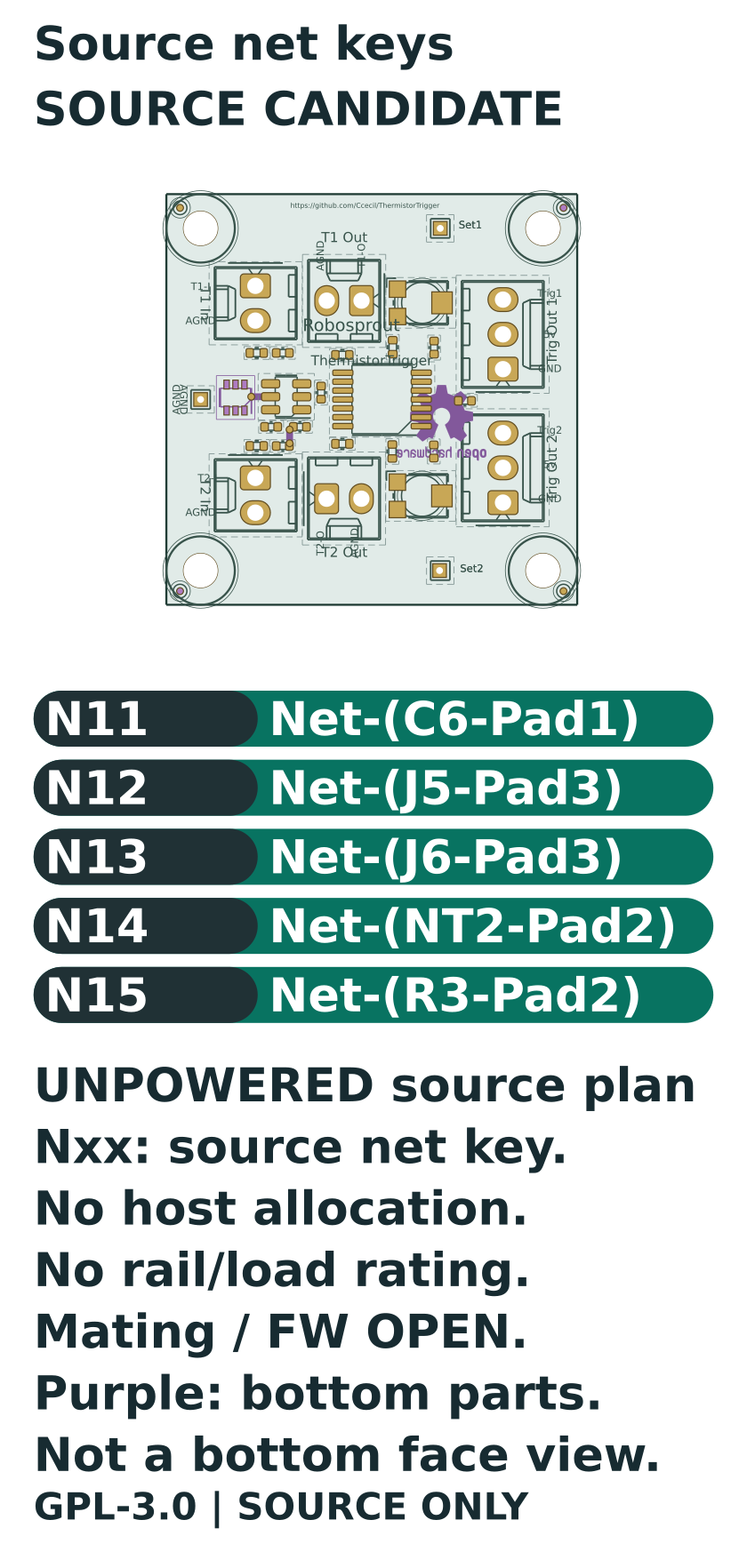
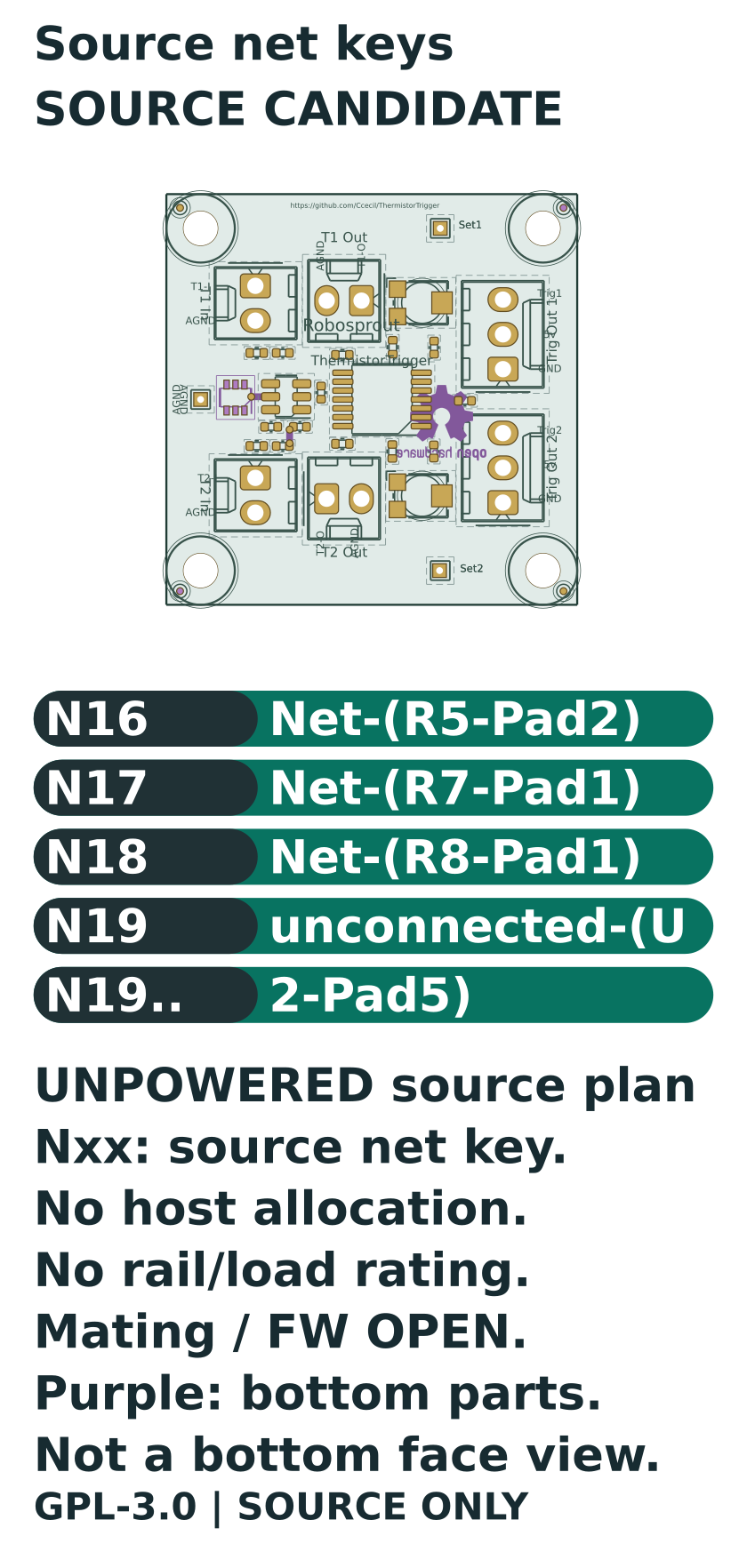
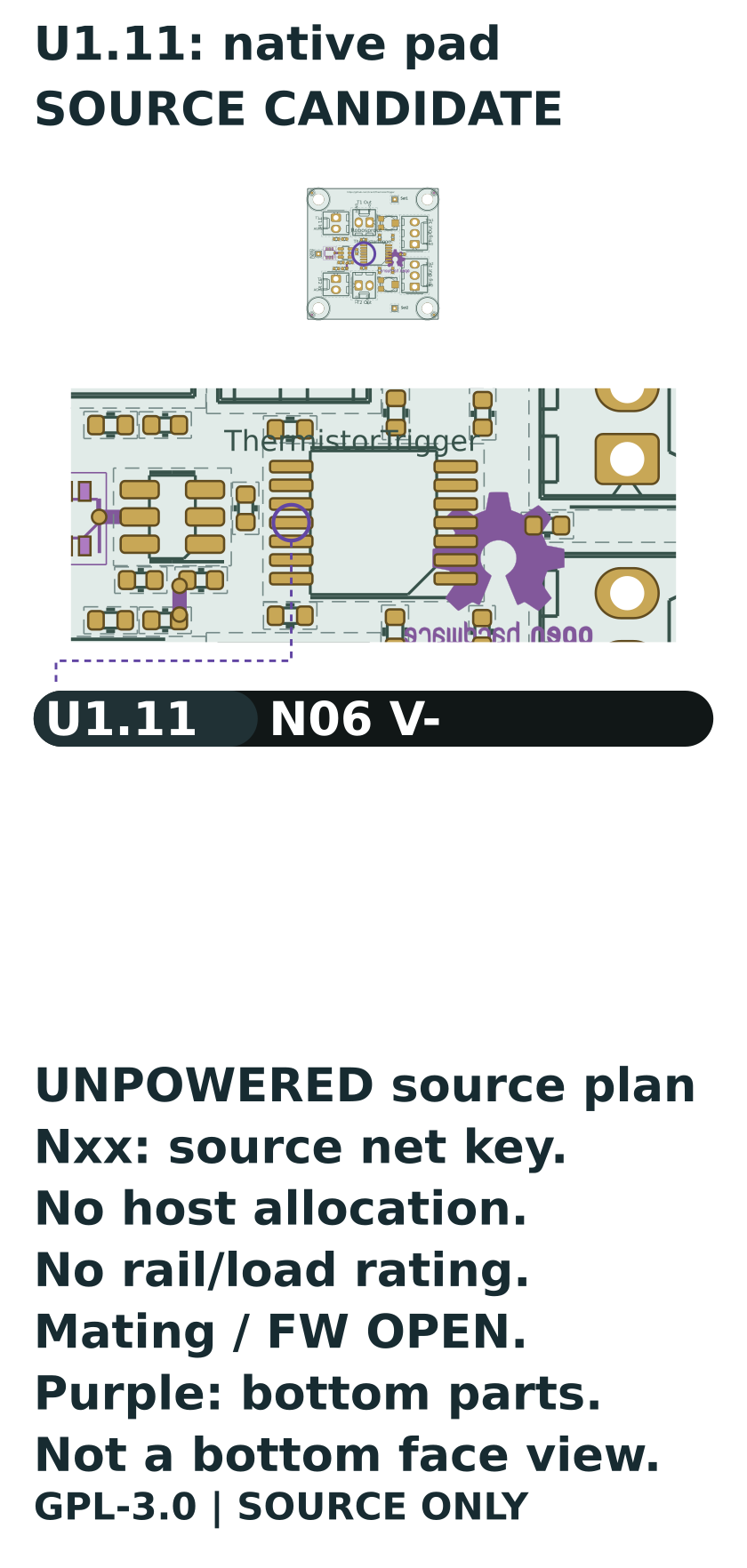
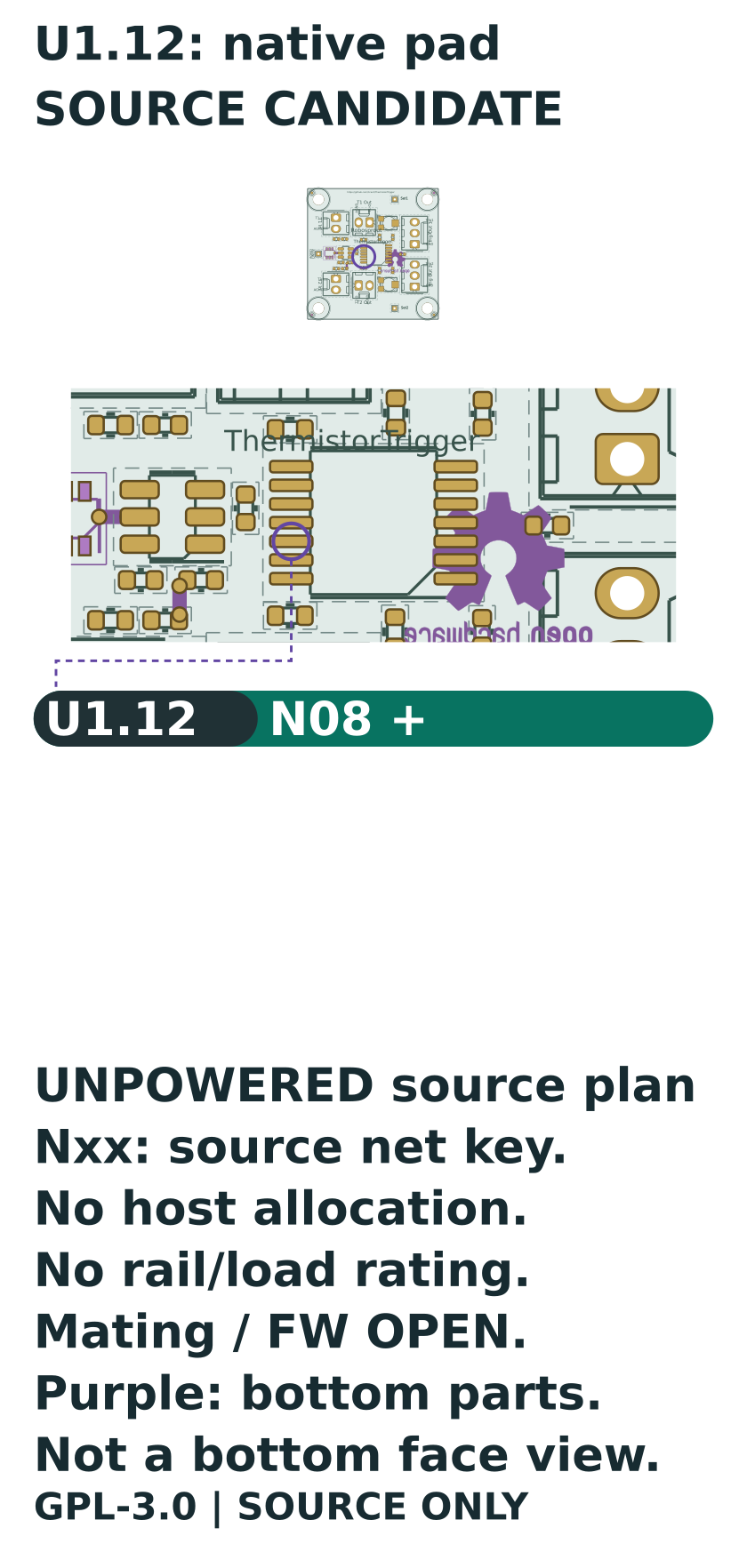
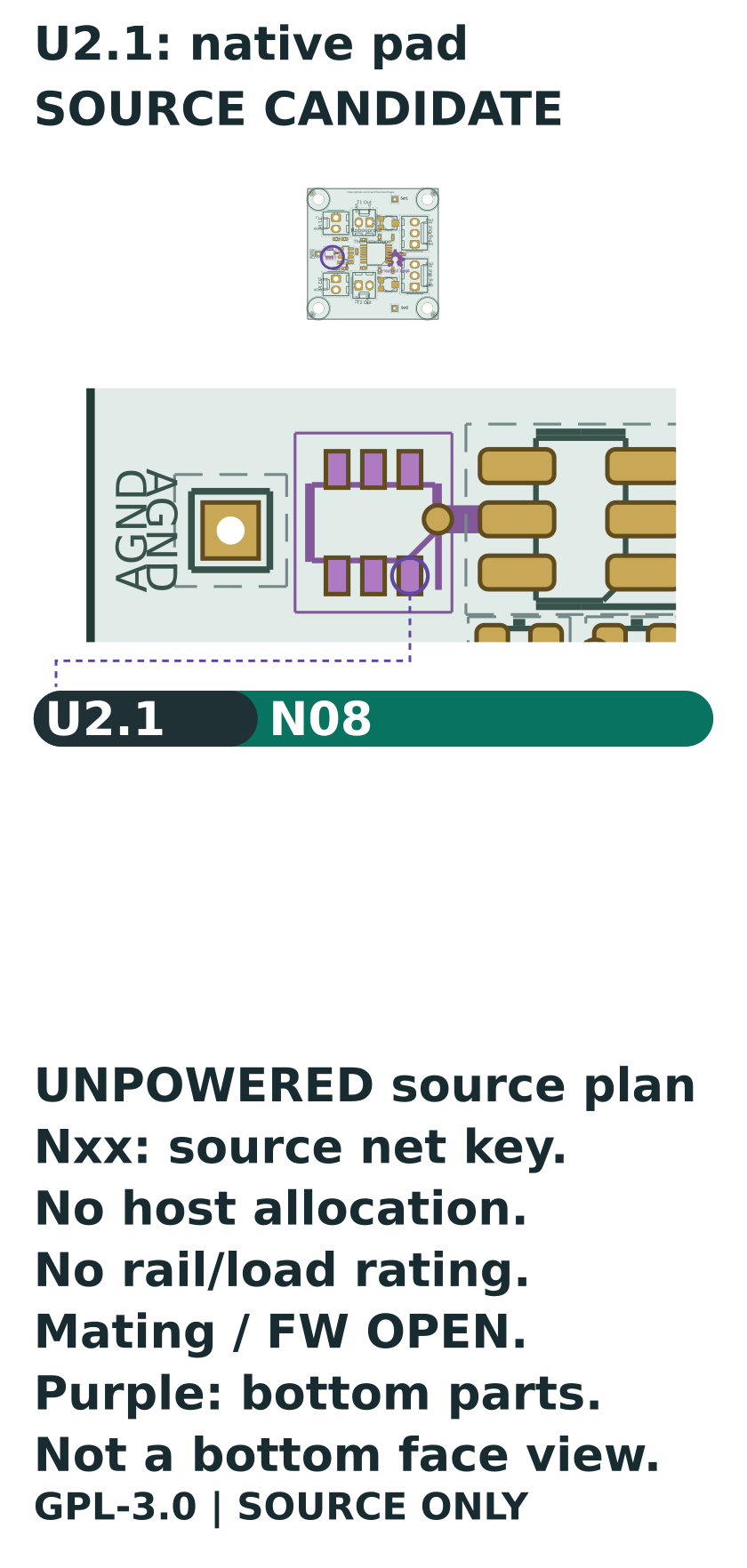
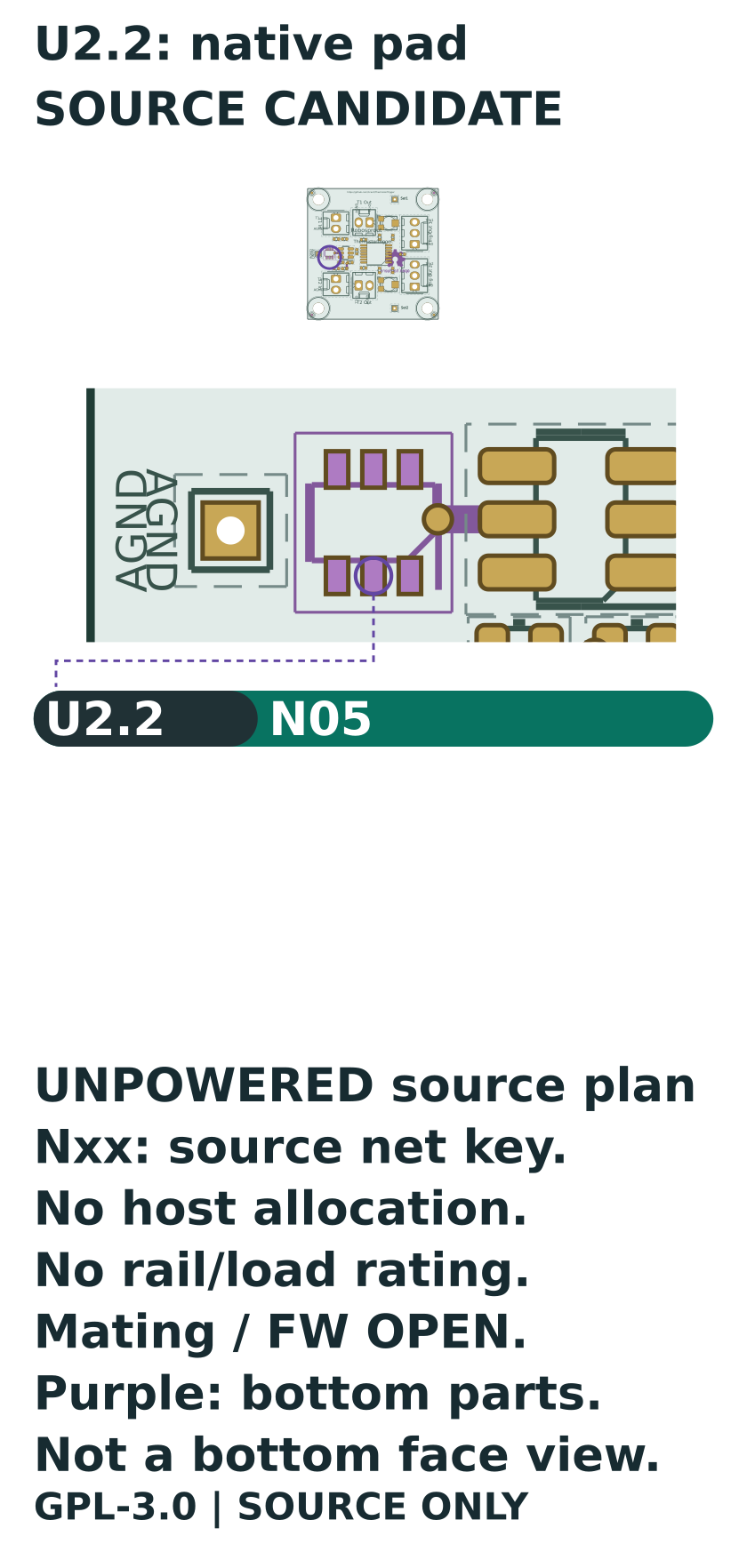
| U1 | LMV324 | 164 | 1 → Net-(J6-Pad3); 2 → Net-(C5-Pad1); 3 → A2_out; 4 → +5V; 5 → A1_out; 6 → Net-(C4-Pad1); 7 → Net-(J5-Pad3); 8 → Net-(R7-Pad1); 9 → Net-(R7-Pad1); 10 → Net-(C2-Pad1); 11 → GND; 12 → Net-(C3-Pad1); 13 → Net-(R8-Pad1); 14 → Net-(R8-Pad1) |
| R6 | 100k | 246 | 1 → Net-(R5-Pad2); 2 → Net-(C5-Pad1); 3 → AGND |
| J4 | Conn_01x02_Male | 424 | 1 → A2_out; 2 → AGND |
| J2 | Conn_01x02_Male | 566 | 1 → Net-(C3-Pad1); 2 → AGND |
| NT2 | NetTie_2 | 788 | 1 → +3.3V; 2 → Net-(NT2-Pad2) |
| TP3 | TestPoint | 821 | 1 → Net-(C5-Pad1) |
| J1 | Conn_01x02_Male | 862 | 1 → Net-(C2-Pad1); 2 → AGND |
| J5 | Conn_01x03_Male | 952 | 1 → GND; 2 → +5V; 3 → Net-(J5-Pad3) |
| NT1 | NetTie_2 | 1446 | 1 → GND; 2 → AGND |
| TP2 | TestPoint | 1508 | 1 → Net-(C4-Pad1) |
| R4 | 100k | 1578 | 1 → AGND; 2 → Net-(C4-Pad1); 3 → Net-(R3-Pad2) |
| J3 | Conn_01x02_Male | 1652 | 1 → A1_out; 2 → AGND |
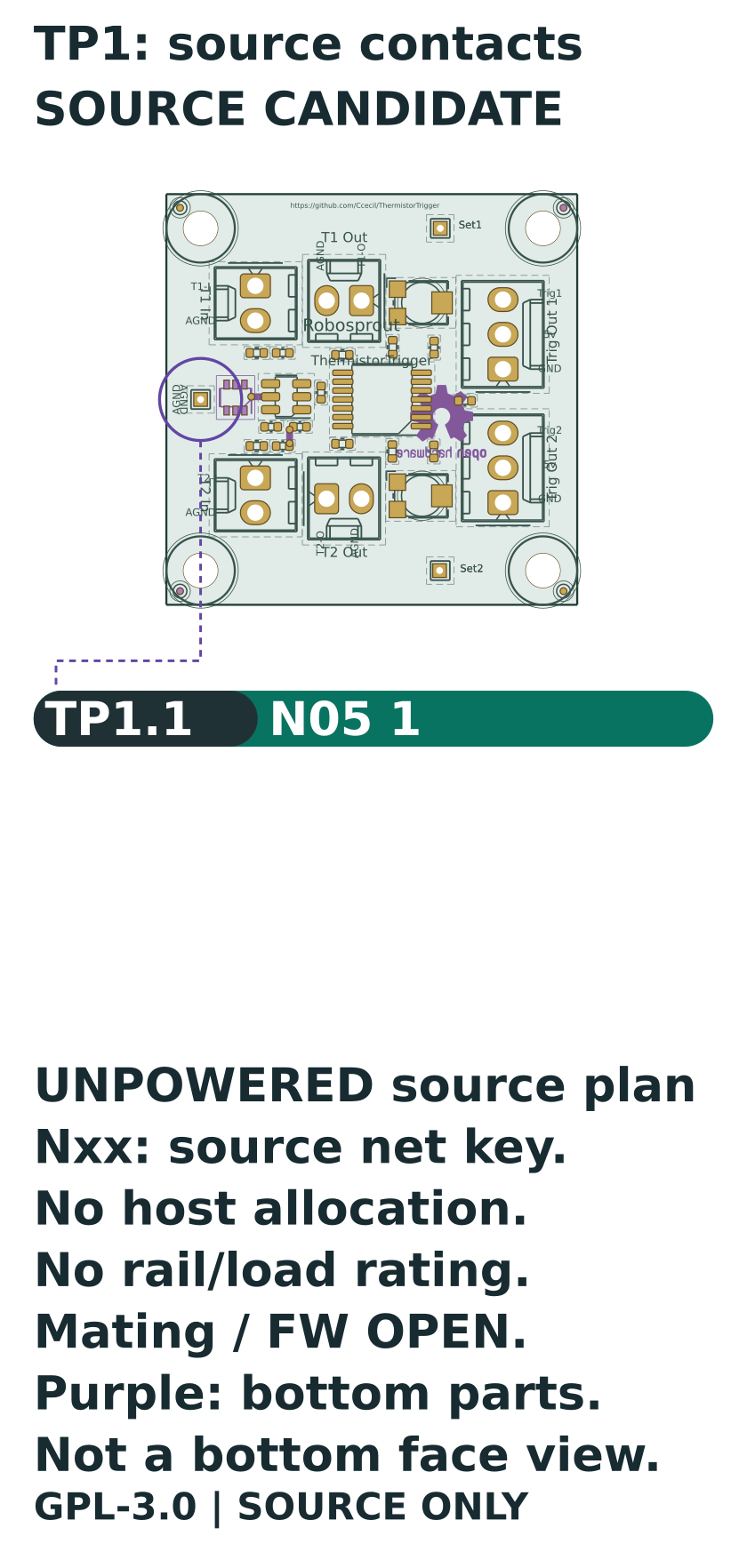
| TP1 | TestPoint | 1742 | 1 → AGND |
| J6 | Conn_01x03_Male | 1835 | 1 → GND; 2 → +5V; 3 → Net-(J6-Pad3) |
| U3 | MAX6070BAUT33+T | 1933 | 1 → Net-(C6-Pad1); 2 → GND; 3 → +5V; 4 → +5V; 5 → Net-(NT2-Pad2); 6 → +3.3V |
| U2 | TPD4E1U06DCKR | 3294 | 1 → Net-(C3-Pad1); 2 → AGND; 3 → A2_out; 4 → A1_out; 5 → unconnected-(U2-Pad5); 6 → Net-(C2-Pad1) |
Practical use with Smoothieboard V2 Prime
A practical example is a thermistor feeding both Smoothie temperature measurement through its buffered analog output and an independent high-side shutoff through its trigger. Before connecting it, derive the thermistor divider equation, pullup values, buffer output range, threshold calibration and open/short-probe behavior. A powered buffered analog signal is not automatically compatible with the Prime thermistor input’s existing pullup or ADC range. Do not double-connect the raw thermistor to two divider networks by assumption.
Complete practical wiring diagram — pending
No complete accepted cable or power-path diagram is available. The unresolved contact roles, voltage limits and fault states must be settled before depicting a usable Prime circuit. No arbitrary Prime GPIO assignment is supplied to conceal those gaps.
Firmware and setup
Comparator observation versus missing calibrated temperature converter
The board’s amplifier/reference/comparator is not a bare resistor-divider thermistor. The pinned TemperatureControl factory recognizes thermistor and max31855; an invented sensor=thermistortrigger falls through to dummy TempSensor. Ordinary thermistor beta/resistor settings do not implement this buffered/reference transfer. This is a precise absence of the named converter in the reviewed factory, not a claim that all custom implementations are impossible.
Two applications must stay separate. For numeric temperature, identify the selected ADC output’s gain/reference transfer and source-rated rail/input range, trace an actual Prime ADC contact, then implement/calibrate the matching converter with open/short/out-of-range behavior. No fabricated beta, ADC pin or temperature example is provided. For a binary comparator observation, first qualify its output voltage/bias and actual terminal, then route the qualified signal to Prime GF/J37.3 PB1 and use:
[endstops]
thermal_comparator_observation.enable = true
thermal_comparator_observation.pin = PB1-
thermal_comparator_observation.axis = X
thermal_comparator_observation.homing_direction = none
thermal_comparator_observation.limit_enable = false
An existing valid X actuator and exclusive pins are required. M119 reports the sampled logical state. The trailing minus disables internal pulls without inversion; supply a separately qualified external bias. No homing, limit or software-halt action is configured. Record both stable stimulus states and the disconnected/unpowered state with all machine motion disabled. This observation does not determine a safe fault polarity or provide debouncing/edge timing.
The comparator’s two measured states do not become a temperature or independent shutdown. Threshold, hysteresis, loss-state and defined halt/reset action remain separate application policy. For the required absent calibrated converter or missing fault integration email wolf.arthur@gamil.com.
These instructions identify source behavior at SmoothieV2 commit 2a21c0108b1d095ecd8b2b9358e94055f053c003; they do not identify the installed build or prove target execution. Reserve every listed pin and command in the complete configuration. Merge entries into existing sections rather than duplicating sections. These software instructions do not verify powered hardware or provide a complete wiring diagram.
Questions that remain before use
Thermistor resistance/curve, divider and ADC loading; reference/pot calibration; output swing and trigger fault states; actual Prime ADC/fault module integration. Both required instructional diagrams, schematic-to-layout reconciliation, electrical testing and normal/narrow-width page review remain pending.
Original files and attribution
Existing simple PT100, FSR and endstop boards do not implement this dual thermistor buffer/setpoint circuit. The author explicitly names Flambegate and Flambehub as separate companion devices.
- README.md — original source at the selected commit.
- ThermistorComparator.kicad_pcb — original source at the selected commit.
- ThermistorComparator.kicad_sch — original source at the selected commit.
The repository metadata identifies GPL-3.0; preserve and inspect the matching license and source notices before redistribution.
Production status and current availability are not established by retained author links.