Configuring Z height
After homing (with
Because of this, it will read the configuration option
So after homing, the Z position is set to
This means for example if you home to max that if your hotend is 300mm above your bed after homing, and you set
To put it simply, setting
To find the right value for
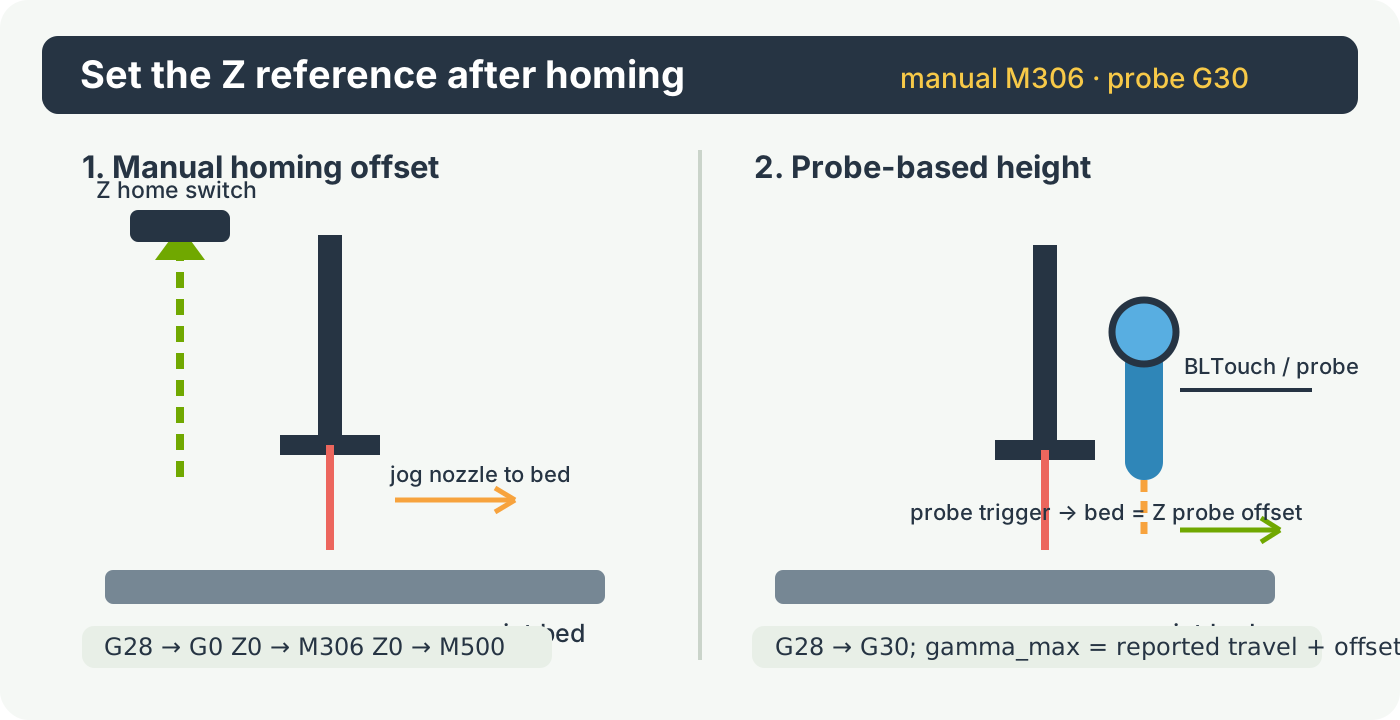
Simplified manual adjustment method (Recommended method)
First home the machine:
G28
Then move to the point the machine currently thinks is Z 0:
G0 Z0
Then move the head to the bed by jogging, using Pronterface’s arrows, the panel, the web interface or whatever other method is adequate in your case.
Finally issue the
M306 Z0
Then save to the SD card with
M500
Next time you home, the machine will know how high above the bed it is.
Finding gamma_max manually
First home the machine:
G28
Then set the current Z position to 0:
G92 Z0
Then move the head to the bed by jogging, using Pronterface’s arrows, the panel, the web interface or whatever other method is adequate in your case.
Once the head is exactly at the bed, issue this command:
M114
This will return the position of all axes. The current position of the Z axis is the value you must use as your
Now simply edit the configuration file to set this value, and reset the board.
Alternatively (delta only) you can use the
The
Next time you home, the machine will know how high above the bed it is.
Finding gamma_max with a probe
If you have some sort of probe attached to your head ( or below your head ), which triggers when the hotend gets close to the bed, then you can use this to find your gamma_max value without manually jogging.
Now there are two different cases here:
- Either when the probe is triggered, the hotend is exactly at bed level (this is the case of probes under the bed, or probes that trigger when the hotend itself is pushed)
- Or, when the probe is triggered, the hotend is above the bed by a given distance, which we will call the z probe offset (this is the case of servo-retracted probes, bltouch, inductive probes, IR probes, etc).
First home the machine:
G28
Then ask the probe to go find the bed:
G30
This will report the distance traveled by the probe.
Your
For example, if you home, then do
Simply edit the configuration file to set this value, and reset the board.
Alternatively you can use the
The
Next time you home, the machine will know how high above the bed it is.
Automatically finding the bed with a probe
Smoothie allows you to save both the Z height, and the delta calibration data, to the SD card.
This means you do not need to probe every time you start the machine, you only need to do it once, and save the values, which will then stay valid as long as your machine’s geometry doesn’t change.
This means you can have a removable probe that you only connect and attach to the head at the rare occasions when you need it.
However, if for whatever reason you have a fixed ( or retractable ) probe on your head ( or sensors below your bed ), then you might want to automatically probe at the beginning of each print.
To do so, simply change your slicing program’s “beginning of file” G-code sequence, and replace:
G28
with:
G28
G30 Znnn
When nnn is the distance between your probe’s triggering point, and the bed (or probe offset):
The
So for example if your probe triggers when the hotend is 5mm above the bed, do
If you are doing this manually you can save time by jogging the Z to within 5mm of the bed then issue the